
Document-aware meeting intelligence for project managers
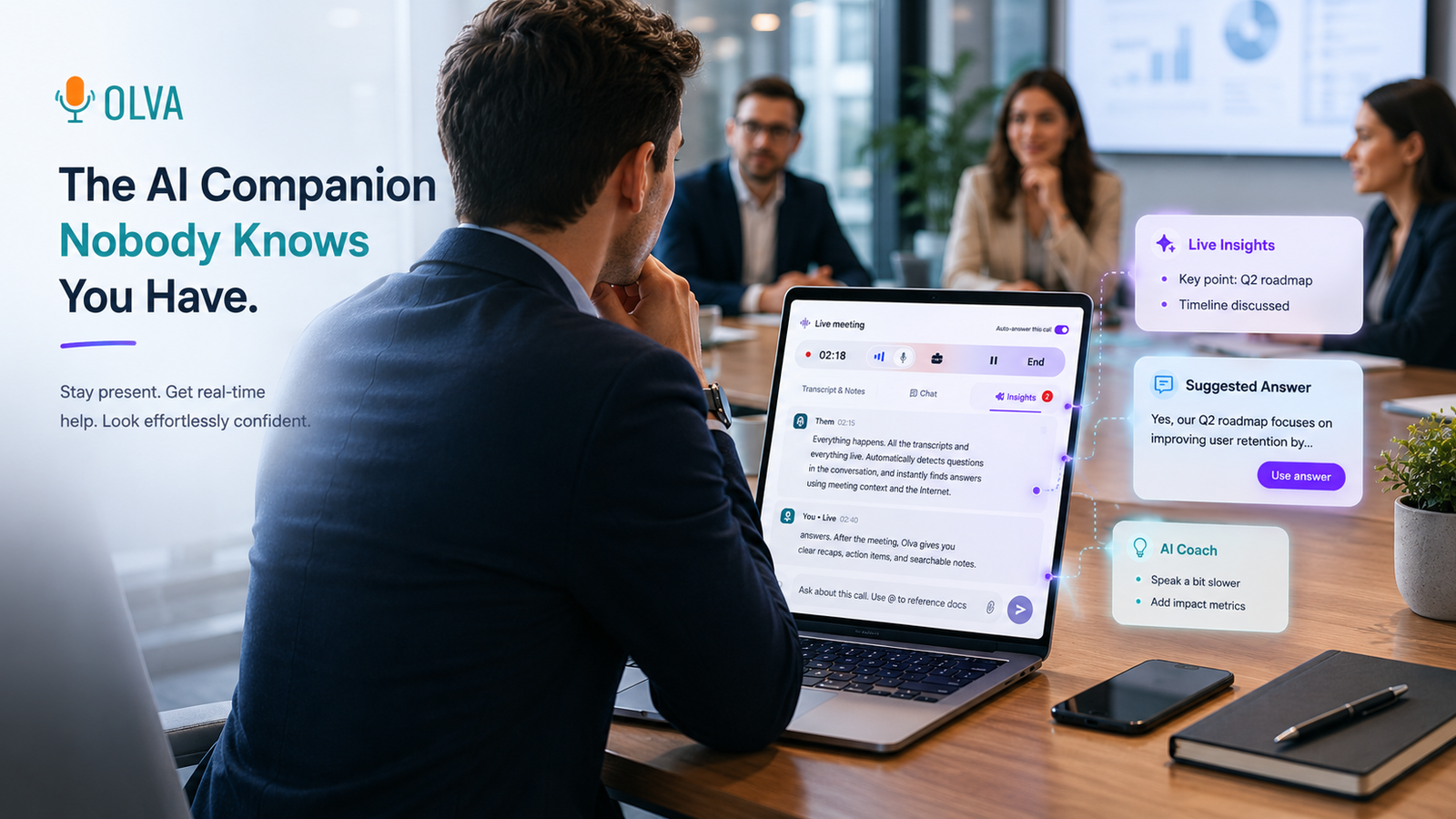
Project managers spend too many meetings trying to find answers inside specs, contracts, or requirement documents while the clock (and stakeholders' patience) ticks away. The most valuable decisions happen during the conversation — not in a summary emailed afterward. That’s where document-aware meeting intelligence changes the game: it connects your documents, meeting context, and real-time AI assistance so you can review specs, clarify contract terms, and resolve requirements live.
This article explains how project managers can use document-aware meeting intelligence to run clearer technical reviews, accelerate approvals, and reduce rework — with practical examples, workflows, and a fair comparison to existing tools. We'll also show how an invisible, document-aware assistant (learn more at https://olva.ai) helps you act in the moment, not just remember what happened later.
Why “document-aware” matters for project managers
Project work is document-driven. You juggle:
- Functional specifications and product requirement documents
- Contract clauses and SOWs
- Technical designs, API docs, and runbooks
- Change requests and regulatory checklists
Most meeting assistants focus on capturing the conversation: transcription, recordings, and post-meeting summaries. Those are useful — but they don’t close the gap between a question being asked and a confident answer being given.
Document-aware meeting intelligence closes that gap by combining three things in real time:
- Live transcription of the conversation
- Context from uploaded or linked documents (specs, contracts, diagrams)
- AI that detects questions, verifies claims, and suggests answers or follow-ups as the meeting unfolds
For a project manager, that means fewer paused conversations, faster approvals, and meetings that actually produce decisions.
Real-world scenarios: how it helps during meetings
Scenario 1 — Specs review with an engineer and a stakeholder
- Situation: A stakeholder asks whether the new feature will support multi-tenant rate limiting.
- Traditional outcome: The PM says "I'll check the spec" and follows up after the meeting.
- With document-aware intelligence: The assistant detects the question, searches the uploaded API spec and SOW, highlights the rate-limiting section, and suggests a concise answer based on the spec language. The PM can cite the exact clause and confirm next steps — all during the meeting.
Scenario 2 — Contract negotiation with procurement
- Situation: Procurement asks about liability caps and a specific indemnity clause.
- Traditional outcome: Negotiation stalls while legal is looped in, delaying approval.
- With document-aware intelligence: The assistant pulls the relevant contract clauses, summarizes the risk implications, and offers suggested phrasing to propose a compromise that aligns with the organization's guidelines.
Scenario 3 — Requirement clarifications in a cross-functional kickoff
- Situation: Devs ask whether edge cases in the requirements include offline flows.
- Traditional outcome: Undocumented assumptions lead to rework later.
- With document-aware intelligence: The assistant flags ambiguous requirement language, suggests clarifying questions, and auto-generates a short follow-up to add to the requirements document.
Each scenario shows the same pattern: detecting a question or ambiguity, using documents and context to resolve it, and enabling the PM to act immediately.
Practical workflow: prepare, run, resolve
- Before the meeting
- Upload or link the relevant documents (specs, contracts, slides) to your meeting workspace.
- Tag or highlight the most important sections if you want to prioritize them.
- During the meeting
- The assistant runs invisibly in the background (no bot participants, no awkward notifications). It transcribes the conversation in real time and listens for questions or claims.
- When a question or potential issue is detected, the assistant uses the meeting context and the uploaded documents to surface the most relevant clauses or sections.
- The assistant can provide instant answers, suggested wording, or follow-up questions you can ask — privately, or aloud to the room.
- After the meeting
- The assistant captures decisions, action items, and any references to document sections in post-meeting memory so they’re searchable later.
- Transcripts and highlights can be edited or deleted according to your privacy needs.
This workflow turns meetings from "note-taking sessions" into "decision-making sessions."
Key capabilities that matter for project managers
- Invisible AI Assistant: Keeps support private and unobtrusive — no bot participants or meeting clutter.
- Live Transcription: Accurate, real-time capture of both your voice and participant audio so the assistant has full context.
- Document-Aware Intelligence: The assistant uses uploaded PDFs, specs, and contracts to ground answers in the actual documents you care about.
- Automatic Question Detection: Detects clarification requests, objections, or contract-related questions as they happen.
- Instant Answers & Live Q&A: Generate context-aware answers instantly; you can also ask the assistant private questions like "How should I respond?" or "What does section 4.2 say?"
- Live Insights & Fact Checking: Surface potential risks, ambiguous requirements, or inconsistencies between documents and conversation.
- AI Coaching: Suggest phrasing to de-escalate negotiation, clarify requirements, or propose trade-offs.
- Opportunity Detection: Spot upsell or scope expansion opportunities in stakeholder conversations during meetings.
- Post-Meeting Memory: Store decisions and document references so follow-ups are tied back to the exact clauses discussed.
Fair comparison with other tools
There are excellent meeting tools available:
- Transcription-first platforms (e.g., Otter.ai) capture conversations reliably and produce searchable transcripts.
- Conversation analytics platforms (e.g., Gong, Chorus) provide coaching and sales-focused insights from recorded calls.
- Note-taking and summary tools (e.g., Fireflies) streamline post-meeting documentation.
These tools excel at post-meeting capture, analytics, and coaching based on recordings. Where they typically stop, document-aware meeting intelligence goes further: it acts while the conversation is still happening.
That live difference matters for PMs. When a contract clause or spec ambiguity comes up, waiting for a summary to act can introduce delays, missed decisions, and rework. The best tools can complement each other — for example, you might use a transcription service for archiving while relying on document-aware intelligence to resolve issues instantly during critical meetings.
Practical examples: exact phrasing and micro-workflows
Example A — Answering a contract question on the spot
- Participant: "What's our termination notice period for this vendor?"
- Assistant (private to PM): Highlights section 7.1 of the uploaded contract.
- Suggested PM response: "Section 7.1 specifies a 60-day termination notice. We can discuss accelerated exit terms if required — would you like me to propose that in an amendment?"
Result: The conversation moves from uncertainty to a specific negotiation topic without a follow-up delay.
Example B — Clarifying a spec ambiguity
- Participant: "Does the requirement include caching behavior for edge cases?"
- Assistant (private): Flags ambiguous language in the requirement doc and suggests two clarifying questions: "Should cached items expire on user logout?" and "Do we differentiate between client and server-side caching?"
- PM asks one of the suggested clarifying questions and the team resolves the ambiguity.
Result: Clearer requirements reduce later rework and scope creep.
Privacy and control — why invisibility matters
Document-aware meeting intelligence should be helpful without disrupting trust. Important privacy controls include:
- No visible bot participants: The assistant runs invisibly so it doesn’t change meeting dynamics or create notification noise.
- User-only visibility: Transcripts, document searches, and suggested answers are visible only to the meeting user unless they choose to share.
- Editable transcripts and deletions: You can remove sensitive material or delete transcripts if required.
These features let project managers get help in the moment while maintaining confidentiality and stakeholder comfort.
Tips for adoption on your projects
- Prepare critical documents in advance: Upload specs, contracts, and regulatory checklists before the meeting.
- Mark high-priority sections: Flag definitions, SLA terms, or acceptance criteria so the assistant prioritizes them.
- Train meeting norms: Tell your team you may use live assistance privately to speed clarification — this avoids surprises.
- Use suggested phrasing when negotiating: It helps preserve tone and reduces miscommunication.
- Keep post-meeting memory tidy: Tag decisions and link action items back to the exact document sections for traceability.
How this changes PM KPIs
Document-aware meeting intelligence reduces friction in three measurable ways:
- Faster decision velocity: Less time between a question being asked and an answer being provided.
- Fewer follow-ups and rework cycles: Ambiguities are resolved earlier, preventing downstream defects.
- Higher meeting ROI: Meetings move from "information capture" to "problem resolution."
Adopted correctly, teams report shorter review cycles, reduced approval bottlenecks, and clearer requirements handed to engineering.
Conclusion
Project managers who can review specs, contracts, and requirements live during meetings unlock faster approvals, fewer misunderstandings, and more predictable deliveries. Document-aware meeting intelligence — combining live transcription, document grounding, automatic question detection, instant answers, and private AI coaching — moves decisions into the meeting itself.
This shift matters because the real value of a meeting isn't the transcript; it's the outcome. Acting on questions while the conversation is happening reduces delays, improves traceability, and keeps projects moving.
For project managers ready to run meetings that resolve issues in real time, explore solutions that are document-aware and invisible by design — for example, learn how Olva connects documents, meeting context, and live assistance at https://olva.ai.