Live transcript
10:24
The long-term trend looks positive overall.
10:25
Recent volatility could change the risk picture.
10:25
How has the portfolio performed over the last five years?
How has the portfolio performed over the last five years?
It has delivered steady long-term growth, with recent volatility worth planning for.
Use the portfolio stability as your strongest proof point.
Quick overview
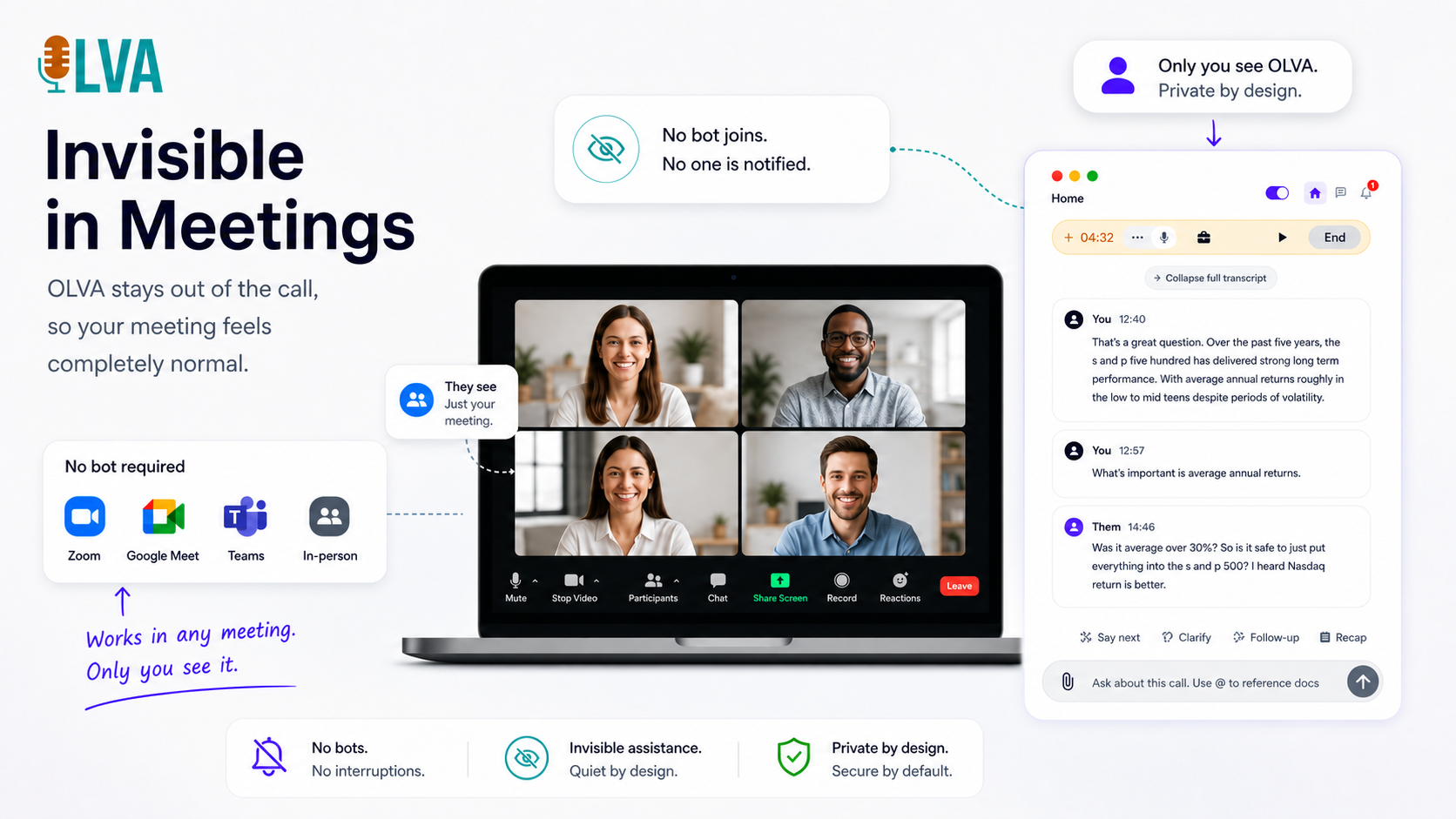
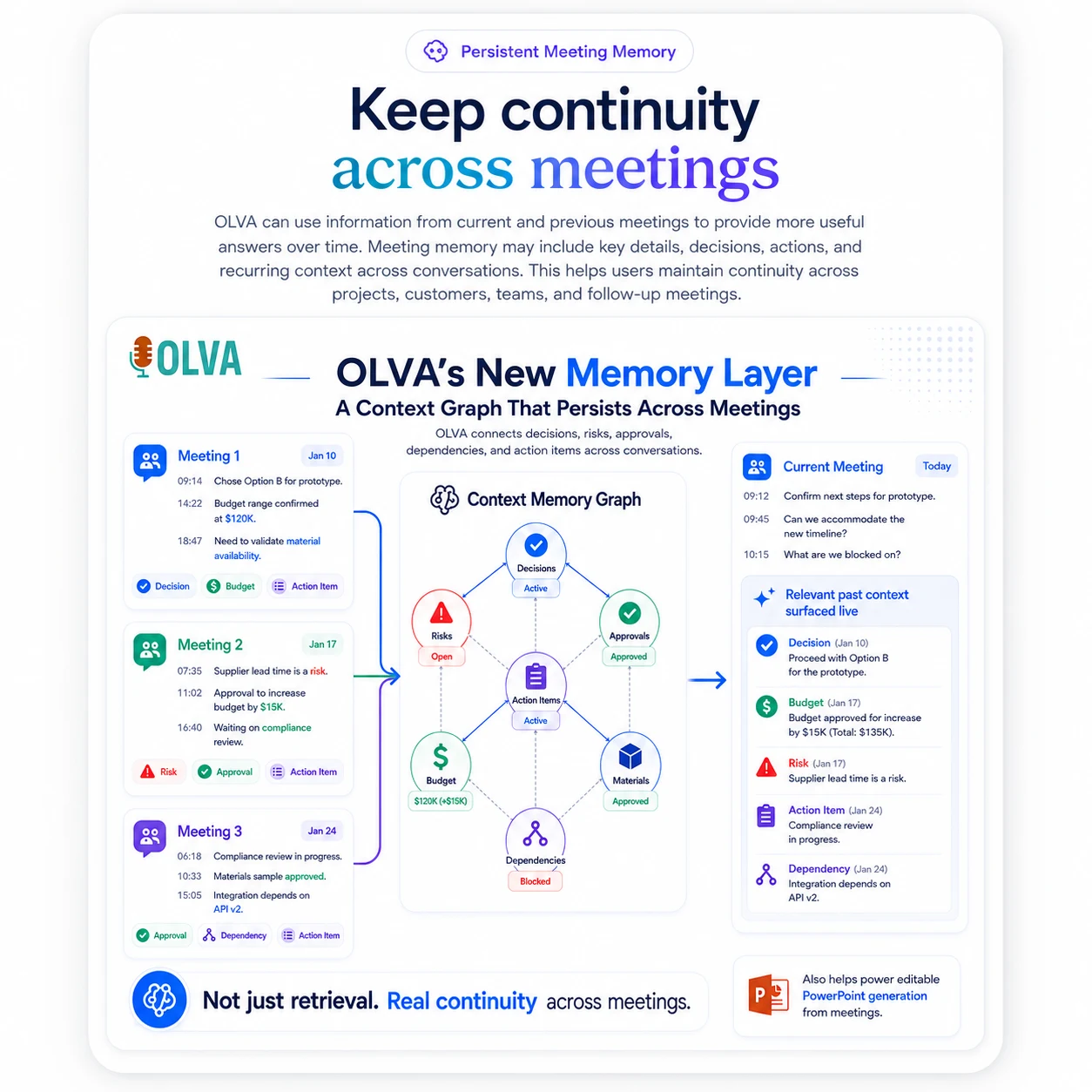
OLVA delivers live meeting intelligence for Zoom, Meet, Teams, and in-person conversations without joining as a bot. Get question detection, live answers, coaching, multilingual transcription, and searchable meeting memory.
Core features
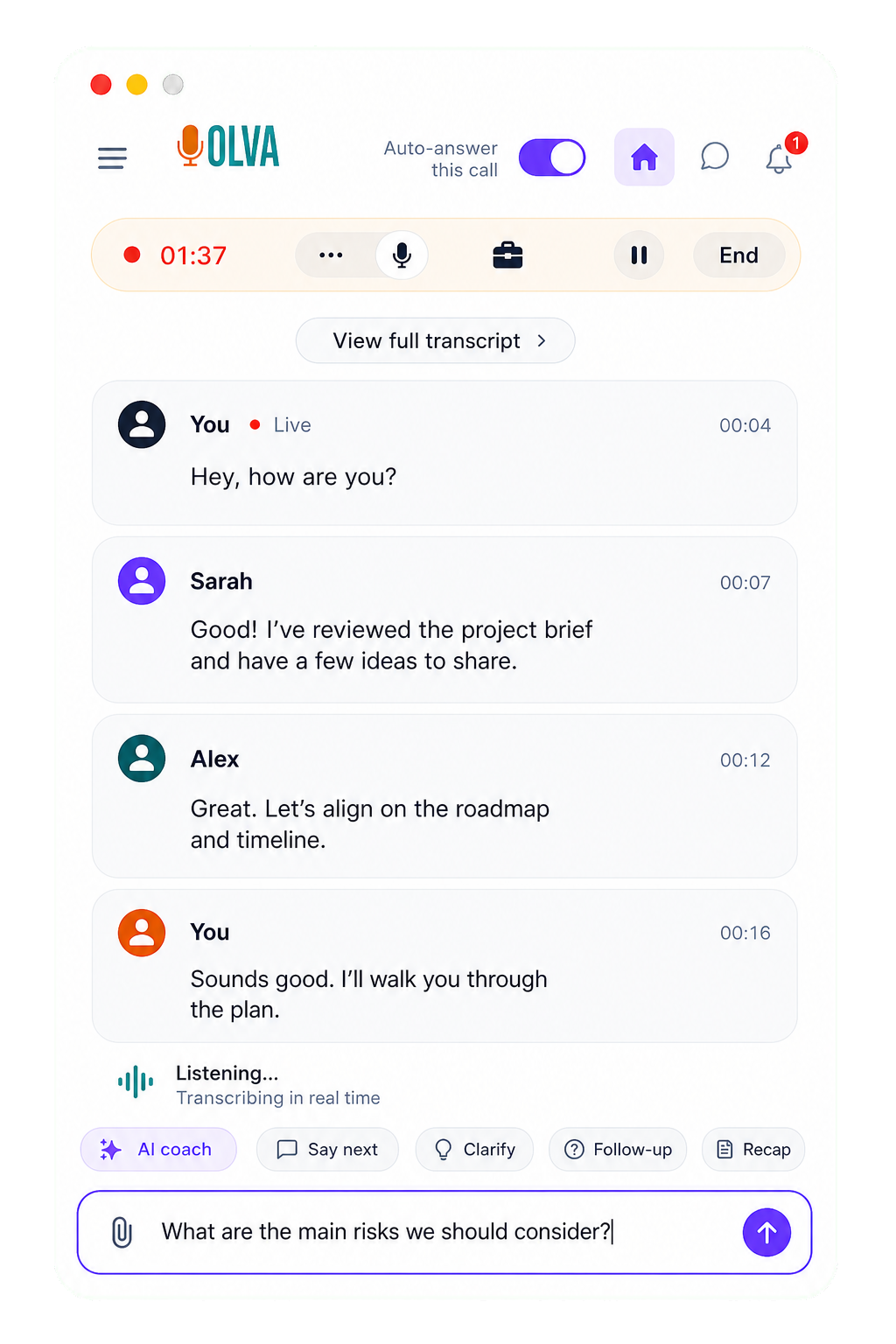
Live transcript
Follow the meeting as it happens with live transcription that keeps pace with every speaker, so key points are available while the conversation is still moving.
Question detection
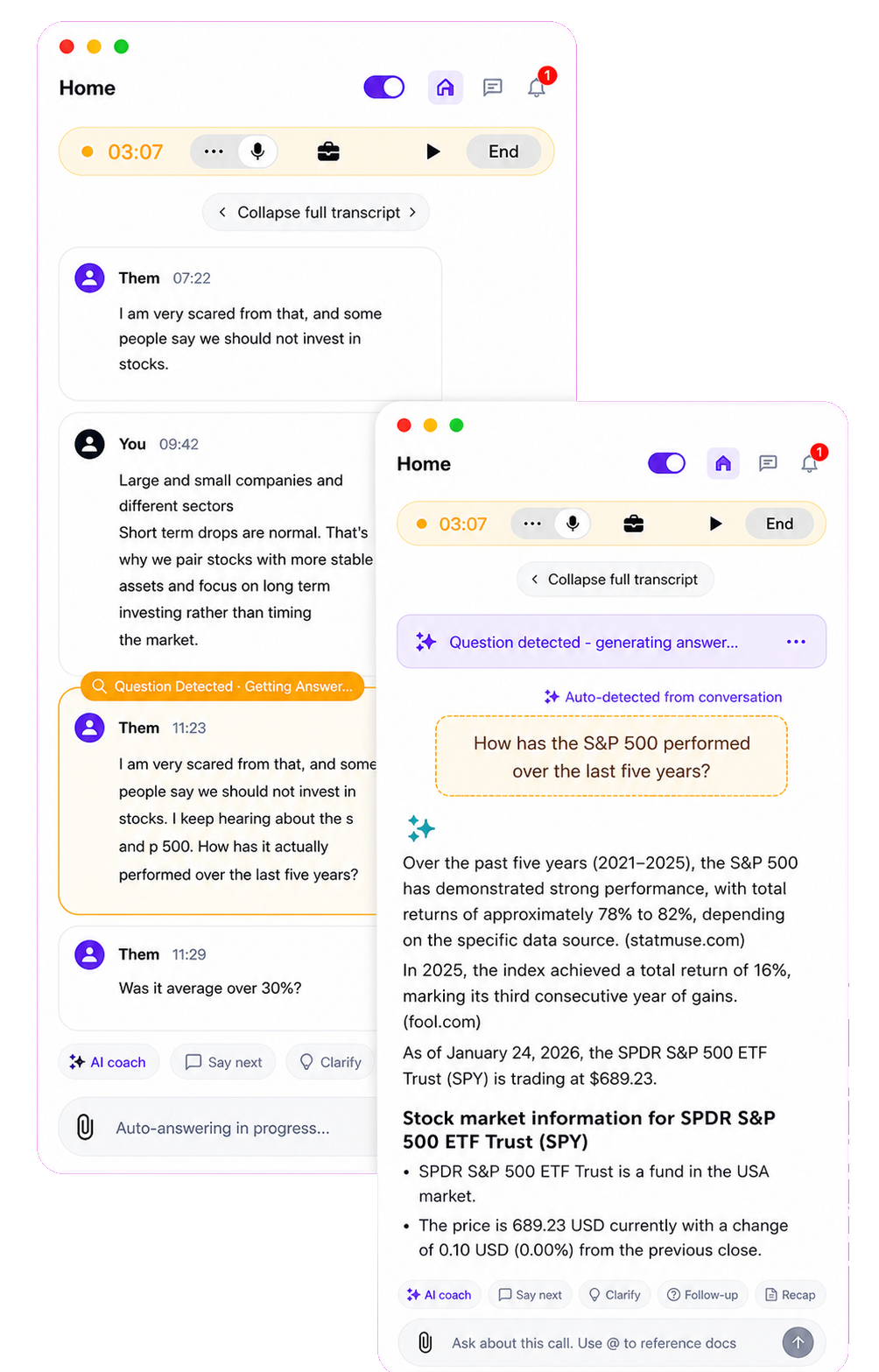
OLVA recognizes questions in the conversation automatically and brings them forward without forcing you to stop, search, or type in the middle of the call.
In-meeting answers
Ask about the meeting while you are still in it. OLVA uses the active transcript and your connected context to help you answer with confidence.
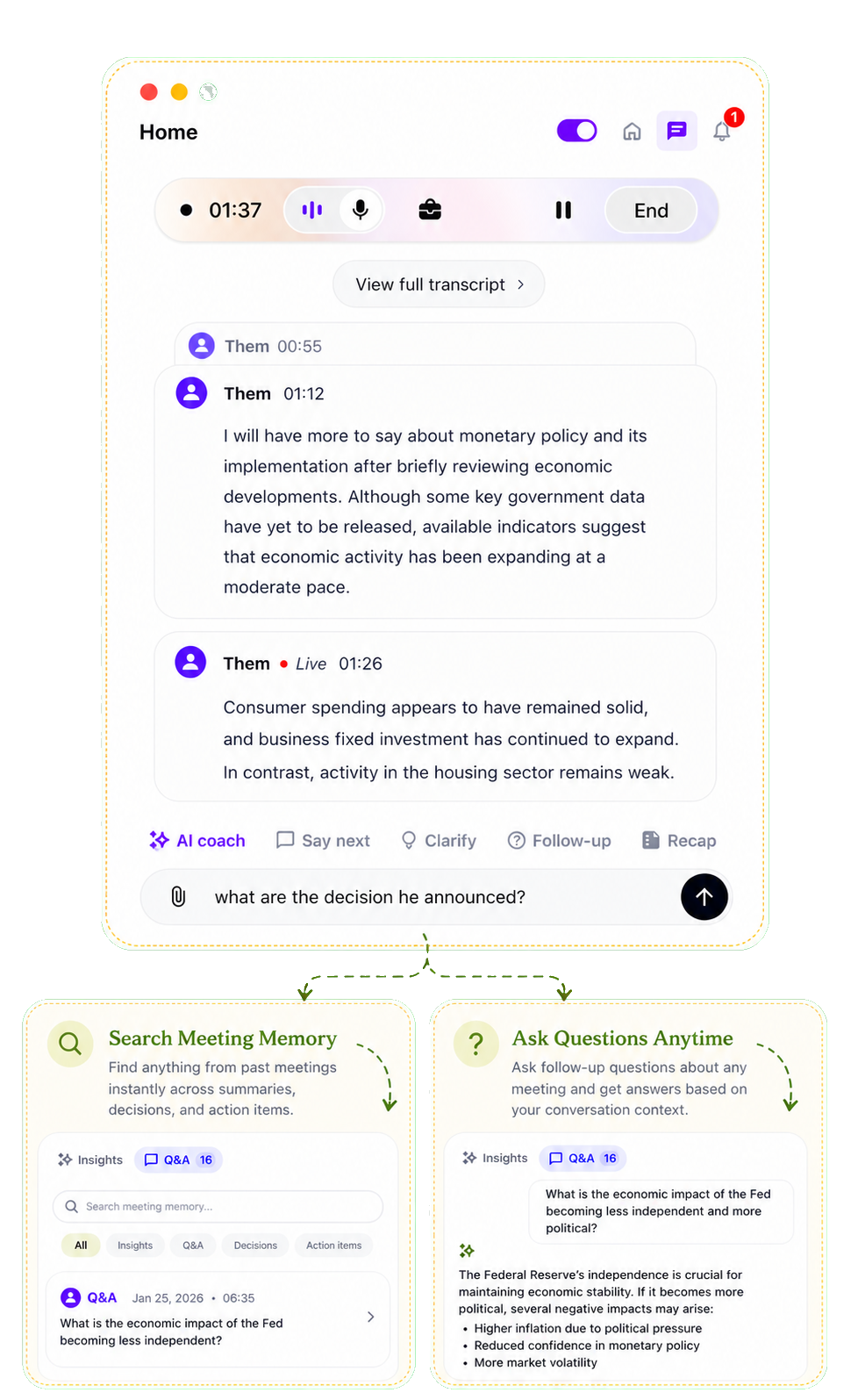
Live intelligence
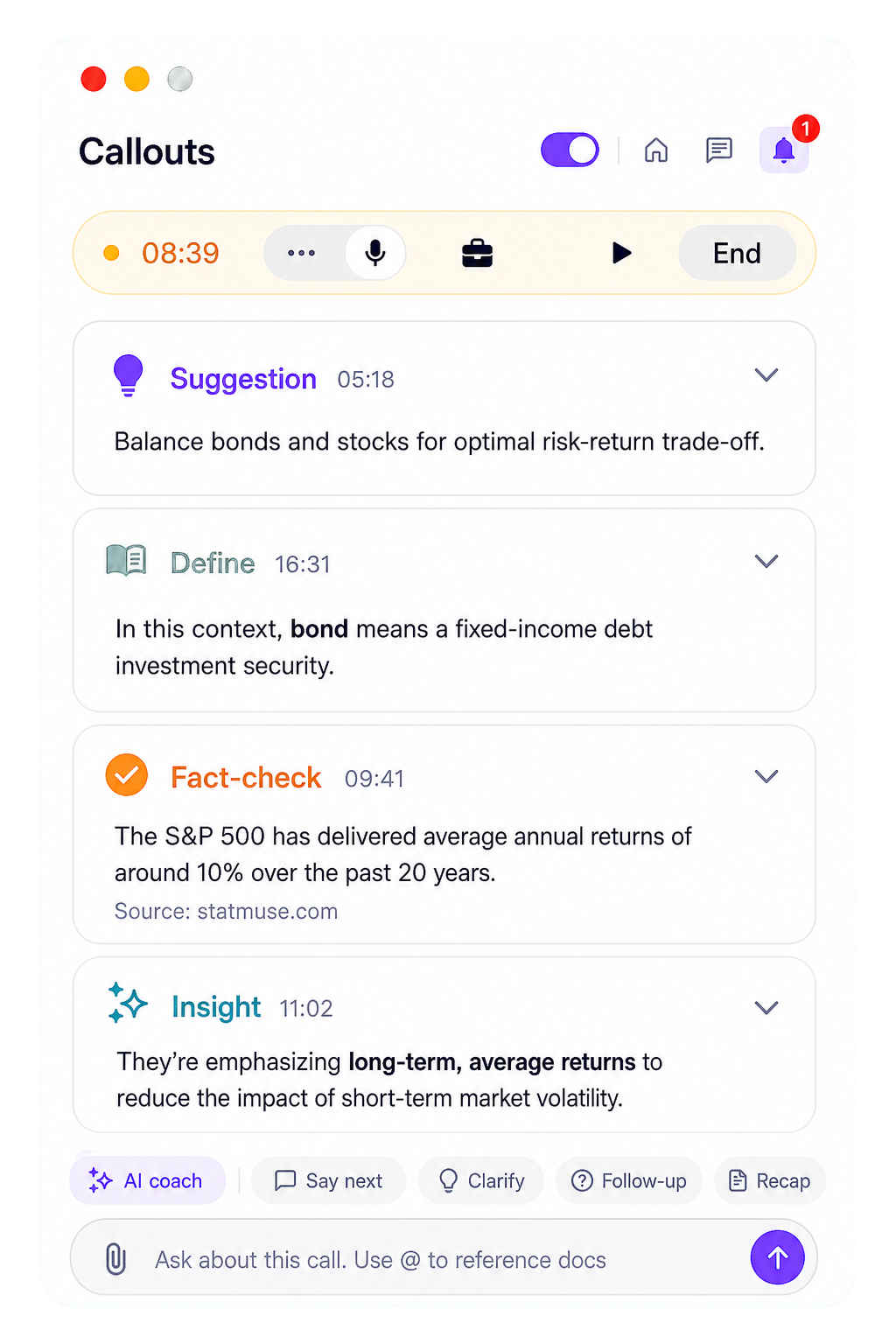
Get live insights while discussions happen, including useful signals, risks, and follow-ups that help you steer the meeting in real time.
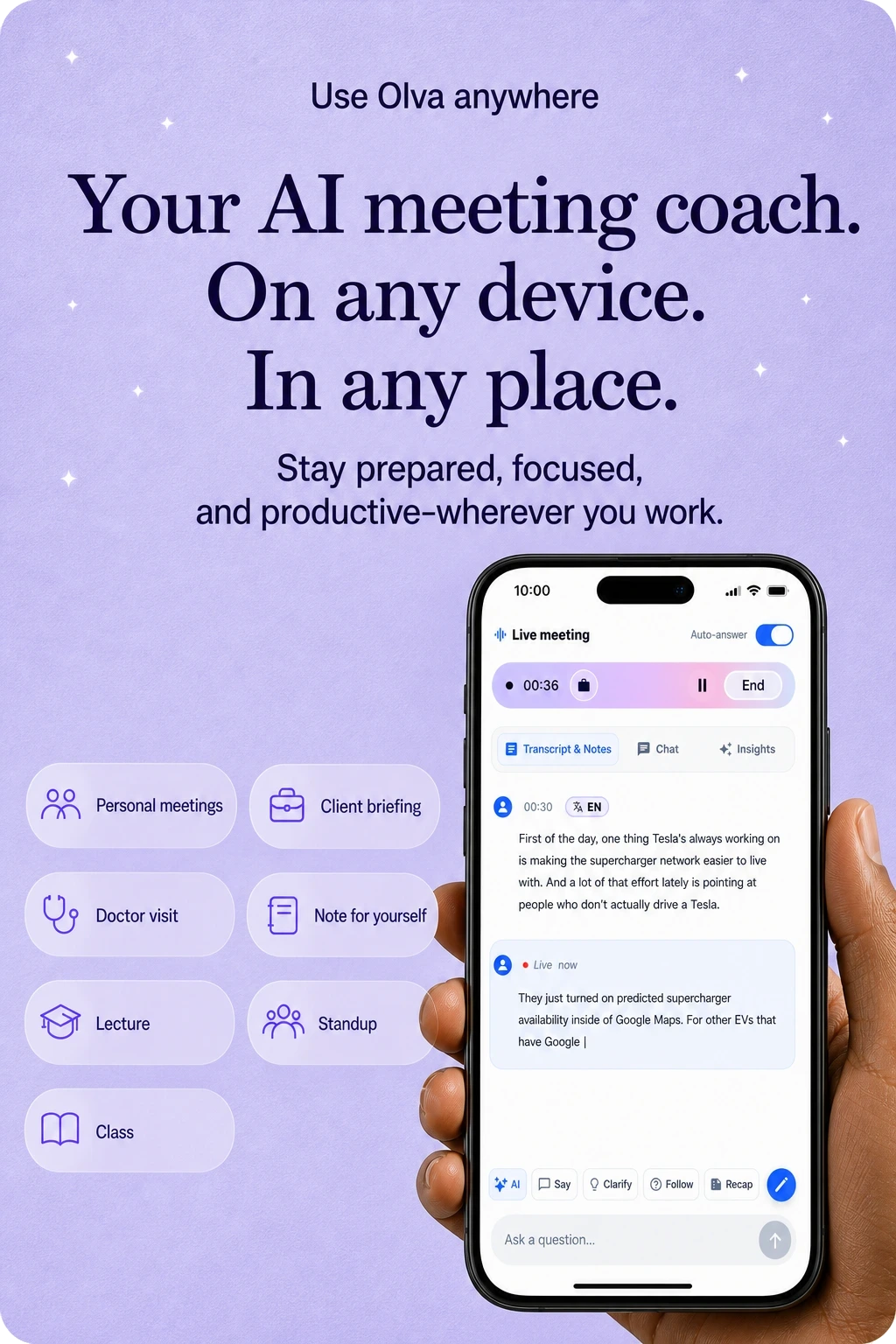
Mobile app
Use OLVA from your phone for live transcription, meeting history, recaps, and follow-up questions when work moves away from your desk.
87 language and regional options
Start in Auto multilingual mode, or choose from 87 language and regional options when the meeting needs broader coverage.
Transcripts, answers, and summaries follow the meeting language.
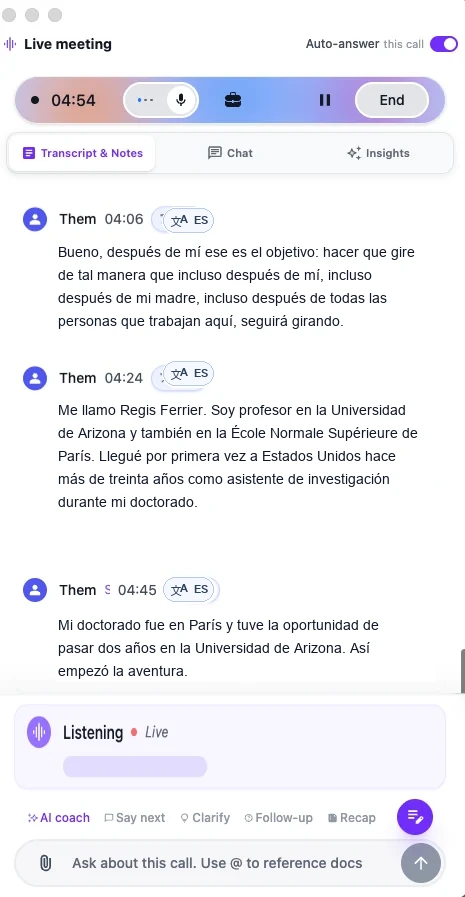
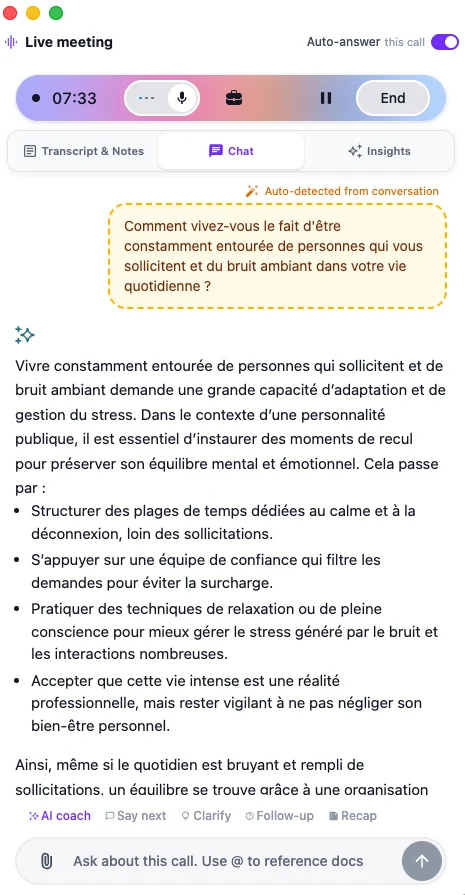
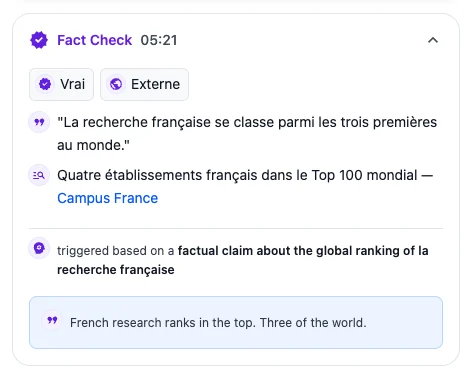
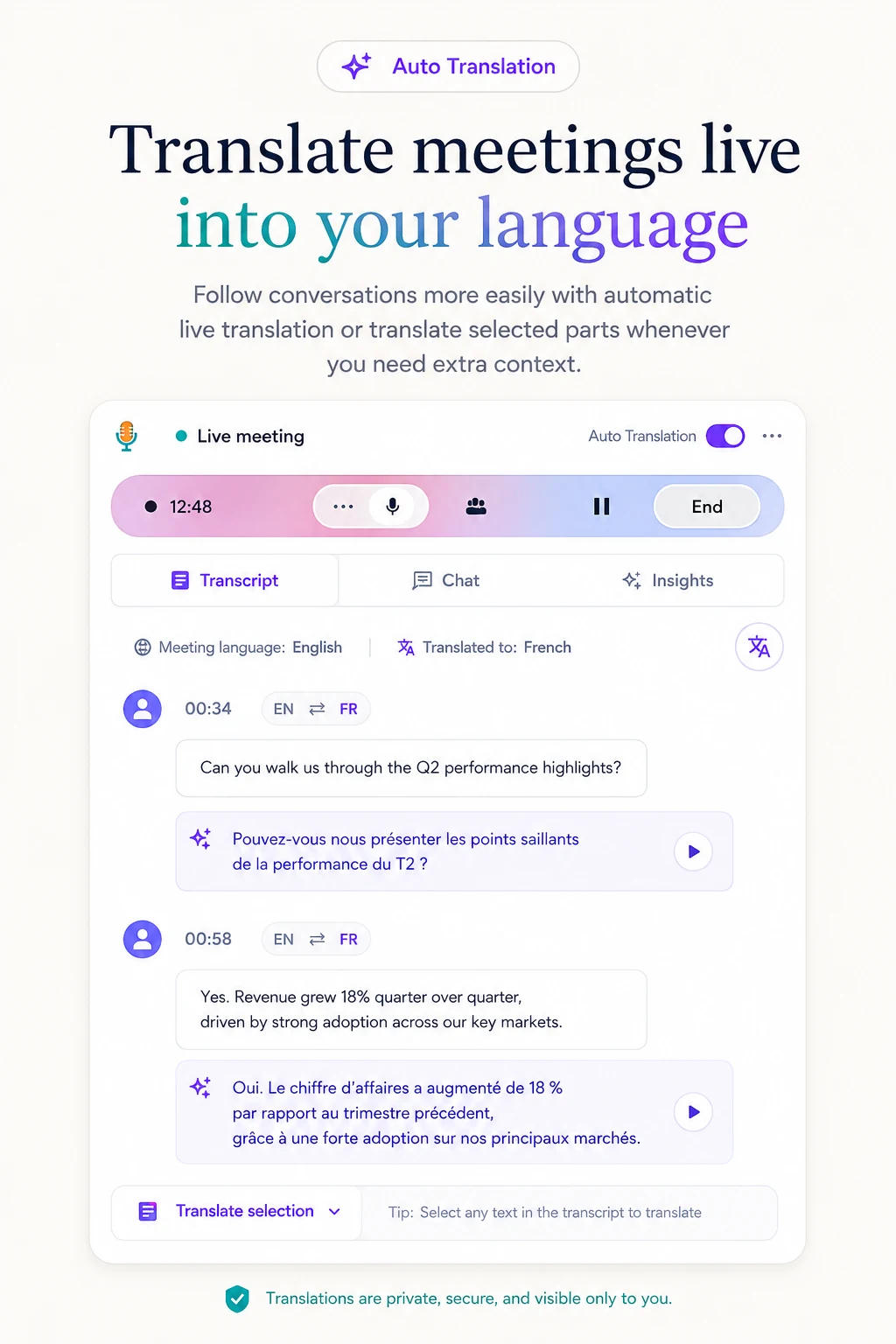
Auto + manual translation
Translate meetings into your preferred language automatically, or translate selected parts of the conversation whenever you need more context.
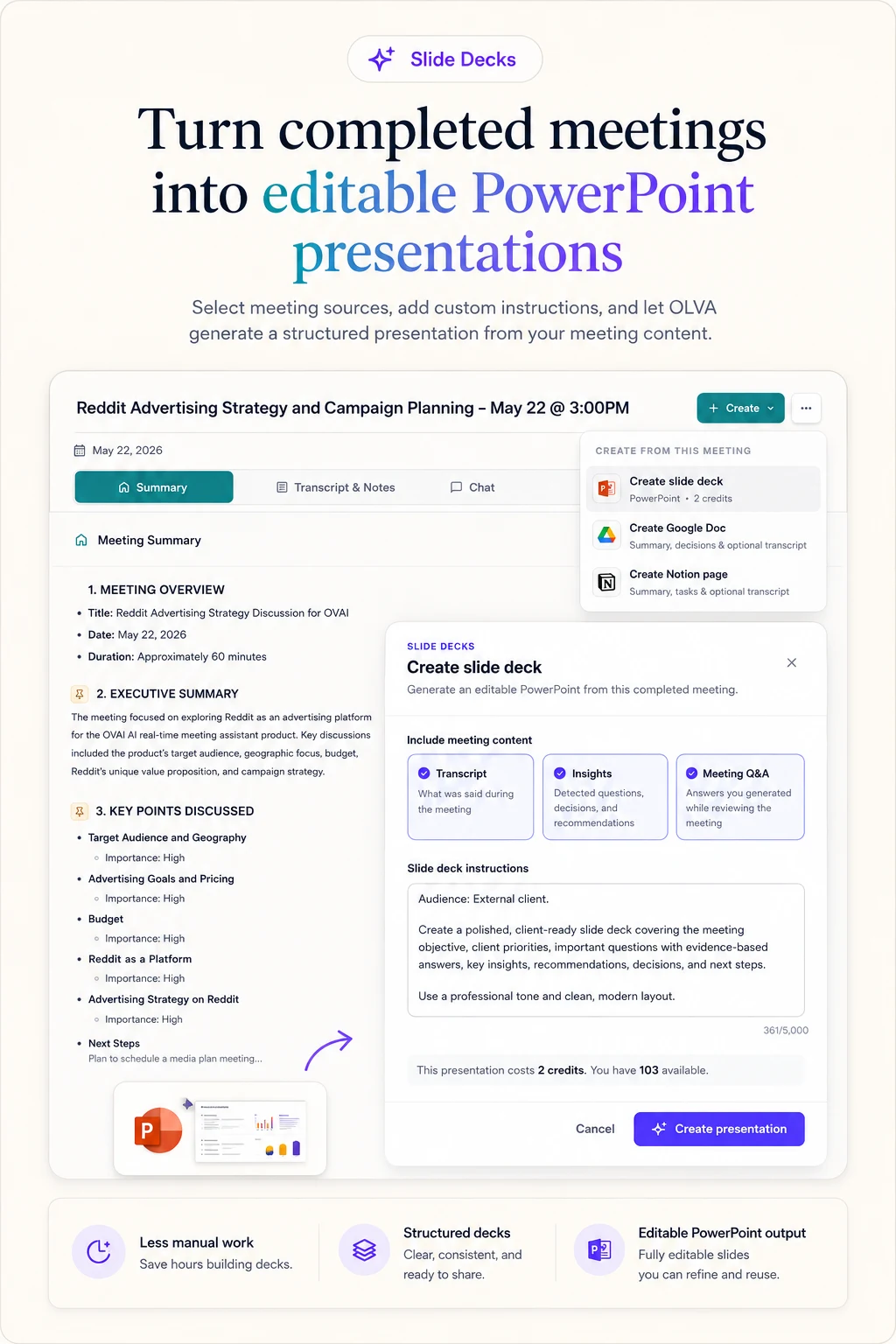
Editable PowerPoint
Turn completed meetings into structured, editable PowerPoint presentations using the transcript, insights, and meeting Q&A.
More features
Product demo
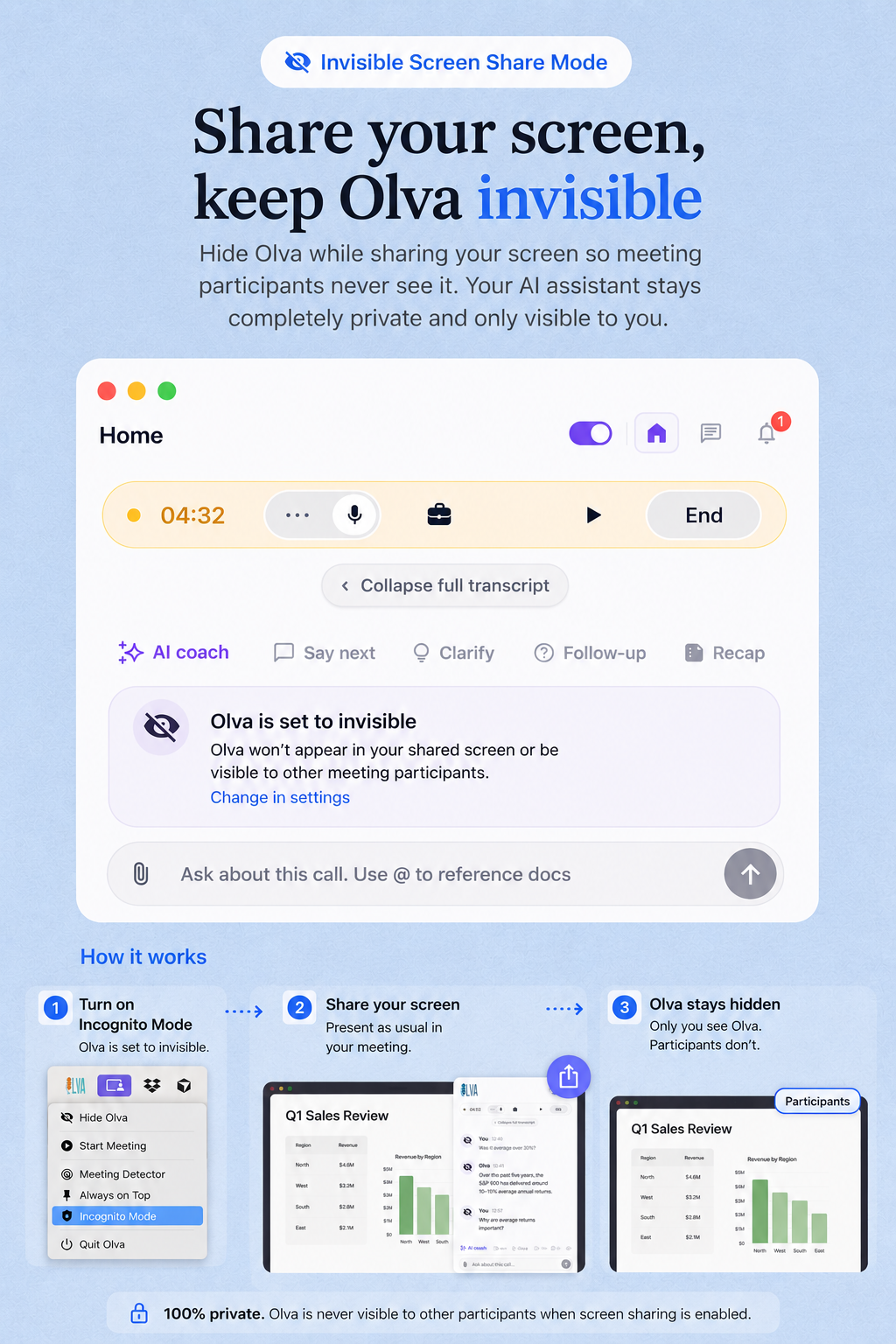
Watch how OLVA stays private, detects questions, and brings answers into the conversation without joining the call.
Platform compatibility
OLVA captures your computer audio directly, so it works beside the meeting tools you already use without joining your call.
Zoom
Google Meet
Microsoft Teams
Slack huddles

Webex
In-person
Zoom
Google Meet
Microsoft Teams
Slack huddles
Webex
In-person
Mobile apps
Start or review meetings from your phone, revisit meeting memory, and ask follow-up questions wherever work takes you.
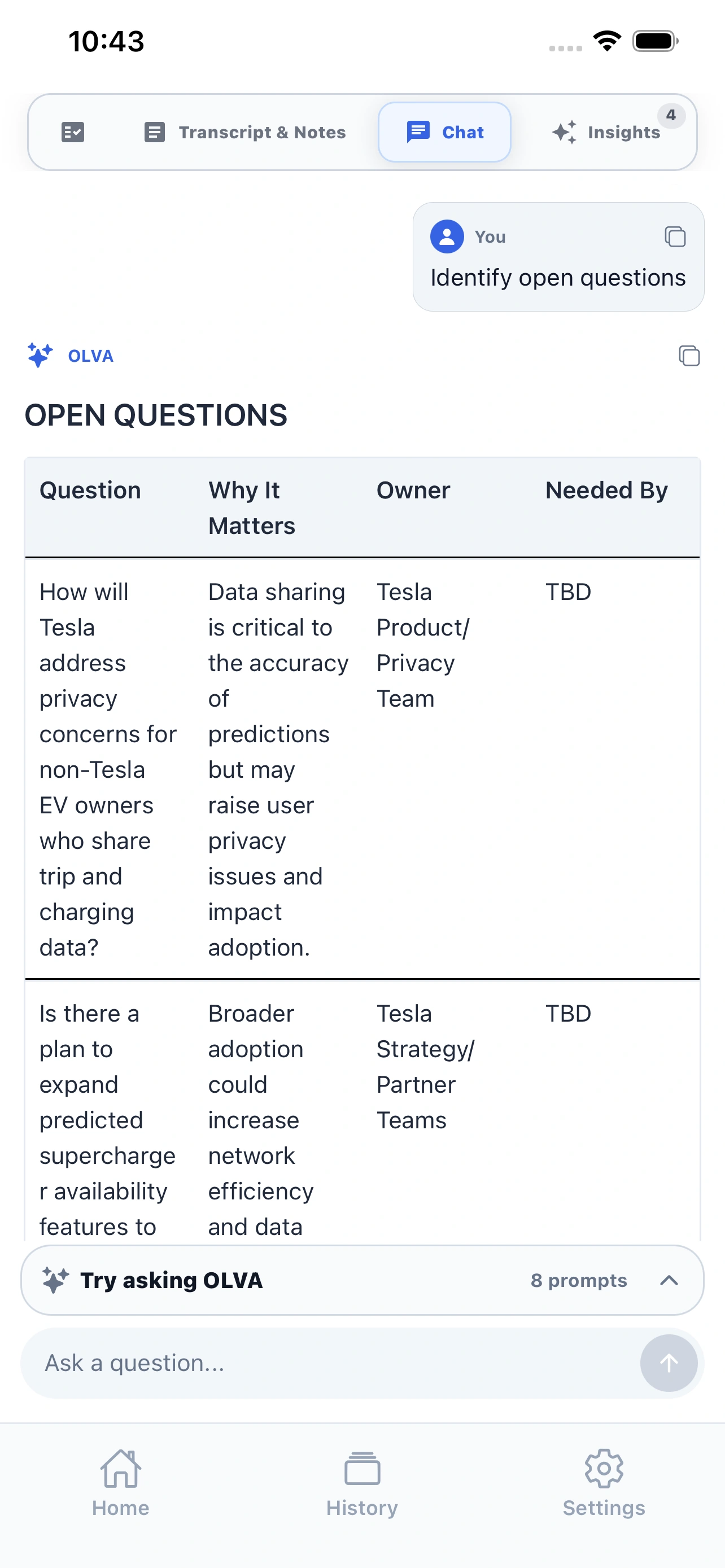
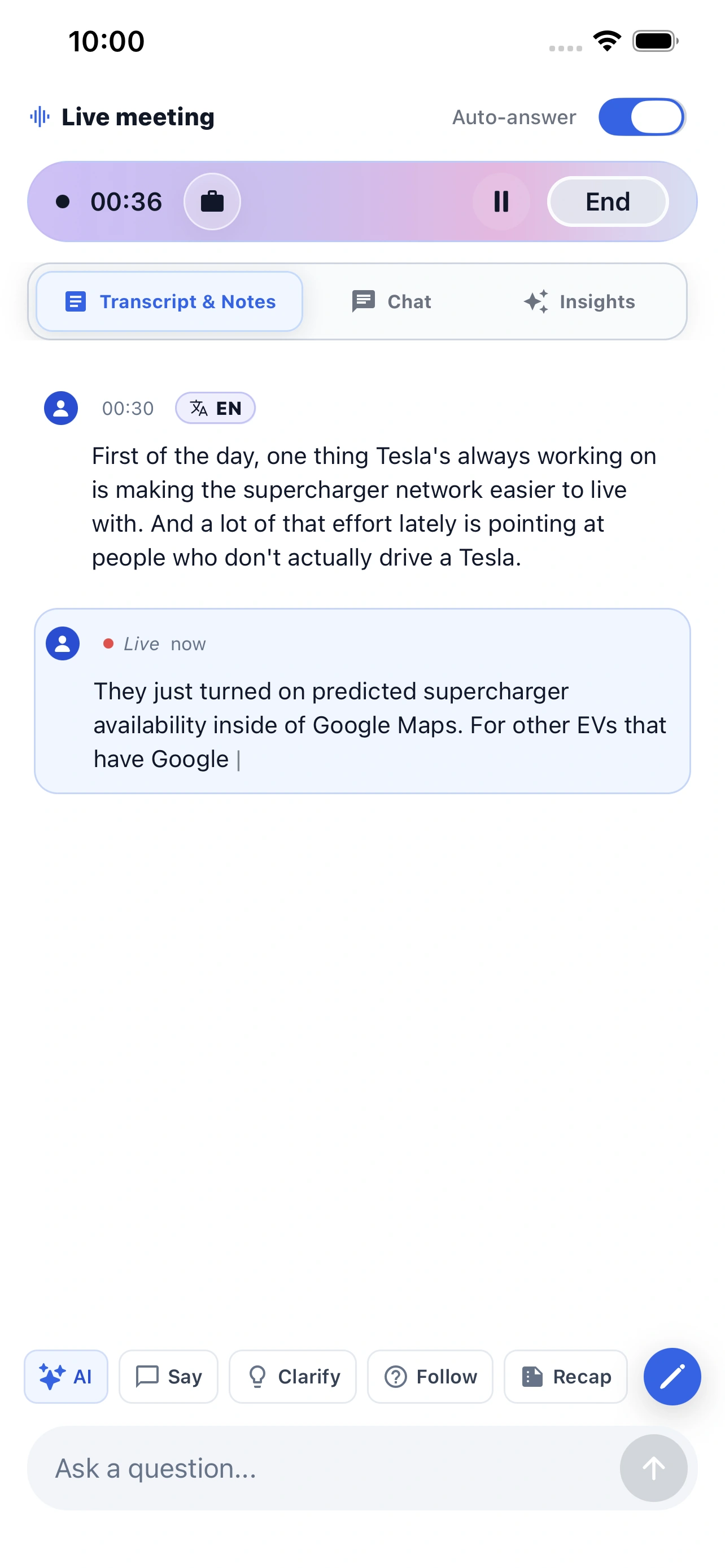
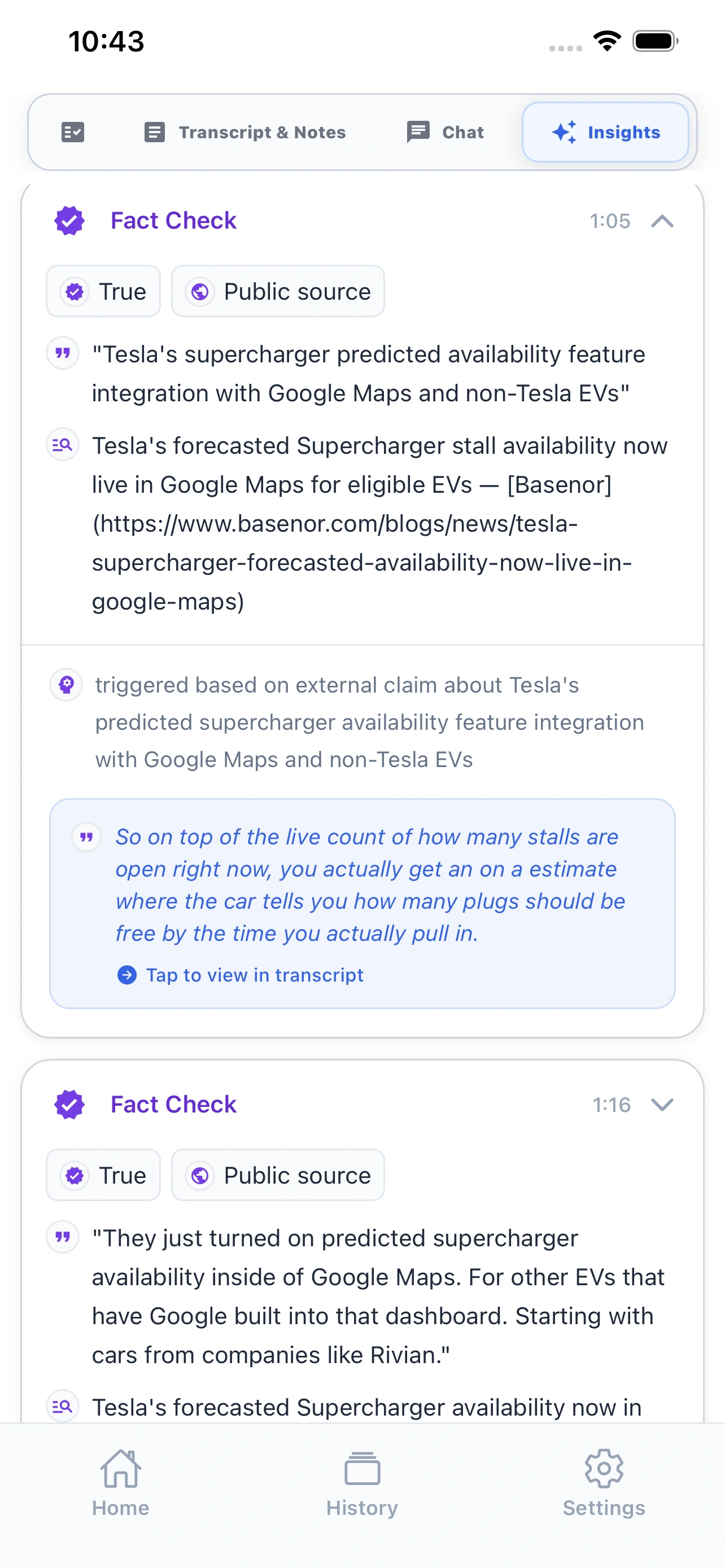
Live meeting companion
Record in-person conversations, follow the transcript, and ask OLVA when you need help in the moment.
Meeting memory in your pocket
Review recaps, history, and follow-up Q&A after the meeting without waiting to get back to your desktop.
AI meeting assistant comparison
We built OLVA for the hardest part of the meeting: the live moment when you need context, confidence, and a better answer before the conversation moves on.
Granola
Popular for personal, bot-free meeting notes and a lightweight writing workflow.
Fireflies.ai
Known for team transcripts, searchable meetings, and conversation intelligence.
Fathom
A common pick for easy call recording, summaries, clips, and CRM follow-up.
Otter.ai
Well known for transcription, collaborative notes, and searchable meeting records.
| Feature | OLVA | Granola | Fireflies.ai | Fathom | Otter.ai |
|---|---|---|---|---|---|
| Live insight | Live insight while the meeting is still happening. | Some live assistance | Primarily capture and review | Primarily capture and review | Live transcription and chat |
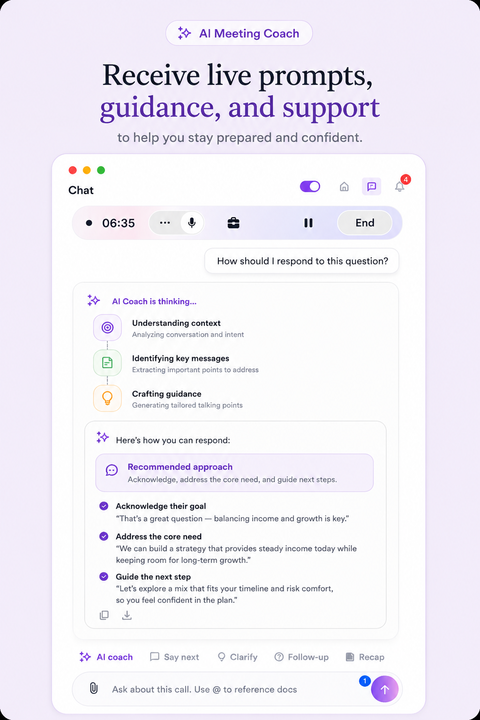
| AI coach | AI coach for thinking, responding, and steering live conversations. | Limited live guidance | Post-call coaching tools | Post-call workflows | Meeting chat and agents |
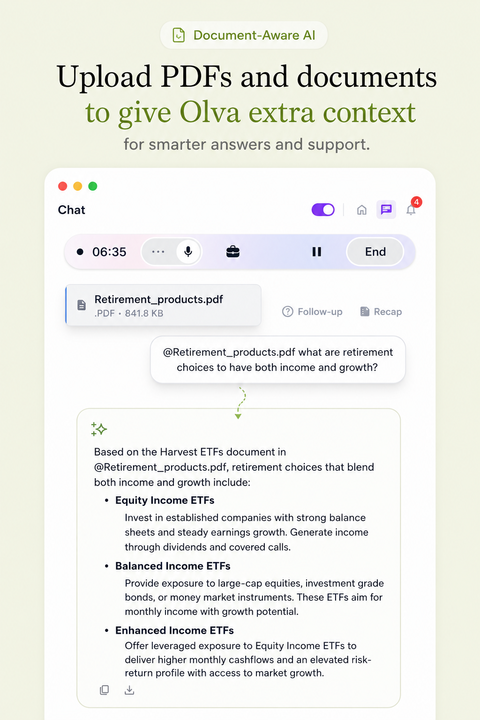
| Document-aware chat | Document-aware chat across decks, briefs, contracts, notes, and meeting memory. | Meeting context focused | Meeting context and integrations | Meeting context focused | Meeting context and file workflows |
| Auto-detected questions | Auto-detected questions that surface the moment help may be useful. | Not a primary documented workflow | Not a primary documented workflow | Not a primary documented workflow | Not a primary documented workflow |
| Botless by default | No visible meeting bot because OLVA captures from the user’s device. | Botless device capture | Bot and capture options vary | Bot-based and desktop capture options | Bot and capture options vary |
| Multilingual meetings | 87 language and regional options with auto multilingual and manual selection modes. | Published language support varies | Published multilingual support | Published language support varies | Published multilingual support |
| Live translation | Live transcript translation during active meetings, with automatic or manual language selection. | Not available | Not available | Not available | Not available |
| In-person meetings | Desktop and mobile capture for conversations outside video calls. | Desktop capture | Mobile and upload workflows vary | Desktop-focused | Mobile transcription |
| Mobile support | iOS and Android companion apps for live capture, recaps, history, and follow-up Q&A. | Mobile note access | Mobile capture and review | Desktop-focused | Mobile transcription and notes |
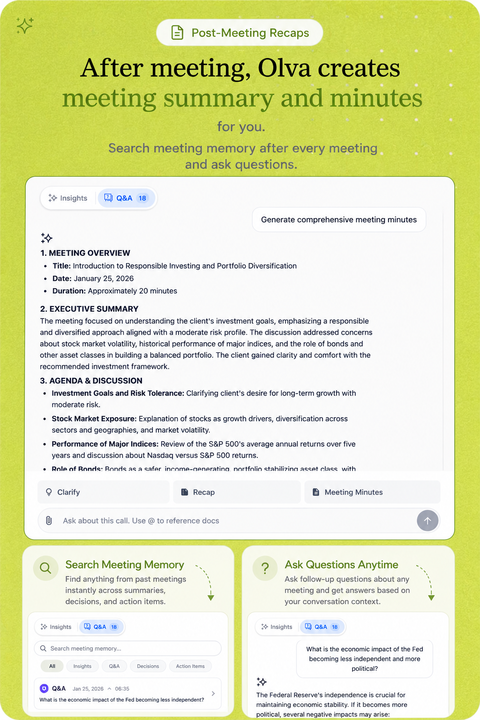
| Post-meeting memory | Searchable meeting memory with summaries, insights, exports, and follow-up Q&A. | Notes and meeting history | Transcripts, summaries, and search | Recordings, summaries, and search | Transcripts, summaries, and search |
| Professional slide decks | Professional slide deck generation creates editable PowerPoint presentations from meeting context. | Not available | Not available | Not available | Not available |
| Primary emphasis | Help during the live moment, followed by post-meeting memory. | Collaborative note writing | Meeting capture and intelligence | Recording and follow-up | Transcription and meeting agents |
Comparison facts reviewed July 20, 2026. Products change; claims are scoped to reviewed public information. Sources and corrections.
Pricing
Pick the plan by meeting volume. All paid plans keep the live context workflow: transcription, AI Boost, document-aware answers, and post-meeting memory.
Positioned for live value, not another notes dashboard.
Compare features
Free
Free trial with essential meeting features
$12.50
/mo
$150 per year ($12.50/mo when paid annually).
$19.99
/mo
$239.88 per year ($19.99/mo when paid annually).
Compare plans and features
$12.50
/mo
$150 per year ($12.50/mo when paid annually).
Live transcription with useful cues | Included | Included | Included |
Real-time insights (Fact check, Suggestion, Opportunity) | Included | Included | Included |
In-meeting live chat | Included | Included | Included |
Auto question detection | Included | Included | Included |
Live AI coach | Included | Included | Included |
Automatic meeting note/summary generation | Included | Included | Included |
Comprehensive post-meeting minutes (action items, decisions, next steps, risks,...) | Included | Included | Included |
Post-meeting Q&A across meetings | Included | Included | Included |
Add personal meeting notes | Included | Included | Included |
Automatic sticky note generation | Included | Included | Included |
Slide deck/PowerPoint from conversation | Included | Included | Included |
Live transcript translation | Included | Included | Included |
Meeting folder management | Included | Included | Included |
Multilingual support | Included | Included | Included |
Meeting history | Included | Included | |
File attachment for doc-aware Q/A | Not included | Included | Included |
Calendar-aware meeting workflow | Not included | Included | Included |
Slack integration | Not included | Not included | Included |
Google Drive integration | Not included | Not included | Included |
Notion integration | Not included | Not included | Included |
Outbound webhooks for developers | Not included | Not included | Included |
Teams and enterprise
Tailored
Custom pricing
Latest guides
Practical guides for getting more value from every conversation.
OLVA guide
Echtzeitübersetzung hilft globalen Teams, Gesprächen zu folgen. In Kombination mit automatischer Fragenerkennung und kontextbewussten Antworten entsteht echter Meeting-Zeit-Vorteil. Praktische Workflows und Schritt-für-Schritt-Beispiele für Vertrieb, Customer Success, Produkt und Technik zeigen, wie Missverständnisse reduziert und Chancen erfasst werden.
Read guideOLVA guide
Combine Tradução ao Vivo com detecção automática de perguntas e respostas contextuais para reduzir mal-entendidos e agir mais rápido em reuniões multilíngues. Fluxos práticos e exemplos passo a passo para vendas, customer success, produto e times técnicos.
Read guideOLVA guide
La traduzione in tempo reale aiuta i team globali a seguire le conversazioni; combinare traduzione con rilevamento automatico delle domande e risposte contestuali offre un vantaggio operativo in riunione. Questo post mostra workflow pratici per vendite, customer success, prodotto e ingegneria, con esempi passo passo per ridurre incomprensioni e catturare opportunità.
Read guideLatest coverage
Independent articles, interviews, and reviews from around the web.
zelyxio blog
zelyxio blog reviewed OLVA and says OLVA helps professionals stay sharp during live conversations with real-time transcription, context-aware answers, live translation, and AI coaching. Unlike traditional meeting tools, OLVA works without joining calls as a bot, helping teams maintain a smoother and more private meeting experience. After each conversation, it turns key discussion points into searchable summaries, decisions, and action items—so nothing important gets lost.
Read coverageSoftwareCora
SoftwareCora has added OLVA to its 2026 AI note-taking apps guide in a dedicated category: Best Bot-Free, Real-Time AI Meeting Assistant. The feature recognizes OLVA’s ability to provide live transcription, in-meeting assistance, and organized follow-up without joining calls as a visible bot.
Read coveragenesyona comparisons
Independent reviewer Nesyona placed OLVA among the top two most accurate AI meeting assistants for transcription in testing against Fireflies, Otter, Granola, tl;dv, Bluedot, Krisp, Fellow, Read.ai, MeetGeek, and Sembly. The result reinforces OLVA’s ability to deliver reliable, real-time meeting intelligence while also leading the comparison for action-item detection.
Read coverageDownload
FAQ
Yes. OLVA works as a private desktop and mobile companion instead of joining your Zoom, Google Meet, Microsoft Teams, Slack huddle, Webex, or in-person meeting as a visible participant.
Yes. OLVA follows the live transcript, detects questions automatically, and can generate contextual answers, coaching prompts, and follow-up suggestions while the conversation is still happening.
Most AI notetakers focus on notes after the call. OLVA is built for the meeting itself: live transcription, question detection, AI Boost, document-aware answers, coaching, and post-meeting memory.
No. OLVA captures from your own device and does not appear as a meeting participant. It is a lighter way to bring AI into the room while you keep the normal consent and notice practices your meetings already require.
Independent listings
These are public profile, store, and article pages where OLVA is listed. They are not awards, star ratings, or reviews we control. See current plans on pricing and sourced product claims on Product facts.
Official listings
Read reviews, compare plans, or explore OLVA on our official listings.