
Best AI meeting assistant without a bot
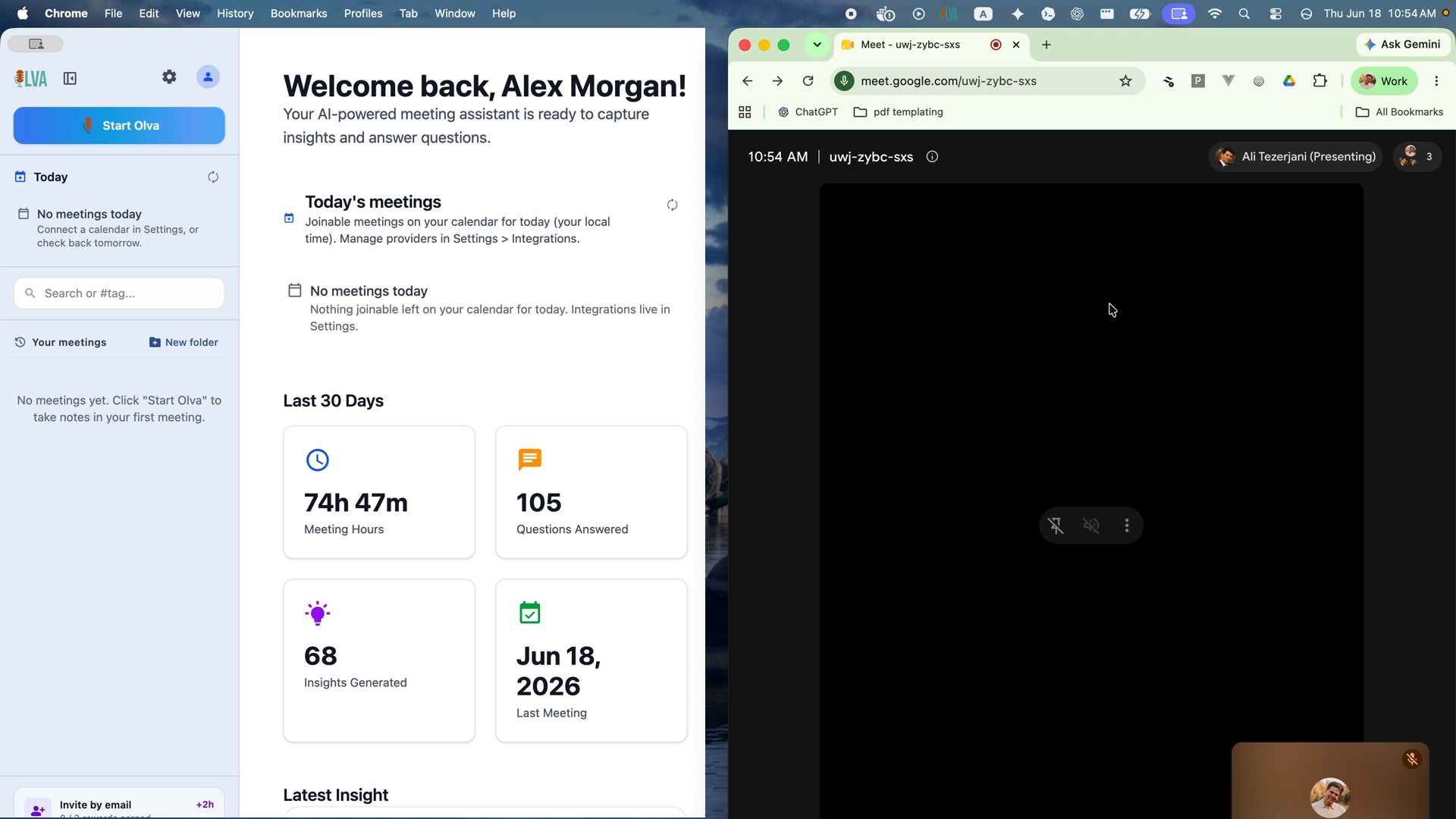
The best AI meeting assistant without a bot depends on the workflow you need. OLVA is built for people who want private help during Zoom, Google Meet, Microsoft Teams, Slack huddles, Webex, and in-person conversations without adding a visible meeting participant.
Last reviewed September 10, 2026
What “without a bot” means
A visible meeting bot joins the roster as another participant. On macOS and Windows, OLVA captures microphone and system audio for online and in-person meetings without joining as a participant. On iOS and Android, OLVA uses the microphone for in-person conversations. It does not capture another app’s system audio. Capture can pause when the app moves into the background or another app takes audio focus; return to OLVA to check and resume capture. Bot-free capture keeps OLVA off the meeting roster. Desktop Incognito is a separate Pro/Ultra feature that hides the OLVA window from supported screen-sharing capture. It is not a guarantee against every capture or detection tool; verify your screen-sharing setup. Notice and consent remain your responsibility.
What OLVA adds besides capture
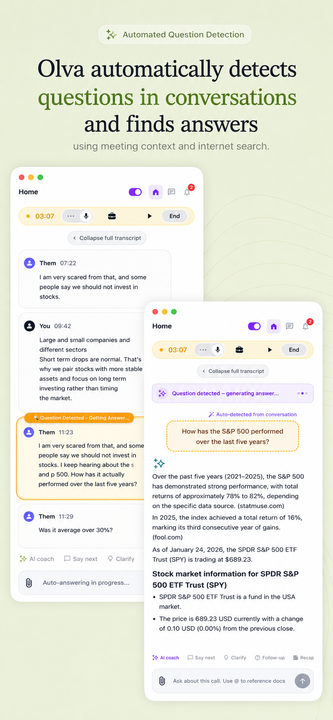
Botless capture is the starting point, not the whole product. OLVA follows the live transcript, detects questions, can draft answers and coaching prompts, uses imported documents on every plan within the context word limit, and keeps searchable meeting memory afterward. Pricing is on the homepage; this page does not restate plan prices.
When another tool may fit better
Choose a recording-first notetaker when shared archives, conversation analytics, or established CRM workflows are the main job. Granola and Krisp also document bot-free capture, so “no bot” alone should not decide between those products and OLVA. Compare live answers and privacy boundaries instead: Granola and Tactiq often own notes-first or overlay wording; OLVA is the private live-answer companion.
Product proof
Citeable proof
Independent listings are not editorial endorsements. If a directory summary disagrees with Product facts or public pricing, email support@olva.ai.
OLVA is a botless AI meeting assistant: it captures from your device, does not join the roster, and can help with live answers, documents, and meeting memory.
OLVA has a public Capterra profile. Directory summaries can drift; treat Product facts and homepage pricing as the source of truth, and send mismatches to support@olva.ai.
OLVA is listed on AlternativeTo as meeting software. That profile is independent coverage, not an OLVA-authored ranking.
OLVA appears in third-party meeting-note-taker roundups. Public plan prices live on the OLVA homepage, not in listicle tables.
Questions on this page
- Is OLVA an AI meeting assistant that does not join as a bot?
- Yes. OLVA works from your device and does not appear as a meeting participant on Zoom, Google Meet, Microsoft Teams, Slack huddles, Webex, or in-person conversations.
- Is botless capture unique to OLVA?
- No. Other products, including Granola and Krisp, also describe bot-free capture. OLVA’s emphasis is live question detection, answers, coaching, and document-aware help during the meeting.
- How is OLVA different from Granola or Tactiq if none of them join as a bot?
- Granola is notes-first. Tactiq is an in-browser transcript overlay for supported video-call tabs. OLVA is a desktop and mobile companion that detects questions and can draft private answers while the meeting is still happening, including in-person conversations.