
Secure Webhooks & Invisible AI: Automating Meeting Events with Olva 1.7.0
Engineering and operations teams are building increasingly automated workflows around real-time collaboration. But meeting automation comes with two competing priorities: getting low-latency, actionable events during a conversation — and keeping meetings private, secure, and free of noisy bot participants.
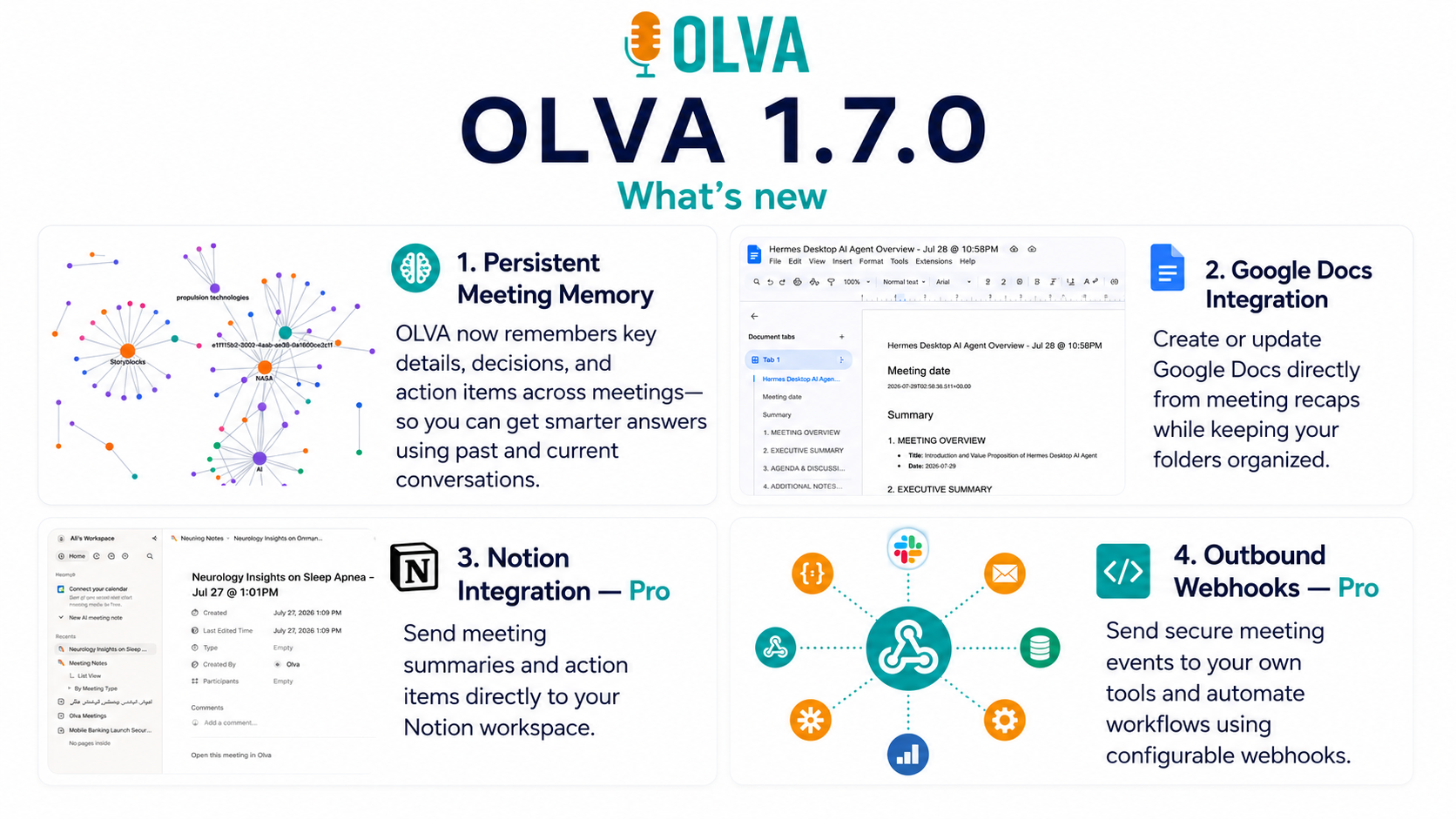
Olva 1.7.0 introduces secure webhooks and enhancements purpose-built for developers and DevOps teams that need to integrate live meeting intelligence into internal systems without adding visible bots or compromising privacy. This article explains how to design reliable, secure webhook-driven integrations with Olva, and shows practical patterns for using Olva’s invisible AI capabilities — automatic question detection, live insights, instant answers, and more — as first-class events in your automation stack.
Reference: https://olva.ai
Why webhooks (not bots) matter for secure, production-ready meeting automation
Traditional meeting automations often rely on a visible meeting participant (a bot) joining the call. That works for transcription and recording, but it introduces several problems for security-conscious organizations:
- Visible bot participants surface the presence of monitoring tools to meeting attendees.
- Bots frequently require third-party authentication or calendar access, increasing attack surface.
- Bots complicate compliance in regulated conversations (legal, sales negotiations, product demos with NDAs).
Olva’s Invisible AI approach avoids those issues by operating without joining meetings as a visible participant. Instead, Olva processes audio and meeting context locally (or with user-authorized channels) and emits well-structured, secure webhook events to the endpoints you control. The result: the same real-time intelligence (question detection, opportunity signals, coaching prompts) delivered directly to your systems — privately and reliably.
What Olva 1.7.0 webhooks deliver (typical event types)
Olva’s webhook events are focused on helping users during meetings, not only after them. Expect low-latency events for:
- meeting.started / meeting.ended — lifecycle events for coordinating session state.
- transcript.chunk — incremental transcription payloads for near-real-time indexing.
- question.detected — automatic question detection (customer objections, pricing questions, clarifications).
- insight.opportunity — detected buying signals, upsell cues, or escalation risks.
- coach.suggestion — private, user-only AI coaching suggestions (what to say next).
- document.query.response — document-aware answer to a live question using uploaded PDFs or specs.
- factcheck.alert — flagged potential factual inconsistencies detected in the conversation.
Each event includes metadata (meeting_id, participant ids as hashed identifiers, timestamps, versioned schema). Importantly for security and idempotency, events include unique event IDs and signed headers to verify authenticity.
Security-first webhook design patterns
Below are practical best practices and examples for receiving Olva webhooks in production.
- TLS-only endpoints
Require HTTPS with strong TLS ciphers and renewed certificates. Olva delivers webhook payloads only to endpoints with valid TLS configurations.
- HMAC verification and replay protection
Olva signs every webhook with a rotating HMAC secret (header: X-Olva-Signature) and provides a timestamp header (X-Olva-Timestamp). Your receiver should:
- Recompute the HMAC using the shared secret and the request body plus timestamp.
- Reject requests with signatures that don't match.
- Reject requests with timestamps outside an allowed window (e.g., 5 minutes) to prevent replay.
Example: Node/Express verification (HMAC-SHA256)
// express middleware to verify Olva signature
const crypto = require('crypto');
const OLVA_SECRET = process.env.OLVA_WEBHOOK_SECRET;

function verifyOlva(req, res, next) {
  const sig = req.header('X-Olva-Signature');
  const ts = req.header('X-Olva-Timestamp');
  const body = JSON.stringify(req.body);

  if (!sig || !ts) return res.status(400).send('Missing signature');

  const payload = `${ts}.${body}`;
  const expected = crypto
    .createHmac('sha256', OLVA_SECRET)
    .update(payload)
    .digest('hex');

  if (!crypto.timingSafeEqual(Buffer.from(expected), Buffer.from(sig))) {
    return res.status(401).send('Invalid signature');
  }

  // Optional: reject if timestamp is stale
  const now = Math.floor(Date.now() / 1000);
  if (Math.abs(now - Number(ts)) > 300) return res.status(400).send('Stale timestamp');

  next();
}- Idempotency and exactly-once processing
Webhooks may be delivered more than once. Include an idempotency store based on Olva event IDs to ensure you process each event exactly once. Use short TTLs for ephemeral events and longer retention for critical lifecycle events.
Pseudocode:
- If event_id in processed_store: acknowledge 200, skip processing.
- Else: process event, store event_id with TTL, ack.
- Backpressure, retries, and dead-letter queues
Olva retries failed deliveries with exponential backoff. Design receivers to return 2xx for successful acceptance or 5xx for transient errors. For system outages, route failed webhooks to a dead-letter queue (e.g., SQS, Pub/Sub) for replay.
- Least privilege and IP allowlisting
For sensitive systems, combine HMAC verification with IP allowlisting (Olva publishes IP ranges) or mutual TLS (mTLS) for high-security environments.
- Schema versioning and contract testing
Olva events are versioned. Build a lightweight contract test runner that validates incoming events against your expected schema during CI. Keep backward-compatible handling to reduce production surprises.
Practical examples: patterns DevOps and platform teams will use
Example 1 — CRM automation on question.detected
Use case: When a pricing question is detected during a demo, attach the transcript and suggested answers to an opportunity in your CRM so sales operations can route a pricing SME instantly.
Flow:
- Olva emits question.detected with question text, confidence, meeting_id, and suggested follow-ups.
- Your webhook consumer verifies signature and looks up meeting -> opportunity mapping.
- If confidence > threshold and question category == pricing, POST a task to your CRM and open a private channel with the SME.
This pattern reduces time-to-respond and converts live signals into synchronous assistance without adding a bot to the meeting.
Example 2 — Security & compliance escalation from factcheck.alert
Use case: During a technical review, a claim is made about system availability that contradicts SRE telemetry. Olva’s fact checking can surface such contradictions in real time.
Flow:
- Olva emits factcheck.alert containing the claim, supporting evidence (transcript excerpt), and a link to relevant docs.
- Your webhook triggers a short-lived incident chat room (or notifies on-call) with the excerpt and suggested clarifying questions to ask the presenter.
- SRE can respond quickly, preventing incorrect commitments during the meeting.
Because Olva works invisibly, the escalation is private — only the user and your internal systems are notified.
Example 3 — Live product demo assistance using document-aware intelligence
Use case: A product manager shares a PDF spec. Olva detects a feature-related question and produces a document-aware answer in seconds.
Flow:
- User uploads a spec to Olva (pre-meeting or during session).
- When the question is detected, Olva emits document.query.response with the evidence and suggested phrasing.
- Your integration logs the exchange, updates a demo checklist, or surfaces the suggested phrasing to the presenter through a private UI channel.
This enables confident, accurate answers in the moment and improves demo outcomes.
Operational considerations for high-volume setups
Throughput and batching
- If you process many meetings concurrently, expect many transcript.chunk events. Use batching to aggregate small chunks into larger units before indexing.
- Prefer streaming ingestion services (Kafka, Pub/Sub) as intermediate buffers.
Latency targets
- Olva is built for live meeting assistance. Design your consumers to act within the meeting window (seconds to a few minutes) for coaching, routing, or CRM triggers.
Monitoring and observability
- Monitor webhook success rates, processing latency, and event schema errors.
- Use synthetic tests that exercise the full path from Olva’s sandbox (or test webhooks) to your production consumer.
Access control
- Rotate webhook secrets regularly and provide the ability to revoke and reissue per-environment keys.
- Log access and verification failures in a security-focused SIEM.
Comparing approaches: Olva webhooks vs visible bots and competitor integrations
Competitors (Gong, Chorus, Otter.ai, Fireflies) have strong capabilities in post-meeting transcription, analytics, and coaching. Most are effective when the goal is accurate recording and later analysis.
Where Olva differs and adds value for engineering and ops teams:
- Invisible AI: Olva provides live intelligence without joining meetings as a visible bot. That keeps meetings private and reduces compliance complexity.
- Real-time operational events: Olva emits structured webhook events tuned for in-meeting actions (question detection, opportunity signals, coach suggestions) — not just passive transcripts.
- Document-aware and instant answers: Olva uses uploaded documents and meeting context to generate answers during the conversation, which webhook consumers can surface immediately.
- Security-first delivery: Signed, timestamped webhooks, optional mTLS, and key rotation are built for production systems that require rigorous verification.
That said, if your primary need is post-meeting analysis or large-scale conversation mining, products dedicated to that space have mature ecosystems. The best practice is often to combine strengths: use Olva to power live interventions via webhooks and route enriched transcripts to analytics platforms for deeper post-meeting analysis.
Implementation checklist before going to production
- Configure a TLS-only endpoint and validate ciphers.
- Add HMAC signature verification and timestamp checks.
- Implement idempotency key store and dead-letter queue.
- Add schema validation and backward-compatible handlers.
- Set up monitoring and synthetic end-to-end tests using Olva’s sandbox webhooks.
- Enable least-privilege keys and rotate periodically.
- Document compliance and retention policies for transcripts and event data; ensure users can delete transcripts and history when required.
Example end-to-end: automated escalation for a high-value demo
- A sales engineer starts a demo. Olva emits meeting.started.
- Live transcription streams in; Olva detects a pricing.objection and emits question.detected with suggested responses.
- Your webhook handler verifies the request, checks the opportunity score from your CRM, and because it’s a high-value account, posts an urgent advisory to a private Slack channel for the deal owner with the question excerpt and suggested wording.
- The deal owner replies, and Olva (via webhook-driven UI) privately surfaces the best phrasing to the presenter.
- After the meeting, Olva creates a meeting recap with action items linked to the CRM opportunity.
This flow improves conversion probability without exposing any monitoring behavior to the meeting participants.
Conclusion
Olva 1.7.0’s secure webhook capabilities let engineering and operations teams integrate real-time meeting intelligence into production systems without adding visible bots, compromising privacy, or sacrificing security. By pairing signed, versioned webhook events with best practices for idempotency, replay protection, and observability, teams can build automation that acts while meetings happen — surfacing opportunities, triaging risks, and coaching users in real time.
For platform integrators and security-conscious teams, Olva’s invisible AI model offers a pragmatic path: capture the value of live meeting intelligence and deliver it into your workflows securely and privately. Explore documentation and sandbox webhooks at https://olva.ai to prototype flows and test end-to-end integrations in your environment.
Olva helps teams not only remember meetings later, but perform better during them.