
OLVA 1.5.0: Multilingual Meetings, Sharper Live Help, and Better Follow-Up
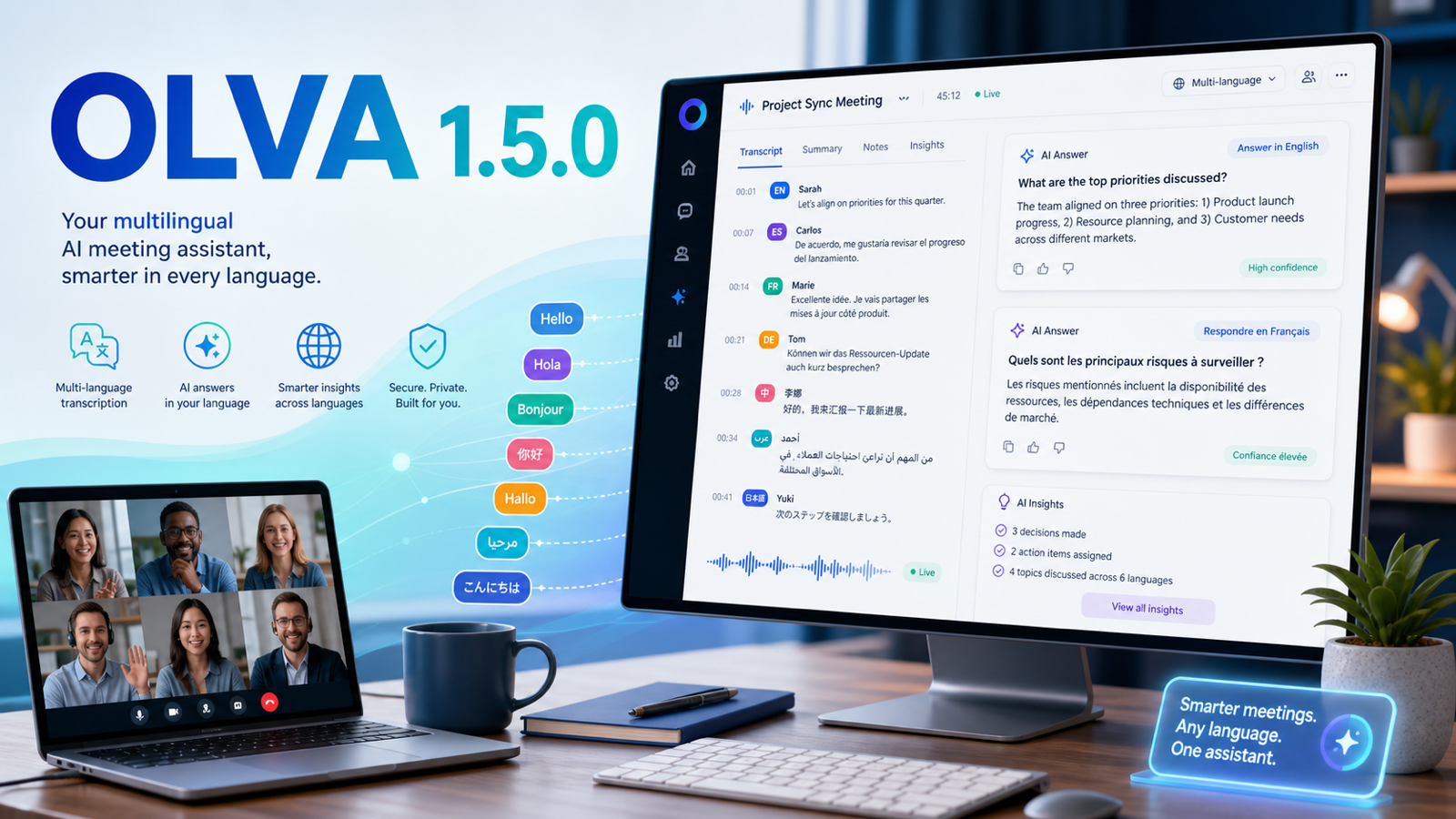
OLVA 1.5.0 is about meetings in the language people actually use
Meetings are not always English. Sales calls, customer interviews, agency reviews, support conversations, founder calls, and internal team syncs often happen in Spanish, French, German, Persian / Farsi, Arabic, Hindi, Portuguese, Japanese, and many other languages.
OLVA 1.5.0 makes multilingual meeting work a first-class part of the product. The release improves how OLVA captures non-English conversations, how language context follows the transcript, and how AI help responds after the meeting starts producing useful context.
Auto multilingual mode by default
OLVA now starts in Auto multilingual mode for Deepgram Nova-3 transcription. That mode is designed for common multilingual meeting scenarios where the assistant should adapt to what is being spoken.
When a meeting needs tighter control, you can choose a specific transcription language instead. That is useful when the call is mostly in one language, when accents or terminology matter, or when you want OLVA to avoid guessing.
The language choice is intentionally session-scoped. OLVA returns to Auto on relaunch, so the default remains flexible for the next meeting.
Language context now travels with the transcript
Transcription language is not only a setting in the UI. In 1.5.0, language metadata is carried into the meeting record and transcript workflow so OLVA can use it later when generating answers, summaries, insights, and follow-up content.
That matters because the transcript is the foundation for the rest of the assistant. When the meeting is in Persian / Farsi, Arabic, German, Spanish, French, or another supported language, OLVA has better context for keeping the output aligned with the conversation instead of falling back to English framing.
AI answers and insights are more language-aware
This release improves prompt handling for multilingual transcripts across live and post-meeting AI workflows. OLVA now does a better job of treating Auto multilingual mode as a transcription mode rather than a response language.
In practice, that means AI Assist, detected-question answers, insights, fact-check style fields, and meeting topics can better follow the primary language of the transcript. For right-to-left languages, the interface also has improved text direction handling and bundled fonts for more readable Persian / Farsi and Arabic text.
Better language visibility in the meeting experience
OLVA now shows language badges and language-aware transcript rendering in more places across desktop and mobile. This helps you review multilingual meetings with less ambiguity, especially when Auto mode detects language metadata during a live session.
The settings experience was also cleaned up so language selection behaves like a normal dropdown: open it, search, choose a language, and the picker closes with the filter cleared.
Mobile and desktop move closer together
The 1.5.0 work also improves the mobile companion experience. Mobile transcription can pass the selected transcription language into live transcription, attach language metadata to segments, and carry that context into AI questions, insights, summaries, and shared recaps.
Desktop continues to handle system audio and microphone capture for online meetings, while mobile keeps improving for on-the-go and in-person workflows.
Follow-up gets cleaner too
A multilingual transcript is only useful if the follow-up respects the meeting. OLVA 1.5.0 improves the path from live transcription to post-meeting summaries, insight review, chat answers, recap sharing, and searchable meeting memory.
For teams working across markets or languages, this makes OLVA more practical in the calls that used to feel like edge cases.
What to try first
Start a meeting in Auto multilingual mode and speak naturally. If the meeting is mostly in one language, try choosing that language before the call. After the meeting, review the transcript, ask a question about the discussion, and generate a summary or insight review.
The goal is simple: OLVA should help with more of the real meetings you already have, without joining the call as a visible bot and without making multilingual work feel special or fragile.