
Why Olva Is the Best AI Meeting Assistant for Neurodivergent Professionals with Dyslexia and Dyspraxia
Meetings are where decisions happen, deals advance, and products evolve. For many neurodivergent professionals—especially those with dyslexia and dyspraxia—meetings can also be a major source of cognitive load: simultaneous listening, note-taking, interpreting visual cues, and responding in real time. The result can be missed signals, stress, and slower career growth despite strong domain expertise.
This article explains practical challenges faced by professionals with dyslexia and dyspraxia in modern meeting environments and shows how a meeting assistant built for live support—Olva—reduces cognitive load, improves real-time performance, and protects privacy. The goal is educational: to help sales teams, customer success, product managers, engineers, founders, recruiters, and remote workers understand which meeting features truly matter for neurodivergent inclusion.
Learn more about Olva at https://olva.ai.
Why meetings are uniquely challenging for dyslexia and dyspraxia
Common challenges that neurodivergent professionals report include:
- Difficulty reading fast-moving chat or shared documents while listening to speakers (dyslexia).
- Trouble parsing long sentences or technical jargon under time pressure (dyslexia).
- Coordination and motor planning issues that make taking clear notes, sharing screens, or switching apps awkward (dyspraxia).
- Overload from multitasking: listening, composing responses, and using collaboration tools simultaneously.
- Anxiety around rapid-fire questions or unexpected objections during sales and stakeholder conversations.
For knowledge workers these challenges translate to missed opportunities: unrecognized buying signals, unclear follow-ups, or hesitance to speak up. The most helpful meeting tools are those that reduce in-the-moment pressure rather than simply producing transcripts after the fact.
Common meeting tools: what they solve—and what they don’t
Many popular meeting tools (recorders, transcription services, and note-taking apps) help with memory and follow-up. Strengths include:
- Reliable post-meeting transcripts and summaries.
- Searchable archives for knowledge sharing.
- Integration with CRMs and task managers.
But these tools typically focus on "remembering" the meeting. For neurodivergent professionals, the missing piece is real-time assistance that helps during the conversation—when responses, clarifications, and interpretations matter most.
Competitors often excel at capturing and summarizing content. They may have high-quality transcripts or robust analytics. That value is real. However, for someone who needs live support to parse jargon, detect a shifting sentiment, or get a suggested reply to a pricing objection, post-meeting summaries arrive too late. The difference between lost and won business, or between an anxious and confident participant, often happens while the conversation is still active.
What neurodivergent professionals need from a meeting assistant
Effective live meeting support should:
- Reduce cognitive load in real time (less multitasking).
- Provide accessible, low-friction ways to get clarification or suggested phrasing.
- Detect and surface critical conversational events (questions, objections, buying signals).
- Respect privacy and avoid adding visible bots or interruptions.
- Offer document-aware guidance so responses can reference contracts, specs, or pricing instantly.
Olva was designed specifically to provide those capabilities while staying invisible to participants. Below are practical ways Olva helps.
How Olva helps in real time (with practical examples)
1. Invisible AI Assistant — fewer distractions, more control
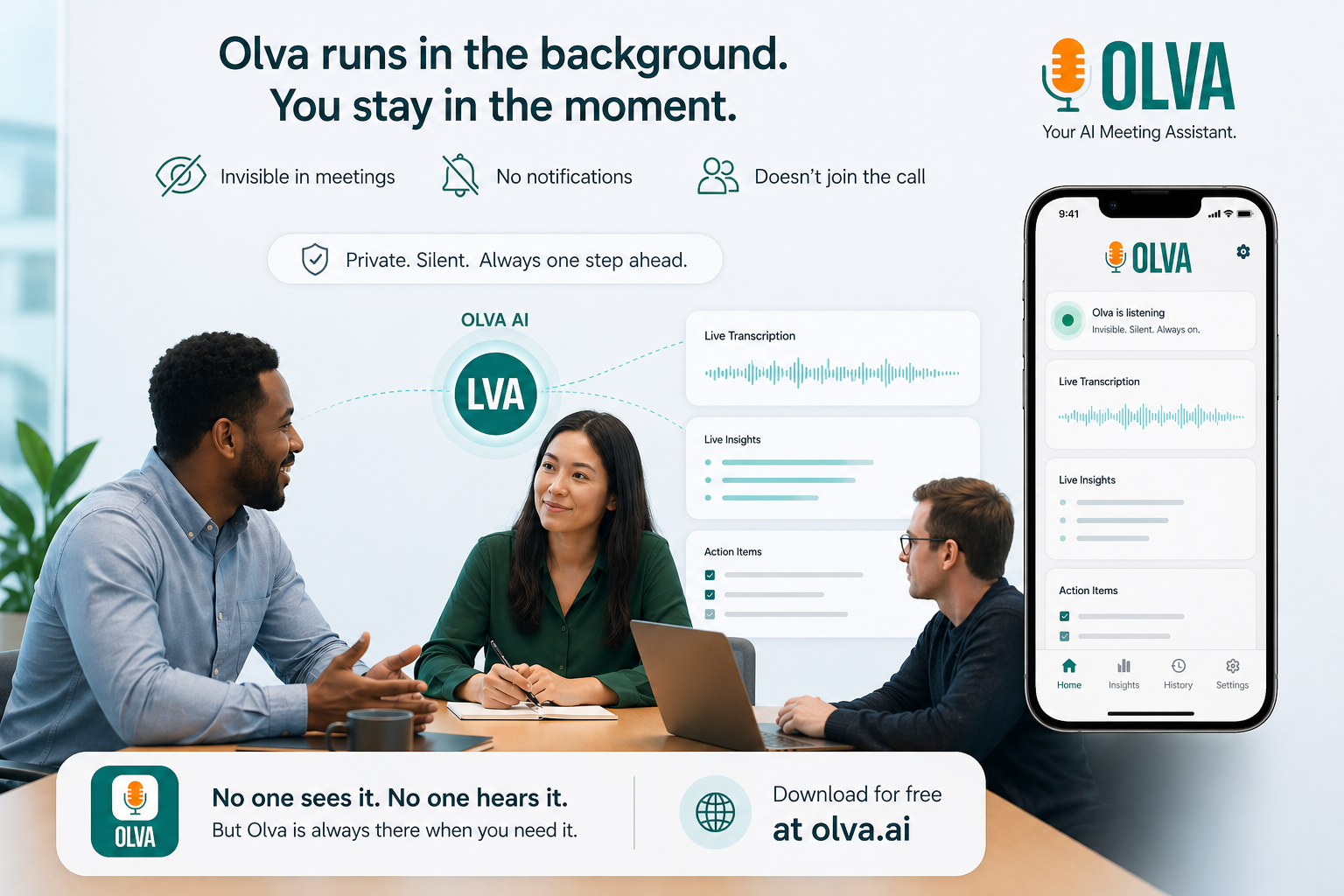
Olva runs without joining meetings as a visible bot. That means no extra attendee in the call, no awkward bot notifications, and no disruption to the meeting flow. For someone with dyspraxia who feels taxed by changing windows, Olva’s invisible presence removes an additional layer of coordination.
Practical example: A customer success manager with dyspraxia can enable Olva before a demo, share their screen in invisible screen share mode, and receive private prompts and coaching without manipulating meeting participant lists.
2. Live Transcription — read and confirm in parallel
Real-time transcripts allow someone with dyslexia to read the speaker at their preferred pace while still listening. Transcripts are a working tool—highlightable and scannable—so users can verify what was said without relying only on auditory processing.
Practical example: During a technical walkthrough, a product manager can glance at the live transcript to confirm a spec detail and then ask Olva for a concise paraphrase or the best question to clarify a point.
3. Automatic Question Detection — never miss a prompt
Olva automatically detects questions, objections, and clarification requests as they occur. That matters for neurodivergent professionals who might miss a rapid, cross-talk question or who need a moment to compose a reply.
Practical example: A sales rep with dyslexia is presenting pricing when Olva flags a pricing objection in real time and suggests a short, evidence-based response drawn from uploaded pricing documents.
4. Instant Answers & Document-Aware Intelligence — accurate responses, fast
When a question is detected, Olva can produce instant answers using meeting context plus uploaded documents (contracts, specs, pricing sheets). This reduces the need to recall exact figures or search for attachments during the call.
Practical example: A technical lead is asked about compliance details. Olva pulls the relevant paragraph from the uploaded compliance PDF and offers a plain-language summary and suggested phrasing the lead can use immediately.
5. Live Q&A & AI Coaching — a private co-pilot during the conversation
Users can message Olva privately in the meeting: ask what to say next, request a short summary of the last five minutes, or ask for a suggested follow-up question. Olva acts as a private coach—offering strategic guidance, objection-handling scripts, and on-the-fly clarifications.
Practical example: A junior account executive with social anxiety can ask Olva for a two-sentence objection-handling script while the customer is speaking, then reply with confidence.
6. Live Insights: fact checking, jargon definition, and opportunity detection
Olva continuously analyzes the conversation and surfaces what matters:
- Fact checking for questionable claims.
- Jargon or acronym definitions for quick comprehension.
- Opportunity detection (buying signals, expansion cues, risks).
Practical example: In a cross-functional meeting, Olva detects repeated interest in a feature from a stakeholder, flags it as an upsell opportunity, and suggests a next-step question the product manager can ask.
7. Post-Meeting Memory without replacement of live help
After the meeting, Olva stores searchable meeting history: recaps, action items, decisions, and open questions. For neurodivergent users who prefer reviewing information in writing, this is invaluable—while the core value remains the live assistance that improved the meeting outcome.
Practical example: A recruiter who missed a candidate’s last answer can later query Olva for a summary of only the candidate’s responses about cultural fit.
Accessibility, privacy, and professional etiquette
Two non-negotiables for neurodivergent professionals are privacy and non-disruption. Olva’s invisible design addresses both:
- No bot participants: Olva doesn’t join the call as an identifiable attendee.
- Private by design: Only the user sees Olva’s suggestions unless they choose to share.
- Transcripts and data are controllable: users can delete transcripts anytime.
These features support inclusive workplaces where employees can get private accommodations without changing meeting dynamics or signaling differences publicly.
A fair look at alternatives
There are valuable meeting platforms and transcription tools that capture high-quality audio and provide robust analytics. Some competitors integrate tightly with CRMs and offer shared team notes—useful for post-meeting workflows. These systems are strong when the primary need is documentation and downstream coaching.
Where those tools fall short for neurodivergent professionals is the live, private support layer. Many competitors require a visible bot participant, or they only provide summaries after the meeting ends. For professionals who need assistance in the moment—composing answers, understanding jargon on the fly, detecting a sudden objection—post-meeting insights arrive too late.
Olva does not replace the strengths of those platforms; rather, it complements them by focusing on in-meeting intelligence, private coaching, and document-aware instant answers.
Practical scenarios by role
- Sales: A rep with dyslexia receives instant objection-handling scripts and pricing excerpts during a negotiation, reducing fumbling and improving close rates.
- Customer Success: A CSM with dyspraxia uses Olva to surface customer health signals and suggested follow-ups without switching apps during renewal calls.
- Product: Product managers get live clarification prompts and jargon definitions to keep stakeholder alignment clear and efficient.
- Engineering: Technical team members can ask Olva to pull exact spec lines from uploaded docs mid-discussion and get a plain-language summary.
- Founders & Executives: Executive teams use Olva for real-time fact checks and suggested phrasing during high-stakes conversations.
- Recruiters: Olva highlights candidate cues and records action items, letting recruiters focus on rapport-building rather than note-taking.
- Remote Workers: In distributed teams with varying bandwidth and accessibility needs, Olva reduces cognitive friction across time zones.
How to adopt Olva for neurodiversity-friendly meetings
- Enable Olva before the meeting and upload relevant documents (agendas, contracts, specs).
- Use invisible screen share mode if you need to present without exposing the assistant.
- Rely on live transcription to follow along at your preferred pace.
- Use the private chat to request short scripts or clarifications during the conversation.
- Review post-meeting memory for action items and saved excerpts.
These simple steps let users maintain conversational flow while benefiting from on-the-fly intelligence.
Conclusion
For professionals with dyslexia and dyspraxia, the difference between a good and great meeting often depends on what help is available in the moment. Many meeting tools excel at recording and summarizing, but they leave a crucial gap: live, private support. Olva fills that gap with invisible assistance, live transcription, automatic question detection, instant answers that are document-aware, live Q&A, and continuous insights.
By reducing cognitive load and offering context-aware coaching during meetings—not just afterward—Olva helps neurodivergent professionals contribute with confidence, capture opportunity, and perform at their best. For more about Olva’s live meeting intelligence, visit https://olva.ai.
Published by Olva — Invisible AI assistance for better meetings.