
Searchable Meeting Memory for Customer Success
Customer success teams live in context: past commitments, prior issues, product configurations, and subtle signals across multiple calls determine whether a renewal happens or churn begins. But context is fragmented—scattered across meeting notes, emails, CRM entries, and the fuzzy recall of an account manager juggling a dozen active accounts.
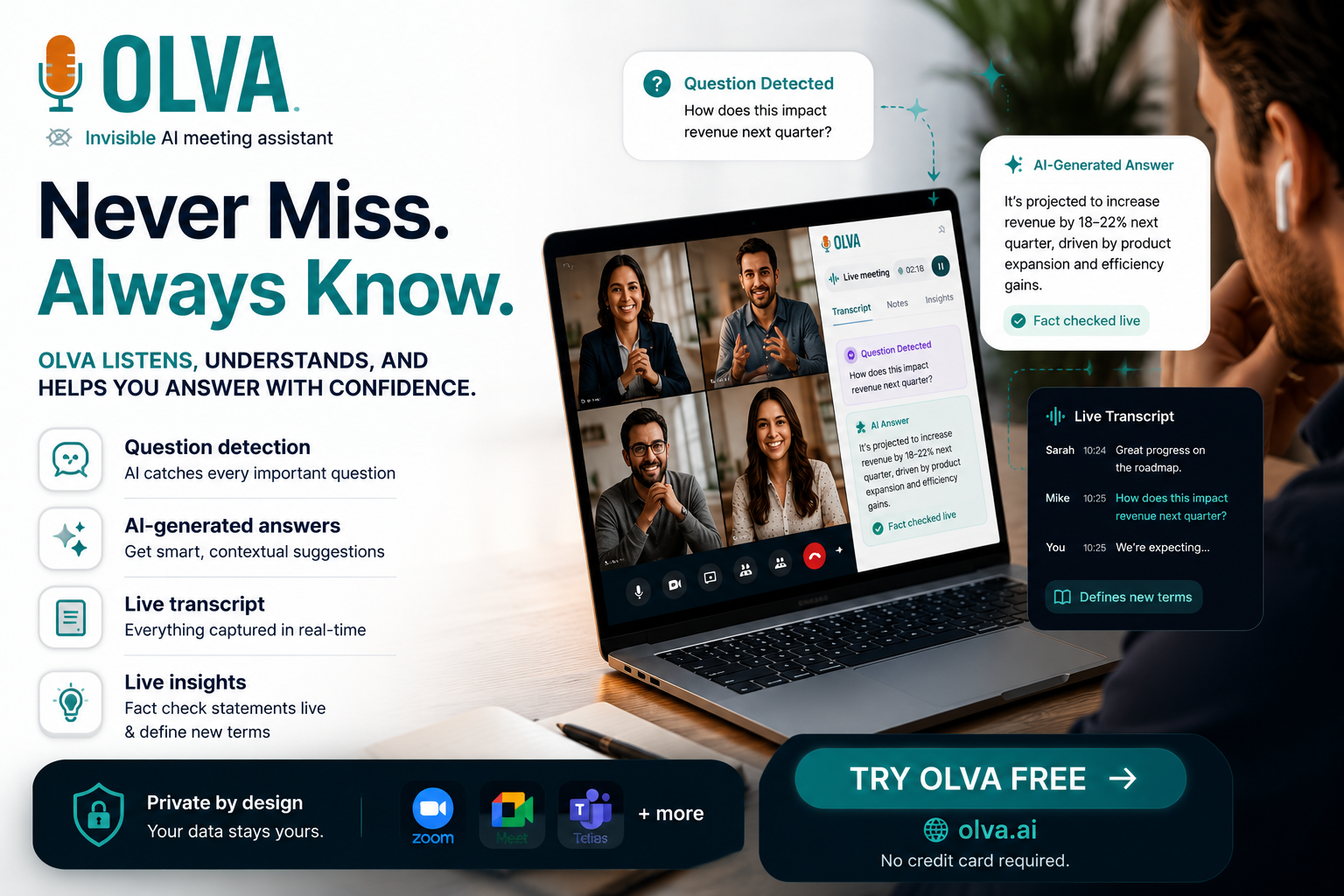
This guide shows how searchable meeting memory—capturing, indexing, and retrieving conversational context—lets customer success teams resolve issues faster and act with confidence. It’s practical, tactical, and built around capabilities like live transcription, searchable history, context-aware answers, and document-aware intelligence. Where it helps, we reference OLVA (https://olva.ai) as an example of a tool that combines real-time help with persistent meeting memory to bridge the gap between conversation and action.
Why searchable meeting memory matters for customer success
Customer success is a continuity play. Every resolution depends on three things: accurate recollection of what was said, clarity on ownership and deadlines, and fast access to relevant documents or commitments. Traditional meeting notes and manual summaries fall short because:
- Notes are uneven and often miss the nuance of customer statements.
- Important details (e.g., a subtle change in scope) appear across multiple calls and are hard to stitch together.
- Preparation time balloons because account teams need to re-surface past decisions manually.
Searchable meeting memory solves these pain points by making conversations discoverable and actionable. It turns meetings from ephemeral interactions into reusable knowledge—indexed, searchable, and linked to decisions and action items.
Core capabilities that speed issue resolution
To reduce time-to-resolution, a meeting memory system should provide the following capabilities. Examples show how OLVA’s feature set aligns with each capability without making absolute claims.
- Live transcription and accurate records
- Why it helps: A searchable, time-stamped transcript removes ambiguity about what was agreed, who raised a concern, and when expectations were set.
- Practical use: After a troubleshooting call, search the transcript for the customer’s exact phrasing of the error message and link it to the corresponding ticket.
- OLVA tie-in: OLVA transcribes conversations in real time and preserves transcripts for later search and retrieval, reducing reliance on imperfect human memory.
- Persistent, searchable meeting history
- Why it helps: Teams need to find earlier mentions of the same bug, configuration detail, or budget constraint across multiple meetings and channels.
- Practical use: Before a renewal call, pull up the last six meetings and search for "custom API limit" to confirm whether the customer requested quota changes.
- OLVA tie-in: OLVA stores meeting transcripts, summaries, and action items in a searchable history so you can query past conversations efficiently.
- Context-aware retrieval (not just keyword matching)
- Why it helps: Customers frequently reference earlier points indirectly. You need a system that understands context—so "the demo last month" resolves to a specific meeting and the associated decisions.
- Practical use: Ask the meeting memory tool, "What did we say about performance improvements in the March calls?" and get the relevant snippets and decisions.
- OLVA tie-in: OLVA uses the active conversation context and meeting history to produce answers that reference surrounding transcript and meeting metadata.
- Document-aware search
- Why it helps: Conversations often refer to proposals, SLAs, or logs. Being able to search transcripts alongside attached documents speeds root-cause analysis.
- Practical use: During a support call, surface the relevant section from an attached integration guide that describes the expected response codes.
- OLVA tie-in: OLVA can ingest PDFs, proposals, and technical docs and use them with the live transcript to answer questions or highlight relevant passages.
- Automatic question detection and instant answers
- Why it helps: Detecting questions in real time reduces the chance a customer question goes unanswered, and means CS reps can follow up with precise, evidence-backed responses.
- Practical use: When a customer asks about the SLA for a previously reported incident, the system flags it and surfaces the original commitment and owner.
- OLVA tie-in: OLVA detects questions automatically and can generate context-aware answers using the transcript and related documents.
- Action items, decisions, and sticky notes
- Why it helps: Capturing commitments as structured action items with owners and due dates eliminates follow-up ambiguity.
- Practical use: Immediately after a troubleshooting session, generate an action list: "DEV to investigate API error by Friday; CSM to confirm test account access by Wednesday." Save it to the CRM or Notion.
- OLVA tie-in: OLVA identifies action items and decisions in meetings and exports them to tools like Google Docs and Notion for integrated workflows.
Practical workflows: How CS teams use searchable meeting memory to resolve issues faster
Below are step-by-step workflows you can adopt. Each is designed to reduce friction and centralize context so teams move from discovery to resolution more rapidly.
Workflow A — Rapid incident triage during a customer call
- Start the call with live transcription enabled so the conversation is recorded and searchable.
- When the customer describes the issue, search the transcript in real time for keywords (error codes, feature names) to find past mentions.
- If needed, use document-aware search to pull up the integration guide or previous support ticket referenced earlier.
- Capture immediate action items (owner, deadline) and confirm them aloud; the meeting memory system logs these automatically.
- After the call, push the action items into your ticketing system or Notion and attach the exact transcript snippet for context.
Result: Faster diagnosis because you surface prior context and avoid re-asking basic questions.
Workflow B — Preparing for a high-stakes renewal or escalation
- Pull the customer’s meeting history and search for recurring concerns (e.g., reliability, onboarding delays, missing features).
- Generate a concise summary of decisions and outstanding action items across the last N meetings.
- Identify the moments where the customer signaled dissatisfaction or gave conditional approval.
- Use those snippets to prepare talking points and confirm ownership of unresolved commitments during the renewal conversation.
Result: You enter the renewal call with evidence-backed context, lowering surprise objections and reducing the time to agreement.
Workflow C — Pattern detection across accounts for proactive support
- Use searchable meeting memory to query recent meetings across a cohort of customers for mentions of specific errors or performance issues.
- If a pattern emerges, escalate to engineering with transcripts and highlighted snippets that show frequency and customer impact.
- Communicate proactively to affected customers with a shared, documented plan and timeline.
Result: You move from reactive firefighting to proactive resolution, improving customer trust and lowering support volume.
Practical examples and sample queries
These examples show real, replicable queries and actions your team can use during or after meetings.
- "Show me all mentions of 'timeout' from Acme Corp in the last 90 days." — Use this to gather evidence before a support escalation.
- "What did we promise about onboarding timelines in the two onboarding calls last month?" — Pull exact phrasing to avoid misunderstandings.
- "Which action items assigned to Alex are still open across customer XYZ’s last five meetings?" — Prevent dropped commitments.
- "Find the transcript snippet where the customer described the integration steps." — Copy-pasteable evidence speeds developer handoffs.
If your meeting memory tool supports context-aware answers, you can ask conversational queries like:
- "Based on previous meetings, what are Acme’s top three concerns?" — The system aggregates signals instead of returning isolated quotes.
OLVA example: OLVA’s searchable meeting history and persistent meeting memory allow users to ask questions about past meetings and retrieve decisions, action items, and transcript snippets—helpful when preparing for escalations or renewals.
Integrating searchable meeting memory into existing CS workflows
To make searchable meeting memory stick, integrate it into the tools and processes your team already uses.
- CRM: Link meeting summaries, decisions, and action items to account records so sales and support see the same history.
- Ticketing: Attach transcript snippets and meeting-derived action items to support tickets for developer context.
- Knowledge base: Turn recurring meeting conclusions into KB articles or troubleshooting steps.
- Notion / Google Docs: Store edited summaries, executive recaps, and onboarding playbooks created from meeting content.
A good meeting memory platform will support exports and webhooks so data flows to these systems without manual copy-paste. OLVA, for example, supports Google Docs and Notion exports and can send signed meeting events via webhooks.
Best practices and governance
Adopting searchable meeting memory requires both technical and cultural changes. Follow these best practices:
- Consent and transparency
- Always follow local recording laws and company policies. Botless or invisible capture does not remove the need for consent.
- Tell customers when you’re transcribing or using meeting memory for follow-up.
- Standardize tags and templates
- Agree on a tagging strategy (e.g., #bug, #feature-request, #escalation) so searches are more reliable.
- Use consistent meeting templates to capture owners, deadlines, and severity at the end of each call.
- Train teams on search-first preparation
- Encourage CSMs to run a quick search of recent meetings for a customer before joining calls.
- Teach simple query patterns so teams spend minutes—not hours—preparing.
- Validate AI outputs
- Treat AI-generated answers and summaries as decision support. Verify critical facts before escalation.
- Edit summaries and action items before sharing externally to ensure tone and accuracy.
- Protect sensitive data
- Use access controls to limit who can view certain transcripts or documents.
- Periodically audit meeting memory content to ensure sensitive information is handled appropriately.
Measuring impact: KPIs to track
To justify and refine the use of searchable meeting memory, measure outcomes that reflect faster resolution and improved customer health.
- Mean time to resolution (MTTR): Expect reductions when context is readily available.
- First-contact resolution rate: Should improve when technicians have transcripts and prior decisions.
- Time spent preparing for meetings: Track before-and-after preparation time.
- Renewal rate / churn rate: Monitor longer-term correlations with improved follow-up and fewer missed commitments.
- Number of reopened tickets due to misunderstandings: Fewer reopenings indicate clearer handoffs.
Collect qualitative feedback from CSMs about how often meeting memory prevented “re-asking” and how much faster they could reach a resolution.
A realistic implementation checklist
- Pilot scope: Select 5–10 accounts with cross-functional teams (CSM, support, engineering) for a 30–60 day pilot.
- Tools and access: Enable live transcription and searchable storage; connect relevant document repositories.
- Templates and tags: Define meeting summary templates, action item conventions, and tags.
- Training: Run short workshops on search queries, action-item capture, and governance.
- Integrations: Add CRM, Notion, or ticketing exports and set up webhooks for action item creation.
- Review: After the pilot, collect metrics and feedback, then iterate.
If you want a tool that supports this mix of live assistance and persistent memory, see OLVA’s product overview at https://olva.ai to explore capabilities like invisible live transcription, searchable meeting history, document-aware intelligence, and export options.
Common objections and how to address them
- "We don’t want to record customers." — Use transcription only with consent and restrict access to stored transcripts. Make consent part of your call routine.
- "AI summaries aren’t accurate enough." — Use AI outputs as a starting point; require human review before sharing externally.
- "This will add work for CSMs." — Proper integrations and templates reduce administrative overhead. In pilots, many teams report net time savings.
Conclusion
Searchable meeting memory is a practical lever for customer success teams to shorten time-to-resolution, reduce back-and-forth, and enter high-stakes conversations prepared with exact evidence. The value comes from combining reliable transcripts, persistent and searchable history, document-aware intelligence, and actionable outputs like decisions and task lists.
Start small with a pilot, enforce clear consent and governance, and integrate meeting memory into your CRM and ticketing workflows. Over time you’ll convert once-ephemeral conversations into structured knowledge that the whole team can use—reducing churn risk and improving customer satisfaction.
To learn more about tools that combine real-time meeting assistance with searchable memory, see OLVA at https://olva.ai.