
Moderate and Fact-Check Clubhouse Rooms in Real Time with the Olva Mobile App
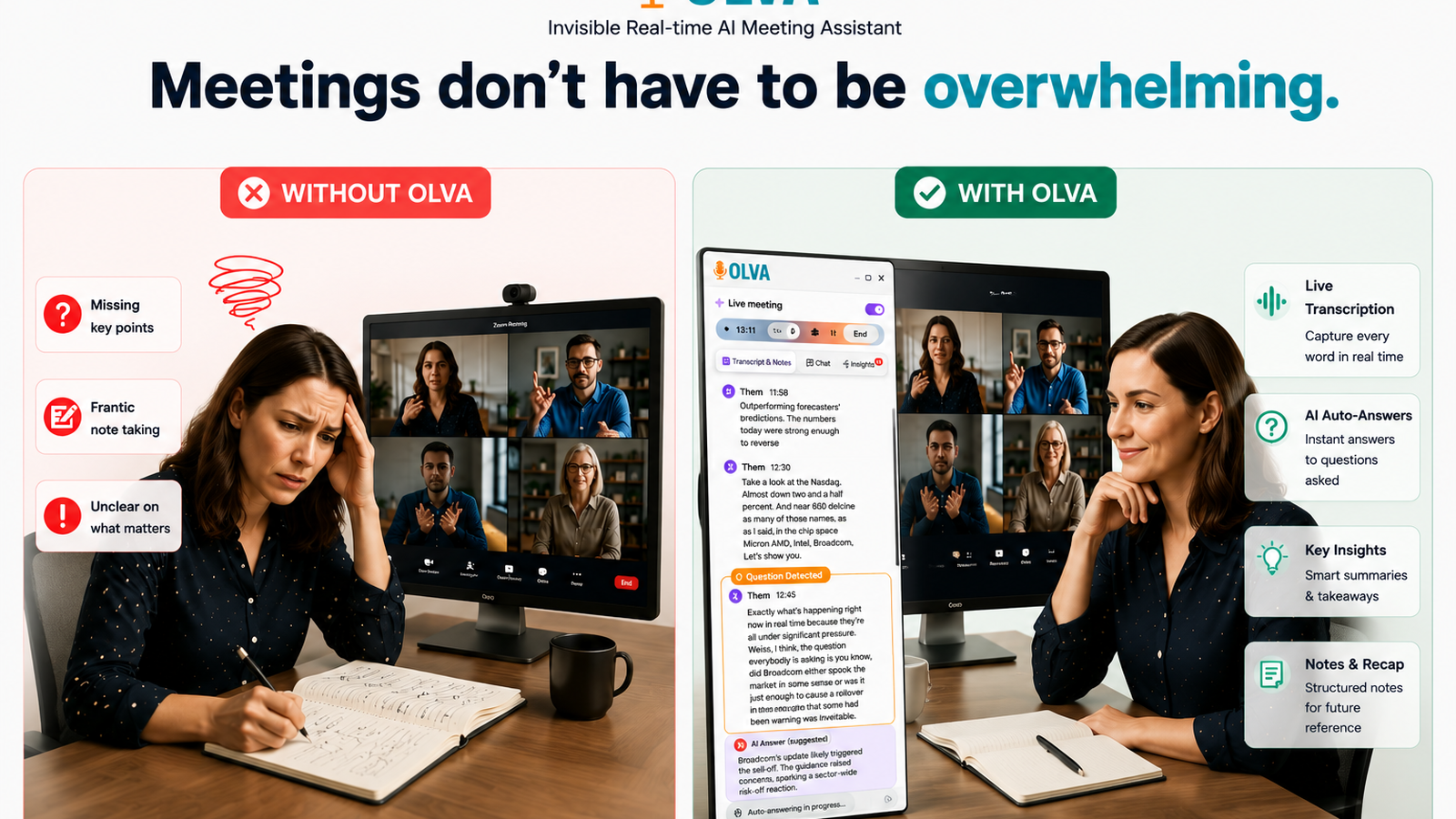
Hosting or moderating a live audio room is a high-stakes job: you need to keep the conversation on track, protect the community, and respond accurately to questions — all while managing multiple voices and shifting topics. Traditional post-event tools (transcripts, recordings, and summaries) help you remember what happened, but they don’t help you act in the moment.
Olva was built for that gap. The Olva mobile app provides invisible, real-time intelligence — live transcription, automatic question detection, instant fact checks, live Q&A, and AI coaching — so moderators and community managers can make better decisions while the conversation is happening. This guide shows how to use Olva on mobile to moderate Clubhouse rooms, fact-check claims as they’re made, and keep your audience safe and engaged.
Visit https://olva.ai to learn more about Olva’s capabilities and privacy-first design.
Why real-time moderation matters for Clubhouse rooms
Live audio rooms are fast-moving and public. A single incorrect claim can spread across social feeds; a toxic exchange can escalate before a moderator can locate a relevant policy. That’s why proactive moderation and quick verification are critical:
- Stop misinformation before it spreads
- De-escalate heated moments with calm, accurate interjections
- Keep the room focused on the event goals (Q&A, panel, AMA)
- Surface opportunities (guest leads, sponsorship interest, follow-up topics)
Most tools help you review what happened. Olva helps you act while it’s happening.
How Olva helps moderators and community managers (at a glance)
- Invisible AI Assistant: Olva runs privately on your device — no bot joining the room, no visible participant, no awkward notifications.
- Live Transcription: Real-time text of the conversation so you can quickly scan for claims or policy violations.
- Automatic Question Detection: Highlights audience questions, objections, or clarifications as they arise.
- Instant Answers & Fact Checking: When a claim appears, Olva uses meeting context and your uploaded documents to provide fast, sourced responses.
- Live Q&A: Ask Olva privately for suggested interjections, wording for rulings, or clarification questions to pose live.
- Live Insights & Opportunity Detection: Flags buying signals, high-engagement topics, and risky statements worth addressing.
- AI Coaching: Suggests the best moderator moves — when to mute, when to call on a specific speaker, and how to reframe the conversation.
- Document-Aware Intelligence: Upload community guidelines, speaker bios, or relevant reports so Olva’s answers are grounded in your context.
- Post-Meeting Memory: Save snippets, follow-up items, and policy incidents for enforcement or reporting.
Quick setup: Getting Olva ready for Clubhouse moderation (mobile)
- Install the Olva mobile app from your device’s app store and sign in.
- Grant microphone and local audio access as prompted — Olva needs to listen locally to provide live assistance for the room you’re moderating.
- Upload relevant documents you want Olva to reference: community guidelines, speaker bios, press releases, research reports, or a list of trusted fact sources.
- Enable Live Mode and Invisible Assistant. Olva runs privately on your device and does not join the room as a visible bot.
- Optional: Configure alert thresholds (e.g., flag any statement mentioning health, elections, or named claims for automatic verification).
Now you’re ready to moderate.
Step-by-step: Moderating and fact-checking during a Clubhouse room
Below is a practical workflow with examples you can follow during a live session.
- Before the room starts — prep with document-aware intelligence
- Upload a short dossier: speaker bios, FAQ, community rules, and 2–3 trusted sources (like WHO, CDC, or company press release). Olva will use these when providing instant answers.
- Ask Olva to summarize the top risks or likely objections for the topic so you can prepare an opening statement.
Example prompt to Olva (before the room):
"Summarize likely controversial claims about X, and give two neutral, moderator-safe responses to each."
Olva returns concise phrasing you can use live.
- Live transcription and automatic question detection
- As the room opens, Olva transcribes the conversation in real time on your phone. If someone asks, "Are these new features free?", Olva highlights that as a detected question and shows the transcript segment.
- This saves you from hunting through audio and helps you spot claims that need verification.
- Instant fact-checks tailored to the room
- When a participant makes an assertive claim (e.g., "Product X reduces churn by 70%"), Olva flags the claim and runs context-aware verification using your uploaded documents and optional internet sources.
- Olva returns a short verification summary and — when available — the source or a caveat.
Example scenario:
Participant: "Our competitor’s product violates GDPR."
Olva (private to moderator): "Claim flagged: 'violates GDPR.' No supporting evidence in uploaded docs. Public sources show recent audit report clearing the product. Suggested interjection: 'We don’t have verified evidence of that claim in our sources — can we stick to documented issues or ask the speaker for specific references?'"
- Use Live Q&A to craft moderator responses
- Instead of improvising under pressure, ask Olva privately: "How should I respond to the participant claiming X?"
- Olva suggests neutral, policy-aligned wording that preserves tone and authority.
Example Olva suggestions:
- Short interjection: "Moderator here: Can you point to the source of that claim so we can discuss it accurately?"
- Defusing line: "We appreciate the perspective — let’s park that claim and ask the panelist to respond with evidence."
- Detect and de-escalate toxicity or misinformation in seconds
- Olva’s live insights flag rapid sentiment changes and repeated claims. If a thread is turning abusive, Olva recommends actions: warn, mute, or move the speaker to the green room.
- For misinformation identified as potentially harmful (health, political), Olva suggests immediate, neutral corrective language and, when relevant, links to authoritative sources from your uploaded list.
- Capture opportunities and follow-ups
- Olva’s opportunity detection highlights guest speakers who mention hiring, partnerships, or product interest. You can note them for follow-up or invite them to share contact info privately.
- After the room, Olva compiles a short actionable list: leads, suggested follow-ups, and content-worthy quotes.
Practical examples for common moderation challenges
- Verifying a fast-moving statistic
Scenario: A guest quotes a statistic about market size that could mislead listeners.
What to do with Olva:
- Olva flags the statistic in the live transcript.
- You ask: "Olva — verify the 2024 market size claim." Olva checks uploaded market reports and returns a short validation: "The cited number appears to come from Company X’s pitch deck (not an independent estimate). Independent sources put it at ~30% lower. Suggested wording: 'We don't have an independent source for that stat; published market studies show a different figure.'"
- Handling an unverified allegation
Scenario: Someone alleges a company engaged in unethical behavior.
What to do with Olva:
- Olva highlights the allegation, suggests a neutral moderation line, and helps you request evidence publicly.
- If the claim relates to named individuals, Olva can advise caution (protecting against defamation) and recommend recording the claim as "unverified" in post-event notes.
- Moderating a heated debate
Scenario: Two speakers escalate into a loud argument.
What to do with Olva:
- Olva detects rising sentiment and recommends intervention: call for a one-minute calm-down, offer a structured Q&A, or temporarily mute a speaker.
- It also suggests phrasing to de-escalate and an agenda reminder to refocus the room.
Privacy and platform considerations
Olva is designed as a private, invisible assistant for moderators:
- No bots join the room as visible participants. Olva listens locally on your device and provides private, real-time assistance.
- Transcripts and analysis are visible only to you and can be deleted at any time.
- Document uploads remain private and are used only to improve Olva’s context-aware answers.
These design choices preserve Clubhouse room dynamics while adding a private layer of moderation intelligence.
How Olva compares to other tools (fair and factual)
There are several transcription and meeting-assistant apps (Otter.ai, Fireflies, Grain) that excel at recording and creating post-event notes. These tools are valuable for logs and post-event analysis.
Where Olva adds distinct value for live audio moderation:
- Real-time actionable intelligence: Olva prioritizes live decision support (instant fact-checks, suggested moderator interjections), not just post-event transcripts.
- Invisible assistance: Olva doesn’t join rooms as a visible bot, so moderation stays human-led and unobtrusive.
- Automatic question detection and opportunity detection tailored to live audio: Olva highlights incoming questions, objections, and buying or sponsorship signals during the conversation — so moderators can act immediately.
- Document-aware, source-backed answers: Upload your own guidance and sources so Olva’s live answers match your community’s rules and trusted references.
Competitors are strong in transcription and search; Olva is designed to help you perform better during the live event.
After the room: follow-up and enforcement
- Olva compiles a moderation report: flagged claims, recommended actions taken, follow-up items, and timestamps for removals/warnings.
- Use Olva’s post-meeting memory to extract quotes for highlights, create follow-up tasks, and maintain an incident log for repeat offenders.
- Export or delete transcripts per your community’s privacy policy.
Best practices for moderators using Olva on Clubhouse
- Prepare a short host script and upload it to Olva so suggested wording aligns with your voice and rules.
- Keep your source list (trusted sites, policy docs) up to date to improve instant answers.
- Use Olva’s suggested interventions as starting points — maintain a human tone and community-specific judgment.
- Train co-moderators to use Olva privately so moderation is coordinated but not intrusive to the audience.
Conclusion — Moderation that moves at the speed of conversation
Moderating live audio is about making the right call at the right second. Olva’s mobile app gives moderators the tools they need to verify claims, defuse conflict, and keep conversations productive — without adding visible bots or disrupting the room. By combining invisible, real-time transcription with automatic question detection, instant fact-checks, live Q&A, and document-aware intelligence, Olva helps moderators do more than remember meetings: it helps them succeed in them.
To see how Olva fits into your moderation workflow and to explore privacy and deployment options, visit https://olva.ai.