
Multilingual Meeting Support Is Now in OLVA
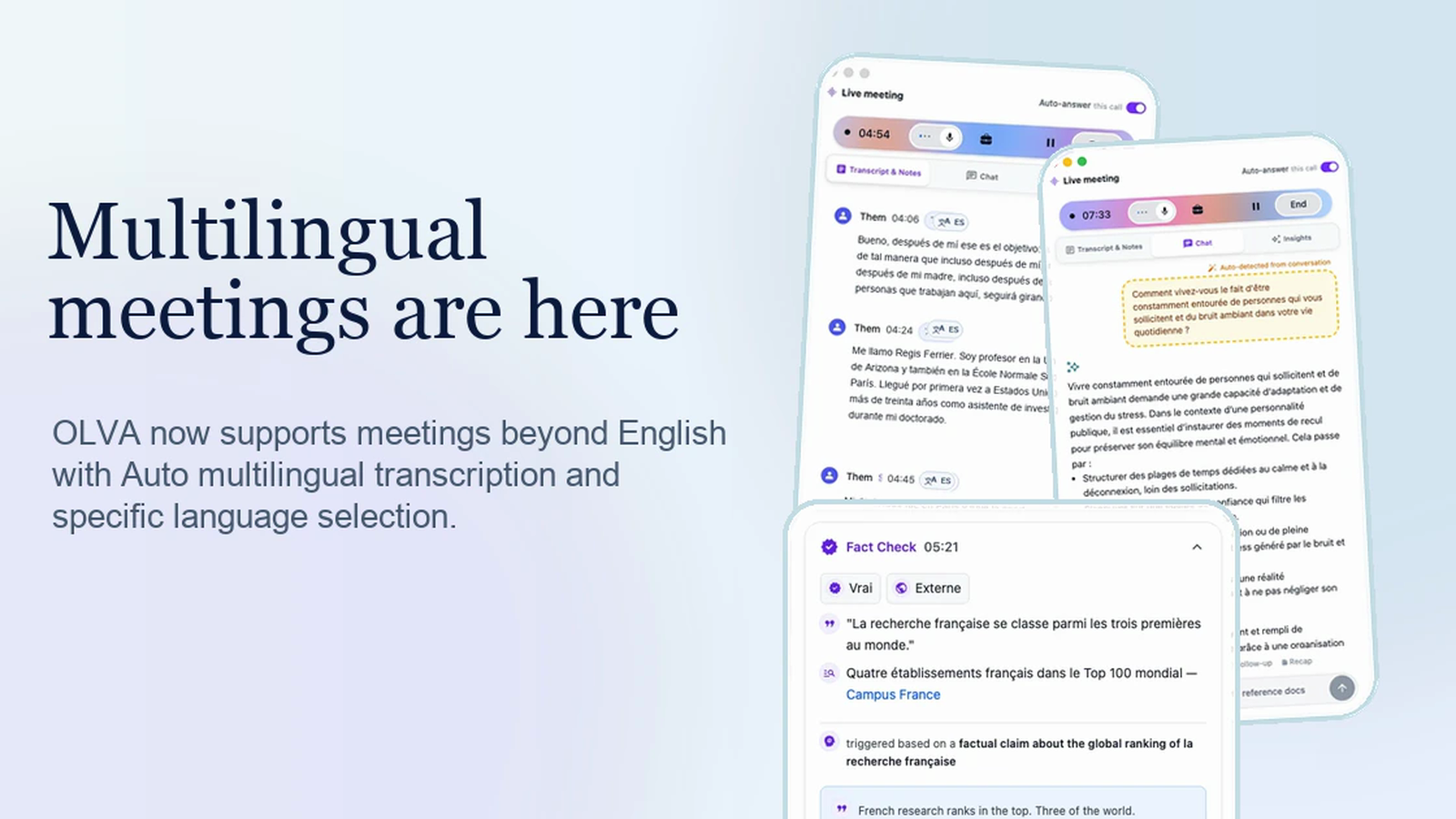
OLVA is built for the way meetings actually happen: across teams, accents, offices, and languages. Today we added multilingual meeting support across OLVA, so live meeting intelligence no longer has to assume every conversation is in English.
The new multilingual workflow is available in the app experience across desktop and mobile surfaces. It gives teams two ways to capture meetings more accurately: Auto multilingual mode for supported common languages, and specific language selection when you know exactly what language a meeting will use.
Why this matters
Many teams in North America and around the world work in more than one language. A sales call might happen in Spanish. A research discussion might happen in French. A customer interview might use English for introductions, then continue in the language where the customer is most comfortable.
For those conversations, a meeting assistant should not feel English-only. OLVA now makes multilingual support part of the live workflow, not an afterthought.
Auto multilingual mode
OLVA supports Nova-3 Auto multilingual mode for these default languages:
- English
- Spanish
- French
- German
- Hindi
- Russian
- Portuguese
- Japanese
- Italian
- Dutch
When Auto is selected, OLVA can handle supported non-English meeting languages without forcing you to pick a language first. This is especially useful when the meeting organizer knows the call may not be in English, but does not want to add setup friction before the conversation starts.
Specific language selection
Auto is only part of the story. OLVA also lets users choose a specific transcription language for broader coverage or tighter control.
That matters for teams that regularly meet in languages outside the Auto set, or for calls where accuracy is more important than convenience. Instead of treating multilingual support as a hidden setting, OLVA makes language choice part of the meeting setup.
Live intelligence in the meeting language
The goal is not just to create a transcript. OLVA's live workflow can carry language context through the meeting experience, including:
- Live transcript language badges
- In-meeting questions and answers
- AI coaching and follow-up suggestions
- Fact checks and live insights
- Post-meeting summaries and searchable meeting memory
That means a non-English meeting can still benefit from the same real-time OLVA workflow: capture what is being said, detect what matters, and help you respond while the meeting is still happening.
Built for meetings beyond English
This release is an important step toward making OLVA useful for more teams and more conversations. Spanish and French are especially common in North American work contexts, but the need is broader: global teams should be able to bring AI meeting support into the language their meeting actually uses.
OLVA now supports that reality more directly.
If your meetings are not always in English, you can start with Auto multilingual mode or choose a specific language before the call begins.