
How Olva’s Invisible AI Helps Autistic Professionals Thrive in Meetings
Meetings are a core part of professional life, but they can also be a source of stress—especially for autistic professionals who may experience sensory overload, difficulty reading social cues, or the need for extra processing time. Traditional meeting tools focus on capturing what was said: transcripts, recordings, and post-meeting summaries. Those features help with recall, but they don’t change how the meeting unfolds.
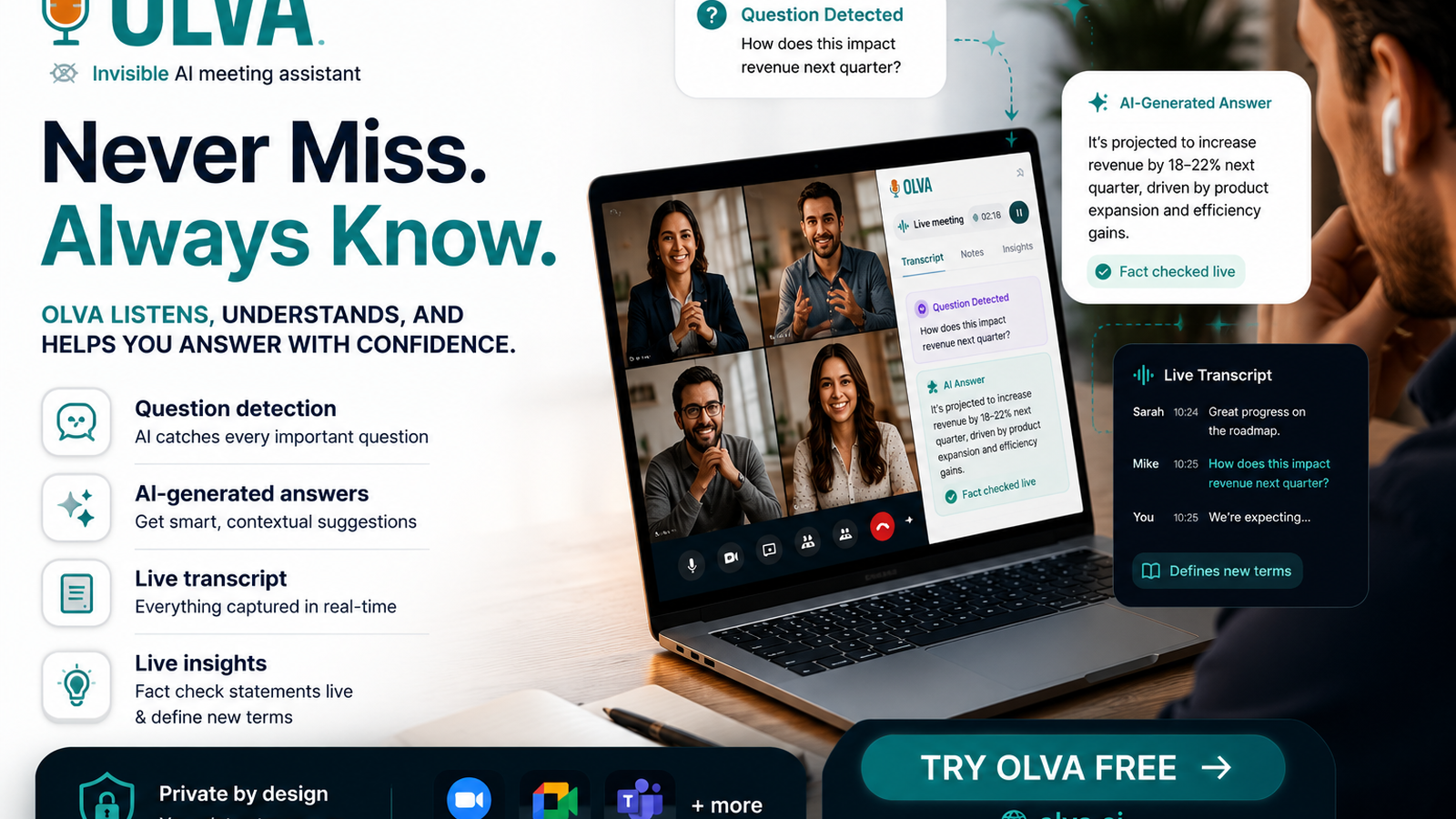
Olva is different. As an invisible AI meeting assistant, Olva provides real-time support: live transcription, automatic question detection, instant answers, AI coaching, and document-aware intelligence that helps users perform better while conversations are happening. For executives, product managers, founders, remote workers, and HR/recruiters, these capabilities can make meetings more accessible, equitable, and productive for autistic professionals.
This article explains common meeting challenges for autistic professionals, reviews how existing tools help today, and shows practical ways Olva’s live, invisible assistance changes the experience in the moment—not just afterward. Learn more at https://olva.ai.
Why meetings can be uniquely challenging for autistic professionals
Autistic professionals bring strengths—focus, pattern recognition, honesty, and attention to detail—that organizations need. But certain meeting dynamics can make participation harder:
- Rapid conversational turn-taking that requires split-second decisions about when to speak.
- Ambiguous or indirect language that makes intent unclear.
- Sensory overload from multiple participants, screen shares, or chat notifications.
- Anxiety about interrupting or being misunderstood.
- Need for time to parse complex technical or strategic information.
These challenges can lead to missed opportunities: a question left unanswered, a point not voiced, or a follow-up that’s delayed. Meetings should enable everyone to contribute—and that’s where real-time AI assistance can make a material difference.
What most meeting tools do well (and where they fall short)
Many popular tools bring useful capabilities:
- Transcription platforms (Otter.ai, Rev, Microsoft Teams transcription) reliably capture spoken content for later review.
- Recording and playback let people replay conversations at their own pace.
- Note-taking and task trackers (Fellow, Notion integrations) centralize action items.
These features help with memory and asynchronous work, but they usually act after the meeting. For someone who needs support in the moment—phrasing a response, verifying a claim, or detecting an opportunity—post-meeting notes come too late.
Competitors are strong at accurate transcripts, integrations, and user experience. A fair assessment: they solve the recall problem exceptionally well. Olva builds on that foundation but shifts focus to live assistance—helping users perform better while the conversation is happening.
Live, invisible assistance: what Olva does differently
Olva’s design centers on delivering unobtrusive, private, and practical support during meetings. Core real-time capabilities that matter for autistic professionals include:
- Invisible AI Assistant: Olva operates without joining the meeting as a visible bot. No extra participant, no interruptions, and no awkward notifications—so users get help without changing meeting dynamics.
- Live Transcription: Real-time transcripts capture spoken content from both the user and other participants. This reduces the need to multitask note-taking and allows the user to focus on comprehension.
- Automatic Question Detection: Olva automatically detects questions and clarification requests in conversation—both those addressed to the user and those asked by others—and flags them instantly.
- Instant Answers & Live Q&A: When questions are detected, Olva generates context-aware suggested answers using meeting context, uploaded documents, and past meeting memory. Users can also ask Olva direct questions during the meeting (for example: “How should I respond?” or “Summarize the last three minutes.”).
- Live Insights & Fact Checking: Olva continuously analyzes the conversation to surface definitions, highlight assumptions, detect risks, and identify opportunities—helping users understand what matters now.
- AI Coaching: Olva suggests phrasing, follow-up questions, and strategic responses in real time—acting as a private coach that supports participation without broadcasting help to others.
- Document-Aware Intelligence: Uploaded PDFs, product specs, contracts, or research reports are available to Olva in the meeting, enabling precise answers grounded in the materials being discussed.
- Post-Meeting Memory: After the meeting, Olva creates searchable recaps, action items, and decisions, so any follow-up is easy to execute.
Together, these capabilities let autistic professionals participate more confidently, communicate more clearly, and follow up more reliably.
Practical examples: how Olva supports autistic professionals in real meetings
Below are concrete scenarios that illustrate how Olva’s real-time features help.
Example 1 — Product discovery meeting (product manager)
- Challenge: A product manager receives rapid user feedback across several stakeholders. They need to ask clarifying questions without interrupting or losing their train of thought.
- Olva helps: Live transcription captures the discussion. Automatic question detection highlights open questions from stakeholders and suggests concise clarification questions. The product manager receives an instant suggested phrasing they can paste into chat or say aloud, plus a short rationale to feel confident about tone.
Example 2 — Sales conversation with a prospective customer (executive/founder)
- Challenge: When a prospect raises a pricing objection, the executive needs to respond quickly with accurate contract terms and upsell opportunities, without sounding defensive.
- Olva helps: Automatic question detection flags the objection. Olva’s document-aware intelligence pulls pricing and contract clauses from uploaded documents and proposes a calm, factual response. Live insights identify buying signals and suggest a gentle follow-up to explore expansion opportunities.
Example 3 — Cross-functional sync (remote worker)
- Challenge: Multiple participants speak over each other; the remote worker needs time to process a technical trade-off before responding.
- Olva helps: Live transcription gives a visual record of what was said. The user can ask Olva privately to summarize the last five minutes and recommend the most important issues to address next. AI coaching provides a short script the user can use to interject politely and clearly.
Example 4 — Hiring interview (HR/recruiter)
- Challenge: An interviewer notices a candidate’s claim that’s ambiguous and wants to verify facts during the conversation without derailing rapport.
- Olva helps: Olva flags the ambiguous claim and suggests neutral clarifying questions. If a relevant company policy or job spec is uploaded, Olva supplies context-aware follow-up and fact checks the claim against available documentation.
These examples show why in-meeting assistance—not only after-the-fact transcripts—matters for equitable participation.
Privacy and inclusivity considerations
Privacy and comfort are essential. Olva is private by design: it doesn’t join meetings as a visible participant, and transcripts and meeting data are only visible to the user unless they choose to share. Transcripts can be deleted on demand. For organizations concerned about accommodations, this model enables discreet support that preserves meeting dynamics and participant privacy.
When introducing Olva across teams, HR and leadership should collaborate on transparent policies: clarify when and how employees can use AI assistance, how meeting recordings are handled, and how accommodations will be respected.
Practical adoption tips for leaders and HR
- Frame the tool as an accessibility and performance aid: Position Olva as a resource that helps everyone contribute more effectively, not as a monitoring tool.
- Offer training and templates: Provide suggested scripts, phrasing examples, and short onboarding sessions that show how Olva can be used in live meetings.
- Pair with accommodations: Combine Olva with known accommodations—advance agendas, written summaries, and the option for asynchronous feedback.
- Ensure privacy clarity: Document who can access transcripts and meeting memory, and allow employees to control deletion and sharing.
- Measure outcomes qualitatively: Collect feedback from autistic colleagues about meeting inclusion, clarity of decisions, and reduced stress.
Fair comparison with other tools
As noted earlier, transcription and recording providers are excellent at guaranteeing accurate records, seamless integrations, and playback. For many teams, those strengths are indispensable.
Where Olva differs is the focus on live performance support. Competitors typically surface transcripts or enable post-meeting search and summaries. Olva emphasizes:
- Detecting questions and clarifications automatically as they happen.
- Delivering instant, context-aware answers rooted in uploaded documents and past meeting memory.
- Acting invisibly so the user receives help without adding a visible bot or changes to meeting etiquette.
- Providing private AI coaching that suggests phrasing and strategic guidance in real time.
For teams that value enhanced inclusivity and in-meeting confidence—especially for autistic professionals—those differences matter.
A short hypothetical case study
A mid-market SaaS company had several product managers who identified as autistic and reported difficulty speaking up in stakeholder demos. The company introduced Olva as an optional accommodation. Within weeks, product managers reported:
- Easier phrasing of clarification questions using Olva’s suggested scripts.
- Reduced anxiety because Olva would detect and surface unanswered questions automatically.
- Cleaner follow-ups thanks to Olva’s live capture of decisions and next steps.
This hypothetical scenario illustrates how invisible, real-time assistance can translate into clearer communication and better outcomes—without changing meeting culture.
Conclusion
Meetings shouldn’t be a barrier to contribution. For autistic professionals, real-time support that reduces uncertainty, clarifies intent, and suggests confident phrasing can be transformational. Olva’s invisible AI approach—live transcription, automatic question detection, instant answers, live Q&A, AI coaching, and document-aware intelligence—focuses on helping people perform better while conversations are happening, not just after.
Organizations aiming for truly inclusive meetings should combine thoughtful policy, optional accommodations, and tools that support participation in the moment. When implemented with privacy-first principles and clear adoption guidelines, Olva can be a practical companion that helps autistic professionals—and the teams that rely on them—thrive.
For more information about how Olva can support inclusive, real-time meeting experiences, visit https://olva.ai.