
Mastering Discovery Calls with Invisible AI: Detect Questions, Surface Insights, and Close Faster
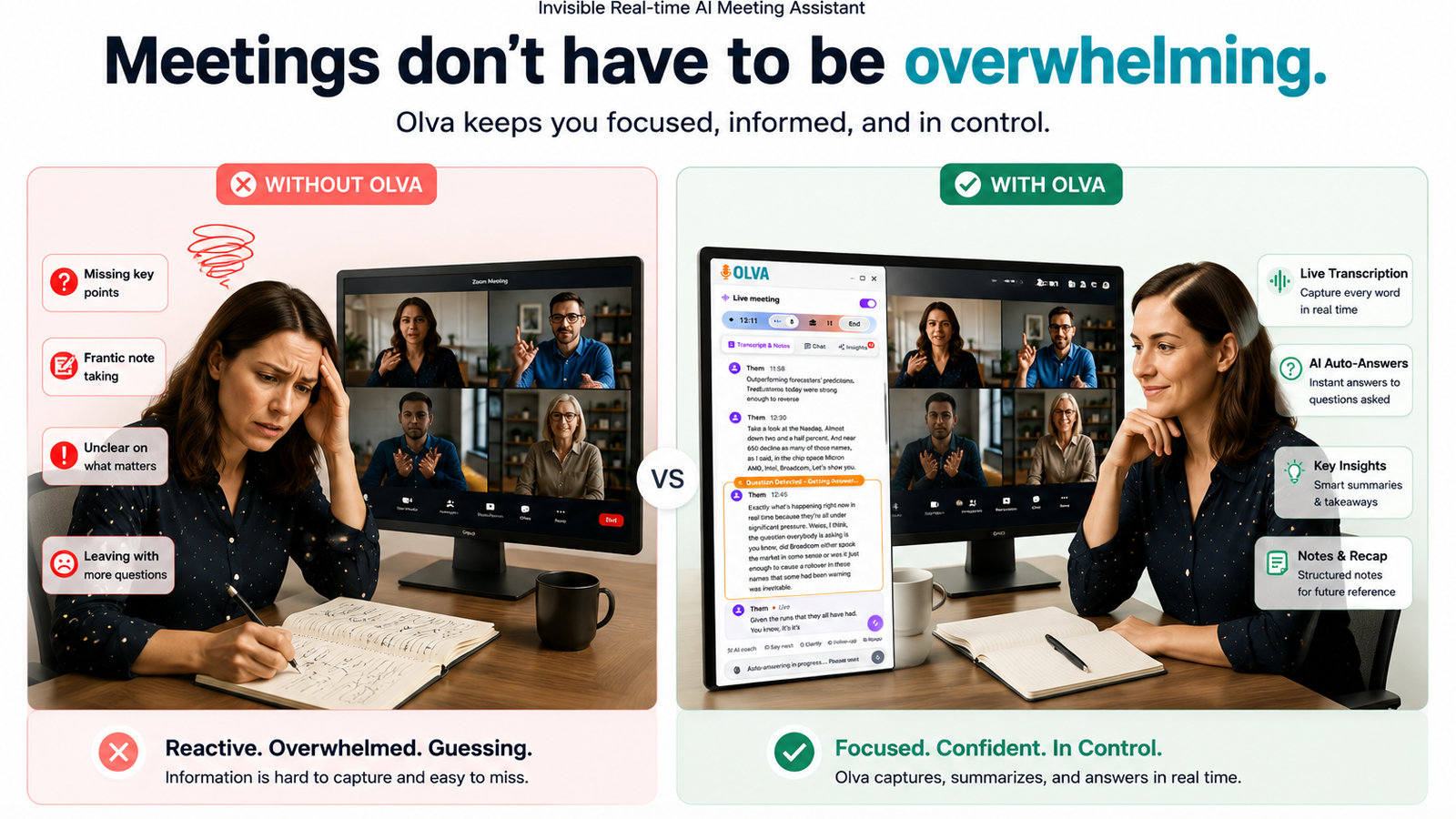
Discovery calls separate dealmakers from deal stalkers. For SDRs, AEs, sales leaders, product managers, and consultants, the ability to identify customer needs, handle objections, and move next steps forward in real time is the difference between a promising lead and a lost opportunity.
Traditional meeting tools help you remember what happened. Invisible AI helps you perform better while the call is happening.
This article explains a practical, tactical approach to discovery calls enhanced by invisible AI: how to detect questions automatically, surface actions and risks live, answer confidently when it matters, and close deals faster. Wherever relevant, we reference capabilities available from Olva (https://olva.ai) as concrete examples of how modern, privacy-first meeting intelligence works during—not after—your calls.
Why discovery calls need live intelligence
Discovery calls are noisy. Buyers drop hints, raise concerns indirectly, and switch topics fast. Typical challenges:
- You miss or misinterpret buying signals while taking notes.
- A tough question comes up and you scramble to find the right answer.
- The team discovers misalignment only after the call when the transcript lands in an inbox.
- Opportunity context—contracts, product docs, pricing tiers—is scattered across tools.
Most meeting tools solve part of the problem by recording, transcribing, and summarizing after the fact. That helps with memory. But in sales, memory without action is wasted momentum. What sales teams need is live support that detects what matters, suggests what to say, and surfaces follow-ups before the call ends.
What invisible AI brings to discovery calls
Invisible AI augments human judgment quietly and privately during conversations. Key real-time capabilities that change the game:
- Invisible presence (no bot participants): the assistant listens and analyzes without joining as a visible attendee.
- Live transcription: automatic, accurate transcripts of both your voice and participant audio so you can stay present.
- Automatic question detection: the system flags customer questions, objections, and clarification requests as they happen.
- Instant answers & document-aware intelligence: answers generated using meeting context and uploaded documents—product specs, pricing decks, or contracts—so you can respond confidently.
- Live Q&A & AI coaching: ask the assistant in the moment — “What should I say next?” — and get suggested responses and phrasing.
- Live insights & opportunity detection: surface buying signals, expansion cues, competitive mentions, and risk indicators in real time.
- Fact checking: verify statements and claims as they appear in conversation.
- Post-meeting memory: searchable records, decisions, and actions, kept private and editable by you.
These capabilities keep you focused on the customer while the AI works in the background to improve outcomes.
A practical discovery call playbook powered by invisible AI
Below is a step-by-step framework you can adopt today. Replace a manual note-taking workflow with live assistance and watch call effectiveness improve.
- Preparation (before the call)
- Upload context: product one-pagers, contracts, pricing sheets, and previous call notes into your assistant.
- Set objectives: clarify desired outcomes (e.g., qualify for POC, get budget approval, schedule technical demo).
- Cue the assistant: enable invisible mode so the AI will listen and analyze during the call without being a visible participant.
Why it matters: Document-aware intelligence means answers the assistant provides will reference the same artifacts you’ll rely on later.
- Opening the call (first 5 minutes)
- Use the assistant to summarize the buyer’s company profile or recent interactions.
- Confirm agenda with one-sentence framing. The AI can suggest an agenda script: “Quickly align on goals, current pain, timelines, and decision criteria.”
Practical example: For a mid-market ops manager, the assistant suggests: “Can you walk me through your current workflow and the biggest bottleneck you’d like to solve in the next 90 days?”
- Active discovery (20–30 minutes)
- Rely on live transcription to stay present. The assistant captures talk tracks so you don’t have to type.
- Automatic question detection flags when the prospect asks about pricing, integrations, or support SLAs.
- As questions are detected, Instant Answers draw from your uploaded price list or product spec and provide short, confident responses you can deliver on the call.
Practical example: The prospect asks, “Does it integrate with Zendesk?” The assistant instantly shows the integration status (from your product doc), sample connector details, and a concise reply: “Yes—native integration available. It syncs tickets bi-directionally; typical setup takes X weeks.”
- Handling objections in real time
- Live insights detect objection patterns (price sensitivity, timeline concerns, security questions) and suggest reframing tactics.
- Use AI coaching to get suggested responses: objection-handling scripts, counterpoints, or follow-up questions that surface the underlying issue.
Practical example: Prospect says, “This seems expensive.” The assistant suggests: “Ask about total cost of ownership and value: ‘Are you most focused on reducing headcount, cutting support time, or increasing retention?’” and offers a short ROI sentence pulled from your case study.
- Opportunistic selling and qualification
- Opportunity detection highlights buying signals like stakeholder mentions, project timelines, or references to budget cycles.
- The assistant recommends next-step asks—e.g., “Would it make sense to involve your head of IT in a technical deep dive?”—to convert signals into commitments.
- Closing the call and agreeing next steps
- The assistant summarizes decisions, open questions, and action items live. Read the live recap aloud to confirm alignment before the call ends.
- Save the post-call memory; it becomes searchable across future interactions.
Practical example: At the call end the assistant displays: “Next steps: set technical demo with IT (owner: AE), send pricing with discount options (owner: SDR), confirm timeline (buyer).” Read this back and get verbal agreement.
Real-world scenarios: how different roles benefit
- SDRs: Close more discovery-to-demo conversions by capturing intent and surfacing qualifying questions—live. Less guesswork when booking the next step.
- AEs: Handle pricing and competitive questions confidently with instant access to product and pricing docs during the call.
- Sales managers: Coach reps in real time or review live call highlights to identify coaching opportunities faster.
- Product managers: Detect early feature requests and common confusion points during user calls so roadmaps reflect real demand.
- Consultants: Stay accurate in technical conversations using document-aware answers and fact checking without interrupting the flow.
Case vignette: An AE on a competitive deal used invisible AI to detect a subtle buying signal (multiple mentions of “automation”) and was prompted to ask a clarifying follow-up. That follow-up revealed the customer wanted to replace a manual process—and the AE positioned a faster time-to-value use case, moving the deal from evaluation to pilot the next week.
Competitors: what they do well and where invisible AI differs
Many existing tools—Chorus, Gong, Otter, Fireflies—are excellent at recording, transcribing, and delivering post-call analytics and playbooks. They surface trends, provide searchable transcripts, and power coaching at scale.
Where invisible AI shifts the outcome:
- Timing: Competitors often act after the meeting; invisible AI acts during it. That subtle change turns hindsight into action.
- Interaction model: Most tools require a visible bot or recording participant; invisible AI operates privately so meetings feel natural.
- Answering vs. archiving: Instead of only summarizing questions, invisible AI detects them automatically and provides instant, document-aware answers.
- Live insights and fact checking: Real-time verification and opportunity detection help reps act on signals immediately instead of discovering them days later.
Acknowledging strengths: If you prioritize enterprise-grade analytics and shared organizational coaching, many competitor platforms offer deep post-call reporting and integrations. Combine insights from both approaches—post-call analytics plus live assistance—to create the strongest process.
Privacy and trust: invisible, private, and controllable
Privacy matters in sales conversations. Invisible AI is designed with privacy in mind:
- No visible bot participants in calls.
- Transcripts and memory are accessible only to the user or team as configured; you can delete transcripts anytime.
- The assistant focuses on enhancing the meeting experience—not acting as a public recorder.
If privacy or compliance is a concern for your organization, verify storage, retention, and permission settings before rolling out any AI assistant.
Measuring impact: KPIs to watch
To quantify the effect of live meeting intelligence on discovery calls, track:
- Discovery-to-demo conversion rate
- Time from discovery to qualified opportunity
- Average deal velocity (days between discovery and close)
- Number of objections resolved during first call
- Percentage of calls with clear next steps agreed upon
Early adopters report improved conversion rates and faster deal progression when teams combine skilled reps with live AI assistance.
Implementation tips for sales teams
- Start small: Pilot with a handful of reps and high-value accounts.
- Upload standard artifacts: pricing sheets, integration docs, case studies, and playbooks.
- Train playbooks: fine-tune the assistant to recognize your product jargon and ideal discovery questions.
- Coach with live highlights: use call moments to provide immediate feedback and replicate successful responses.
- Combine with post-call analytics: use summaries and memory for handoffs and long-term coaching.
Example scripts and prompts to use live during calls
- When you need a quick clarification: “Assistant, summarize the prospect’s pain in one sentence.”
- When a pricing question appears: “Assistant, show the standard pricing tiers and recommended positioning for SMB customers.”
- To handle objections: “Assistant, suggest a two-sentence rebuttal to a ‘too expensive’ objection focused on value.”
- To prep for next steps while on call: “Assistant, list three qualifying criteria to convert this to a pilot.”
These short prompts keep the flow conversational and the AI support actionable.
Conclusion: act while the opportunity exists
Discovery calls are time-sensitive events: the conversation you have now determines whether a prospect advances or stalls. Invisible AI moves meeting intelligence from hindsight to real-time decision-making—detecting questions as they happen, surfacing relevant answers from your documents, coaching you through objections, and highlighting opportunities the moment they appear.
For SDRs, AEs, sales managers, product leaders, and consultants, integrating live, invisible assistance into discovery workflows means fewer missed signals, stronger responses, and faster progression through the funnel. If your team wants to stay present in the conversation—and more importantly, act while the opportunity exists—look for solutions that prioritize live question detection, instant answers, and document-aware intelligence.
Explore how practical, privacy-first invisible AI works on real calls at https://olva.ai and consider running a small pilot to compare outcomes against your current discovery call process.
Master the moment. Detect the question. Surface the insight. Close faster.