
Fact-Checking & Jargon Translation in Product Meetings: Keep Cross-Functional Teams Aligned with Real-Time Meeting Intelligence
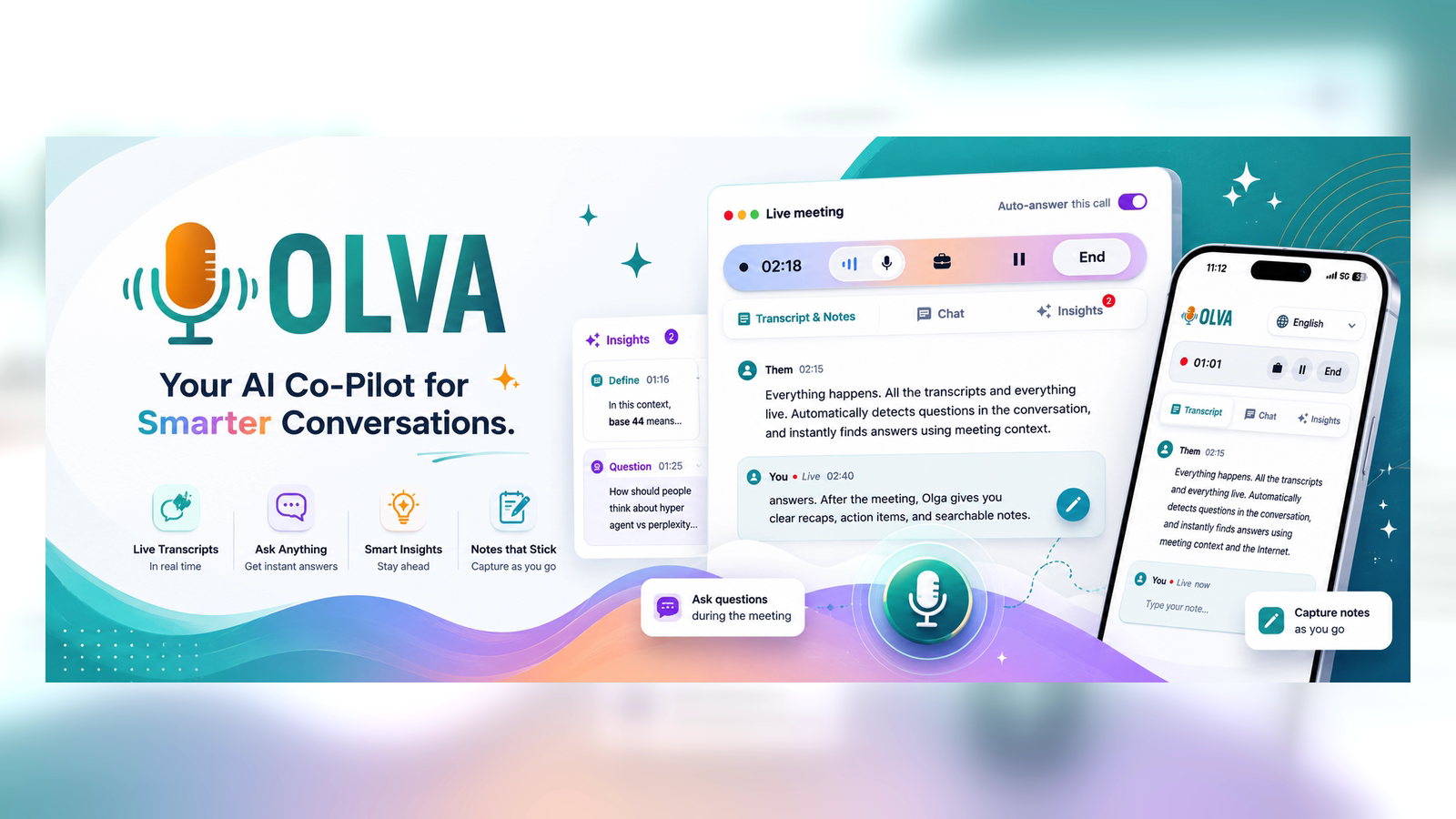
Effective product development depends on shared understanding: the roadmap, technical trade-offs, customer priorities, timelines, and responsibilities. In cross-functional product meetings — where PMs, engineers, designers, sales, and support come together — two recurring problems eat time and create friction:
- Incorrect or unverified claims propagated as decisions.
- Misunderstood terms, acronyms, or domain-specific jargon that cause misalignment.
This article explains why live fact-checking and jargon translation matter for product managers, gives actionable meeting playbooks you can use immediately, and shows how real-time meeting intelligence (not just post-meeting summaries) reduces ambiguity and accelerates outcomes.
Why real-time fact-checking and jargon translation matter for PMs
- Speed of decision-making favors correctness in the moment. A wrong assumption accepted during a discussion becomes a milestone on the roadmap unless corrected immediately.
- Misaligned terminology leads to rework. When engineering and design interpret the same phrase differently, the result is scope creep and missed expectations.
- Cross-functional meetings often include stakeholders with uneven domain knowledge. Sales or customer success may use market language that engineering interprets differently, and vice versa.
Post-meeting corrections are costly. Revisiting an incorrect decision requires extra meetings, expensive rework, and lost credibility for the product manager. Real-time intervention is the far more efficient path.
Common meeting failure modes (and how PMs can spot them)
- The confident-but-wrong claim: a stakeholder states a metric or customer behavior as fact without evidence.
- Jargon drift: acronyms and technical terms are used with different meanings across teams (e.g., "MVP", "stable", "production-ready").
- Hidden assumptions: dependencies or constraints implied but never stated aloud.
- Stalled decisions: the team defers because the group lacks a common definition or data point.
Signals to watch for: short-circuiting questions ("Is that true?" left unanswered), repeated clarifications asked by different attendees, and long pauses when the team is trying to interpret a technical explanation.
A practical playbook for PMs: Run meetings that surface truth and translate jargon
- Pre-meeting: attach one-line definitions and relevant documents
- Share a simple glossary before cross-functional meetings: acronyms, product terms, and any contested definitions. Attach key artifacts — design mocks, metrics dashboards, or contract excerpts.
- At meeting start: set a single alignment rule
- Ask the group to surface any domain-specific words they hear that need definition. Invite people to flag statements that require evidence.
- During the meeting: use three live tactics
- Real-time fact-checks: when someone quotes a metric, ask for the data source then and there. If the source isn’t available, mark it as a follow-up with owner and deadline.
- Jargon translation breaks: when a term causes multiple follow-ups, pause for a one-line definition and note it in the meeting glossary.
- Quick clarifying questions: require that at least one person restates a decision in their words before it’s finalized.
- Post-meeting: convert live findings into memory
- Capture definitions, validated facts (with sources), action owners, and open questions. Make this searchable so the next meeting starts from a shared baseline.
Practical example (short):
- Scenario: During an engineering sync, a VP says "we should be production by Q3."
- Live check: PM asks, "Which metric are we using to define production? Uptime, performance SLA, or feature parity?"
- Outcome: Team defines "production" as 99.9% uptime + completed integration tests. Owner and target date are recorded immediately.
Tools: What most meeting tools do well — and where they stop
Popular meeting tools (Otter.ai, Fireflies, Gong, and Chorus) offer reliable real-time transcription, searchable meeting archives, and post-meeting summaries and intelligence. These capabilities are valuable: they reduce note-taking overhead and make historical review easier.
Limitations of the typical approach:
- Most tools focus on capturing what was said and analyzing it after the meeting. That helps memory but not the immediate decision.
- Many platforms create visible meeting participants (bots) or require explicit recording that can change participant behavior.
- Post-meeting insights don’t stop a wrong claim from becoming a roadmap milestone.
Acknowledging strengths: transcription and post-call analytics are important and complementary. But product managers need assistance while the conversation is happening — a different class of value.
Real-time meeting intelligence: what changes when fact-checking and jargon translation happen live
When teams verify claims and align terminology in the meeting, three outcomes follow:
- Fewer follow-ups and less rework. Decisions are better scoped and defensible.
- Faster momentum. Teams move from discussion to action without waiting for validation.
- Increased trust. Stakeholders know that statements will be validated immediately, which reduces hedging and vague commitments.
How to achieve live verification and translation: real-time transcription alone is not enough. You need an assistant that detects question patterns, identifies jargon, surface clarifying prompts, and — crucially — can provide instant, context-aware answers or references.
How real-time intelligence looks in practice (examples PMs can use)
Example 1 — Detecting and verifying a metric claim:
- Sales: "Our enterprise pilot converted at 20%."
- Real-time detection flags this as a claim. The meeting assistant prompts: "Source for conversion rate?" and pulls the cited dashboard if available.
- If the dashboard is uploaded or linked, the assistant shows the relevant number and date range. The team confirms or corrects the figure immediately.
Example 2 — Translating cross-functional jargon:
- Designer: "We’ll ship the new UX with progressive disclosure."
- Engineering interprets this as a staged rollout; support sees it as a feature toggle.
- The assistant suggests a short, neutral definition based on a pre-loaded glossary or previous meetings, then recommends the clarifying question: "Do you mean a staged rollout behind a flag, or a contextual content reveal?"
Example 3 — Customer contract nuance during a pricing conversation:
- Legal mentions a wording from a contract. The assistant retrieves the relevant clause from uploaded PDFs and highlights the exact phrase so the team can discuss interpretation immediately.
Why invisible, private assistance matters for sensitive product meetings
Many product conversations involve sensitive strategic or personnel topics. A real-time assistant that joins as a visible bot can change meeting dynamics. An invisible AI assistant that preserves participant behavior while giving private guidance to the PM is different:
- No awkward bot participants or distracting notifications.
- Ability to share screen while keeping the assistant hidden from other attendees (Invisible Screen Share Mode).
- Private coaching: suggested responses and clarifying questions shown only to the PM.
This privacy-first approach reduces social friction and preserves candid discussion while still delivering live value.
How document-aware intelligence improves accuracy
Product meetings often reference spec docs, contracts, or research. A meeting assistant that can ingest PDFs and link claims to specific passages enables immediate validation.
Use case: You claim a competitor's SLA is "24/7 phone support." The assistant searches uploaded competitor docs or your vendor contracts and surfaces the exact clause, or flags that the claim is unsupported. That prevents the team from making product decisions based on incorrect competitive assumptions.
Comparison snapshot: Olva vs. typical meeting tools (fair and objective)
What many tools do well:
- Accurate transcription
- Searchable archives and summaries
- Playback and clip extraction for training and review
What Olva adds for PMs in meetings:
- Automatic question detection that surfaces customer objections and technical clarifications as they appear
- Instant answers using meeting context and uploaded documents, so the PM can verify a claim immediately
- Live Q&A and AI coaching for suggested responses and follow-ups during the conversation
- Invisible operation so the assistant doesn't alter meeting dynamics or appear as a bot participant
- Live insights like fact checking, jargon definitions, and opportunity detection (e.g., buying signals) while the meeting is still happening
This isn't to dismiss other platforms; many are excellent at post-meeting analysis. The distinction is the timing and the private, in-meeting assistance that helps people perform better right away. Most tools help users remember meetings. Olva helps users perform better in meetings.
Quick meeting checklist for PMs to implement today
- Preload a 1-page glossary for cross-functional meetings.
- Attach core documents (metrics dashboards, spec excerpts, contracts) to meeting invites.
- Start meetings by asking for any "definition flags".
- Ask for sources on metric claims and mark any unverified claims as action items with owners.
- Use live clarifications: require someone to restate decisions in one sentence.
- Maintain a searchable meeting memory with validated facts and definitions.
If your team wants to test an approach that offers private, context-aware assistance during meetings, learn more about the capabilities described here at https://olva.ai.
Conclusion
For product managers responsible for cross-functional alignment, correcting facts and translating jargon in the moment is one of the highest-leverage activities you can run in meetings. It reduces rework, accelerates decisions, and builds trust across teams.
The technical tools available today make transcription and post-meeting analysis trivial. The next step is meeting intelligence that operates live: detecting questions, translating terms, verifying claims, and offering private coaching—all while staying out of the room visually. That approach moves teams from remembering meetings to performing better inside them.
Adopt a simple meeting playbook, insist on immediate verification for critical claims, and leverage document-aware, real-time intelligence to keep your roadmap accurate and your teams aligned.