
Master Executive Reviews & Quarterly Planning: Live Summaries, Decision Logs, and Suggested Follow-ups
As a program manager, your quarterly planning sessions and executive reviews are where strategy meets execution. These meetings determine priorities, reallocate resources, escalate risks, and set the tone for the next quarter. But they’re also high-stakes, fast-paced, and easy to lose control of: decisions go undocumented, questions get buried, and follow-ups slip through the cracks.
This guide explains how to run more decisive, actionable executive reviews and quarterly planning sessions using live meeting intelligence. It includes practical templates, step-by-step workflows, and real-world examples that show how live summaries, structured decision logs, and automated suggested follow-ups transform outcomes. Throughout, you'll see how modern meeting intelligence tools—especially invisible, real-time assistants—help you perform better during the meeting, not just remember it afterward.
Relevant keywords: executive reviews, quarterly planning, program managers, live summaries, decision logs, suggested follow-ups.
Why the way you run reviews matters
A successful executive review or quarterly planning session is not a transcript of conversation—it’s a decision engine. The goals are to:
- Confirm strategic priorities and metrics
- Surface and mitigate risks early
- Assign clear ownership for initiatives
- Create a timeline and measurable outcomes
- Ensure follow-ups are specific and tracked
Common failure modes include unrecorded decisions, vague action items, overlooked assumptions, and missed opportunities. These are not just administrative problems; they reduce momentum, create misalignment, and slow delivery.
To fix this, program managers need two things at once: a clear meeting structure and live support that captures what matters and helps you act immediately.
The live-meeting advantage: perform better while the meeting is happening
Most meeting tools focus on after-the-fact features—transcripts, recordings, automated summaries. Those are useful, but they don’t help you influence the conversation when it matters.
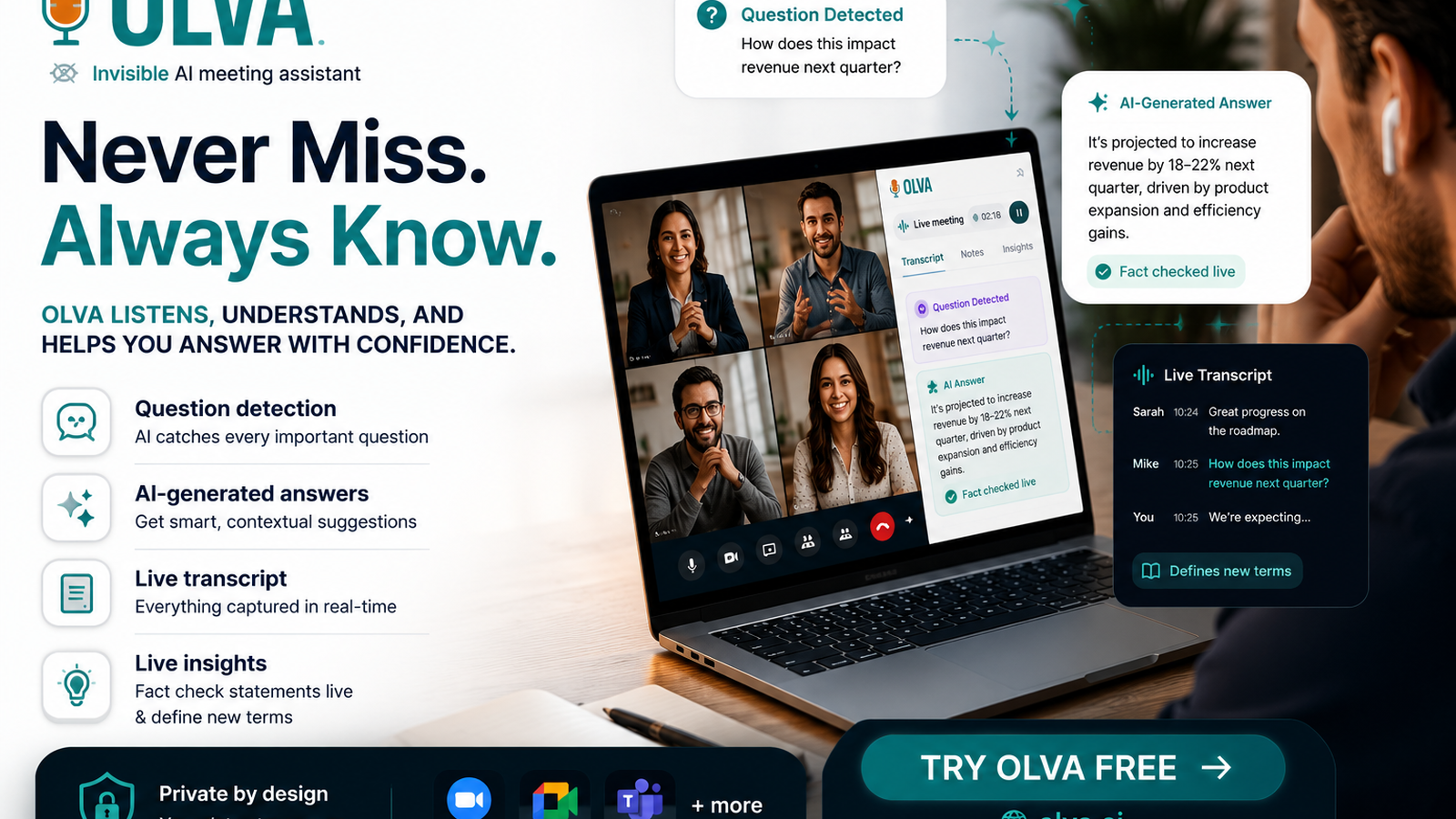
Live meeting intelligence gives you: real-time summaries, automatic detection of questions and objections, suggested responses, and decision logging the moment a choice is made. This is critical for executive reviews and quarterly planning because these meetings demand clarity and speed.
Briefly consider common competitors: tools like Otter.ai and Fireflies.ai do excellent live transcription and searchable notes; sales coaching platforms like Gong and Chorus provide deep conversation analytics for sales teams. These platforms are strong at recording and reviewing. Where modern, invisible assistants add value is by acting as a private co-pilot during the meeting—helping you answer questions, clarifying jargon, and surfacing opportunities while the conversation is still live.
Core capabilities that change the meeting
Below are the specific live capabilities that transform executive reviews and quarterly planning.
- Invisible AI Assistant: runs without a visible bot joining the call. No interruptions, no awkward bot presence—just private support for the user.
- Live Transcription: real-time capture of spoken content so you can focus on the discussion rather than note-taking.
- Automatic Question Detection: flags technical, pricing, or strategic questions and customer objections as they arise.
- Instant Answers & Live Q&A: generates context-aware answers during the meeting using uploaded documents, prior meeting memory, and optional web lookups.
- Live Insights & Opportunity Detection: highlights risks, dependencies, and potential expansion opportunities as they appear in conversation.
- AI Coaching: offers suggested phrasing, objection-handling tactics, and follow-up recommendations.
- Document-Aware Intelligence: uses your roadmaps, contracts, and specs during the meeting to produce accurate responses.
- Post-Meeting Memory: stores decisions, action items, and search-friendly recaps for later reference.
Together, these features make the meeting itself the time when work happens—not afterward.
A practical framework: Run executive reviews that result in decisions
Use this 5-part framework for every executive review or quarterly planning session. For each step, note where live meeting intelligence helps.
- Pre-Read & Alignment (15–30 minutes before)
- Share a 1-page agenda and the quarter’s objective metrics.
- Upload supporting documents (roadmaps, contracts, budgets) to your meeting assistant so answers can be document-aware.
- Live assistant preparation: pre-loads context and surface likely questions (risks, slippages).
- Top-Line Status (10–15 minutes)
- Quick 2-slide summary: objectives, KPI trends, major wins, top risks.
- Live assistant: produces a 60-second summary of the last 5 minutes on request and highlights any mismatches between stated KPIs and current data.
- Deep Dives (40–60 minutes)
- Focused updates on priority programs. Use time-boxed sections with a decision goal for each (e.g., “Approve budget shift for Project X”).
- Live assistant: automatically detects questions, surfaces relevant docs, and suggests clarifying questions to ask the team.
- Decision Log & Commitments (15–20 minutes)
- Log each decision with rationale, owner, deadline, and success metrics.
- Live assistant: writes decisions into a structured decision log as they happen and confirms owners and dates verbally (e.g., “Logging decision: Reallocate $200k to Initiative A. Owner: Priya. Due: May 1.”).
- Follow-ups & Closing (5–10 minutes)
- Confirm next steps, owners, and timelines.
- Live assistant: suggests follow-ups based on the meeting context (e.g., risk mitigation tasks, stakeholder outreach) and creates action items automatically.
Real-world example: A quarterly planning scenario
Situation: You’re leading quarterly planning for an enterprise program. The team must decide whether to delay an integration to prioritize a high-value feature requested by a strategic customer.
How to run it with live meeting intelligence:
- Before the meeting: upload the product roadmap, contract with the strategic customer, and the integration spec. The assistant pre-reads these and highlights potential contract clauses or feature commitments.
- During the deep-dive: when the product lead mentions a timeline slip, the assistant detects contract-relevant language and alerts you: “Contract clause 7.2 may require delivery within X weeks.”
- A stakeholder asks about revenue implications. The assistant pulls figures from the uploaded forecast and provides an on-demand summary: “Delaying integration shifts $450k ARR impact to Q4. Suggested mitigation: move resource from Initiative B for 6 weeks.”
- Decision point: you ask the group whether to accept the delay. The assistant logs the decision, records the owner, sets the follow-up meeting, and automatically creates an action item to update customer communication.
Result: The team leaves with a clear, recorded decision, concrete action items, and documented rationale—no email follow-up required to reconstruct what happened.
Templates and examples you can use now
- Decision Log Entry (one-liner format)
- Decision: [What was agreed]
- Rationale: [Why it was chosen]
- Owner: [Name]
- Due Date: [YYYY-MM-DD]
- Success Metric: [How we’ll measure it]
- Follow-up Item (quick template)
- Task: [Specific action]
- Context: [Why it matters / link to relevant doc]
- Owner: [Name]
- Deadline: [Date]
- Priority: [High/Medium/Low]
- Live Q&A prompts for program managers
- “Summarize the last 10 minutes and list any unresolved questions.”
- “Show me contract obligations that relate to this feature.”
- “What follow-ups would you recommend based on risk X?”
Using these templates with live assistance ensures items are captured correctly and owners accept responsibility in the moment.
Handling objections, ambiguity, and scope creep in real time
Objections and ambiguity are inevitable in executive settings. The difference between a productive meeting and a stalled one is how quickly you neutralize uncertainty.
Live meeting intelligence helps by:
- Automatically detecting objections (e.g., cost concerns, resource constraints) and surfacing suggested responses based on prior meeting memory and uploaded documents.
- Fact checking claims on the fly—if someone asserts a metric or contractual term, the assistant can validate it against documents or memory.
- Suggesting clarifying questions when scope creep starts to appear (e.g., “Can we align scope to a specific milestone to avoid creep?”).
Practical example: If an executive voices concern about timeline feasibility, the assistant can pull the current resource plan and offer a concise summary of constraints and a recommended mitigation (e.g., temporarily reassign a developer or adjust milestone expectations).
Measuring success: KPIs for better meetings
Track these metrics to evaluate whether your executive reviews and planning sessions are improving:
- Decision capture rate: percentage of intended decisions recorded and assigned during the meeting.
- Action-item completion within SLA: percent completed by the due date.
- Time to next decision point: how long it takes to reach the next decision on critical items.
- Meeting follow-up reduction: fewer emails and follow-up meetings needed to clarify decisions.
Live meeting intelligence directly improves these KPIs by reducing ambiguity and automating documentation.
Privacy and etiquette: keep meetings private and professional
High-level meetings often contain sensitive information. Choose tools that respect privacy by design—no visible bot participants, user-only access to transcripts, and the ability to delete transcripts when needed. An invisible assistant preserves meeting etiquette by helping you privately without changing participant behavior.
Choosing the right tool: what to look for
When evaluating meeting intelligence platforms for executive reviews and quarterly planning, look for:
- Real-time, not just post-meeting, capabilities.
- Strong document-aware intelligence (reads contracts, roadmaps, specs).
- Automatic question detection and instant, context-aware answers.
- Invisible operation to avoid distracting stakeholders.
- Clean decision logging and action tracking integrated into your workflow.
- Secure data handling and clear privacy controls.
Many established tools do some of this well—transcription, searchable notes, and post-meeting summaries. If your priority is improving meeting performance while the meeting is happening, prioritize platforms that emphasize live Q&A, instant answers, and decision logging.
For more detail on a modern approach designed for live meeting assistance, see https://olva.ai.
Conclusion: Make the meeting the work
Executive reviews and quarterly planning sessions are decision-rich moments. The teams that win are those that capture decisions cleanly, respond to objections immediately, and translate conversation into committed action before the meeting ends.
Adopting a structured meeting framework and combining it with live meeting intelligence—real-time summaries, automatic question detection, instant answers, and an invisible assistant—lets program managers reduce follow-ups, accelerate decisions, and keep momentum across quarters.
Start with small experiments: use a live decision log for one review, enable document-aware assistance for a high-risk planning session, or try instant follow-up suggestions in a pilot meeting. These steps quickly show how meetings move from a record of discussion to a generator of action.
When meetings become the place where work actually happens, your programs move faster, stakeholders stay aligned, and the next quarter starts with clarity rather than cleanup.
References & further reading
- Templates and meeting frameworks in this article can be adapted for cross-functional quarterly planning and executive-level reviews.
- For product details and privacy practices related to invisible, live meeting assistance, visit https://olva.ai.