
How AI Meeting Assistants Cut Project Delays: Real-Time Risk Detection for PMs
Project delays are the bane of every project manager. They creep in through missed decisions, misunderstood requirements, and late discovery of risks. Traditional meeting tools help you remember what happened — recordings, transcripts, and post-meeting notes — but by then it's often too late.
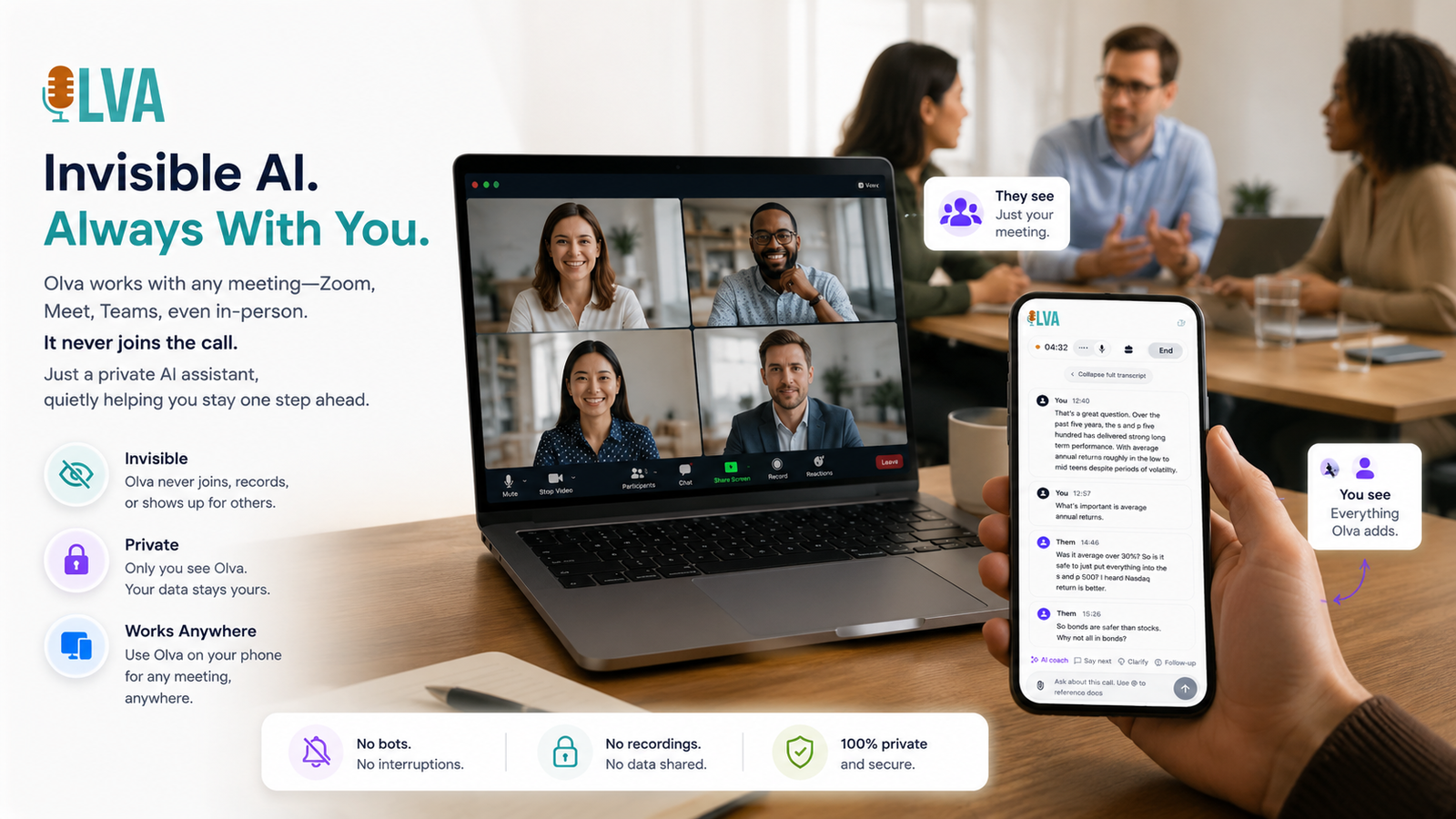
This article explains how AI meeting assistants that work in real time can detect project risks and accelerate decisions during meetings. It focuses on practical examples project managers can use today and highlights capabilities that matter most: live risk detection, instant answers, AI coaching, and document-aware intelligence. Where relevant, we reference Olva (https://olva.ai) as an example of a tool built specifically to act while meetings are happening, not only after.
Why meetings are the critical battleground for project delays
Meetings are where decisions should be made, assumptions aligned, and blockers surfaced. Yet in many organizations meetings become information dumps or status updates that postpone decisions until after more analysis.
Common failure modes:
- Decision deferral: stakeholders say "we'll decide next week," creating queues of pending tasks.
- Hidden risks: assumptions or dependencies are mentioned casually and not captured as issues.
- Miscommunication: different stakeholders leave with different interpretations of scope or timelines.
- Late discovery: technical or vendor constraints surface after work has already started.
Each of these problems turns meetings from opportunities for momentum into sources of delay. The solution: move intelligence into the meeting itself.
What real-time meeting intelligence does for project managers
Real-time meeting intelligence augments the project manager's situational awareness during the conversation. Instead of relying on memory or notes, PMs get immediate signals and recommended actions.
Core capabilities that matter:
- Live transcription: captures everything, so nothing is lost.
- Automatic question and risk detection: surfaces questions related to scope, budget, deadlines, or technical feasibility as they happen.
- Instant answers and document-aware responses: use project documents (contracts, specs, SOWs) to respond to questions on the spot.
- Live insights and fact checking: verify claims, identify dependencies, and highlight potential conflicts.
- AI coaching and suggested follow-ups: propose phrasing to defuse objections, ask clarifying questions, or push for decisions.
These capabilities help turn meetings into decision engines rather than logbooks.
Practical scenarios: how real-time AI prevents delays
Below are common project scenarios and how live meeting assistance stops delays before they start.
- Scope misunderstanding during stakeholder review
Scenario: A stakeholder casually requests "add a reporting dashboard," and the team interprets it as a small UI change.
What typically happens: The team builds an under-scoped solution; when stakeholders see the results they ask for more features, causing rework.
How real-time AI helps:
- Automatic question detection flags the phrase "reporting dashboard" as a potential scope change and highlights missing constraints (metrics, access, frequency).
- Document-aware intelligence checks the contract or SOW for change-control clauses and informs the PM about approval paths and potential cost implications.
- AI coaching suggests clarifying questions to ask immediately (for example: "Which metrics should the dashboard show, and who will need access?").
Result: The team clarifies scope in the meeting, captures a decision or an action item to scope properly, and avoids rework later.
- Vendor capability claimed as a blocker
Scenario: A vendor rep states that a key integration will require six months of work.
What typically happens: The project plan is adjusted based on the claim, or the team pushes the timeline without verification.
How real-time AI helps:
- Live insights prompt the PM that similar integrations in past projects took 6–8 weeks, not months (based on historical meeting memory and uploaded vendor docs).
- Instant answers surface relevant technical spec excerpts or previous meeting notes during the call.
- Fact checking calls out inconsistencies between the vendor's claim and the existing integration spec.
Result: The PM asks targeted questions, negotiates scope, or schedules a technical deep-dive before re-planning, avoiding conservative timeline padding.
- Decision deferral due to lack of data
Scenario: A product decision is postponed because someone says they need the latest usage metrics.
What typically happens: The team delays the decision, waiting for a separate analysis meeting.
How real-time AI helps:
- Document-aware intelligence connects to uploaded reports or dashboards and pulls the latest metrics into the meeting transcript.
- Instant answers summarize the last 30 days of usage relevant to the decision.
- AI coaching recommends a decision framework (e.g., accept if X > 20% or schedule A/B test) so stakeholders can choose quickly.
Result: Decisions are made on the spot, or a fast, agreed next step is created — reducing waiting time and follow-up meetings.
How live features differ from post-meeting tools (and why it matters)
Many popular meeting tools focus on recording and summarizing after the fact. These tools are useful, but they treat meetings as artifacts rather than opportunities.
Where post-meeting tools excel:
- Accurate transcripts and searchable archives
- Asynchronous review and handoffs
- Centralized documentation for audit trails
Where real-time assistants add new value:
- Detect and label risks as they are spoken, not hours later.
- Provide context-aware answers that prevent premature decisions.
- Coach the PM to ask the right follow-ups and handle objections in the moment.
The difference is the time window: preventing a delayed decision during the meeting is far more valuable than documenting that a delay occurred.
Fair note on competitors
Other AI meeting platforms offer excellent transcription and post-meeting summaries. Many are well-suited for teams that prioritize searchable history and polished meeting minutes. They help teams remember — and remembering is valuable.
However, when the priority is accelerating decisions and detecting risks before they compound, tools that focus on live meeting intelligence provide extra leverage. The most useful systems combine both: strong post-meeting memory plus proactive, in-meeting support.
Key capabilities to look for when choosing an AI meeting assistant
When evaluating options, project managers should prioritize features that directly reduce delay risk:
- Invisible assistance: the AI helps without appearing as a meeting bot, preserving meeting dynamics and privacy.
- Real-time transcription and speaker separation: accurate captures are required to detect who said what and why.
- Automatic question and risk detection tuned to project language (scope, dependencies, blockers).
- Document-aware responses: ability to use SOWs, contracts, specs, and previous meeting notes during the call.
- Live Q&A and instant answers: the PM can ask the assistant for clarifications or suggestions while the conversation continues.
- AI coaching for objection handling and nudging decisions.
- Post-meeting memory and searchable history to prevent repeated issues and speed future meetings.
Olva (https://olva.ai) is designed with these principles in mind: invisible assistance, automatic question detection, instant answers using uploaded documents, and continuous live insights that help you during — not after — meetings.
Implementation tips for project managers
- Prepare the AI with relevant documents
Upload contracts, SOWs, vendor specs, and previous meeting notes before stakeholder reviews. Document-aware systems can then pull authoritative excerpts mid-meeting.
- Define risk signal templates
Work with your team to define common risk phrases (e.g., "we can't do that until…", "we'll need…", "depends on vendor"). Tuning the assistant reduces false positives and surfaces the right issues.
- Use the assistant for pre-mortems and decision frameworks
Ask the AI to outline potential failure modes during planning discussions and to suggest stop/go criteria for go/no-go decisions.
- Make AI coaching part of meeting discipline
Treat suggested phrasing and follow-ups as prompts, not directives. Over time, the assistant teaches the team to ask better questions.
- Track metrics that matter
Measure the impact on decision velocity: percentage of decisions made in meetings, average time from issue discovery to closure, number of follow-up meetings avoided, and schedule variance vs. plan.
Measuring impact: what success looks like
Project managers should see tangible improvements after adopting in-meeting AI assistance:
- Faster decisions: more agenda items resolved in the first meeting.
- Fewer rework cycles: clearer scope and fewer misunderstood requirements.
- Reduced emergency sprints: earlier detection of vendor or technical risks.
- Lower meeting overhead: fewer follow-ups and fewer clarification meetings.
Example KPI improvements from real-world teams:
- Decision velocity improved by 30–50% in product review meetings.
- Rerun work decreased by 20% across initial delivery phases.
- Time-to-resolution for blockers dropped from days to hours for decisions discussed in live sessions.
(Exact numbers vary by organization, but the trend is consistent: real-time intelligence shortens feedback loops.)
Privacy and team dynamics
Many project teams worry that adding AI to meetings will make conversations awkward or public. Two important points:
- Invisible assistance: Choose systems that don't join meetings visibly as bot participants. Invisible assistants preserve natural interaction and avoid notification fatigue.
- User privacy and control: Transcripts and memories should be under the user's control. The ability to delete or limit retention is crucial for internal trust.
Olva is built with an invisible, private-by-design approach so the AI supports you without changing how stakeholders relate to the meeting.
Quick checklist for your next meeting
- Upload relevant documents (SOW, specs, vendor emails).
- Define 3–4 decision points you want resolved.
- Turn on live transcription and risk detection before the meeting starts.
- Ask the assistant for a one-minute summary of the last relevant meeting at the start.
- Use AI coaching when an objection appears; accept the suggested phrasing or adapt it.
- Capture instant action items and confirm owners before closing.
Conclusion
Project delays rarely have a single cause — they are the accumulation of small uncertainties, deferred decisions, and missed signals. Meeting rooms are where many of these uncertainties either get resolved or compound into schedule slips.
AI meeting assistants that operate in real time change the equation: they detect risks as they’re spoken, surface facts and relevant documents instantly, and coach project managers to get to decisions faster. This real-time layer reduces rework, shortens feedback loops, and helps teams keep momentum.
For project managers looking to reduce delays, the priority should be tools that act during the meeting, not just after it. Solutions like Olva are explicitly built to provide invisible, document-aware, and context-sensitive help while conversations are happening, turning meetings into proactive decision engines rather than passive records. Learn more at https://olva.ai.
By focusing on live risk detection, instant answers, and AI coaching, project managers can reclaim meetings as the place where projects move forward — not where they stall.