
Supporting ESL Students in Virtual Classrooms with Live AI Assistance
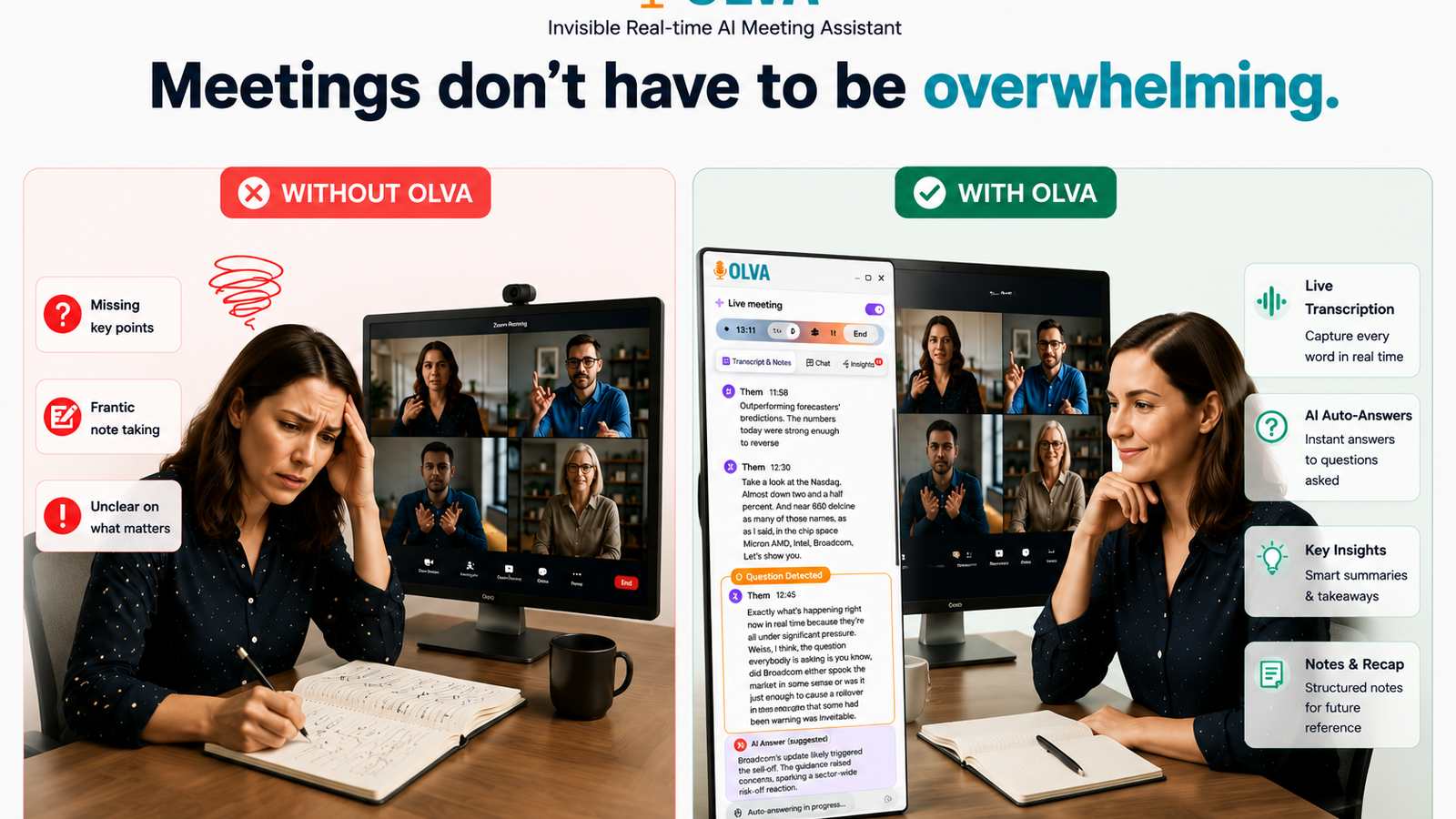
Teaching English as a Second Language (ESL) in virtual classrooms presents unique challenges: students grapple with real-time comprehension, teachers balance pacing and clarification, and instructional designers must craft lessons that work synchronously and asynchronously. Emerging AI tools can help, but most focus on transcription and post-class summaries. For ESL instruction, the most meaningful gains come from technologies that support understanding and teaching as conversations happen.
This article explains practical strategies for using live AI features—live definitions, instant answers, and post-meeting memory—to improve learning outcomes for ESL students. It highlights classroom use cases, design recommendations, and fair comparisons with popular tools before showing how a live, invisible AI assistant like Olva (https://olva.ai) provides classroom-ready capabilities that help teachers and students in the moment, not just afterward.
Why in-the-moment support matters for ESL learners
ESL learners need immediate, low-friction assistance because delays break comprehension and reduce participation. Key pain points include:
- Vocabulary gaps: unfamiliar words and idioms block understanding.
- Processing speed: learners need extra time to parse speech and meaning.
- Confidence and participation: hesitation increases when a student can’t follow.
- Teacher load: real-time clarification for each student isn’t scalable.
Providing answers and definitions during the conversation—not just in a later transcript—keeps learners engaged, reduces cognitive load, and preserves the natural flow of interaction.
Core live capabilities every ESL classroom needs
Below are the AI capabilities that make synchronous language learning effective:
- Live definitions and jargon explanations: quick clarifications of words, idioms, and cultural references.
- Instant answers during lessons: contextual replies to student or teacher questions using lesson materials.
- Live transcription and captions: accurate, searchable text that follows the conversation.
- Private, invisible assistance: support that doesn’t interrupt the class or require a visible bot participant.
- Post-meeting memory: searchable lesson history, action items, and follow-up resources.
- Document-aware responses: answers that reference slides, PDFs, or syllabi uploaded for the class.
These features reduce friction for both students and teachers and allow educators to scaffold learning in real time.
Practical classroom scenarios and examples
Scenario 1 — Live definitions during a teacher-led discussion
A teacher introduces a text that includes idioms and academic vocabulary. As she reads, some students signal confusion.
How live AI helps:
- Automatic question detection recognizes student confusion or clarification requests even when they're implicit (e.g., a pause, "What does that mean?").
- The AI surfaces a concise definition and an example sentence in the chat or on the teacher’s private sidebar.
- The teacher can choose to display the definition to the class, paraphrase it, or ask a student to restate it.
Practical example:
Teacher: "He finally bit the bullet and filed the complaint."
AI (private suggestion): "'Bit the bullet' = decided to do something difficult. Example: 'I bit the bullet and applied for the job.' Suggestion: Ask student A to give another example."
Scenario 2 — Instant answers to student questions referencing a PDF
A student asks about a point in the syllabus during a live Q&A.
How live AI helps:
- Document-aware intelligence uses the uploaded syllabus to generate an accurate, contextual answer instantly.
- The AI provides the citation and offers a follow-up prompt for the teacher (e.g., "Remind students about the assessment schedule").
Scenario 3 — Supporting speaking practice in breakout rooms
ESL learners practice a role-play in breakout rooms. The teacher can’t monitor every group.
How live AI helps:
- Invisible screen-share mode and private assistance let the teacher listen in (without adding a visible bot) and receive live insights about errors, recurring pronunciation issues, or participating students who haven’t spoken.
- Opportunity detection identifies students who need more support or who are ready for more complex tasks.
Scenario 4 — Post-lesson remediation and planning
After class, teachers need to review who struggled and what to reteach.
How live AI helps:
- Post-meeting memory stores flagged moments (questions asked, words defined, student contributions) so teachers can generate targeted follow-ups and adaptive homework.
- Transcripts and action items make it easy to create differentiated review materials for specific students.
Design recommendations for instructional designers and edtech managers
- Integrate live definitions into lesson flows
- Prepare a bank of high-priority vocabulary in materials and allow the AI to surface definitions contextually during class.
- Favor short, learner-friendly definitions with examples and pronunciation tips.
- Use instant answers to keep momentum
- Avoid pausing long enough for comprehension to break: let the AI provide a quick clarification to the teacher’s private interface.
- For complex questions, the AI can supply a short answer and an extended follow-up resource for post-class review.
- Build assessments around participation data
- Use live insights and opportunity detection to identify students who are ready for higher-level tasks or need remediation.
- Translate those insights into micro-assessments and targeted practice.
- Protect privacy and classroom dynamics
- Use invisible AI modes so support is private and non-disruptive; students feel safe asking questions without a visible bot.
- Ensure transcripts and memories are accessible only to authorized staff and can be deleted as required.
Fair comparison with common tools
Many platforms offer useful features for virtual classrooms: Zoom and Microsoft Teams provide live captions; Google Meet offers automatic captions and basic live translation; Otter.ai and Rev supply accurate transcription and searchable notes. These tools are valuable for record-keeping and accessibility.
Where they often stop:
- Most solutions focus on recording, transcribing, and creating post-class summaries.
- Few provide private, contextual, real-time coaching for the teacher or instant, document-aware answers during the conversation.
What to look for in a live classroom assistant:
- Real-time question detection and suggested responses that help teachers react immediately.
- Document-aware answers that reference class materials, syllabi, and readings.
- Invisible operation so the tool doesn't alter student behavior or add extra visible participants.
Olva builds on transcription and note-taking strengths while prioritizing live, invisible assistance, instant answers, and classroom coaching—capabilities that shift support from post-class review to active learning improvements during instruction.
How live AI can improve measurable outcomes
- Increased participation: Instant clarifications reduce hesitation and invite more students to contribute.
- Faster vocabulary acquisition: Live definitions with examples and follow-up practice accelerate retention.
- Better differentiated instruction: Opportunity detection surfaces who needs more challenge and who needs scaffolding.
- Reduced teacher workload: Automatic question detection and post-meeting memory simplify follow-up planning.
Concrete metrics to track
- Participation rate (number of unique student speakers per session).
- Clarification turnaround time (time between question and answer).
- Vocabulary retention (pre/post vocabulary checks on words defined live).
- Time spent on post-class grading/notes.
Implementation checklist for schools and edtech teams
- Pilot in a controlled environment: Run a few classes with teachers who will provide feedback.
- Integrate documents: Upload syllabi, lesson slides, and reading texts so the AI can reference them.
- Configure privacy settings: Decide who can access transcripts and set retention policies.
- Train teachers: Demonstrate how to use private suggestions and surface definitions without disrupting class flow.
- Measure and iterate: Use participation and learning metrics to refine prompts and document libraries.
Example teacher workflow using live AI (step-by-step)
- Pre-class: Upload lesson slides, reading materials, and vocabulary list (document-aware intelligence).
- During class: AI transcribes live and detects when students ask for clarification (automatic question detection).
- Teacher sees a private suggestion with a short definition, pronunciation guide, and a follow-up question (instant answers, AI coaching).
- Teacher displays the definition or asks a student to paraphrase (keeping the interaction natural and pedagogically sound).
- After class: Post-meeting memory highlights confusing moments and suggests targeted homework or review materials.
Privacy and classroom trust
When introducing any AI into schools, privacy and trust are paramount. Choose tools that support invisible assistance (no extra bot participant), keep transcripts private to teachers and authorized staff, and allow deletion of records. These features maintain student privacy and reduce the risk of altering classroom dynamics.
Conclusion
Supporting ESL students in virtual classrooms requires more than transcripts and recordings. Educators need live, contextual assistance—quick definitions, instant answers tied to class materials, real-time coaching prompts, and a reliable post-meeting memory to guide follow-up. When an AI assistant operates invisibly and focuses on helping teachers perform better during lessons, the benefits are immediate: more participation, faster vocabulary gains, and more efficient preparation and remediation.
Tools like Olva move beyond after-the-fact meeting notes to provide live intelligence that helps teachers and instructional designers adapt instruction in real time. By combining live transcription, automatic question detection, document-aware answers, and private coaching, modern AI assistants can make virtual ESL classrooms more inclusive and effective. Explore how live AI can fit into your program at https://olva.ai and design pilots that prioritize student privacy, teacher autonomy, and measurable learning outcomes.