
Recruiters' Secret Weapon: Surface Candidate Questions and Spot Red Flags with an Invisible AI Assistant
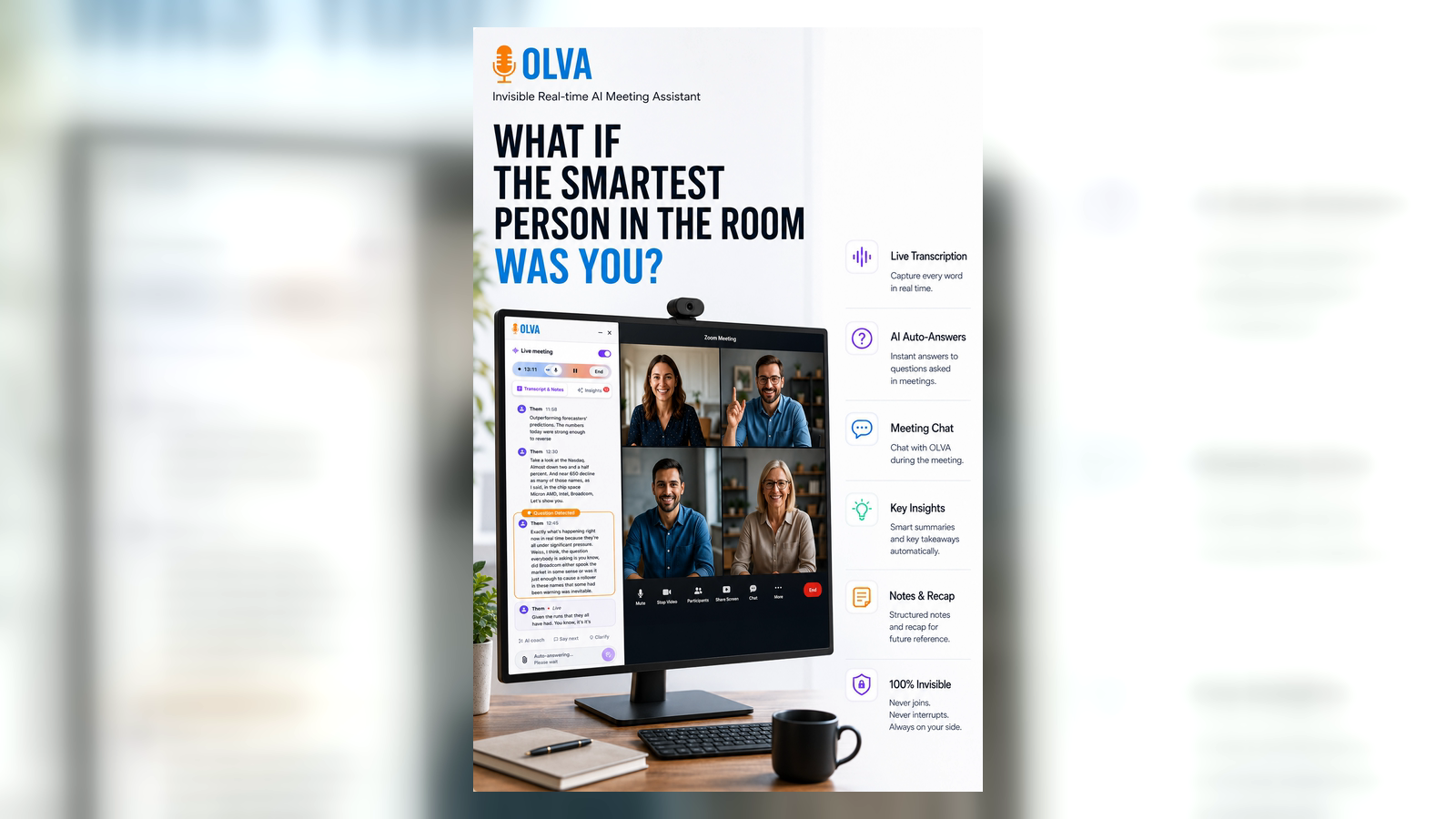
Hiring right means understanding what candidates ask, how they answer, and when something feels off. For busy recruiters, talent acquisition leaders, and hiring managers, the difference between a good hire and a costly mistake often happens in the moment — during the interview itself. This is where an invisible AI assistant can change the game.
This article explains how modern teams can use real-time meeting intelligence to surface candidate questions, detect red flags, and coach better interview decisions — without interrupting the conversation. It compares what other meeting tools do well and shows where an invisible assistant like Olva delivers unique value during the interview, not just after it.
Why real-time matters for recruiters
Most interview tools focus on recording and summarizing conversations. Those are useful for later review, but they don't help the person conducting the interview in the moment. Recruiters need to:
- Notice when a candidate asks a buried question about compensation, visa status, or growth opportunities.
- Detect evasive answers, inconsistencies, or hesitation that suggest risk.
- Ask follow-up questions that reveal depth and fit.
- Use job descriptions, hiring criteria, and interview rubrics on the fly.
If you can surface these signals and act on them while the interview is happening, you get richer information, fewer missed concerns, and better candidate experience.
What existing tools do well — and what they miss
Tools like Otter, Gong, and Chorus have advanced transcription, recording, and post-meeting analytics. They make it easy to search past interviews, create summaries, and share clips with hiring teams. Those capabilities are valuable because they reduce manual note taking and improve alignment.
Where many tools fall short for hiring teams:
- They mostly help after the interview (transcripts, highlights, coaching recaps).
- They often require a visible bot participant or explicit recording notification, which can change candidate behavior.
- They rarely provide real-time coaching or context-aware responses tied to your job descriptions, evaluation criteria, or uploaded candidate materials.
Acknowledging their strengths: those platforms are excellent for trend analysis, calibration across hiring teams, and post-hire insights. But for live interviewing dynamics — surfacing questions and spotting red flags as they unfold — a different approach is required.
Meet the invisible assistant approach
An invisible AI assistant operates quietly in the background of your meeting, listening and analyzing in real time without joining as a visible participant. That approach delivers three crucial benefits for recruiters:
- No awkward bot presence or visible notification that could shape candidate responses.
- Continuous, context-aware analysis that works during the conversation.
- Live suggestions and coaching so you can act immediately on emerging signals.
Olva is built to deliver that style of live meeting intelligence while protecting candidate privacy and keeping the interview natural. Learn more at https://olva.ai.
How an invisible assistant helps surface candidate questions
Automatic question detection is a core capability. Instead of waiting for a post-interview summary, Olva highlights questions in real time and suggests immediate responses. Practical ways this helps recruiters:
- Instantly surface unasked but important candidate questions. For example, if a candidate keeps asking about career path in different ways, the assistant recognizes the pattern and recommends explicitly addressing career growth.
- Detect when a candidate asks a high-stakes question (compensation, visa sponsorship, start date) and provides suggested, compliant answers drawn from your job description and policies.
- Identify clarification requests and propose candidate-friendly follow-ups — reducing misunderstanding and improving experience.
Practical example:
- Situation: A candidate repeatedly says "What would success look like here?" across different questions, but the interviewer is focused on technical fit.
- What Olva does live: Detects the repeated theme, notifies the interviewer privately, and suggests a concise response that references the uploaded job description, plus a follow-up question to probe the candidate's expectations.
This helps you both answer the candidate clearly and capture alignment early.
Spotting red flags as they appear
Red flags are rarely a single sentence — they're patterns: evasive answers, repeated contradictions, long pauses, or over-rehearsed phrases. Live insights can surface these patterns and recommend actions.
Examples of red flags Olva can help identify in real time:
- Inconsistency: A candidate gives differing timelines for past roles. Olva highlights conflicting sentences and recommends follow-ups to clarify dates and responsibilities.
- Evasion: Repeated vague answers to behavioral questions. The assistant suggests specific probing questions (STAR follow-ups) you can ask immediately.
- Over-preparation: Answers that map exactly to boilerplate phrases without supporting detail. Olva detects lack of depth and prompts the interviewer to request examples or metrics.
- Risk signals: Mentions of multiple short-tenure roles or gaps that are not explained. The assistant recommends verification steps to include in the hiring process.
Practical example:
- Situation: During a remote interview, a candidate describes major achievements without numbers.
- What Olva does live: Flags the lack of quantifiable outcomes and prompts the interviewer with a short list of follow-up prompts like "Can you share specific metrics or KPIs tied to that project?" That prompt increases the chance of a revealing answer.
Live coaching: better interviews in the moment
AI coaching during interviews keeps conversations focused and structured. Instead of pausing to consult a note or a hiring rubric, the interviewer receives private, contextual coaching.
Coaching examples:
- Suggested phrasing for clarifying visa or relocation constraints that stays compliant and respectful.
- Reminders to evaluate specific hiring criteria (cultural fit, technical depth, ownership) after a behavioral response.
- Real-time behavioral prompts: if a candidate shows signs of anxiety or language barriers, the assistant suggests pacing changes or simpler phrasing.
These suggestions are private and immediate — the candidate never sees the coach, keeping the conversation authentic.
Document-aware intelligence: use your artifacts live
Before interviews, recruiters often prepare job descriptions, interview rubrics, offer templates, and hiring policies. An assistant that understands those documents can ground answers and coaching in your actual hiring criteria.
Use cases:
- Upload a job description and have the assistant reference required skills when a candidate claims expertise.
- Keep standard interview questions, evaluation rubrics, or compensation bands accessible so the assistant's suggestions align with your process.
- During offer conversations, use document-aware responses to confirm benefits and timelines from your HR checklist.
Practical example:
- Situation: A hiring manager asks if a certain technical certification is mandatory.
- What Olva does live: Checks the uploaded JD and hiring notes, confirms whether the certification is a must-have or nice-to-have, and suggests language to communicate the requirement to the candidate.
Fact checking and fairness in interviews
Accurate hiring decisions require accurate facts. Live fact checking can verify candidate claims against uploaded resumes, LinkedIn profiles, or company policies. It can also help surface potential bias by reminding interviewers to evaluate against rubric criteria rather than subjective impressions.
Best practices:
- Use fact checking to confirm dates, titles, and public claims — then follow up or verify later when necessary.
- Combine live checks with calibration meetings to keep interviewers aligned on what evidence matters.
Practical workflow: how recruiters can use live AI in interviews
- Prepare: Upload job descriptions, evaluation rubrics, and offering guidelines to the assistant before the day of interviews.
- During the interview: Let the invisible assistant transcribe and analyze in real time. Receive private prompts about candidate questions, red flags, and suggested follow-ups.
- Act: Ask recommended clarifying questions or use coaching phrases exactly when they matter.
- After the interview: Review the assistant's flagged moments, export the transcript, and add evidence to the candidate profile. Use post-meeting memory to recall decisions in debriefs.
This workflow keeps you focused on the human conversation while benefiting from machine intelligence in the background.
Privacy and candidate experience
Recruiters must balance intelligence with ethics. An invisible assistant that never shows as a meeting participant reduces distraction, but transparency matters:
- Be clear in your interview process documentation how conversations are supported and how data is used.
- Use private-by-design systems that ensure transcripts and AI suggestions are visible only to hiring team members and can be deleted.
Olva is designed with privacy in mind: no visible bot participants, private transcripts, and the ability to remove data when needed. This reduces the risk of altering candidate behavior while protecting sensitive hiring information.
When to use post-meeting features
Live assistance is powerful, but post-interview tools still have a role. Use post-meeting memory and recap features to:
- Share structured notes with hiring teams based on real-time flags.
- Combine multiple interview sessions into a single candidate evaluation file.
- Track patterns across candidates for continuous improvement.
Good interview intelligence platforms do both: help you make better choices in the moment and provide reliable records later.
Getting started: simple experiments for recruiting teams
- Pilot with screening calls only. The stakes are lower and the volume is high — you'll see immediate benefits when candidate questions are surfaced.
- Upload the most common job descriptions and interview rubrics for the pilot roles to enable document-aware answers.
- Train interviewers to use short follow-ups suggested by the assistant rather than changing their interview style.
- Measure outcomes: time-to-offer, candidate satisfaction, and number of post-interview clarification follow-ups.
These measurable improvements make it easy to scale real-time AI assistance across recruiting teams.
Conclusion
Recruiting is part detective work, part human conversation. The best hiring decisions happen when interviewers can notice what matters in the moment and ask the right follow-ups. While many tools help you remember interviews, an invisible AI assistant like Olva helps you perform better during them: surfacing candidate questions, detecting red flags, and privately coaching interviewers in real time.
Adopting live meeting intelligence doesn't replace human judgement — it sharpens it. For recruiting teams looking to reduce hiring risk, improve candidate experience, and make faster, more confident decisions, invisible, document-aware AI assistance is a practical next step. Explore how real-time interview intelligence can work for your team at https://olva.ai.