
How Real-Time Question Detection and Instant Answers Reduce Cognitive Load for Professionals with Dyslexia and Dyspraxia
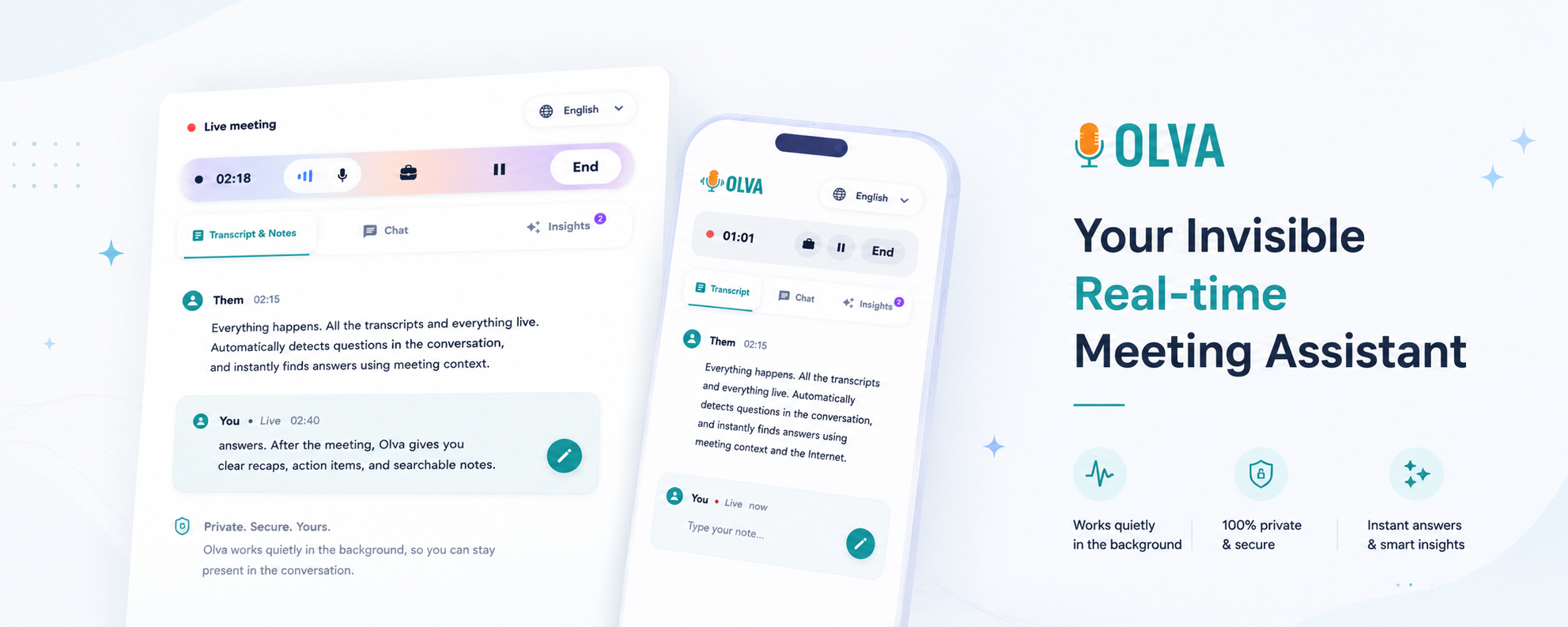
Meetings are cognitive marathons. For professionals with dyslexia or dyspraxia, the sensory and executive demands of live conversations—listening, interpreting, formulating responses, and taking notes—can quickly become overwhelming. The good news: modern meeting tools are evolving from passive recorders into active, in-the-moment assistants that reduce cognitive load and help people perform better during conversations.
This article explains how real-time question detection and instant answers reduce cognitive load for sales reps, customer success managers, product managers, engineers, and remote employees with dyslexia or dyspraxia. It also outlines practical ways to apply these capabilities in real meetings and explains how Olva (https://olva.ai) was designed specifically to help users during meetings—not just afterward.
Why cognitive load matters for dyslexia and dyspraxia
Cognitive load refers to the amount of mental effort required to process information and perform tasks. Dyslexia commonly affects language processing speed and working memory, while dyspraxia often impacts planning, sequencing, and motor coordination. In meetings, these conditions can make it harder to:
- Keep up with fast or overlapping speech
- Simultaneously listen and take coherent notes
- Quickly parse complex questions (technical, pricing, or contractual)
- Formulate concise, confident responses under time pressure
- Manage follow-ups, action items, and next steps
Each extra task—capturing a quote, checking a spec, or drafting a response—adds incremental cognitive load. Over a single meeting these add up and can reduce job performance, cause stress, and erode confidence.
Real-time question detection: reduce the surprise factor
One of the most stressful moments in a meeting is not knowing when a question will land. For someone with dyslexia or dyspraxia, the burst of processing required to decode the question, recall context, and craft a reply is draining.
Real-time question detection addresses that by:
- Automatically identifying when a participant asks a question, raises an objection, or requests clarification
- Highlighting the question to the user immediately (visually or via a private cue)
- Categorizing the question type (pricing, technical, contractual, clarification), which primes the user for relevant knowledge and reduces decision friction
Practical example: A customer success manager hears a sudden pricing objection during a renewal call. Olva detects the question in real time and shows it as "Pricing objection: ask about seat-based discount" so the manager doesn't need to parse tone and intent under time pressure—less surprise, faster, calmer response.
Instant answers: take the heavy lifting off working memory
After a question is identified, the next challenge is retrieving the right knowledge: product specs, contract terms, previous correspondence, or a succinct explanation. For many people with dyslexia or dyspraxia, searching memory and documents while in the flow of conversation is costly.
Instant answers reduce that burden by:
- Generating concise, context-aware responses using meeting audio, uploaded documents, and past meeting memory
- Offering suggested phrasing or follow-up questions that the user can adapt on the fly
- Providing short, spoken suggestions or quick text blurbs so the user can choose how to respond
Practical example: An engineer is asked about API rate limits during a technical review. Instead of fumbling through notes, Olva surfaces a one- or two-sentence answer drawn from the product spec the team uploaded earlier: "The API enforces 1,000 requests/minute per key; burst behavior is allowed for 30 seconds." The engineer confirms and shares that short answer, preserving momentum and confidence.
How live transcription and an invisible assistant lower multitasking costs
Note-taking is a hidden source of cognitive load. Transcription frees working memory by capturing spoken content so the user can focus on comprehension and participation.
Key benefits:
- Live transcription captures both the user and participant audio, eliminating the need for frantic note-taking
- An invisible assistant means no bot participant or awkward notification; support is private and unobtrusive
- Users can search the transcript after the meeting or ask the assistant to summarize the last few minutes during the meeting
Practical example: A product manager with dyspraxia avoids taking detailed notes during a stakeholder meeting because Olva transcribes everything. When a question about a previous decision pops up, the manager asks Olva for a two-sentence recap of the last 10 minutes, then responds confidently.
Live Q&A, AI coaching, and fact checking: confidence without cognitive overload
Beyond surfacing questions and answers, modern meeting assistants can coach and verify in real time.
- Live Q&A lets users privately ask the assistant: "How should I answer this objection?" or "Summarize the last 5 minutes."
- AI coaching suggests phrasing, clarification requests, objection handling language, and strategic next steps
- Fact checking validates claims in the conversation against uploaded documents or public data, avoiding the burden of mentally cross-checking complex points
Practical example: A sales rep with dyslexia is in a negotiation and hesitates on a competitive claim. Olva flags the claim, checks it against the competitor profile uploaded earlier, and provides a short, factual response plus a recommended follow-up question to steer the conversation.
Opportunity detection and suggested follow-ups: reduce the planning load
Dyspraxia often makes planning and sequencing responses or follow-ups harder. A live assistant that detects buying signals or risk factors reduces the need to track these mental threads.
What this looks like in practice:
- Opportunity detection highlights statements that indicate interest, readiness, or expansion potential ("We’re planning a Q3 rollout")
- Suggested follow-ups propose specific questions to advance the opportunity or clarify risk
- Action-item suggestions transform a verbal commitment into an immediate, low-effort next step
Practical example: During an account review, Olva detects a buying signal from a quiet stakeholder. It suggests a follow-up question and a concise next-step email template so the CSM can capture momentum without juggling multiple tasks.
Document-aware intelligence: context without manual searching
A major source of cognitive load is having to retrieve details from multiple documents. Document-aware assistants use uploaded PDFs, contracts, and specs to produce accurate answers in context.
Benefits:
- Answers reference uploaded content, giving users confidence in correctness
- No need to scramble through folders or memory to find contract clauses or specs
- Document-aware responses are concise and citation-ready for post-meeting follow-ups
Practical example: An engineering manager is asked to confirm a service-level objective. Olva pulls the SLO clause from the uploaded agreement and offers a short quote plus a recommended next step if the SLO needs negotiation.
Competitors: what they do well, and where real-time assistance matters
Many meeting tools (Otter, Gong, Fireflies, and others) excel at transcription, recording, and post-meeting summaries. Those capabilities are valuable: accurate minutes, searchable records, and analytics help with follow-up and coaching.
Where these tools are less helpful for people with dyslexia and dyspraxia is during the meeting itself. Post-meeting summaries don’t reduce the moment-to-moment cognitive load when a question lands or when an objection needs an immediate, fact-checked reply.
Olva was built to fill that gap by focusing on live meeting intelligence: invisible assistance, automatic question detection, instant answers, live Q&A, and real-time coaching. The difference is subtle but powerful: instead of helping you remember what happened, Olva helps you perform better while it’s happening.
Practical setup and tips for using real-time assistance effectively
- Preload key documents: Upload pricing sheets, SOW templates, product specs, and competitor notes so the assistant has context-ready information.
- Use invisible mode for privacy: Enable Olva’s invisible assistant and invisible screen share mode to receive private support without adding a visible bot to the meeting.
- Lean on short suggested replies: Accept or edit one-sentence suggestions instead of composing responses from scratch.
- Ask for summaries out loud: If you feel overloaded, ask the assistant to "Summarize the last five minutes" or "Highlight unanswered questions." It reduces the need to hold details in working memory.
- Practice with internal meetings: Try instant answers in low-risk settings to build trust and speed with the tool.
- Configure notifications: Choose visual cues or subtle haptics for question detection so alerts don’t add distraction.
Privacy and etiquette: why invisible assistance matters
For many users, privacy and not interrupting the flow of conversation are crucial. Olva’s invisible design means:
- No bot participants or awkward meeting entries
- No visible recording indicators that change participant behavior
- Transcripts and meeting memory are visible only to the user and can be deleted anytime
This privacy-first approach reduces social friction and allows professionals—especially those who already expend extra energy managing meeting dynamics—to receive help unobtrusively.
Quick scenario recaps
- Sales rep: Olva detects a pricing objection, suggests a succinct rebuttal drawn from the uploaded pricing sheet, and proposes a follow-up email template. The rep responds confidently without pausing to search notes.
- Customer success manager: A quiet stakeholder asks a technical question. Olva highlights the question, shows a short answer citing the contract, and recommends a next-step meeting. The CSM keeps the conversation moving.
- Product manager: During a roadmap discussion, Olva summarizes the last 10 minutes and flags an inconsistency with a prior decision, reducing the risk of misalignment.
- Remote engineer with dyspraxia: Olva transcribes the demo, answers API questions in one or two lines, and proposes a post-meeting checklist—reducing the need to multi-task.
Measuring impact: what to expect
After integrating real-time assistance, teams commonly see:
- Faster response times to customer questions
- Fewer follow-up clarifications because answers are more precise in the moment
- Lower cognitive fatigue reported by team members with executive function differences
- Better capture of opportunities and reduced risk from missed commitments
These outcomes translate into higher confidence, improved meeting performance, and a more inclusive meeting environment.
Conclusion: meeting help that works in the moment
People with dyslexia and dyspraxia already navigate additional cognitive demands in meetings. Tools that only provide post-meeting benefits are valuable, but they don’t remove the in-the-moment friction that affects performance and confidence.
Real-time question detection, instant answers, live Q&A, document-aware intelligence, and invisible assistance change that dynamic. They reduce surprise, offload memory demands, and provide just-in-time coaching—so professionals can focus on listening, thinking clearly, and participating effectively.
To explore how this looks in practice, visit https://olva.ai and see how live meeting intelligence can create calmer, more productive conversations—helping teams do their best work while meetings are happening.
References and further reading
- National Institute for Health and Care Excellence (NICE) guidance on dyslexia and neurodiversity in the workplace
- Best practices for accessible meetings and remote collaboration
(For practical implementation, consult your organization’s IT and privacy teams before enabling live meeting integrations.)