
Real-Time AI Coaching and Memory: Helping Dyspraxic & Dyslexic Professionals Ace Meetings
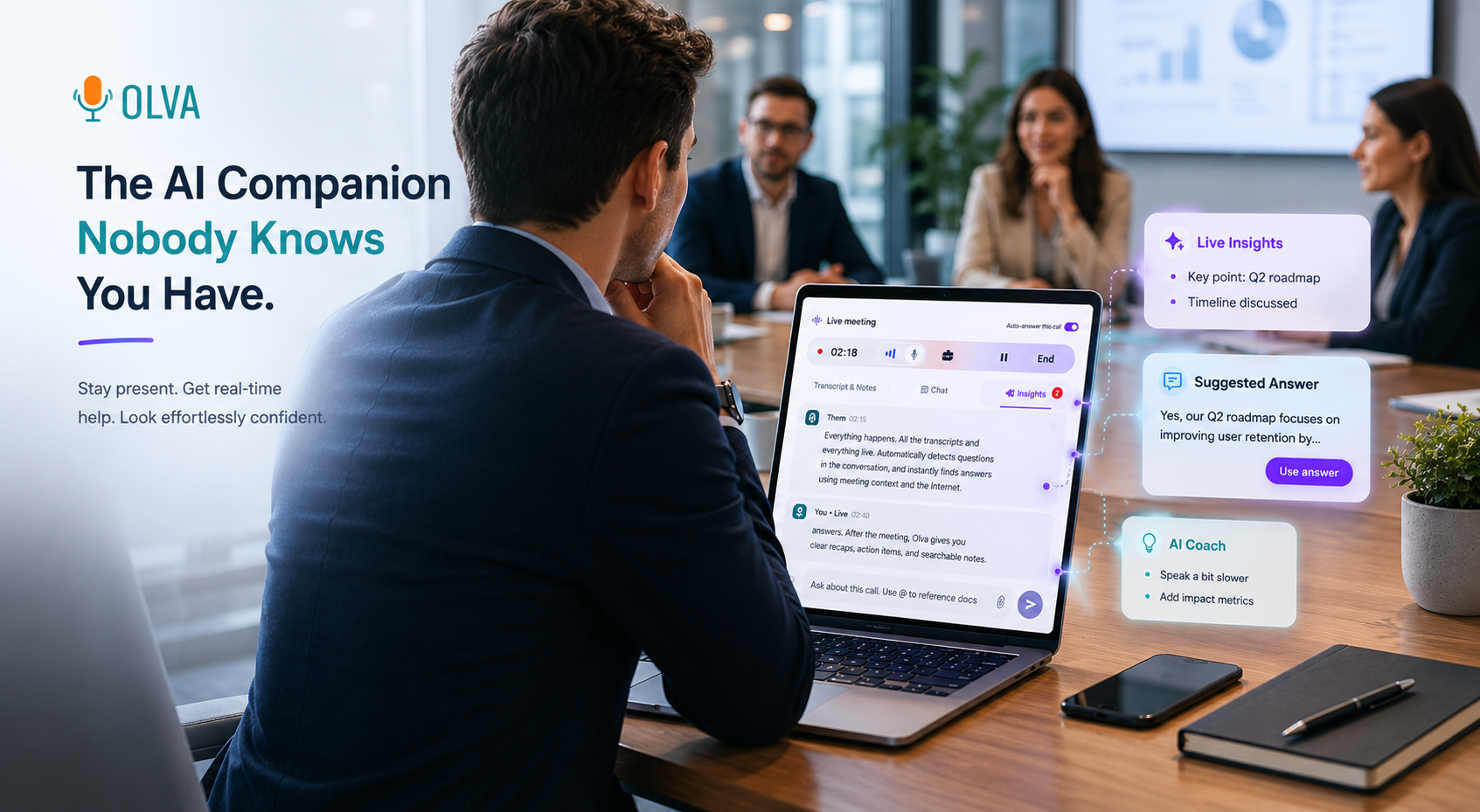
Meetings can be high-pressure, fast-moving environments—especially for professionals with dyspraxia or dyslexia. Misreading a visual cue, losing a thread of conversation, or scrambling to find the right words can make participation feel exhausting rather than empowering. The good news: modern meeting tools are evolving from passive recorders into active assistants. When designed for accessibility and real-time support, they can level the playing field.
This article explains practical strategies and tools that help consultants, founders, junior employees, ESL professionals, and remote workers with dyspraxia or dyslexia perform better during meetings—not just remember them afterwards. It compares the value of traditional meeting platforms with next-generation live assistants and shows concrete examples of how real-time AI coaching, live insights, and post-meeting memory can make meetings less stressful and more effective.
Why meetings are uniquely challenging for dyspraxic and dyslexic professionals
Dyspraxia and dyslexia can affect working memory, time processing, verbal fluency, reading speed, and motor coordination. In a meeting context that often requires quick comprehension, on-the-fly responses, and multitasking, these differences create specific friction points:
- Difficulty following rapid spoken information or multiple speakers.
- Trouble locating the right word under pressure (verbal retrieval delays).
- Overwhelm from simultaneously tracking slides, chat, and participant reactions.
- Anxiety about asking for clarification or interrupting to confirm details.
- Trouble with note-taking and organizing action items in real time.
Practical accommodations (like shared agendas, captions, and structured turn-taking) help. But intelligent meeting tools can multiply those accommodations by delivering live, private support that adapts to the moment.
Traditional meeting tools: strengths and limits
Many popular meeting platforms and transcription services (Otter.ai, Fireflies, Grain, Gong, and built-in platform captions) offer valuable capabilities:
- Reliable transcription for post-meeting review.
- Automatic summaries, speaker segmentation, and searchable transcripts.
- Recording and playback for revision and deeper study.
These features are excellent for recall and analysis. They help users who prefer to review content slowly after a meeting. But for someone who needs support while the meeting is happening—real-time word prompts, instant clarifications, or suggestions for how to respond—post-meeting tools are only half the solution.
What accessibility-minded professionals need in the moment
For dyspraxic and dyslexic professionals, the most impactful features are those that reduce cognitive load and provide scaffolded support during live conversations. Key capabilities include:
- Real-time transcription with clear speaker labels and live captions.
- Automatic detection of questions, clarifications, or complex terms.
- Instant phrasing suggestions and short scripts to reduce verbal search time.
- Private on-demand explanations (definitions, clarifications) without interrupting the meeting flow.
- Document-aware help that ties the meeting conversation to relevant slides, contracts, or specs.
- A private memory of previous meetings and decisions to reduce the cognitive burden of recall.
This combination helps users participate with confidence rather than simply relying on playback later.
How a modern assistant helps during the meeting (concrete examples)
Below are practical scenarios and the type of live support that meaningfully reduces friction.
- Consultant in a client kickoff
- Situation: The client asks a technical question about integration timelines.
- Real-time assist:
- Live transcription highlights the question and flags it as a technical query.
- The assistant suggests a concise 2–3 sentence answer drawing from the project spec uploaded before the call.
- A short script is offered: “We typically estimate X—based on your current environment, a realistic window is Y. Would you like a breakdown of the milestones now or after the call?”
- If needed, the assistant posts a private short note to use if a deeper follow-up is necessary.
- Founder in an investor meeting
- Situation: An investor challenges a market-sizing claim.
- Real-time assist:
- The assistant automatically fact-checks the claim against uploaded pitch deck figures and flagged industry benchmarks.
- It surfaces the most relevant source and a concise rebuttal, plus a suggested follow-up question to buy time while verifying numbers.
- Junior employee in a fast-paced standup
- Situation: Rapid updates make it hard to capture action items.
- Real-time assist:
- Live transcription captures each item and automatically generates clear action-item summaries assigned to speakers.
- If a speaker mumbles or a point is ambiguous, the assistant privately recommends a short clarification phrase to use.
- ESL professional facing rapid speech
- Situation: Multiple speakers overlap; comprehension slips.
- Real-time assist:
- Instant captions and a one-click “Summarize last 2 minutes” produce a short bullet summary.
- Definitions for idioms or jargon appear privately on request.
Each of these supports is private, unobtrusive, and designed to avoid interrupting the meeting for others.
Key features to look for (and why they matter)
- Invisible presence
- Why: Avoids extra participants, noisy notifications, or social friction. The assistant supports the user privately.
- Benefit: Users with dyspraxia or dyslexia can receive help without stigma or distraction.
- Live transcription
- Why: Reduces reliance on simultaneous note-taking and provides a readable backup.
- Benefit: Frees cognitive bandwidth to focus on managing responses rather than trying to capture every word.
- Automatic question detection
- Why: Highlights when participants ask questions, raises alerts for price/technical/objection queries.
- Benefit: Prevents missed questions and produces suggested answers immediately.
- Instant answers and Live Q&A
- Why: Provides on-the-spot phrasing or factual context drawn from meeting context and uploaded documents.
- Benefit: Eliminates the paralysis that comes from searching for the right words under pressure.
- Live insights and fact-checking
- Why: Continuously analyzes conversation for risks, opportunities, and potential inaccuracies.
- Benefit: Helps users correct or respond strategically without leaving the meeting.
- Document-aware intelligence
- Why: Links conversation to the exact clause, slide, or spec that matters.
- Benefit: Offers precise, context-rich responses rather than generic answers.
- Post-meeting memory
- Why: Stores decisions, action items, and questions in a searchable history.
- Benefit: Reduces the need to remember everything from one meeting to the next.
Competitors: what they do well and where live assistance adds value
Many tools excel at transcription and post-meeting summaries. Otter.ai and Fireflies, for example, make it easy to review what was said. Sales-focused platforms like Gong and Chorus provide deep conversation analytics and coaching after calls. These are powerful capabilities and remain critical for many workflows.
Where next-generation assistants add distinct value is during the meeting itself. Real-time detection of questions, private instant answers, and live coaching transform meetings from a one-way recording experience into an interactive support system. For professionals who need help in the moment—clarifying, phrasing, or verifying—this live layer makes the practical difference between surviving a meeting and contributing confidently.
Privacy and workplace considerations
Accessibility tools should be private and respectful of meeting norms. Important privacy features include:
- No visible bot participants or public notifications.
- Private transcripts and the option to delete them anytime.
- Data only visible to the user unless they explicitly share it.
These safeguards reduce the risk of stigma and maintain trust—especially important for neurodiverse employees who want unobtrusive help.
Small scripts and phrasing starters you can use today
Quick, low-friction language can buy time and reduce pressure. These short templates are useful for anyone who freezes when put on the spot:
- Requesting a repeat:
- “Sorry—could you say that one more time? I want to make sure I understood correctly.”
- Buying verification time:
- “That’s a good point—can I take a minute to confirm the number and get back to you immediately?”
- Asking for a clarification:
- “Can you clarify what you mean by [term]? I want to make sure I respond precisely.”
- Short answer starter (for pricing/technical):
- “Based on what we’ve discussed, a reasonable estimate is X; I can follow up with a detailed breakdown.”
Real-time assistants can suggest these lines tailored to context, voice, and formality—reducing the need to invent language on the fly.
How to integrate a live assistant into inclusive meeting practices
- Share the meeting agenda in advance and upload relevant docs.
- Use live captions and allow the assistant to provide private definitions on request.
- Let team members know that private accessibility tools are welcome—emphasize privacy by design.
- Use post-meeting memory to distribute clear action items and responsibilities.
Combining human-centered meeting norms with live technology creates an environment where neurodiverse professionals can thrive.
Conclusion: performing better, not just remembering more
For dyspraxic and dyslexic professionals, the most meaningful meeting support reduces cognitive load in the moment and offers private, practical scaffolding. Traditional transcription and post-meeting summaries are valuable; the next leap is tools that act as invisible, real-time partners—detecting questions, suggesting language, verifying claims, and connecting conversation to relevant documents.
Olva is an example of this next generation: an invisible AI meeting assistant that emphasizes live coaching, automatic question detection, instant answers, and document-aware intelligence while keeping privacy front and center. By supporting professionals during the conversation—not just after it—these tools help turn stressful meetings into opportunities to contribute clearly and confidently.
For more on modern meeting assistants and to see how live, private support can change your meeting experience, visit https://olva.ai.