
Olva Mobile: Invisible, Real-Time AI That Helps You Win Meetings On the Go
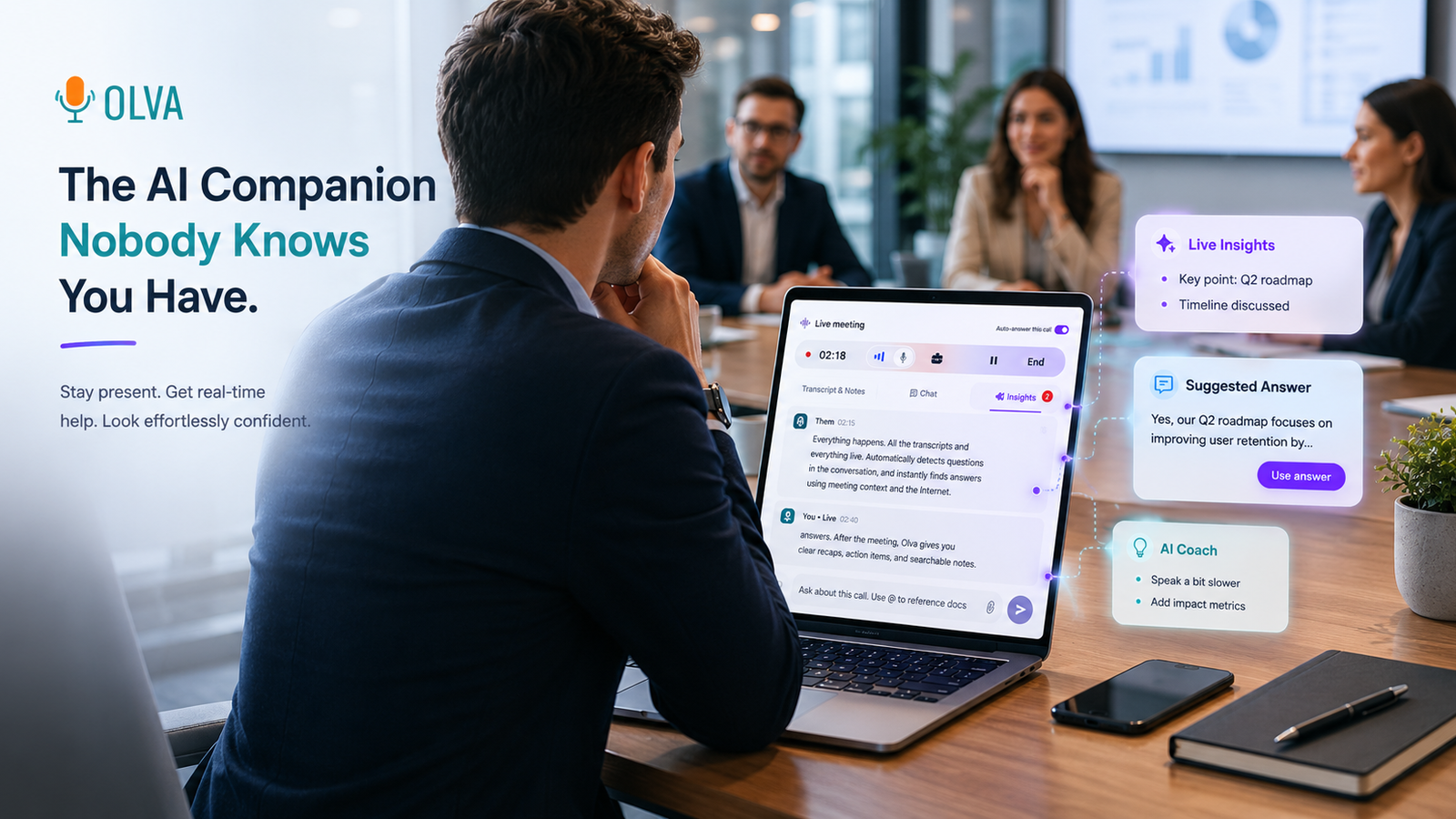
Meetings don't wait until you're back at your laptop. Sales calls happen between trains, product demos start from a coffee shop, and hiring interviews can be scheduled across time zones. Olva Mobile brings real-time meeting intelligence to your pocket — an invisible AI assistant that helps you perform during meetings, not just remember them later.
This post explains how Olva Mobile works for sales teams, customer success, product and engineering teams, founders, recruiters, and remote or junior employees (including ESL professionals). We'll compare how modern meeting tools handle mobile scenarios, show concrete on-the-job examples, and explain why invisible, document-aware, real-time assistance changes the way you show up in conversations.
Visit https://olva.ai to learn more about features and setup.
Why mobile meetings need a different kind of assistant
Most mobile meeting experiences focus on two things: capture and catch-up. Tools that work well on phones typically give you recording, transcription, and post-meeting summaries. That's useful for reviewing, but it doesn't help when you need to respond live to a technical objection, pick up on a buying signal, or clarify contract terms immediately.
Common challenges on mobile:
- You can't flip through a large product spec mid-call.
- You may miss a subtle buying signal while trying to take notes.
- Non-native English speakers need quick phrasing suggestions.
- Private coaching or clarification can't interrupt the meeting or show up as a bot.
That's where Olva Mobile is designed to help: invisible support, real-time intelligence, and document-aware answers that work where your meeting is happening — on your phone.
What Olva Mobile does differently
Olva Mobile is built on a set of capabilities tailored for on-the-go meeting performance:
- Invisible AI Assistant: Olva runs without joining as a visible participant so there are no awkward notifications or bot avatars. Your meeting stays private and focused.
- Live Transcription: Real-time transcription of both user and participant audio, making it easier to follow and to ask Olva to summarize sections.
- Automatic Question Detection: Olva detects customer questions, objections, pricing queries, and clarification requests — in real time — and highlights them for you.
- Instant Answers & Live Q&A: When a question is detected, Olva generates context-aware responses using meeting context and any uploaded documents. You can also ask Olva directly: “What should I say next?” or “Summarize the last 5 minutes.”
- Live Insights & Opportunity Detection: Olva surfaces buying signals, expansion opportunities, risk indicators, and suggested follow-ups while the conversation is happening.
- AI Coaching: Olva privately offers suggested responses, objection handling lines, phrasing for non-native speakers, and strategic prompts.
- Document-Aware Intelligence: Upload product specs, contracts, pricing sheets, or research PDFs to have Olva use those documents to answer questions accurately.
- Post-Meeting Memory: After the meeting Olva provides recaps, action items, and allows searchable queries across past meetings.
These features are combined in a mobile-first experience so you can remain present during the conversation while Olva works quietly in the background.
Competitors: what they do well — and where mobile falls short
Several meeting tools support mobile workflows. For example:
- Otter.ai and Rev: Strong on transcription and searchable transcripts, with decent mobile support.
- Zoom (mobile) and Microsoft Teams: Reliable meeting platforms with recording and some automated notes.
- Gong and Chorus: Sales-focused platforms with powerful conversation analytics and opportunity detection, largely focused on desktop and post-call analysis.
These tools excel at capturing conversations and producing post-meeting insights. But on mobile, they often fall into two gaps:
- Live intervention: they mostly help you review meetings later rather than coach you during the conversation.
- Privacy & intrusiveness: many meeting bots must join the call, which can be disruptive or not possible on certain mobile setups.
Olva doesn’t deny the value of transcripts and post-meeting analytics — it extends them. The key difference is real-time, document-aware assistance that stays invisible to participants and focuses on improving outcomes in the moment.
Practical examples: Olva Mobile in real meetings
Below are realistic scenarios that show how Olva Mobile improves outcomes across roles.
Example 1 — Sales discovery on a commute
You’re on a 20-minute call with a potential customer while riding the subway. The prospect asks, “How does your API handle rate limiting for burst traffic?” Olva detects this as a technical question, looks up your uploaded API spec PDF, and pushes two short answer options and a recommended follow-up question to your screen: “We apply per-app token rate limits; can I confirm the expected peak RPS so I can recommend a plan?” You paraphrase Olva’s suggested answer and ask the follow-up. The prospect clarifies their volumes — immediate context the salesperson converts into a pricing conversation.
Example 2 — Customer success escalation from a client’s mobile demo
During a quick mobile screen-share, a client raises a painful performance issue. Olva invisibly highlights a probable root cause based on previous tickets and presents a short, coachable script: acknowledge the issue, reassure, and propose the next steps (log collection + 24-hour ETA). You follow the script and schedule a technical deep-dive. Because Olva suggested a calming, structured response, the conversation remains productive.
Example 3 — Product manager in a cross-time-zone sync
A senior engineer asks a detailed question about a legacy integration. Olva transcribes the relevant segment, fetches a definition for the legacy term, and surfaces the last meeting note that references the same integration. Instead of searching through emails, you get an instant, cite-able snippet and can respond with clarity.
Example 4 — Recruiter interviewing a non-native speaker
During screening, you need a tactful way to ask about a candidate’s role without confusing English phrases. Olva suggests simplified follow-up questions and provides short phrasing alternatives you can read or paraphrase. The interview stays natural while you get clearer answers.
How Olva handles privacy and the mobile ecosystem
Privacy matters especially in mobile contexts (public spaces, shared devices). Olva’s privacy posture includes:
- No visible bot participants: Olva doesn’t join as a meeting participant, keeping the experience private and unobtrusive.
- User-only visibility: Transcripts and notes are visible only to the user by default.
- Deletable transcripts & controls: Users can delete transcripts or configure retention settings for compliance and personal preference.
This design allows professionals to use Olva Mobile in sensitive sales, legal, or executive conversations without introducing an external participant.
Behind the scenes: document-aware answers and fact checking
A frequent mobile pain point is accessing accurate details from documents without interrupting the meeting. Olva's document-aware intelligence lets you upload contracts, pricing sheets, technical specs, or pitch decks. During the call Olva references those files to:
- Provide direct quotes or short excerpts.
- Verify claims in real time (fact checking).
- Suggest exact contract language or pricing tiers if questioned.
Fact checking is especially helpful in technical or executive conversations where incorrect assumptions can derail trust. Olva flags potential inaccuracies and provides the correct references from your documents — all while keeping the source private and at your fingertips.
Live insights and opportunity detection while you’re on the move
Olva continuously analyzes the meeting to surface opportunities and risks.
What Olva might flag:
- Buying signals: phrases like "ready next quarter" or budget hints.
- Upsell opportunities: mentions of adjacent needs that your product can solve.
- Risk indicators: competitor mentions, dissatisfaction, or timeline slippage.
On mobile this becomes actionable: Olva notifies you privately (vibration or subtle in-app indicator) and offers a quick one-line suggestion, e.g., "Ask about Q3 budget alignment" or "Offer a short pilot to mitigate risk." The combination of detection plus suggested action is designed for quick, confident responses.
Tips for using Olva Mobile effectively
- Prepare key documents ahead of time: Upload product sheets and common contract terms you expect to reference.
- Use short prompts: On mobile, use Olva’s Live Q&A with concise commands like: “Answer pricing question,” or “How do I respond to this objection?”
- Enable subtle notifications: Configure Olva to use non-disruptive alerts (vibrate or a discreet badge) during in-person or noisy environments.
- Combine voice and quick text: If speaking is difficult, paste a short segment of transcript into Olva and ask for suggested responses.
Conclusion: perform better — wherever the meeting happens
Mobile meetings are no longer peripheral: they’re primary opportunities to build relationships, close deals, and solve problems. While many tools focus on capturing what happened, Olva Mobile focuses on helping you succeed while the conversation is happening.
By combining invisible assistance, live transcription, automatic question detection, document-aware answers, live Q&A, fact checking, opportunity detection, and AI coaching, Olva Mobile turns your phone into a discreet performance tool — not a mere recorder.
For professionals who need to be confident and effective on the go — sellers, customer success managers, product teams, engineers, founders, recruiters, remote workers, and junior employees learning to navigate meetings — this live intelligence matters.
Learn more and try Olva Mobile at https://olva.ai
Post-meeting memory, searchable transcripts, and privacy controls help you follow up and improve, but the real difference is what happens while the meeting is happening: better questions, faster answers, and more opportunities captured — all from your pocket.