Best AI Meeting Assistants for Live Help: OLVA vs Claude Meetings, Granola, Fireflies & Otter
AI meeting assistants are changing quickly.
For years, the category was mostly about one thing: record the meeting, transcribe it, and summarize it afterward.
In 2026, a more interesting category is emerging:
AI that can actually help while the conversation is happening.
That means detecting questions before you have time to type them, finding the right information from your documents, helping formulate an answer, translating a multilingual conversation, surfacing relevant context, or coaching you before the moment passes.
I compared five increasingly relevant approaches:
- OLVA.ai
- Claude Meetings
- Granola
- Fireflies.ai
- Otter.ai
My conclusion: if the goal is specifically private, proactive live meeting assistance, OLVA currently has one of the strongest combinations of features. But each product is optimized around a different idea of what an AI meeting assistant should be.
Quick Verdict
OLVA — Best for Proactive, Bot-Free Live Meeting Assistance
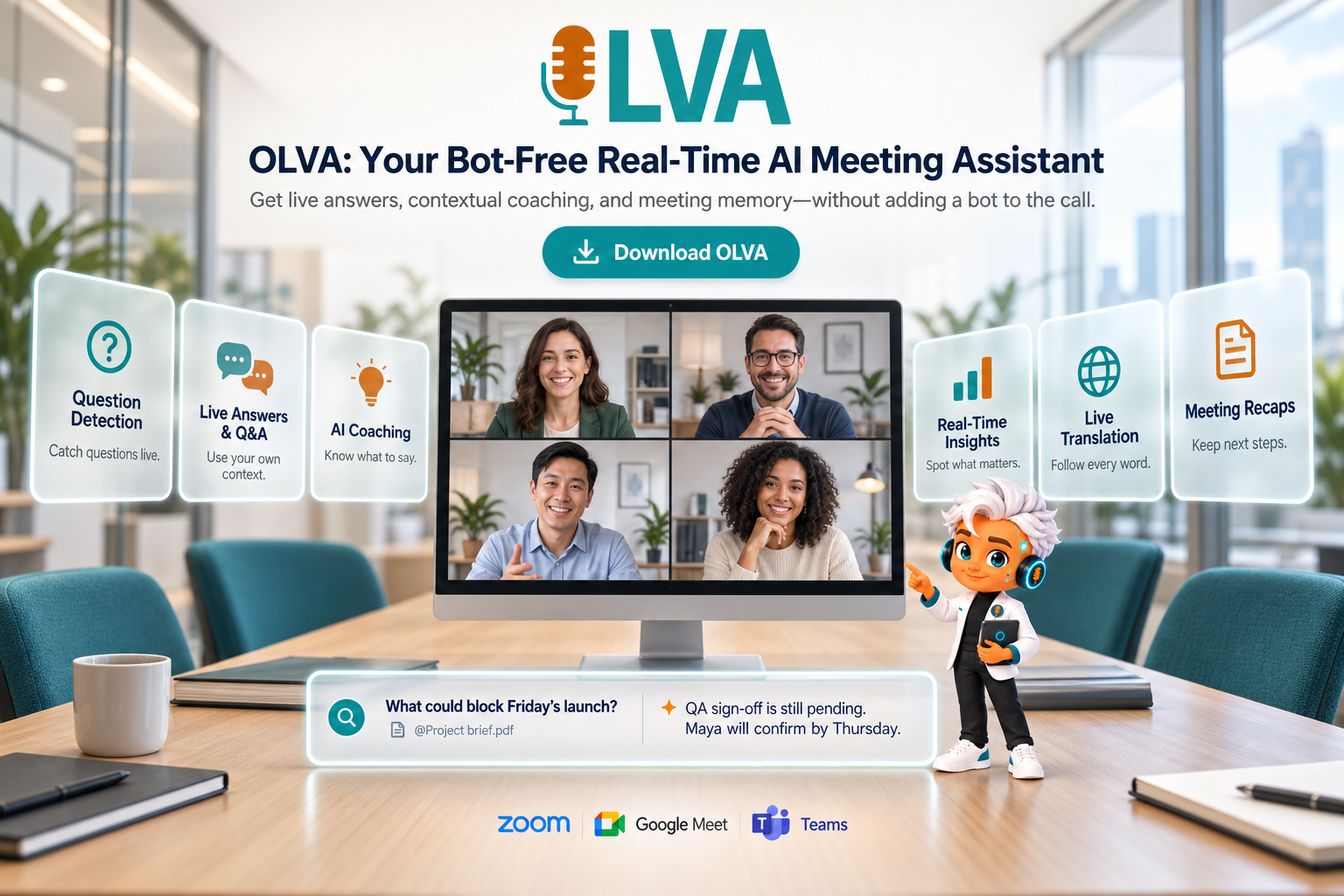
Choose OLVA when you want AI working privately beside you during the conversation: automatic question detection, live contextual answers, coaching, reusable meeting context, fact-checking, definitions, and multilingual live assistance.
Unlike a meeting bot, OLVA captures from your own device and does not appear as another participant in Zoom, Google Meet, Microsoft Teams, Webex, Slack Huddles, or supported in-person conversations.
Claude Meetings — Best for Collaborative AI Inside the Meeting
Claude Meetings takes a very different approach. Anthropic's new beta lets Claude join the Google Meet call as a visible participant. People can speak to Claude or ask questions through the meeting chat, and Claude can create documents, whiteboards, notes, and other artifacts while the team is talking.
That is powerful for collaborative work, but it changes the meeting dynamic: Claude is effectively another participant in the room.
Granola — Best for Bot-Free AI Notes
Granola remains one of the cleanest bot-free meeting notepads. It captures device audio rather than inviting a meeting bot and is particularly strong at transforming meetings into useful notes, searchable history, and connected knowledge.
Its emphasis, however, is still more on notes and meeting memory than proactive assistance with what you should say next.
Fireflies — Best for Broad Meeting Intelligence
Fireflies has moved well beyond post-meeting summaries. Its Live Assist now offers live transcripts, suggestions, AskFred answers, notes, and coaching. Bot-free desktop capture is also available in supported workflows.
It is particularly attractive for teams that want a broad meeting platform with integrations, analytics, archives, and conversation intelligence.
Otter — Best for Transcription, Meeting Knowledge and Live Chat
Otter has also expanded significantly. It now combines transcription and searchable meeting knowledge with AI Chat and live-assist coaching. Its current product materials describe real-time prompts based on the conversation, company playbooks, and meeting history.
Feature Comparison
The table below focuses specifically on live meeting-assistant capabilities, rather than general note-taking or post-meeting features.
| Live Meeting Feature | OLVA | Claude Meetings | Granola | Fireflies.ai | Otter.ai |
|---|---|---|---|---|---|
| Bot-free capture without adding a visible meeting participant | Yes | No | Yes | Partial | Partial |
| Real-time transcription | Yes | Yes | Yes | Yes | Yes |
| Automatic detection of questions asked during the conversation | Yes | No | No | Partial | No |
| Contextual AI answers during the live meeting | Yes | Yes | Partial | Yes | Yes |
| Private AI assistance that does not appear in the meeting chat | Yes | No | Partial | Yes | Yes |
| AI suggestions for what to say next | Yes | Partial | No | Yes | Partial |
| Dedicated real-time AI meeting coaching | Yes | No | No | Yes | Partial |
| Reusable context prepared specifically for individual meetings | Yes | Partial | Partial | Partial | Partial |
| Live answers grounded in attached documents or reusable context | Yes | Partial | Partial | Yes | Partial |
| Real-time definitions of terminology and jargon | Yes | Partial | No | Partial | Partial |
| Real-time fact-checking during the conversation | Yes | Partial | No | Partial | Partial |
| Live transcript translation during the meeting | Yes | No | No | Partial | Partial |
| Two-way face-to-face translation mode | Yes | No | No | No | No |
| Multilingual meeting support | Yes | Yes | Yes | Yes | Yes |
| AI meeting recap while the meeting is still happening | Yes | Partial | No | Yes | Yes |
| Clarification of something just said in the meeting | Yes | Partial | No | Yes | Yes |
| Cross-meeting searchable history or memory | Yes | Partial | Yes | Yes | Yes |
| Post-meeting summaries | Yes | Yes | Yes | Yes | Yes |
| Decisions and action-item extraction | Yes | Yes | Yes | Yes | Yes |
| Post-meeting AI Q&A | Yes | Yes | Yes | Yes | Yes |
| Editable PowerPoint generation from a completed meeting | Yes | No | No | No | No |
| Desktop meeting use | Yes | Yes | Yes | Yes | Yes |
| Mobile meeting use | Yes | No | Yes | Yes | Yes |
| In-person meeting support | Yes | No | Yes | Yes | Yes |
Legend
- Yes = clearly supported as a standard or core capability.
- Partial = supported in some form, but may depend on the plan, platform, capture mode, integration, or workflow.
- No = not currently a primary documented capability.
Capabilities change quickly and can depend on platform, plan, or capture mode. This comparison reflects official product documentation reviewed in November 2026.
- OLVA: Built Around the Live Moment
The most important difference with OLVA is not simply that it is bot-free. Granola is bot-free too. Fireflies and Otter also offer device-based capture options in certain workflows. The more meaningful distinction is what OLVA does with the conversation while it is happening.
OLVA follows the live transcript and automatically detects questions as they are asked. Instead of requiring you to stop listening, open an AI chat, formulate a prompt, and wait for an answer, the system can identify that a question has occurred and start preparing contextual assistance.
That matters in sales calls, consulting meetings, technical discussions, interviews, negotiations, and customer conversations where a few seconds can make a real difference.
Reusable Context Makes the Answers More Specific
Before an individual meeting, users can select reusable context containing their own notes and documents. That might include:
- product information
- pricing
- proposals
- contracts
- account information
- technical specifications
- previous requirements
- internal documentation
OLVA can combine that context with what is being said in the current meeting when generating answers. Its public product documentation specifically describes reusable meeting context as part of its live assistance workflow.
This is an important distinction between a generic LLM prompt and a meeting assistant designed around the context of one particular conversation.
Multilingual Meetings
OLVA also puts substantial emphasis on multilingual communication. It supports transcription across 60 languages, live transcript translation, and translation across thousands of language combinations. Its Lingo Mode goes further by supporting two-way face-to-face conversations: one person speaks one language, the other speaks another, and OLVA can translate both directions in real time.
For international sales, travel, customer meetings, and multilingual teams, this turns translation into part of the live meeting workflow rather than something you do afterward.
- Claude Meetings: A Powerful AI Participant
Claude Meetings may be the most interesting new entrant because Anthropic is approaching meetings differently. Instead of sitting privately beside one user, Claude actually joins the call. As of November 2026, Claude Meetings is rolling out in beta for Team and Enterprise customers and currently supports Google Meet. Claude appears as a participant, posts a notice in the meeting chat, listens to the conversation, answers questions, takes notes, and can build documents or whiteboards while the team talks.
That can be extremely useful when the goal is:
“Let's have the whole team work with Claude during this meeting.”
But that is different from:
“Give me private intelligence while I am talking to a customer.”
With OLVA, the assistant does not join the meeting roster. With Claude Meetings, having the AI visibly present is part of the product design.
Neither approach is inherently better. They solve different problems.
- Granola: good for Notes, Different Objective
Granola is probably the easiest product in this comparison to misunderstand. It is not trying to become an aggressive real-time sales copilot. Granola describes itself as an AI notepad. It captures device audio without adding a bot and turns conversations and the user's own notes into useful meeting documents. It also supports AI chat across meetings, shared folders, templates, integrations, and pre-meeting briefs on paid plans.
If your biggest problem is:
“I want excellent meeting notes without another bot joining my call,”
Granola is a strong choice. If the problem is:
“A customer just asked a difficult question—help me answer it now,”
OLVA is more specifically designed for that workflow.
- Fireflies: Increasingly Serious Live Competition
Fireflies deserves credit for how much its product has evolved. Its Live Assist provides real-time transcripts, notes, suggestions, instant answers, and meeting coaching. Sales Assist can also surface knowledge-based suggestions during customer calls.
Fireflies therefore cannot fairly be described as only a post-meeting recording tool anymore. Its biggest advantage is breadth: meeting archives, analytics, integrations, automation, searchable knowledge, and live intelligence all sit inside a mature team platform. OLVA's differentiation is narrower: it is built around the individual user's live experience, particularly automatic question detection, private assistance, reusable context, multilingual conversations, and bot-free use across online and in-person meetings.
- Otter: Much More Than Transcription Now
Otter is another product that has moved beyond its original transcription identity. AI Chat works during and after meetings, while Otter's newer Live-Assist functionality can provide real-time coaching and prompts based on conversation history and company playbooks. For organizations already invested in Otter's transcription, searchable archive, and meeting knowledge workflows, this is compelling. OLVA's advantage is again the proactive live workflow: automatically detect the question, understand the current meeting, combine it with selected context, and privately prepare assistance.
Why Specialized Live Meeting Assistants May Have an Advantage
There is a broader lesson here. The quality of an AI meeting assistant is not determined only by which underlying LLM it uses. Advanced models from providers such as OpenAI and Anthropic are becoming extraordinarily capable. But a powerful model by itself does not know:
- when someone in your meeting has asked an important question;
- which customer document should matter right now;
- whether to show a definition or fact-check;
- what happened in the previous meeting;
- whether you need coaching, translation, clarification, or a direct answer;
- how to provide that assistance without disrupting the conversation.
That intelligence comes from the application layer around the model. Products such as OLVA can leverage powerful general-purpose AI models while adding meeting-specific orchestration: live transcription, question detection, context retrieval, document grounding, translation, memory, and coaching. That is why I expect specialized live meeting assistants to have an advantage over simply putting a generic AI model beside a transcript. It is not necessarily about having a “smarter” underlying model. It is about giving the model the right information, at the right moment, in the right form.
Final Verdict
There is no universal winner because these products increasingly solve different problems. Choose Claude Meetings if you want an AI participant that your whole team can interact with and use to build work collaboratively during the call. Choose Granola if you want an elegant, bot-free AI notepad with excellent meeting memory and minimal friction. Choose Fireflies if you want a broad meeting-intelligence platform with live assistance, integrations, analytics, and a strong team archive. Choose Otter if transcription, searchable conversational knowledge, AI Chat, and increasingly capable live coaching are your priorities. Choose OLVA if the most important moment is the meeting itself. Its combination of bot-free capture, automatic question detection, private live answers, reusable meeting-specific context, coaching, real-time insights, and multilingual translation makes it particularly well suited to professionals who need AI to help before the conversation moves on.
The AI meeting market is moving from:
“Tell me what happened.”
to:
“Help me while it is happening.”
For that second category, OLVA is one of the most purpose-built options available today.
For more information about OLVA and its live meeting assistant capabilities, visit https://olva.ai.