
From Lecture to Understanding: Using Live Translation to Follow International Classes
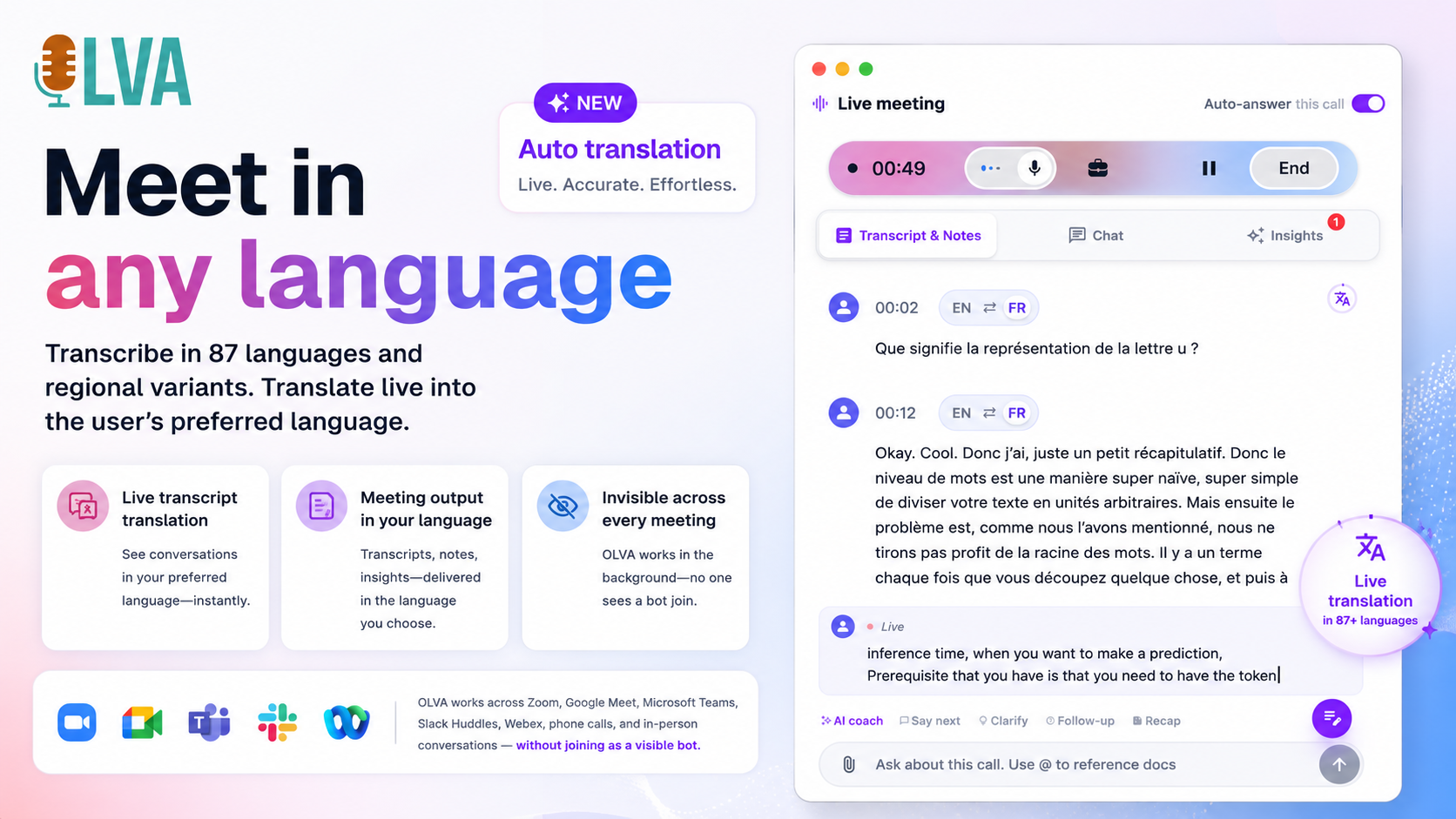
International classrooms are increasingly common — lectures streamed from another country, exchange students joining remotely, guest lecturers speaking in their native language. For many students and educators, these opportunities are rich but also challenging: how do you follow fast academic speech in a second language, keep up with specialist terminology, and participate confidently in real time?
Live translation and real-time transcription tools are changing that dynamic. When deployed responsibly, they can help students understand complex lectures, allow educators to reach a broader audience, and make collaboration across languages more practical. This article explains how live translation works in classroom contexts, practical ways students and instructors use it, pitfalls to avoid, and concrete tips for integrating a tool like OLVA into international classes.
Why real-time translation matters in higher education
- Accessibility and inclusion: Students who are still gaining fluency in the lecture language can follow the substance without falling behind.
- Cognitive relief: Listening, mentally translating, and taking notes at the same time is exhausting. Live translation reduces cognitive load so learners can focus on comprehension and critical thinking.
- Greater participation: When students understand more of the lecture as it happens, they’re more likely to ask questions, contribute to discussions, and engage in group work.
- Better retention and review: A searchable, translated transcript makes studying and reviewing lecture content easier — particularly for specialized terminology that students may want to revisit.
How live translation works in practice (simple breakdown)
- Audio capture: The tool captures the lecture audio from the presenter’s microphone or the meeting platform.
- Live transcription: Speech-to-text converts spoken words into a transcript in the original language.
- Machine translation (optional): That transcript is translated into the user’s preferred language in near real time.
- Context-aware processing: Smart assistants use the surrounding transcript to interpret questions, clarify ambiguous terms, and surface relevant explanations.
- User controls: Students can set automatic translation into their preferred language or request translations for specific segments when needed.
These steps happen quickly enough that students can follow along while the lecture is still underway. OLVA, for example, supports live transcription and multilingual capabilities across 87 languages and regional variants, and can translate automatically into a user’s default language or translate selected parts on demand. You can learn more at https://olva.ai.
Real classroom scenarios and practical examples
Below are realistic scenarios showing how students and educators use live translation to improve understanding and participation.
Scenario 1 — International lecture streamed live
A university hosts a guest lecture from a researcher in another country. The lecture is in English, but many attendees are non-native English speakers.
How live translation helps:
- Students enable automatic translation to their native language so they can follow the lecture as it happens.
- OLVA’s live transcription highlights detected questions and timestamps them, making it easier to revisit complex segments after class.
- During Q&A, a student who didn’t catch a technical phrase selects that sentence in the transcript and requests a manual translation and a short explanation.
Outcome: Students follow the main arguments live, take higher-quality notes, and can form better follow-up questions.
Scenario 2 — Bilingual seminar with mixed-language discussion
A seminar includes speakers who alternate between two languages. Technical vocabulary appears in both languages.
How live translation helps:
- The assistant transcribes the conversation and offers inline translations for each speaker in students’ preferred language.
- When a multilingual term is used (for example, a field-specific phrase that doesn’t translate cleanly), OLVA can surface definitions and related context-aware explanations drawn from the surrounding transcript.
- Educators can provide a list of reference documents before class; the assistant uses them to produce more precise explanations when those topics appear.
Outcome: The seminar becomes more accessible across language boundaries without slowing the conversation.
Scenario 3 — Group project meetings with international team members
Students in a mixed-nationality project group meet to coordinate research and divide tasks.
How live translation helps:
- Each team member sets their preferred language; the meeting transcript is visible and translated in real time for everyone.
- Automatic question detection flags unclear action items so students can clarify responsibilities immediately.
- After the meeting, the group exports summarized action items and decisions in a shared document for reference.
Outcome: Team coordination improves and fewer follow-up emails are needed to resolve misunderstandings.
Pedagogical benefits for educators
- Reach and retention: Instructors can teach a larger, more diverse class without compromising clarity.
- Immediate feedback: Question detection highlights areas where students are confused, so instructors can adjust explanations on the fly.
- Reusable materials: Transcripts and translated summaries become study aids and can be used for asynchronous learners.
- Document-aware teaching: By connecting lecture slides or readings, the assistant can reference exact passages when students ask for clarification.
Best practices for students and educators
Use live translation as a complement, not a crutch
- Don’t rely on it to replace language learning or active listening practice. Use the translated transcript to reinforce comprehension and to revisit complex passages after class.
Always check institutional and legal policies
- Recording, transcription, and AI assistance are subject to local laws, institutional rules, and consent requirements. Users must obtain appropriate permissions and notify participants when required.
Share expectations with students and guest speakers
- Before a lecture or seminar, clearly state that live transcription/translation will be used and explain how to opt in or out if that option exists.
Encourage selective translation
- Automatic full-translation can be useful, but allowing students to translate specific lines on demand often results in better engagement and less distraction for multilingual learners.
Use context-aware features for technical courses
- In STEM or law classes with dense terminology, provide relevant readings or glossaries to the assistant ahead of time. Tools that use document-aware intelligence can leverage those materials to produce more accurate, context-sensitive explanations in real time.
Promote active note-taking and follow-up
- Combine the live transcript with personal notes. After class, students should review translated segments alongside the original transcript and lecture slides to consolidate learning.
Pitfalls and limitations to be aware of
- Machine translation is not perfect: subtle meanings, idioms, humor, and discipline-specific jargon may be mistranslated. Human review is important when accuracy matters.
- Privacy and consent: Invisible or botless modes can enhance privacy for the user, but they do not remove legal or ethical obligations to obtain consent when required. Tools that run alongside calls still capture audio from the device and that activity must comply with policies and laws.
- Over-reliance risks: Students may stop practicing listening skills if they always depend on translation, which can slow language development.
How to trial live translation in your program (step-by-step)
- Pilot with a voluntary class or seminar
- Choose a course with a high proportion of non-native speakers or a guest lecture series. Invite volunteer students and the instructor to opt in.
- Communicate policies and consent
- Provide a brief written policy explaining how audio and transcripts are handled, who can access them, and how long they will be stored.
- Configure the tool for classroom use
- Encourage students to set their preferred language and decide whether they want automatic translation or manual on-demand translations.
- Where possible, upload lecture slides or readings ahead of time to enable document-aware explanations.
- Run the session and collect feedback
- After a few classes, survey participants about clarity, engagement, and any translation errors that impeded learning.
- Iterate and scale
- Use feedback to tweak settings (e.g., switching from automatic translation to selective translation), update consent procedures, or provide instructor training.
Making the most of translated transcripts for study
- Create bilingual study notes: Pair original transcript excerpts with translations and short summaries in your target language.
- Build glossaries: Collect repeated technical terms and their preferred translations to standardize vocabulary across courses.
- Use timestamps for revision: When a lecturer explains a difficult concept, note the transcript timestamp to review the exact moment later.
- Turn transcripts into slides: Post-meeting slide-deck generation can convert a lecture’s main points into a study presentation — useful for review sessions and exam preparation.
OLVA-specific capabilities that help in international classroom settings
- Live transcription and translation across 87 languages: Students can follow lectures in a personally comfortable language while preserving the original transcript for reference.
- Context-aware answers during the lecture: OLVA can detect questions and generate explanations that reference the surrounding transcript and any uploaded documents, reducing the need for interruptive clarifications.
- Manual translation on demand: When a student needs extra clarity, they can translate only the relevant sentence or paragraph rather than the whole lecture, minimizing distraction.
- Post-class outputs: Summaries, action items, and editable slide decks created from meeting content help instructors and students convert lectures into study materials.
Reminder on responsible use
Tools like OLVA are powerful when used responsibly. They are designed to be private and botless — running alongside meetings without joining as a visible bot — but that does not eliminate the need for consent or adherence to institutional rules. Confirm recording and AI-assistance policies before using live translation in assessed settings, exams, or restricted discussions.
Conclusion: From access to understanding
Live translation is not a silver bullet, but it is a practical bridge between opportunity and comprehension in international higher education. When used thoughtfully, it reduces cognitive load, increases participation, and helps instructors reach more students without diluting academic rigor. Students gain flexible study materials and more equitable access to lecture content, while educators receive faster feedback about where learners struggle.
If you’re exploring live translation for your classes, start small: pilot a voluntary session, secure consent, and collect feedback. Use context-aware features and document uploads to improve translation quality for technical subjects. For more details about how a real-time, botless assistant can support lectures and meetings, visit https://olva.ai and consider running a controlled trial in one of your courses.
Acknowledgements and next steps
- Share this article with colleagues and student support services when proposing a pilot.
- If you plan a pilot: prepare a short consent form, a participant survey, and a set of example documents to improve translation accuracy.
- Revisit results after a few sessions and adjust — the best configurations are discipline-specific and require small iterations.
By combining human oversight, transparent policies, and smart real-time tools, universities can make international classes more understandable, inclusive, and productive for everyone involved.