
Eliminating Language Barriers for Remote Teams with AI Coaching and Live Q&A
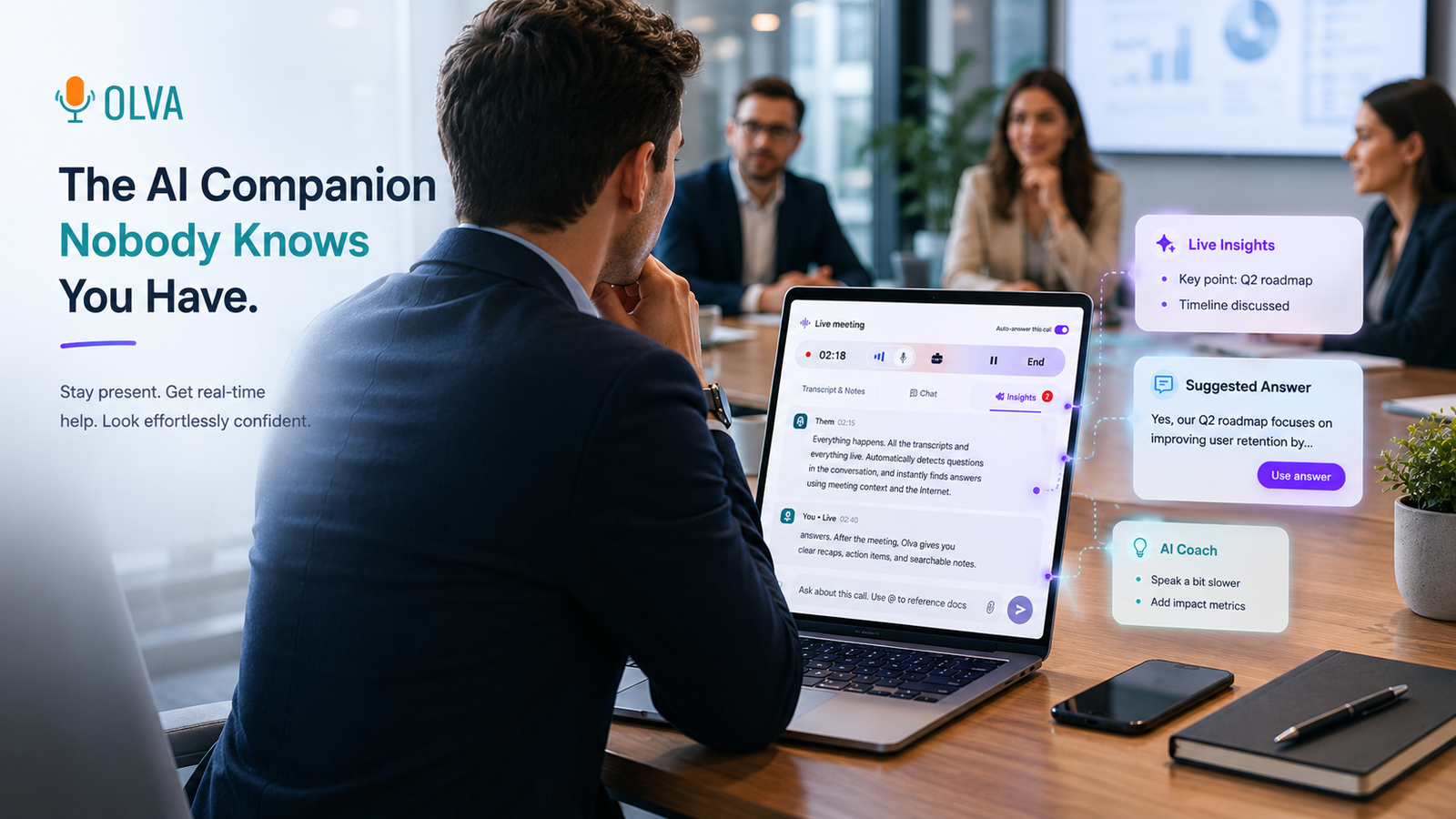
Global product sprints, cross-functional standups, and customer calls increasingly involve teams spread across time zones and languages. Language gaps slow decision-making, create follow-up work, and lead to missed signals—especially when meetings are the primary place teams resolve ambiguity.
This article shows practical strategies remote teams, engineering managers, product leads, and team leads can use to reduce language friction in real time. It focuses on techniques backed by modern meeting intelligence—AI coaching, live Q&A, automatic question detection, and opportunity detection—and explains how these capabilities improve collaboration during meetings, not just after them. Throughout, we highlight where intelligent meeting assistants like Olva (https://olva.ai) add actionable value without interrupting team flow.
Why language barriers matter in distributed teams
Language friction isn't just about vocabulary. For remote teams it shows up as:
- Misunderstood requirements or acceptance criteria.
- Unclear stakeholder intent during customer calls.
- Uneven participation, where non-native speakers defer to native ones.
- Latency caused by follow-up threads and asynchronous clarifications across time zones.
Traditional tools—recordings, post-meeting transcripts, and follow-up summaries—help with memory but often fall short at preventing problems that happen during the meeting. When a critical question is asked and misunderstood, later summaries can't recover the lost momentum.
What teams need is better real-time support: ways to clarify meaning, suggest phrasing, detect emerging risks or opportunities, and surface answers instantly so participants perform better while the conversation is happening.
Real-time capabilities that reduce language friction
Below are the features that make the biggest difference in real-time collaboration across languages and time zones.
1. Live transcription with speaker context
Real-time captions lower the cognitive load for non-native speakers and ensure everyone can follow, even with poor audio. The best implementations capture both participant and user audio and map who said what.
Practical use:
- Enable captions for multilingual team members during demos and design reviews.
- Use speaker-attributed transcripts to quickly jump back to unclear points without asking participants to repeat themselves.
2. Automatic question detection
Not every question is labeled as one—many are implied requests, hesitations, or objections. Automatic question detection surfaces clarification requests and technical questions the moment they occur.
Practical use:
- If a product manager asks, “Will that scale?”, detection flags it as a technical question and prompts the right person to respond or the facilitator to schedule a deep dive.
- For customer calls, detect objections like pricing or implementation concerns and surface them to the presenter in real time.
3. Instant answers and Live Q&A
When questions are detected, access to instant answers—based on context, documents, and past meetings—prevents awkward pauses and missteps. Live Q&A allows participants to query the assistant privately during the call.
Practical use:
- An engineer can privately ask, “What’s the current API limit for region X?” and get a data-backed response instantly, avoiding a public guess.
- A product owner can request a 30-second summary of the previous five minutes to ensure alignment before moving forward.
4. AI coaching and suggested phrasing
Non-native speakers often over-explain or under-assert. Real-time AI coaching can recommend concise phrasing, propose clarifying questions, and suggest culturally sensitive language.
Practical use:
- Suggest a shorter, clearer way to present a technical constraint to a customer.
- Propose phrasing to push back diplomatically on a deadline.
5. Live insights, opportunity detection, and fact checking
Beyond language, AI can highlight what matters: buying signals, risks, and incorrect assumptions—helpful in multilingual customer conversations where cultural cues differ.
Practical use:
- Flag a purchasing intent expressed indirectly and recommend follow-up questions to surface budget details.
- Fact-check a numerical claim or technical assertion in context, minimizing misinformation.
Example scenarios: real teams, real wins
Scenario 1 — Engineering sync across India and Germany
Problem: An Indian engineer and a German counterpart disagree about throughput limits because the spec language is ambiguous.
How real-time AI helps:
- Live transcription captures the phrases and flags an ambiguous sentence as a potential issue.
- Automatic question detection surfaces the engineer’s hesitation and suggests to the meeting owner: “Clarify throughput units (requests/sec vs. connections).”
- The presenter uses Live Q&A privately to fetch the latest spec PDF and shares the exact clause to resolve the ambiguity immediately.
Outcome: Faster alignment, fewer follow-ups, and clearer acceptance criteria for the sprint.
Scenario 2 — Product demo with international customers
Problem: A product demo elicits a vague objection from a non-native English speaker that the team misses.
How real-time AI helps:
- Automatic question detection highlights the utterance as a probable objection.
- Instant answers draw from uploaded pricing documents to prepare a quick, accurate response.
- Live insights detect buying signals elsewhere in the conversation and recommends the rep ask a targeted closing question.
Outcome: The team addresses the objection while it’s on the table and advances the deal without waiting for post-call notes.
Scenario 3 — Cross-functional retro spanning multiple time zones
Problem: Team members with limited English avoid speaking up; written notes later lack nuance.
How real-time AI helps:
- Live transcription provides captions so non-native speakers can follow and contribute confidently.
- AI coaching suggests concise formulations for ideas, making it easier for quieter teammates to express themselves.
- Questions and action items are captured and clarified in real time, reducing follow-up email exchanges.
Outcome: Higher participation, better quality inputs, and fewer asynchronous clarifications.
How to implement these practices in your team
Follow this three-step approach to make real-time language support part of your remote workflow.
- Prepare: Upload reference documents and set expectations
- Upload specs, pricing sheets, and FAQs so the assistant can be document-aware.
- Tell your team when live assistance is enabled and how to use private Live Q&A for clarifications.
- Run meetings with real-time support
- Enable live transcription and keep captions on for multilingual sessions.
- Use AI coaching privately to refine speaking points and avoid interrupting flow.
- Rely on automatic question detection to ensure implied requests are surfaced.
- Close the loop quickly
- Capture actions with precise wording suggested by the assistant.
- Store transcripts and decisions in searchable post-meeting memory for different time zones to reference asynchronously.
Competitors: what they do well and where real-time intelligence changes the game
Many meeting tools offer strong transcription, recording, and automated summaries. Examples:
- Zoom and Microsoft Teams provide integrated captions and meeting recordings.
- Otter.ai and Rev deliver accurate post-meeting transcripts and searchable notes.
- Platforms like Gong and Chorus excel at sales conversation analytics and post-call coaching.
These solutions are valuable—especially where accurate records and post-meeting analysis matter. However, they largely focus on remembering what happened and coaching after the fact. The biggest productivity gains for multilingual, distributed teams come from improving performance during the conversation itself.
This is where live meeting intelligence matters: automatic question detection, instant answers grounded in uploaded documents and meeting context, private Live Q&A for in-the-moment clarification, and AI coaching that suggests phrasing while you’re still speaking. Together these features help teams avoid missteps and seize opportunities before the meeting ends.
Why privacy and invisibility matter in multilingual contexts
Effective in-meeting AI must be unobtrusive and privacy-aware. Teams working across cultures are often sensitive to meeting participants and recordings. Invisible AI assistants that do not join as visible bot participants reduce distraction and preserve meeting dynamics.
Key privacy considerations:
- No bot participants: AI that operates privately avoids awkward notifications.
- User-only data visibility: transcripts and AI insights should be available only to authorized users and deletable on demand.
- Minimize recording stigma: position the tool as a real-time assistant rather than a surveillance platform.
These principles help teams adopt real-time AI without undermining trust or introducing meeting friction.
Measuring impact: KPIs to track
To evaluate whether real-time language support is reducing friction, track metrics like:
- Reduction in follow-up clarification threads (emails/Slack messages per meeting).
- Time to decision inside meetings (percentage of meetings where decisions are made before the end).
- Participation parity (ratio of contributions from non-native speakers over time).
- Deal velocity or feature delivery velocity improvements for cross-border projects.
Collect both quantitative metrics and qualitative feedback to ensure the assistant is helping, not distracting.
Quick checklist for team leads and engineering managers
- Ensure critical docs (APIs, pricing, SLAs) are uploaded and accessible to the meeting assistant.
- Turn on live transcription and encourage captions for multilingual meetings.
- Ask participants to use private Live Q&A for factual checks instead of interrupting the flow.
- Use AI coaching before high-stakes calls to practice key phrases and objections.
- Review detected questions and action items immediately at the end of the meeting.
Conclusion
Language barriers and time zone differences don't have to slow distributed teams. The most impactful improvements come from assisting people while the conversation is happening: surfacing unclear questions, providing instant answers from documents and past context, coaching phrasing in the moment, and detecting opportunities or risks as they emerge.
Tools that focus only on recording and post-meeting summaries are useful—but real gains in clarity, speed, and participation happen when teams get live, private, and context-aware assistance. Solutions like Olva (https://olva.ai) combine invisible AI assistance, live transcription, automatic question detection, live Q&A, and document-aware intelligence to help teams perform better during meetings—not just remember them.
When implemented thoughtfully—with privacy, clear expectations, and a few simple workflows—real-time meeting intelligence becomes a force multiplier for remote teams across languages and time zones.
Start small: enable captions and a document-aware assistant for your next cross-border demo, and iterate from the outcomes. The result is fewer misunderstandings, faster decisions, and more confident contributors—no matter where they’re located.