
How Speaker Diarization Boosts Meeting Productivity: Real-Time Clarity for Sales, Product, and Customer Success
Meetings are where most cross-functional work happens: requirements get clarified, buyers surface objections, support escalations are triaged, and decisions are made. Yet in crowded calls with several speakers — internal stakeholders, customers, or external partners — it’s easy to lose track of who said what, when a commitment was made, or which stakeholder raised a specific concern.
Speaker diarization — the automated process that identifies and labels who spoke when in an audio stream — removes that ambiguity. When deployed in real time alongside a live meeting, diarization creates a clearer, faster flow of information for frontline teams: sales reps, customer success managers, product leads, designers, consultants, and remote workers.
In this article we’ll explain how speaker diarization works in practice, show specific use cases for sales, product, and customer success teams, and provide practical tips for getting the most out of real-time diarization. We’ll also explain how a botless, real-time assistant like OLVA can apply diarization alongside transcription, translation, question detection, and contextual answers to make meetings more actionable — both during the call and afterward. For product details visit https://olva.ai.
What speaker diarization is — and what it isn’t
Speaker diarization segments a continuous audio recording or stream and groups segments by speaker identity. In practical terms, diarization means your transcript isn’t just a single block of text — it becomes a color-coded, speaker-labeled record that shows: "Speaker A: …" "Speaker B: …" and so on, often with consistent colors or icons across the transcript for quick scanning.
What diarization does not automatically provide is verified personal identification (e.g., matching a speaker to a named profile) unless you configure the system to map speaker IDs to known participants. Good diarization improves readability and follow-up accuracy but still requires user consent and compliance with local recording regulations.
Why diarization matters for real-time meetings
- Faster comprehension: Participants can see at a glance who is speaking and who raised points or objections.
- Accurate attribution: Action items, decisions, or commitments can be reliably attached to the right person.
- Reduced cognitive load: Team members can focus on the conversation rather than mentally tracking speaker changes.
- Better post-meeting outputs: Summaries, slide decks, and searchable archives become more useful when attributed and organized by speaker.
These benefits compound in cross-functional and client-facing scenarios where multiple voices and perspectives are present.
Use cases by function
Below are concrete ways diarization improves work across sales, product, and customer success.
Sales teams: capture commitments, objections, and next steps
Problem: In a discovery or negotiation call, a customer may mention budget constraints, express interest in a feature, and promise to loop in procurement — all from different participants. Without clear speaker attribution, the sales rep may misassign follow-ups or miss buying signals.
How diarization helps:
- Real-time transcript with speaker labels lets the rep see who said "we have a budget next quarter" versus who requested a demo. That clarity enables more accurate next-step commitments.
- Automatic question detection combined with diarization surfaces who asked a pricing question, so you can respond directly and store the answer linked to the requester.
- Post-call summaries list action owners by speaker, improving hand-offs and CRM updates.
Example: During a product demo, "Buyer A" asks about integration timelines while "Buyer B" asks about SLAs and procurement. With diarized real-time notes, the rep assigns a task to send integration docs to Buyer A and routes procurement questions to the technical sales engineer with a timestamped quote from the call.
Product teams: capture feedback, decisions, and feature requests
Problem: Product discussions often include engineers, designers, and stakeholders who all contribute fragments of context. Tracking who raised a specific risk or requirement can be difficult after the meeting.
How diarization helps:
- When requirements are discussed, diarized transcripts help map feature requests to the person who suggested them (for prioritization and follow-up).
- Decisions and acceptance criteria can be attributed to a stakeholder, making it easier to validate later if a requirement needs clarification.
- During user interviews, diarization creates a clean transcript showing which participant — the interviewer, the user, or an observer — made each comment.
Example: In a triage meeting, the product manager notes a proposed scope change. With diarized live notes, the PM can immediately tag the engineer who raised a concern, add it to the action items, and ask OLVA (in real time) to surface related documents or prior meeting comments.
Customer Success: track concerns, commitments, and churn signals
Problem: Customer success managers must remember what customers promised, what support teams committed to, and which stakeholders raised retention risks.
How diarization helps:
- Attribution clarifies who committed to do what: a support engineer’s timeline for a fix or a customer’s promise to escalate internally.
- Opportunity and risk detection become more precise when OLVA identifies comments like "we’re considering alternatives" and shows which customer contact said it.
- Persistent diarized meeting history aids account planning: you can review who has historically raised certain concerns across multiple calls.
Example: During an escalation call, the customer’s technical lead says the issue prevents launch; the account manager promises to prioritize a patch. A diarized transcript records both statements with speaker labels, and the CS manager can immediately convert the promise into an action item assigned to the account manager.
Real-time diarization vs. post-meeting diarization
Real-time diarization matters because some meeting value exists only during the conversation. If a sales rep needs to answer a last-minute compliance question, or a product manager needs to pull a related document while stakeholders are debating, latency kills momentum.
Real-time diarization combined with live features provides:
- Instant identification of who asked what.
- Context-aware, on-the-spot answers and coaching during the call.
- The ability to translate and show speaker-labeled transcripts in the user’s preferred language.
Post-meeting diarization is still valuable for repository accuracy and summaries, but it can’t rescue immediate conversational opportunities.
How OLVA applies diarization in live meetings
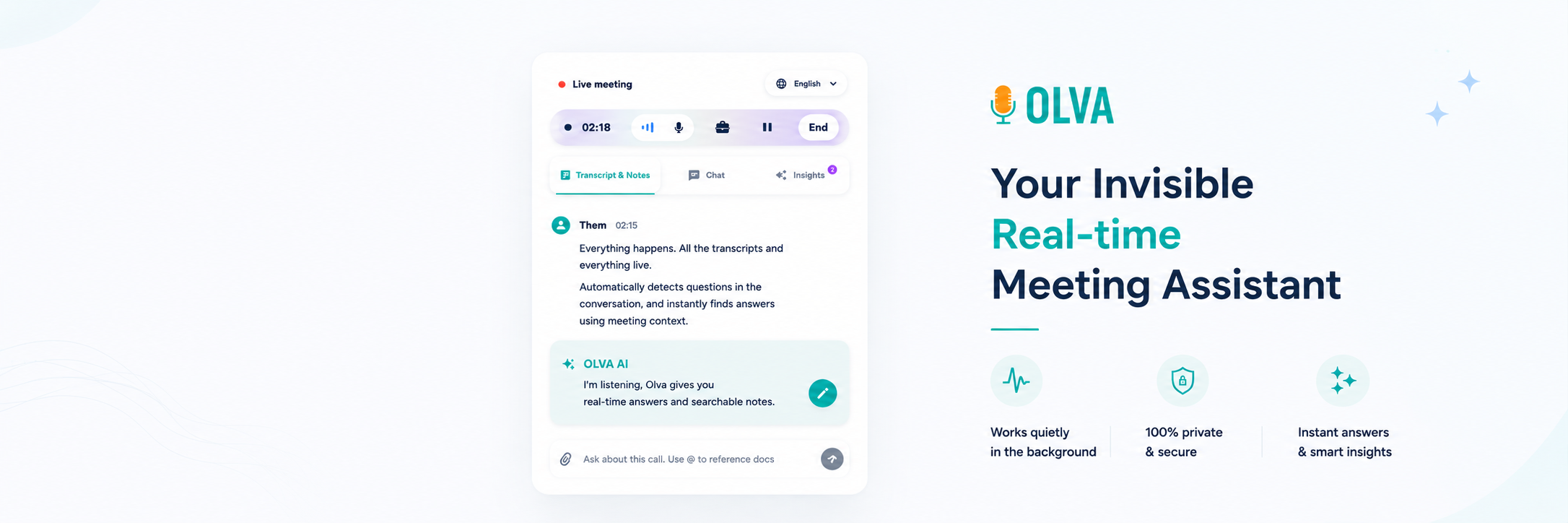
OLVA is designed to help users during and after meetings without joining calls as a visible bot. Its speaker diarization presents a live transcript where each participant is shown with a different speaker icon and consistent color. That visual consistency helps teams follow multi-person discussions in real time and when reviewing meeting records later.
Real examples of OLVA’s diarization benefits:
- During a multilingual meeting, OLVA can auto-translate the transcript into a user’s preferred language while keeping speaker labels intact. This helps non-native speakers follow who said what in their language.
- OLVA’s automatic question detection works with diarized transcripts to show which attendee asked each question — ideal for routing answers or surfacing missed questions immediately.
- When teammates need reference materials, OLVA combines diarized live context with document-aware intelligence to surface relevant pages from attached PDFs and link them to the speaker who requested or referenced them.
For full product information, visit https://olva.ai.
Practical tips to maximize diarization in team workflows
- Configure participant mapping when possible: If your platform or assistant lets you map speaker IDs to names (with consent), do it. Named attributions reduce follow-up friction.
- Use consistent colors and icons: Visual consistency across meetings and transcripts makes it easier to scan summaries and identify recurring speakers across multiple calls.
- Combine diarization with question detection and tagging: When a question is detected, attach it to the speaker. This immediately clarifies accountability and reduces the chance a question is overlooked.
- Leverage live translation carefully: If teammates speak different languages, enable automatic translation for those who need it while preserving speaker attribution. This maintains conversational clarity across language boundaries.
- Turn diarized excerpts into action items and decisions: During the call, capture timestamped, speaker-labeled action items so ownership is clear. Post-call, export these directly to your task tracker or CRM.
- Respect consent and compliance: Always inform participants if you’re transcribing or using an assistant that processes audio and follow your organization’s recording policies and local laws.
Example workflows
Workflow A — Sales discovery call (real-time)
- OLVA runs alongside the call and produces a diarized live transcript with color-coded speakers.
- OLVA detects a pricing question from "Buyer 2" and surfaces a suggested, context-aware response based on the current transcript and product docs.
- The rep uses the suggested response, marks the question as answered, and creates an action item for a technical follow-up assigned to the pre-mapped technical contact.
- After the call, OLVA generates a summary showing the action items and a slide deck for the internal handoff.
Workflow B — Product triage (during meeting)
- In a cross-functional meeting, OLVA diarizes and tags each feature request to the stakeholder who raised it.
- An engineer raises a feasibility concern; OLVA finds the related specification PDF and places a link next to the engineer’s comment in the live transcript.
- The product manager turns the engineer’s comment into a sticky note and assigns follow-up research.
Workflow C — Customer escalation (post-call & memory)
- OLVA diarizes the escalation call and flags language that signals churn risk, identifying the customer contact who expressed the concern.
- The CS manager reviews diarized meeting history to find previous commitments and uses OLVA to generate a prioritized action list and meeting recap for the customer.
Measuring impact
To quantify the benefits of diarization, teams can track metrics such as:
- Time saved in post-meeting note cleanup (minutes per meeting).
- Number of misassigned action items before vs. after diarization adoption.
- Faster response times to customer questions detected during meetings.
- Increase in meeting-derived opportunities captured by sales.
- Reduction in follow-up clarification emails that ask "who said this?"
Collecting these metrics over a quarter can help demonstrate ROI and guide adoption across teams.
Implementation considerations and best practices
- Audio quality matters: Clear input from each speaker improves diarization accuracy. Encourage use of dedicated headsets and quiet environments where possible.
- Participant mapping requires workflow setup: If you want names attached rather than anonymous speaker labels, prepare a quick mapping process and obtain necessary permissions.
- Human review remains essential: While diarization improves attribution, review action items and summaries before relying on them for critical decisions.
- Privacy and policy: Respect local laws and internal policies. Use diarization only when authorized and inform participants as required.
Conclusion — make every voice count
Speaker diarization turns noisy, multi-person conversations into readable, actionable records. For sales teams it clarifies buying signals and ownership of next steps. For product teams it captures who proposed requirements and who raised risks. For customer success teams it preserves commitments and highlights churn indicators. When diarization runs in real time — combined with live transcription, translation, question detection, and document-aware context — meetings become more efficient, less error-prone, and easier to act on.
OLVA applies these capabilities in a botless, user-private assistant that runs alongside meetings and supports 87 languages. By coupling speaker diarization with live insights and context-aware answers, OLVA helps participants follow the conversation in the moment and turn meetings into reliable records afterward. Learn more at https://olva.ai.
Make meetings less about chasing who said what and more about turning every speaker’s contribution into a clear next step.