
Product Demos Without Language Friction: Invisible AI That Answers Live
Introduction
Product demos are high-leverage moments: they shape buying decisions, align stakeholders, and define product perception. But demos frequently stumble on one predictable friction point — language. Jargon, acronyms, technical tradeoffs, and unspoken assumptions create confusion, slow the conversation, and lose opportunities. For product managers, product marketers, and sales engineers, the question isn’t whether you can demo the product — it’s whether you can translate value in real time.
This article explains a practical approach to running demos that remove language friction. It reviews where common meeting tools help (and where they fall short), then shows how invisible, real-time AI assistance changes the game: defining jargon on the fly, detecting questions automatically, and supplying contextual instant answers during live demos. Along the way you’ll find concrete examples and tactical guidance for using these capabilities to close deals, accelerate alignment, and reduce follow-up work.
The language-friction problem in demos
Common sources of friction:
- Jargon and acronyms: Customers and cross-functional stakeholders hear unfamiliar terms and either nod or stay silent. Both are bad outcomes.
- Technical detail overload: Diving into architecture or specs can derail a demo that needs to focus on outcomes.
- Misaligned expectations: Prospects assume features, pricing, or SLAs that aren’t true for their tier.
- Unclear buy signals: You miss cues because you’re focused on presenting, not listening for signals.
Typical impact:
- Longer sales cycles due to follow-up clarification.
- Lost momentum when stakeholders leave puzzled.
- Rework for product teams when requirements were misunderstood.
Where common meeting tools help — and where they don’t
Tools such as Zoom, Gong, Chorus, Otter.ai, and Fireflies have improved recording, transcription, and post-meeting analysis. They’re great for:
- Accurate transcripts and searchable meeting records.
- Surface-level notes and highlights after the call.
- Coaching and analytics based on recorded calls.
But these tools often focus on remembering the meeting rather than helping in the moment. If a prospect asks a technical question during a demo, the meeting is still constrained by what the presenter knows and how quickly they can search for answers. That latency causes missed opportunities.
What modern demos need: real-time language intelligence
The goal is simple: remove friction before it affects the outcome. That requires four live capabilities:
- Real-time transcription so no detail is missed.
- Automatic detection of questions and signals during the conversation.
- Instant, contextual answers that use the meeting context and product documentation.
- Private, invisible assistance that helps the presenter without distracting participants.
How invisible, real-time AI changes live demos
Imagine a demo scenario with three common challenges and how invisible AI helps in real time.
Scenario A — The acronym trap (product manager)
- Situation: A cross-functional demo includes engineers, marketing, and a potential buyer. During the technical slide, someone asks, “How does this work with our SSO and SCIM flows?”
- Without live assistance: The presenter hesitates, tries to recall an edge case, or defers to a follow-up email.
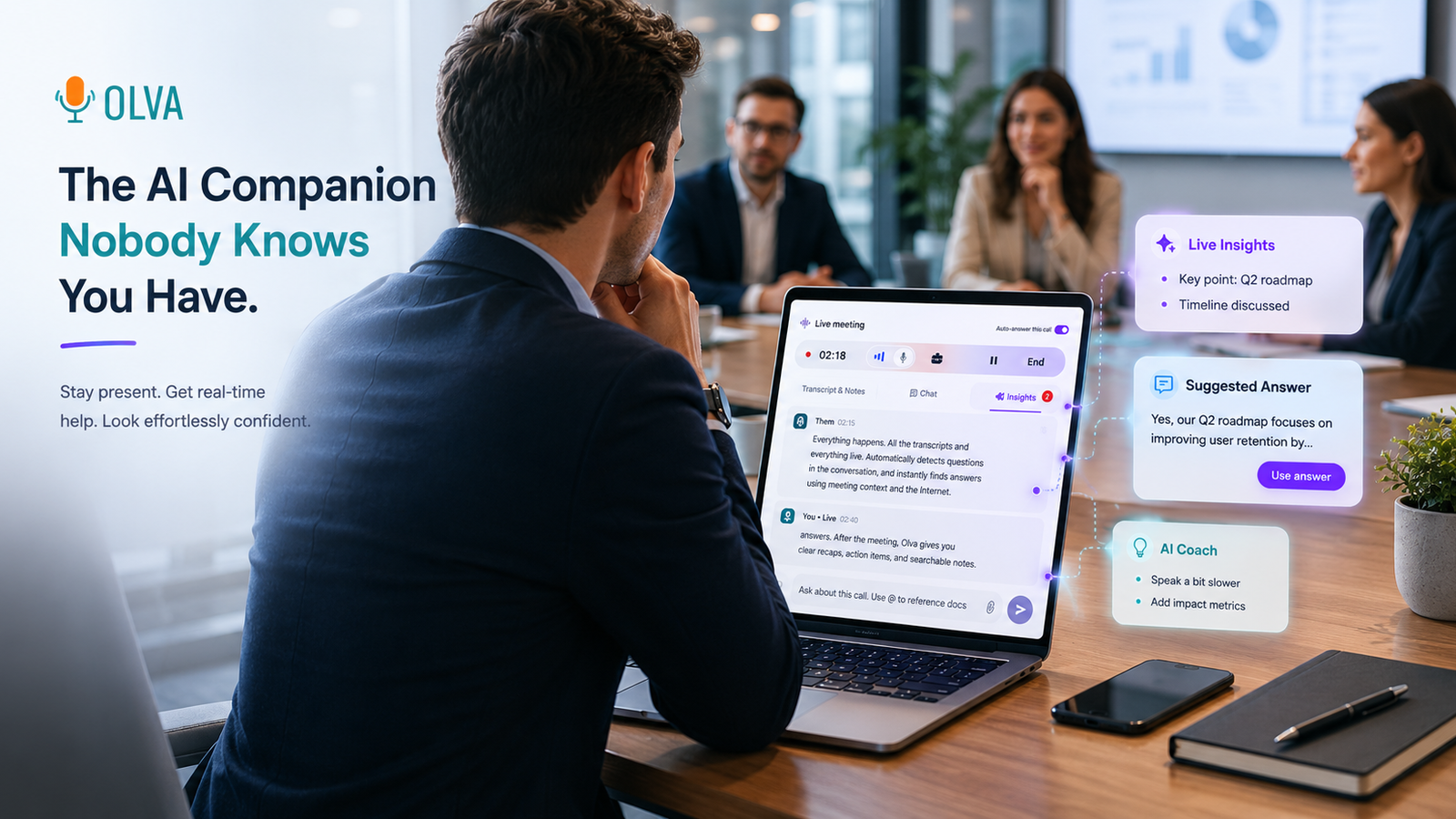
- With invisible AI: The assistant detects the question, recognizes the acronym SCIM, and displays a private inline definition and recommended phrasing: “We support SCIM for user provisioning; here’s how the connector maps attributes in our enterprise tier.” If you’ve uploaded your technical spec it draws the exact mapping and suggests a concise explanation.
Outcome: Immediate, confident answer; fewer follow-ups; trust preserved.
Scenario B — Pricing and objection handling (sales engineer)
- Situation: During a pricing discussion, a buyer asks about seat-based caps and custom integrations.
- Without live assistance: The sales engineer provides a cautious answer or promises to confirm later.
- With invisible AI: Automatic question detection flags the objection, pulls the relevant pricing sheet from uploaded documents, and offers suggested responses that acknowledge constraints and present alternatives (e.g., usage-based options or an integration roadmap).
Outcome: Faster negotiation with clear options; reduced risk of mispricing.
Scenario C — Competitive claim and fact checking (product marketer)
- Situation: A prospect asserts a competitive advantage about a rival product.
- Without live assistance: The presenter may either engage in a speculative rebuttal or ignore it.
- With invisible AI: The assistant surfaces a fact-check, indicating whether your public docs support the counter-claim and suggesting a neutral, evidence-based response.
Outcome: Credible, data-driven rebuttals that maintain professionalism.
Core capabilities that enable these outcomes
Invisible AI Assistant
- Works without joining the meeting as a visible bot, preventing awkward notifications or participant distraction.
- Enables sharing your screen while the assistant remains hidden from attendees, so help is private and nonintrusive.
Live Transcription
- Captures both your audio and participants’ audio in real time so nothing is missed.
- Allows you to skip manual note taking and focus on the customer.
Automatic Question Detection
- Detects both explicit questions and implicit clarification requests or objections.
- Prioritizes customer-facing queries so the assistant responds to what matters most.
Instant Answers & Live Q&A
- Generates context-aware answers using the meeting transcript, any uploaded documents (like product specs, contracts, or pricing sheets), and optional internet search.
- Lets the presenter ask the assistant privately: “How should I respond?” or “Summarize the last 3 minutes.”
Live Insights, Fact Checking, and Opportunity Detection
- Continuously analyzes conversation for fact-checking and definition needs (jargon, acronyms).
- Detects buying signals (e.g., “How fast can we onboard?”) and suggests follow-up questions to probe readiness.
- Surfaces risks like compliance concerns or deployment constraints.
AI Coaching
- Recommends phrasing, objection-handling tactics, and follow-up actions tailored to the moment.
- Helps less experienced presenters maintain confidence and professionalism under pressure.
Document-Aware Intelligence
- Uses uploaded PDFs, spec docs, pricing spreadsheets, and contracts to ground answers in authoritative sources.
- Ensures responses aren’t generic but tied to the version of product information you want to use.
Post-Meeting Memory
- After the demo, you get structured recaps, decisions, open questions, and action items that are searchable.
- Transcripts and notes can be deleted or kept private per your policy — privacy-first design matters in customer conversations.
Practical workflows for product teams
- Pre-demo: Upload key documents (datasheet, pricing matrix, integration guides) so the assistant can reference them live.
- During demo: Use invisible assistant to:
- Define terms for stakeholders who are new to the domain.
- Detect questions and surface suggested responses.
- Ask for private coaching on phrasing or follow-up questions.
- Post-demo: Review the AI-generated recap to capture next steps and update internal docs or backlog items.
Real-world examples
Example 1 — Product manager running feature demos
A PM demos a new API management feature to customers with mixed technical backgrounds. During the call, a buyer asks about rate limiting semantics and header propagation.
- The assistant detects the question, pulls the API spec PDF, and suggests a short answer describing default rate limits and how custom header propagation is implemented. The PM uses the suggested phrasing, then offers to follow up with code snippets extracted from the uploaded spec.
Example 2 — Sales engineer handling integration concerns
A sales engineer is demonstrating an enterprise integration and hears, “Will this integrate with our identity provider?”
- The assistant recognizes this as an integration question and locates the SSO guide in the uploaded docs. It displays the exact connector names and a one-line summary the engineer can read aloud, reducing follow-up time and improving credibility.
Example 3 — Product marketer ensuring consistent messaging
During a cross-functional demo, marketing and engineering disagree about whether a feature is GA.
- The assistant flags the inconsistency, surfaces the product roadmap note, and suggests language that accurately reflects the release status, preventing miscommunication with customers.
Fair comparison with existing tools
Many tools excel at post-call analytics, transcription, and coaching from recorded data. Those are invaluable for improving process and learning. However, the demo moment is not the same as the analysis moment. The difference is timing:
- Post-call tools help you learn what happened. That’s essential for continuous improvement.
- Invisible, real-time assistance helps you change what happens while it’s happening. That’s essential for winning the deal, aligning stakeholders, and avoiding misunderstandings.
Competitors that focus on recording and later analysis do it well. The distinguishing value of an invisible real-time assistant is that it works privately, is document-aware, and supplies instant contextual answers — helping you perform better in the actual demo, not just review it later.
Privacy and team adoption
A critical adoption barrier is privacy. The invisible assistant model avoids the awkwardness of adding visible bots to calls and puts data control in the user’s hands. Transcripts are private and can be deleted; the assistant doesn’t publish presence or interrupt meeting flow. This privacy-first approach makes it easier for sales engineers and product teams to adopt the tool without impacting the customer experience.
Measuring impact
Key metrics to track after adding real-time assistance to demos:
- Demo-to-opportunity conversion rate (expect improvement when questions are handled in-session).
- Follow-up volume per demo (should decline as confusion decreases).
- Time-to-close (shortens when objections are resolved live).
- Demo satisfaction scores from customers and internal stakeholders.
Conclusion
Language friction in product demos is a solvable problem. By combining live transcription, automatic question detection, document-aware answers, and invisible assistance, product managers, product marketers, and sales engineers can handle jargon, objections, and technical queries in the moment — not after the call. The result is clearer communication, shorter sales cycles, and fewer misunderstandings.
Modern teams don’t have to choose between polished presentations and candid technical discussions. With the right invisible AI assistant, you can have both: confident demos that translate technical value into business outcomes without slowing the conversation.
Explore how this approach works in practice at https://olva.ai, and see how live, contextual assistance helps you perform better during meetings, not just remember them afterward.