
Using Meeting Intelligence and Live Q&A to Support Dyslexic and Dyspraxic Professionals
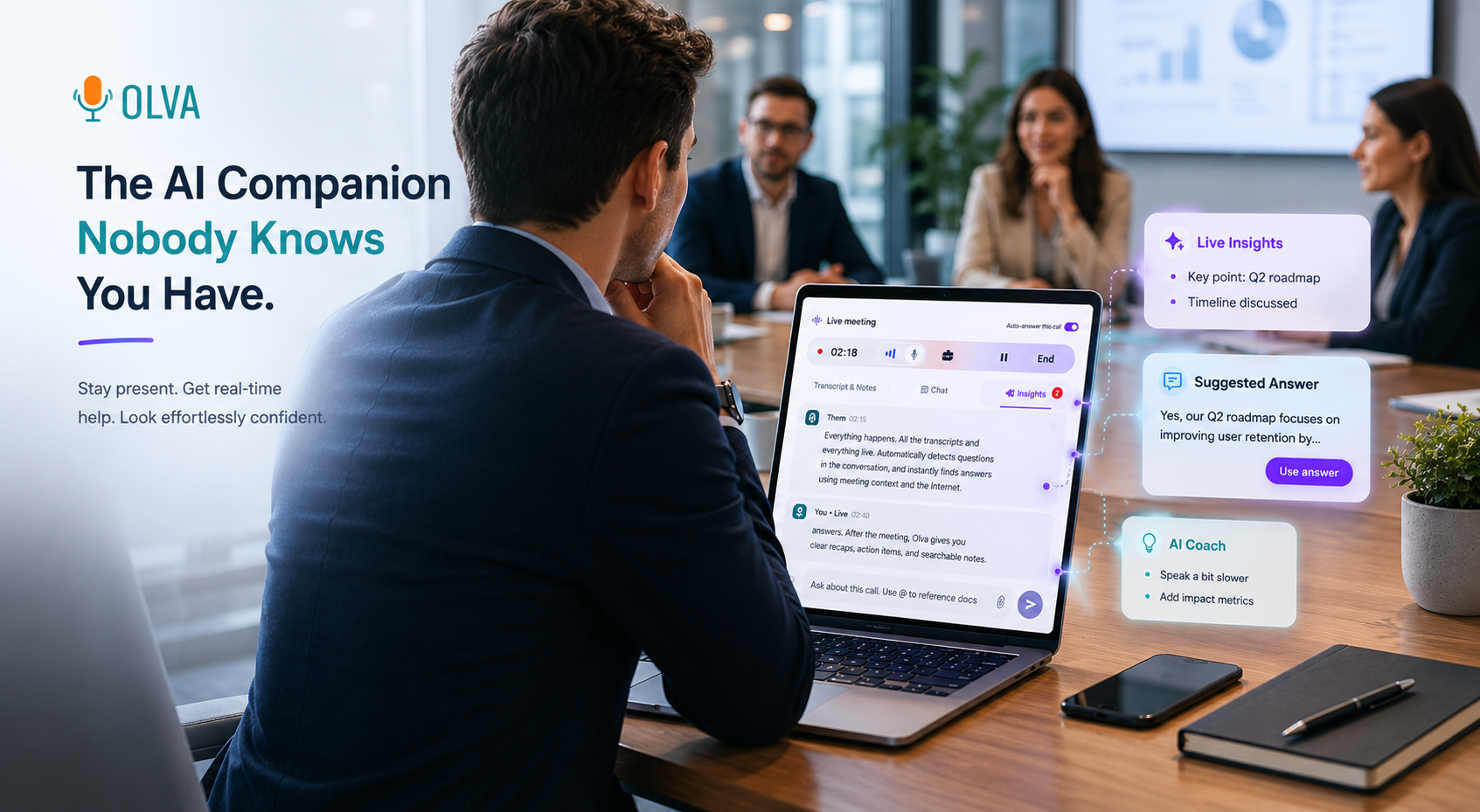
Using Meeting Intelligence and Live Q&A to Support Dyslexic and Dyspraxic Professionals During Sales Calls and Product Demos
Professionals with dyslexia or dyspraxia bring creativity, problem-solving and strong domain knowledge to sales, product and customer-facing roles. Yet real-time demands of sales calls and product demos—fast-paced questions, tight turn-taking and the pressure to recall technical details—can create friction that hides their strengths.
This article explains practical strategies teams can use to make sales calls and demos more accessible and effective, and how meeting intelligence and live Q&A tools can provide real-time support. It compares common approaches, points out where traditional tools help, and highlights capabilities that make a real difference during meetings—especially features that assist people while the conversation is happening, not only afterward.
For examples and implementation ideas, see how solutions like Olva (https://olva.ai) bring live assistance into meetings without interrupting participants.
Why dyslexia and dyspraxia matter in customer-facing roles
- Dyslexia primarily affects reading, rapid word retrieval and sometimes working memory. In a live conversation this can make on-the-spot phrasing, reading shared documents, or simultaneous note-taking more difficult.
- Dyspraxia (developmental coordination disorder) can affect motor control, planning and sequencing. That can make screen-sharing interactions, managing demo flows, or coordinating multi-window tools more challenging.
These conditions are highly individual. Many people with dyslexia or dyspraxia are high performers who simply benefit from targeted accommodations. Small tooling and workflow changes can unlock better performance during the meeting itself—reducing pauses, boosting confidence, and improving outcomes.
Common meeting tools and their limits
Many teams rely on meeting recorders and post-meeting summaries. Popular platforms—transcription tools like Otter.ai or meeting intelligence platforms like Gong and Chorus—offer strong post-meeting insights: searchable transcripts, speaker analytics, and call highlights.
What they do well:
- Capture and index conversations for later review.
- Surface themes and standard playbook metrics.
- Help with coaching after the fact.
Where limitations show up for dyslexic and dyspraxic professionals:
- Support arrives after the meeting—too late to fix an immediate misunderstanding or recover from a stumble during a demo.
- Visible bots or recordings can add anxiety or disrupt the natural flow of conversation.
- Automated summaries can miss the context that matters for an in-the-moment response (e.g., a document reference that just appeared on screen).
That gap—real-time, private, context-aware assistance during the meeting—is where meeting intelligence and live Q&A can make a measurable difference.
What meeting intelligence should do for accessibility (live, not just after)
For accessibility and performance in live sales calls and demos, meeting tools should:
- Offer real-time support (live transcription, immediate clarifications).
- Be private and unobtrusive (no visible bot participants that distract or change participant behavior).
- Detect critical conversational moments automatically (questions, objections, price discussions).
- Provide instant, context-aware suggestions and content retrieval (answers, specs, or demo scripts).
- Act as a private coach—suggest phrasing, next questions, or follow-ups without broadcasting suggestions to the room.
When these features work together, teams enable people with dyslexia or dyspraxia to focus on conversation and problem-solving instead of juggling tool control and recall.
Real-world examples and workflows
Below are practical scenarios and step-by-step examples that show how meeting intelligence and live Q&A help on the call.
Scenario 1 — Dyslexic account executive handling an unexpected technical question
Problem: A prospect asks a complex product-integration question mid-demo. The rep struggles to parse the question and find the right document.
How live meeting intelligence helps:
- Live transcription captures the question and highlights the detected "technical question" instantly.
- Automatic question detection surfaces the question to the rep privately, with suggested answers pulled from uploaded product docs.
- Instant Answers provide a short, accurate response the rep can read or paraphrase in seconds.
- If the rep prefers, Live Q&A can generate a suggested script: "Great question—here's how our integration handles X, and I can share the technical doc after the call." The rep can modify it to match personal style.
Benefit: The rep answers confidently and keeps momentum in the demo without fumbling through files.
Scenario 2 — Dyspraxic solutions engineer managing a multi-tab live demo
Problem: The engineer needs to navigate several apps during a screen share but experiences coordination delays and cursor errors.
How live meeting intelligence helps:
- Invisible Screen Share Mode allows the engineer to use an assistant privately while sharing a clean screen view with participants.
- Live Insights detect when participants ask for clarification about a feature and suggest the exact demo step to show next (e.g., "Show the Admin > Integrations page").
- AI Coaching gives concise step-by-step prompts such as "Click Settings > Integrations > Add API Key" so the engineer can follow the sequence without needing to memorize it.
Benefit: Fewer awkward pauses and smoother, more confident navigation.
Scenario 3 — Sales rep with working memory challenges recapping commitments in real time
Problem: A rep needs to confirm next steps at the end of a call but worries about forgetting agreed-upon items.
How live meeting intelligence helps:
- Live transcription and opportunity detection flag action items and commitments as they occur (e.g., "Send pricing proposal", "Technical follow-up by Monday").
- During the meeting, the rep can ask the assistant in Live Q&A: "Summarize the next steps we've agreed on so far." The assistant returns a short checklist the rep can read aloud.
- Post-meeting memory stores the agreed next steps, and the rep can access or export them to email templates immediately.
Benefit: Accurate, immediate recaps reduce follow-up friction and increase deal velocity.
Practical setup and best practices for teams
- Prepare accessible meeting materials:
- Use clear headings, short paragraphs and accessible fonts in shared PDFs.
- Upload product docs to the meeting assistant beforehand so document-aware intelligence can pull answers quickly.
- Use invisible assistants to lower anxiety:
- Choose tools that don’t join as visible bots. This respects participant comfort and avoids changing conversational dynamics.
- Train on in-call prompts:
- Create a short set of prompts your team uses during calls (e.g., "Ask assistant to summarize last 3 minutes", "Detect objections now").
- Practice a few dry runs so accessing live help feels natural.
- Role-play for handoffs:
- In multi-person demos, agree on a “assistant handler” who will watch live insights and suggest when to hand over.
- Standardize follow-up templates:
- Integrate action items detected in real-time with CRM or email templates to avoid manual transcription post-call.
Fair comparison with existing approaches
Many leading platforms provide excellent post-call analytics and transcription. They help with coaching and process improvement over time. However, for in-the-moment accessibility support they often fall short because:
- They emphasize after-the-fact insights rather than private, real-time assistance.
- Visible meeting bots or recordings can change participant behavior and increase anxiety.
Where real-time-focused tools differ (and where Olva focuses):
- Automatic Question Detection: Instead of just flagging questions for later review, a live system surfaces them privately as they happen and proposes answers.
- Instant Answers & Live Q&A: The assistant can pull from meeting context and uploaded documents and deliver an immediate response the user can paraphrase or read aloud.
- Invisible AI Assistant & Screen Share Mode: The assistant runs without joining as a participant, preserving privacy and natural conversation.
- Live Insights & Opportunity Detection: These highlight buying signals, risks and recommended follow-ups while the conversation is active—enabling immediate action.
Acknowledging strengths of others: tools that focus on recording and post-call insights remain valuable for coaching and trend analysis. The best teams use both approaches—post-meeting analytics to improve long-term playbooks and live meeting intelligence to win today’s call.
Privacy and ergonomics—why invisibility matters
Privacy and psychological safety matter when introducing assistance. For many people with dyslexia or dyspraxia, visible recording indicators or bot participants can increase stress. Accessible tools should:
- Avoid visible bot participants.
- Make transcripts and meeting memory visible only to the user unless they choose to share.
- Allow users to delete transcripts and meeting data.
When these guardrails are in place, assistants can become a private coach rather than an audience—supporting better performance without adding pressure.
Implementation checklist for managers
- Choose a meeting assistant that supports live transcription, automatic question detection, instant answers, and document-aware intelligence.
- Pre-load product specs, pricing sheets and common objection-handling documents.
- Run training sessions focused on in-call prompts and Live Q&A usage.
- Create role-play scenarios that replicate coordination challenges for dyspraxic teammates (multi-window demos, rapid question handling).
- Monitor adoption and collect feedback—measure improvements in demo smoothness, call-to-meeting conversion and rep confidence.
Conclusion: shifting from "remembering" to "performing" in meetings
Accessibility in sales and demos is not just about compliance—it's about enabling talented professionals to perform their best in real time. Traditional tools help teams remember what happened. Meeting intelligence and Live Q&A help people respond, recover and drive outcomes while the conversation is happening.
For dyslexic or dyspraxic professionals, the combination of invisible, private assistance, live transcription, automatic question detection, instant answers and document-aware intelligence reduces cognitive load and minimizes coordination friction. The result is smoother demos, clearer customer conversations and better results for the team.
To explore how these capabilities work in practice, see how Olva brings private, in-the-moment meeting intelligence to customer-facing teams at https://olva.ai. By combining real-time detection with context-aware answers and coaching, teams can make meetings more accessible and win more business without changing the human at the center of the conversation.
References and further reading
- International Dyslexia Association: Practical accommodations for the workplace.
- Dyspraxia Foundation: Tips for meetings and digital tools.
- Sales enablement case studies on live assistance and meeting intel.