
How Business Professionals Use Olva to Improve Meeting Performance and Decision-Making
Effective meetings are the backbone of modern organizations — but too often they become places where decisions are delayed, follow-ups are scattered, and opportunities are missed. Business professionals need tools that do more than record conversations. They need an assistant that helps them perform better in the moment.
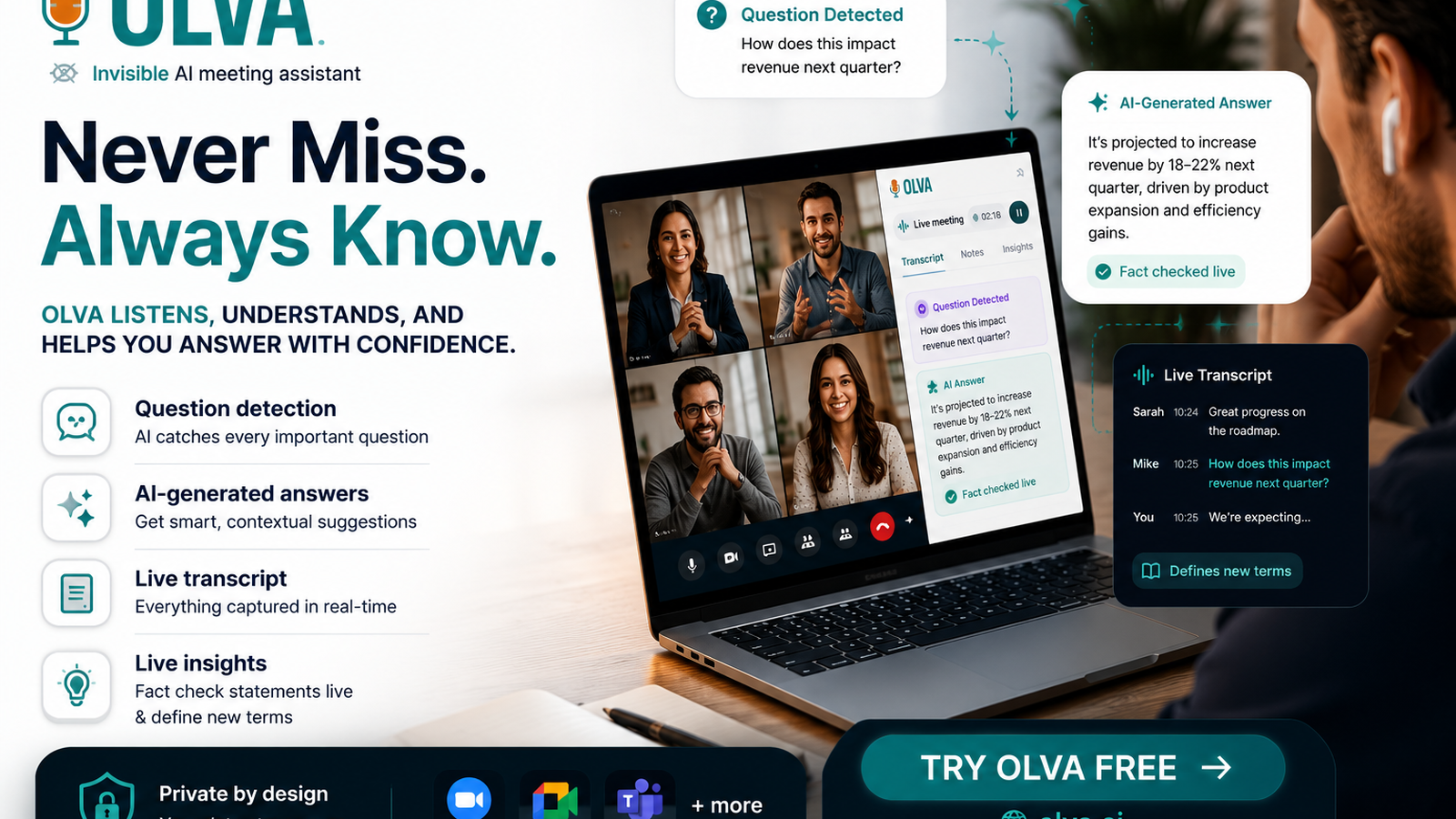
Olva is an invisible AI meeting assistant that provides real-time help during meetings, not just after them. This article explains how business professionals across sales, product, customer success, and leadership use Olva to improve meeting performance and make faster, smarter decisions. Along the way we'll compare common meeting tools fairly and show where Olva adds unique live value.
Visit https://olva.ai to learn more about Olva’s capabilities and privacy-first design.
Why “during meeting” assistance matters for business professionals
Most meeting tools focus on recording and transcribing meetings for later review. That’s helpful for documentation, but it doesn’t stop a deal from slipping away during a call or help a product manager clarify a technical constraint in real time.
Business professionals need three things to make meetings more effective:
- Real-time context and guidance (what to say next, how to handle objections).
- Accurate, on-the-spot answers grounded in relevant documents and previous interactions.
- Continuous insight into what matters most (opportunities, risks, unanswered questions).
That’s the gap Olva addresses: helping people perform better while conversations are unfolding.
What Olva does differently (short overview)
Olva blends live transcription with invisible, real-time intelligence so users can act in the moment. Key capabilities that business professionals use every day include:
- Invisible AI Assistant: Olva runs without appearing as a bot participant, preserving meeting privacy and avoiding interruptions.
- Live Transcription: Real-time transcripts capture both user and participant audio to reduce note-taking and improve focus.
- Automatic Question Detection: Olva identifies customer objections, pricing queries, technical questions, and clarification requests as they happen.
- Instant Answers: When questions are detected, Olva uses meeting context, uploaded documents, and memory to generate answer suggestions instantly.
- Live Q&A: Users can ask Olva what to say next, ask for a summary of the last few minutes, or request a clarification during a meeting.
- Live Insights: Continuous analysis surfaces fact checks, definitions, opportunity signals, and suggested follow-ups.
- AI Coaching: Private, real-time coaching gives phrasing, objection handling, and strategic prompts.
- Document-Aware Intelligence: Olva uses uploaded PDFs, contracts, and product docs to ground answers.
- Post-Meeting Memory: Full meeting recaps and searchable history are available afterwards.
All of this happens while the meeting is ongoing, helping professionals move decisions forward rather than merely documenting them.
Fair comparison: what other tools do well — and where live assistance still matters
There are many strong meeting and conversation platforms: Otter.ai and Zoom transcription capture accurate transcripts; Gong, Chorus, and SalesLoft provide deep sales coaching and pipeline analytics after calls; Microsoft Teams and Google Meet integrate meeting recording and collaborative features.
These tools excel at: reliable recording/transcription, analytics after calls, and centralized archives for post-meeting work. For many teams, those features are essential.
Where they’re less focused is providing truly private, real-time guidance inside a live conversation. That’s where Olva’s approach adds unique value:
- Instead of surfacing insights after the call, Olva offers immediate suggestions while the conversation is happening.
- Rather than joining as a visible bot, Olva remains invisible, preserving meeting dynamics and user privacy.
- Olva actively detects and highlights questions, objections, and buying signals — then helps generate responses instantly using meeting context and documents.
Acknowledging competitor strengths is important. If your priority is post-meeting analytics at scale, many platforms do this well. If your priority is performing better in live conversations, Olva is purpose-built for that moment.
Practical examples: how different professionals use Olva in real meetings
Below are concrete scenarios showing how Olva changes the meeting dynamic for various roles.
1) Sales rep negotiating pricing with a procurement manager
Problem: The customer raises an unexpected pricing objection mid-call.
How Olva helps in the moment:
- Automatic Question Detection flags the pricing objection as it occurs.
- Instant Answers generate suggested responses based on product docs and recent similar conversations stored in memory.
- AI Coaching suggests phrasing to reframe the value, proposes a concession schedule, and highlights up-sell opportunities.
Result: The rep responds confidently with a data-backed answer, secures clarity on the customer’s pain points, and keeps the negotiation moving toward a decision.
2) Product manager conducting a technical design review
Problem: Engineers and stakeholders reference documents and technical specs spread across PDFs and ticketing systems.
How Olva helps in the moment:
- Live Transcription captures the discussion so the PM can stay focused.
- Document-Aware Intelligence cross-references the uploaded technical spec and highlights relevant sections when questions arise.
- Live Insights detect ambiguous requirements and recommend clarifying questions to avoid scope creep.
Result: The team leaves the meeting with a clear set of technical decisions and follow-ups, reducing rework later.
3) Customer success manager handling a renewal call
Problem: A customer expresses subtle expansion signals but is concerned about integration complexity.
How Olva helps in the moment:
- Opportunity Detection surfaces the buying signals in real time.
- Automatic Question Detection flags integration concerns and triggers Instant Answers that reference onboarding docs.
- Suggested Follow-Ups propose next steps that balance reassurance and progression toward renewal.
Result: The CSM balances risk mitigation with expansion, turning a potentially tense conversation into an opportunity.
4) Executive leading a high-stakes stakeholder meeting
Problem: Technical jargon and conflicting claims make it hard to get to a decision during the session.
How Olva helps in the moment:
- Live Insights provide fact checks on stated numbers and definitions of jargon.
- Live Q&A lets the executive privately ask, “Summarize the last five minutes” or “What decisions are outstanding?”
Result: The executive gains clarity and drives faster, better-informed decisions.
How Olva preserves privacy and meeting dynamics
Privacy matters in real-time assistance. Olva is private by design:
- Invisible AI Assistant: Olva doesn’t show up as a bot participant in meetings, avoiding awkward notifications and preserving natural conversation flow.
- User-Visible Data Controls: Transcripts can be deleted and data is visible only to the user.
- Not a Recording Platform: Olva focuses on enabling better meeting performance, not simply acting as a permanent recording hub.
These design choices help professionals feel comfortable using AI in sensitive conversations while maintaining control over their data.
Best practices for integrating Olva into your meeting workflow
- Prepare core reference materials: Upload product sheets, proposal PDFs, and technical specs so Olva can use them for document-aware answers.
- Use live Q&A privately: Ask Olva for phrasing or a quick summary when the conversation is moving fast.
- Teach Olva gradually: Link to past meeting notes or templates to improve memory and answer accuracy over time.
- Combine with post-meeting work: Use Olva’s post-meeting memory and recaps to turn live insights into tracked action items.
These practices help teams get immediate value from Olva’s live capabilities while preserving a clean hand-off for post-meeting work.
Measurable outcomes teams see when they use live assistance
Teams that adopt live meeting intelligence often report measurable improvements, including:
- Faster time-to-decision: real-time answers reduce follow-up cycles.
- Higher conversion rates in sales: live objection handling and opportunity detection help close deals faster.
- Fewer misunderstandings: live fact-checking and definition support reduce rework.
- Better meeting efficiency: live transcription and coaching free participants to focus on conversation instead of notes.
While results depend on how teams use the tool, the consistent theme is improved performance during the meeting — when it matters most.
When to pair Olva with other tools
Olva complements many existing platforms. Consider pairing Olva with your calendaring, CRM, or collaboration stack:
- Use Olva for live assistance while continuing to rely on analytics platforms for historical pipeline insights.
- Keep using enterprise meeting platforms for scheduling and attendance, and let Olva provide invisible, private support during the meeting.
The goal is not to replace existing workflows but to enhance them with in-the-moment intelligence.
Conclusion: move from remembering to performing
Business meetings deserve more than passive recording and delayed analysis. They’re where decisions are made, relationships are built, and revenue is won or lost. By providing invisible, document-aware, real-time help, Olva redefines what an AI meeting assistant can do: it helps professionals perform better while the conversation is happening.
Whether you’re in sales handling objections, a product lead clarifying scope, or an executive driving decisions, Olva brings live transcription, automatic question detection, instant answers, AI coaching, and live insights together in a privacy-first package. That combination turns meetings from a place where you remember to a place where you succeed.
Learn how Olva can help your team perform better during meetings at https://olva.ai.