
Networking Events & Conferences: Capture Conversations with Olva Mobile, Tag Leads, and Follow Up Faster
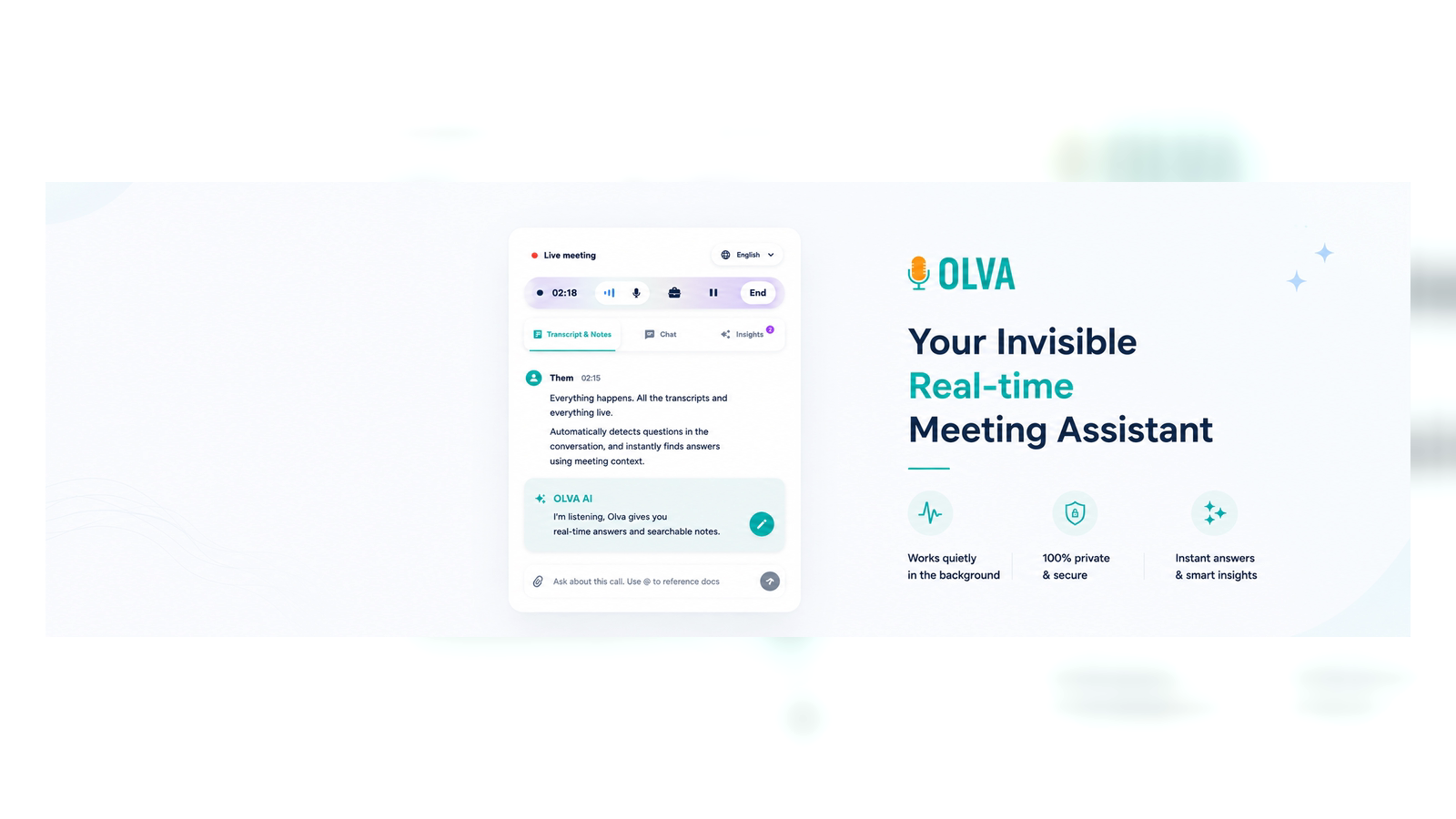
Conferences and networking events are where deals start, partnerships form, and reputations are made — but they're also chaotic. You meet dozens of people in a day, exchange business cards, and walk away with fuzzy recall of key promises, objections, and potential opportunities. For sales professionals, founders, and business development teams, that fuzzy recall is lost revenue.
This article explains how to capture conversations reliably at events using Olva Mobile, tag leads in real time, and follow up faster with better context. You'll get practical workflows, examples you can use on the show floor, fair comparisons to other tools, and concrete tips that help you convert more conversations into meetings and deals.
Visit https://olva.ai for product details and examples of live use cases.
Why capturing conversations at events matters more than ever
A few reasons capturing event conversations is high ROI:
- Memory decays fast: 72 hours after an event most specifics are gone. You remember the person but not what matters.
- Context wins follow-ups: Personalized follow-ups that reference exact questions, concerns, or commitments convert far better than generic notes.
- Speed matters: The first thoughtful email or meeting request after an event usually wins the next conversation.
Successful professionals don't just collect business cards — they collect context. That means capturing not just who said what, but which phrases signaled buying intent, objections to address, and promises to follow up on.
Common approaches and their limits
- Manual notes: Fast and private, but error-prone. You miss details while you type and lose real-time coaching.
- Voice memos: Quick, but messy to transcribe and hard to match to the right contact.
- Event apps / badge scanners: Great for lead capture and badges, but they rarely capture the substance of the conversation.
- Standard meeting recorders and transcription apps: Useful after the fact, but most are built to help you remember — not to help you perform while you're still in the conversation.
Many tools are strong at transcribing and summarizing after a meeting. They help you review and file information. That’s helpful — but at events what you need most is help while the conversation is happening: coaching, answers to tricky questions, and the ability to mark and tag a lead instantly.
How competitors compare (fair and factual)
Tools like Otter, Fireflies, Gong, and Chorus excel at transcription, searchable meeting history, and post-meeting analytics. They integrate with CRMs and automate summaries, which is valuable for team workflows and coaching.
What they do well:
- High-quality transcription and searchable transcripts.
- Integrations with CRM and collaboration tools.
- Post-meeting analysis and team coaching insights.
Where they fall short for event use:
- Many require a visible bot or recording participant in meetings, which is impractical for 1:1 conversations on a show floor.
- They're optimized for post-meeting workflows rather than live intervention or coaching.
- Real-time question detection and context-aware instant answers during live, mobile conversations are limited.
This is where a different approach matters — and where Olva Mobile is intentionally built to complement existing tools.
Olva Mobile: Capture conversations, tag leads, and follow up — in real time
Olva focuses on helping you perform better in conversations, not just remember them afterward. Below are the capabilities that matter most at events and how to use them.
Invisible AI Assistant
Olva works without joining meetings as a visible bot. That means no awkward meeting participants, no visible status indicators, and no interruption of natural conversation flow. On a noisy conference floor, that invisibility is a huge advantage: you get AI support without signaling it to the other person.
Practical benefit: You can get coaching and prompts while you speak — quietly and privately.
Live Transcription on Mobile
Olva transcribes both sides of a conversation in real time on your phone. Instead of scribbling or relying on memory, you get an accurate record as the conversation happens.
Practical benefit: Immediately capture commitments ("I'll send a pricing sheet") and question detail ("How does your integration handle SSO?").
Automatic Question Detection + Instant Answers
When Olva detects questions — for example, pricing queries or technical clarifications — it highlights them and can generate suggested replies using meeting context, uploaded documents, or previous meeting memory.
Practical benefit: If someone asks, "How long is the integration process?", Olva can surface a short, confident answer or quick talking points based on your product docs, helping you stay authoritative in the moment.
Live Q&A and AI Coaching
During a conversation you can quietly ask Olva: "What should I say next?" or "Summarize the last 90 seconds." Olva offers suggested responses, clarifying questions to ask next, and objection-handling lines.
Practical benefit: Turn an uncertain exchange into a clear next step without pausing the conversation or checking your notes.
Tag Leads & Document-Aware Intelligence
Tag leads as "hot," "follow-up: pricing," or "potential partner" directly in the mobile app while Olva records the transcript. If you've uploaded a pricing sheet or product one-pager to Olva ahead of the event, Olva will use that document to answer product questions accurately on the spot.
Practical benefit: Tagging in the moment preserves context. Document-awareness keeps your answers technically correct and consistent with what you'll send later.
Live Insights & Opportunity Detection
Olva continuously analyzes conversations and signals buying interest, expansion opportunities, and risks. It surfaces suggested follow-ups like "Ask about timeline" or "Confirm decision maker."
Practical benefit: You don't have to rely on gut feelings — Olva picks up patterns you might miss in a noisy hall.
Post-Meeting Memory and CRM-ready Follow-ups
After the conversation Olva compiles a concise recap: action items, decisions, open questions, and suggested follow-up messages. Export or sync these to your CRM, or use Olva's suggested email templates that reference the exact parts of the conversation where interest was shown.
Practical benefit: Faster, more personalized outreach — the follow-up that stands out.
A step-by-step workflow you can use on the show floor
- Before the event: Upload key documents (pricing sheet, product brief, demo URLs) to Olva and set standard tags (e.g., "hot lead", "partner", "tech follow-up").
- At the booth or after a quick chat: Open Olva Mobile and enable invisible capture. Start your conversation and tag the contact as you speak (or immediately after).
- If a question arises: Let Olva detect it and surface a suggested reply or pull the exact fact from an uploaded doc.
- During a pause: Ask Olva a private coaching prompt — for example, "three follow-up questions to qualify this lead."
- At the end of the conversation: Mark follow-up type and priority. Olva creates a short recap and suggested next email.
- After the event: Export tagged contacts and summaries to your CRM or use Olva's post-event search to find every time a topic (e.g., "integration") came up.
Example: You meet Alex from a mid-market company. He asks, "Can you integrate with our SSO and what's your typical timeline?" Olva detects two questions, pulls the timeline from your uploaded product spec, and provides a suggested 20-second reply. You answer confidently, tag Alex as "technical follow-up," and Olva drafts a follow-up email that references the exact timeline you promised.
Sample follow-up templates (customized from live capture)
Hot lead follow-up (short):
Subject: Great to meet you at [Event] — next steps
Hi [Name],
Great meeting you at [Event] — I appreciated your question about [specific topic from transcript]. As discussed, our integration typically takes [X weeks]. I’ll send a calendar invite for a 20-minute technical follow-up next week. Which day works best?
Best, [You]
Technical follow-up (attach docs):
Subject: SSO details + timeline from our chat at [Event]
Hi [Name],
Following up with the SSO details we discussed. I’ve attached the integration brief. Based on our chat, the key milestones are: [milestone 1], [milestone 2]. I can connect you with our engineer on a quick call — do you prefer Tuesday or Thursday morning?
Best, [You]
Olva helps by inserting the exact phrasing from the conversation into these templates and ensuring factual consistency using uploaded documents.
Real-world scenarios
- Sales rep at a trade show: Uses Olva to capture objections in real time, tags "pricing concern," and immediately pulls an alternative pricing structure from uploaded docs to propose. The rep closes more follow-ups because responses felt precise.
- Founder at demo day: Uses Olva to record investor questions, gets instant coaching on tighter value statements, and leaves with clear next actions linked to each investor’s interest level.
- Business development at a conference: Tags potential partners as "pilot" or "pilot later," and uses Olva to detect signals of mutual interest that merit a deeper conversation.
Privacy and practical notes
Olva is private by design: no visible bot participants, transcripts are tied to your account, and you can delete transcripts anytime. That makes Olva practical for 1:1 conversations where visibility matters.
If you’re using other transcription or CRM tools, Olva complements them — use Olva to perform better in the moment, then export transcripts to your preferred platform for team sharing and pipeline tracking.
Tips to maximize event ROI with Olva Mobile
- Upload material to Olva before the event: product sheets and pricing reduce time spent answering detail-heavy questions.
- Create tag templates for fast labeling (e.g., "hot", "nurture", "tech follow-up").
- Use coaching prompts during pauses to refine your pitch in real time.
- Follow up within 24 hours using Olva’s transcript-based templates to increase response rates.
- Review Olva's opportunity detection after each day to prioritize who to re-engage at the event.
Conclusion
Conferences and networking events are discovery engines — but the conversion from conversation to opportunity depends on speed, accuracy, and context. Traditional transcription tools help you remember; Olva helps you perform better while the conversation is happening.
With invisible capture, live transcription, automatic question detection, instant answers, document-aware responses, and live coaching, Olva Mobile turns a noisy event into a sequence of actionable, well-documented conversations. Tag leads on the spot, follow up with precision, and convert more introductory chats into real pipeline.
For more on how Olva works and to try it on your next event, see https://olva.ai.
References and further reading
- Best practices for event follow-up for sales teams
- How real-time coaching improves pitch success rates