
Capture Client Conversations & Spot Upsells Anywhere with Olva
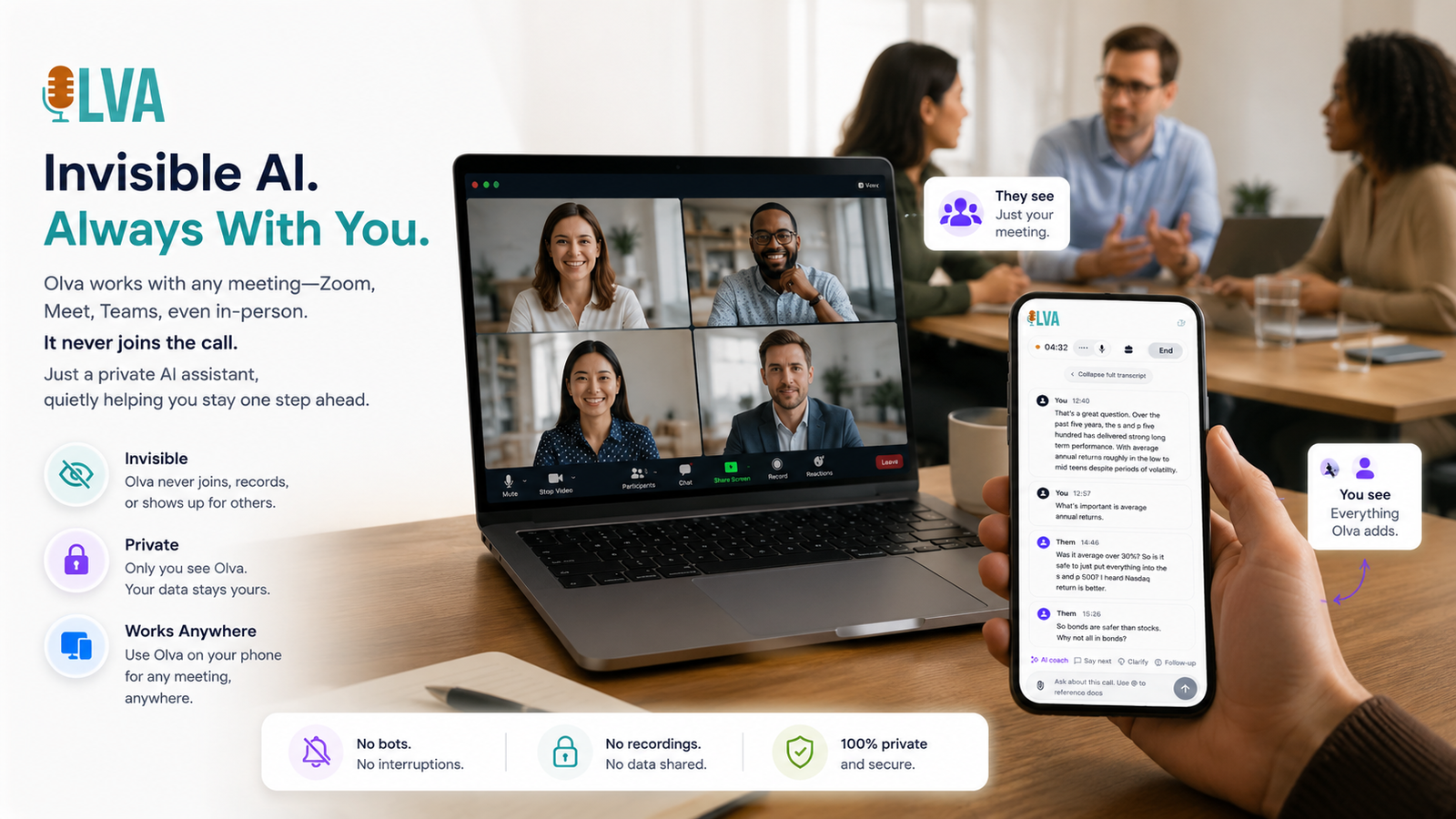
Consultants & Founders: Use Olva Anywhere to Capture Client Conversations, Spot Upsell Opportunities, and Get Instant Facts
As a consultant, founder, or independent advisor you live in conversations — discovery calls, stakeholder briefings, contract negotiations, and strategy sessions. Those interactions are where relationships are built, scope is clarified, and revenue opportunities appear. But while many meeting tools focus on recording and summarizing after the fact, the real competitive edge comes from acting during the meeting.
Olva is built for that moment. It’s an invisible AI meeting assistant that runs in the background, transcribes conversations live, detects questions and opportunities as they happen, and gives you instant, context-aware answers and coaching — all without a visible bot joining the meeting. Visit https://olva.ai to learn more about how Olva fits into a consultant’s workflow.
This article explains how consultants and founders can use Olva anywhere — whether on Zoom, in a client’s office, or during a coffee meeting — to capture client conversations, spot upsell opportunities, and pull instant facts to shape better outcomes in real time.
Why live assistance matters more than post-meeting notes
Post-meeting notes and summaries are great for recordkeeping. But many decisions, commitments, and buying signals are lost if you can’t act on them during the conversation. Consider these typical scenarios:
- A client says, "We’re worried about integrating with our legacy system." You need to respond with a credible plan — now.
- A stakeholder slips in a line about budget expansion in three months.
- A prospect asks about compliance details from an uploaded spec sheet you haven’t memorized.
In each case, the difference between closing an opportunity or missing it often depends on what you say next. Tools like Gong, Chorus, Otter.ai, and Fireflies excel at transcribing and analyzing calls after the fact. They provide valuable coaching and analytics. But they typically operate as visible meeting participants (bots) or rely on post-meeting workflows.
Olva is different by design: it helps you while the meeting is happening. It keeps you focused, offers private coaching, and surfaces the facts you need to act immediately.
Core capabilities that matter to consultants and founders
Here’s how Olva helps during client conversations — not just after them.
- Invisible AI Assistant: Olva runs without joining as a visible participant, avoiding notifications and awkward bot presence. That privacy-first design makes it ideal for confidential client conversations.
- Live Transcription: Real-time transcripts of both your audio and participants’ audio mean you don’t miss details and can refer back instantly during the call.
- Automatic Question Detection: Olva flags customer objections, pricing questions, technical clarifications, and executive concerns as they happen so you can prioritize responses.
- Instant Answers: When a question appears, Olva generates answers using meeting context, uploaded documents, prior meeting memory, or optional web search.
- Live Q&A & AI Coaching: Ask Olva in-session: “What should I say next?” or “Summarize the last five minutes.” Receive suggested responses, objection-handling scripts, and follow-up questions.
- Live Insights & Opportunity Detection: Olva identifies buying signals, expansion opportunities, risks, and suggested next steps — surfacing what matters, not just what was said.
- Document-Aware Intelligence: Upload proposals, contracts, or product specs. Olva uses those files to answer questions with precision.
- Post-Meeting Memory: After the call, Olva creates recaps, action items, decisions, and a searchable meeting history you can query anytime.
A fair look at competitors
Competitors bring strengths worth acknowledging:
- Gong and Chorus: Deep conversation analytics for revenue teams, excellent for pattern detection, coaching, and pipeline analysis.
- Otter.ai and Fireflies: Reliable transcription and meeting summaries that integrate with many platforms and workflows.
These tools are valuable for teams that prioritize comprehensive recording and post-call analytics. However, they generally center on capturing and analyzing meetings after they finish, and many require a visible bot or meeting participant. For consultants and founders who need private, in-the-moment support and document-aware answers while a conversation is unfolding, Olva fills a different need.
Practical examples: Olva in action
Below are real-world scenarios that show how Olva helps consultants and founders during meetings.
Example 1 — Discovery call: Spotting an upsell
Scenario: During a discovery call a product manager mentions they plan to pilot your tool across two departments and later expand company-wide.
What Olva does live:
- Detects the buying-signal language ("pilot", "expand", "company-wide").
- Alerts you discreetly with an "Expansion opportunity" insight and suggested follow-up: "Which metrics will define pilot success and what’s the decision timeframe?"
- Recommends an upsell approach: propose a phased package with training and a dedicated success workshop.
Why it helps: Instead of waiting until after the call to notice expansion potential, you surface it immediately and steer the conversation toward next steps and budget alignment.
Example 2 — Technical questions during a proposal review
Scenario: A CTO asks how your integration handles OAuth refresh tokens while you share a proposal PDF.
What Olva does live:
- Uses Document-Aware Intelligence to pull the specific clause from the uploaded spec PDF.
- Generates an instant, context-aware explanation referencing the exact section and recommends a short technical detail you can say.
- If the gap requires follow-up, Olva suggests a concise, trust-building follow-up email and notes to add as an action item.
Why it helps: You answer precisely without fumbling, building credibility and reducing objections.
Example 3 — Negotiation: Fact checking and risk mitigation
Scenario: A procurement lead claims a competing vendor provides a key feature you don’t offer.
What Olva does live:
- Fact-checks claims against uploaded competitive analysis or publicly available resources (optional internet search).
- Surfaces a quick counterpoint or a differentiator script: "Our approach focuses on X, which avoids Y risk. Here’s a concise example…"
- Flags potential risk for your team to address in the contract.
Why it helps: You avoid being pushed into an unfavorable concession and keep the negotiation grounded in verifiable facts.
Example 4 — Client check-in: Personal coaching for clarity
Scenario: You’re leading a client check-in and the conversation goes off-topic.
What Olva does live:
- Offers a private prompt: "Refocus question to uncover impact: ‘How will this change affect your team’s week-to-week workflows?’"
- Suggests follow-ups and a summary to get the conversation back on track.
Why it helps: You maintain control of the meeting without interrupting the natural flow.
How to use Olva in common consultant workflows
Quick steps to integrate Olva into your meetings:
- Prepare: Upload relevant documents (contracts, proposals, spec sheets) before the call.
- Start the meeting: Let Olva run invisibly in the background — no bot to introduce.
- Watch for live alerts: Pay attention to opportunity detection and question flags.
- Use Live Q&A: Ask Olva for suggested responses, quick summaries, or relevant facts.
- Capture outcomes: After the call, review Olva’s post-meeting memory for action items and follow-ups.
Checklist for client-facing meetings:
- Upload document(s) you may reference.
- Activate Invisible Screen Share Mode if you need to share materials privately.
- Keep Olva’s suggested follow-ups to turn signals into next steps.
- Use suggested phrasing to handle objections and close confidently.
Privacy and client trust
Consultants and founders often discuss sensitive company data. Olva’s approach helps maintain trust:
- No visible bot participants — no awkward notifications or extra meeting attendees.
- Private by design: transcripts and notes are visible only to the user unless you share them.
- You can delete transcripts anytime.
This privacy-first approach makes Olva suitable for confidential client conversations where adding a visible bot would be inappropriate.
Measuring ROI: Where Olva drives value
Olva's benefits translate directly into measurable outcomes for consultants and founders:
- Higher conversion rates: Catching and acting on buying signals during the call shortens sales cycles.
- Reduced follow-up friction: Document-aware answers and accurate action items mean fewer clarification emails.
- Stronger client relationships: Fast, accurate responses and private coaching build credibility.
- Time savings: Live transcription and in-meeting notes reduce hours spent writing summaries after calls.
- Fewer missed opportunities: Opportunity detection ensures signals don’t slip through the cracks.
When to use Olva vs. post-meeting analytics tools
Use Olva when you need to act during a meeting: answer questions, handle objections, and spot upsells. Use post-meeting analytics tools when you want large-scale conversation analysis across an organization for pipeline insights and training. Both approaches are complementary — Olva helps you win and manage the meeting live; other tools can add value in enterprise analytics.
Practical tips for getting started
- Bring at least one document per client meeting: proposals, SLAs, or a one-page product brief. Olva will use it to answer queries precisely.
- Train your team on private prompts: decide when to surface Olva insights publicly vs. using them as private coaching.
- Standardize follow-up items: use Olva’s post-meeting memory to populate task lists and CRM notes.
- Practice live coaching: try short role-play sessions using Live Q&A to build confidence with suggested responses.
Conclusion
For consultants, founders, and independent advisors the most valuable tool is the ability to act at the moment of opportunity. Olva is designed to be that invisible collaborator — capturing client conversations, surfacing upsell signals, and delivering instant, document-aware facts and coaching while the meeting is happening.
Unlike tools that focus on recording and analysis after the call, Olva helps you perform better in the meeting itself: respond faster to objections, clarify technical questions with exact references, and turn casual signals into committed next steps.
To see how Olva can fit into your client workflow and protect sensitive conversations, visit https://olva.ai and explore features like Invisible AI Assistance, Live Transcription, Automatic Question Detection, Instant Answers, Live Insights, and Document-Aware Intelligence.
Acting in the moment is where deals are won and relationships are strengthened — Olva helps you do both.