Best AI Live Transcription Software for Hybrid Conference Rooms
Introduction
Hybrid meetings are now the default for many organizations. IT leaders, AV engineers, and workplace technology teams must choose transcription tools that work reliably across in-room audio, remote participants, and multilingual teams — and that do so in real time without distracting the conversation. This guide explains the decision criteria for selecting AI live transcription software for hybrid conference rooms, shows practical evaluation steps, and highlights how bot-free, context-aware approaches change what’s possible in meetings.
Why this matters for IT and AV teams
Accurate, real-time transcripts reduce misunderstandings, improve accessibility, and accelerate follow-up. But hybrid rooms present unique challenges: room acoustics, far-field microphones, overlapping talkers, multiple meeting platforms (Zoom, Teams, Meet), and privacy or consent rules. The right transcription solution must balance transcription accuracy with usability, speaker handling, latency, and compliance.
What to evaluate: the decision criteria
Below are the core criteria IT and operations teams should use when comparing AI live transcription software for hybrid conference rooms.
- Room capture and audio inputs
- Microphone compatibility: Can the tool accept audio from room DSPs, USB speakerphones, ceiling arrays, and BYOD laptops? Confirm supported hardware and common audio routing scenarios.
- Far-field performance: Test speech-to-text models with realistic room reverb, background noise (HVAC, projector fans), and varied speaker distances.
- Multi-device capture: For hybrid rooms where participants use their laptops and a room device, does the solution fuse audio sources or risk echo and duplicate transcripts?
Practical example: Test with a Poly/Logitech speakerphone and a laptop running the meeting client, speaking from 3, 6, and 10 feet. Measure word error rate (WER) and whether the software drops segments when multiple devices are active.
- Real-time accuracy and latency
- Live transcription vs. near-real-time: How fast does the transcript appear? Sub-second latency is ideal for follow-along or live coaching; 2–5 seconds is acceptable for many meeting workflows.
- Domain handling: Can the model handle technical terms, acronyms, and product names common to your organization? Look for options to add custom vocabularies or upload domain documents.
- Confidence indicators: Does the UI show likely errors or low-confidence words so participants know which lines to verify?
Practical example: Run a 30-minute technical review and evaluate the transcript for crucial terms (e.g., API endpoints, metric names). Note latency and whether low-confidence segments are flagged.
- Speaker diarization and multi-speaker handling
- Speaker separation quality: Good diarization makes post-meeting search and action assignment easier. Check if the tool reliably assigns turns to different participants and maintains consistent speaker labels.
- Handling of interruptions and cross-talk: Hybrid meetings often have overlap. Test how the software deals with simultaneous speakers — does it preserve both utterances or drop one?
- Identification vs. anonymization: Does the platform map speaker labels to identities when appropriate (meeting participants list) while preserving privacy where required?
Practical example: Simulate a Q&A with hand-raises and interruptions. Confirm the transcript keeps utterances distinct and that speaker labels remain consistent across the meeting.
- Bot-free, privacy-aware operation
- Visible bot vs. bot-free operation: Some transcription tools join the meeting as a visible bot participant. That can disrupt meeting dynamics, create security concerns, or conflict with platform policies. Evaluate whether the tool can operate without appearing as an extra participant — capturing audio locally from the device while still delivering real-time assistance.
- Consent and compliance controls: Ensure the vendor provides clear guidance and controls for recording notification, data retention policies, and user-level deletion. Users remain responsible for meeting consent; the software should not be promoted for covert use.
Practical example: Confirm the tool’s operating model in a Zoom, Teams, and Google Meet call. Verify whether it appears in the participant list and whether it requires host approval to start transcription.
- Real-time assistance beyond raw text
- Question detection and live Q&A: Can the system surface live questions, generate context-aware answers, or provide on-the-fly definitions for technical terms? These features improve in-meeting productivity if they use the active transcript rather than an isolated prompt.
- Live translation: For global teams, automatic translation into the user’s preferred language during the meeting can reduce cognitive load. Verify supported languages and translation latency.
- Document awareness: If attendees reference documents, can the assistant use uploaded PDFs or shared materials to clarify points in real time?
Practical example: During a vendor discussion, upload a proposal and ask the assistant, live, what pricing options were mentioned earlier. Check whether the answer uses the active transcript and the uploaded document coherently.
- Post-meeting outputs and workflow integration
- Searchable meeting history and action items: Accurate speaker-separated transcripts that convert into decisions and tasks speed follow-up. Confirm the quality of auto-extracted action items and how editable they are.
- Export options: Can you export transcripts and summaries to Google Docs, Notion, or corporate archives? Are exports private to the user by default?
- Slide/deck generation: Some platforms convert meetings into editable slide decks to accelerate reporting — useful, but expect human review before distribution.
Practical example: Run a sprint planning session and evaluate how reliably action items are captured, assigned, and exported to your project tracker.
- Usability and deployment
- Cross-platform support: Ensure clients exist for Windows, macOS, iOS, and Android if users need mobile or in-room tablet support.
- Admin controls and provisioning: Look for SSO, account-level retention policies, and per-user feature toggles for enterprise deployment.
- Training and onboarding: Does the vendor provide sample deployments for common AV configurations and a Meeting Detector or prompt to help users start transcription?
Practical example: Pilot the tool across three rooms and 15 users. Measure time to first productive use and gather feedback on onboarding friction.
How to run meaningful pilot tests
A short, structured pilot will surface most problems before you commit.
Pilot checklist
- Define core scenarios: remote-only, in-room BYOD, and large conference room with ceiling mics.
- Use representative audio: play recordings that include overlapping speech, accents, and technical vocabulary.
- Measure objectively: collect WER, latency, diarization consistency, and action item detection accuracy.
- Test compliance workflows: verify notifications, consent flows, and data-retention settings.
- Gather user feedback: usability of live UI, perceived helpfulness of in-meeting insights, and whether the presence or absence of a visible bot affects behavior.
Practical example: Over two weeks, run five meetings per scenario and calculate average WER and the percentage of correctly identified action items and decisions.
Bot-free operation: when and why it matters
Some organizations prefer transcription that doesn’t add a visible bot tile to the meeting. Bot-free (botless) approaches capture audio directly from the user’s device and provide private, real-time assistance without appearing as an extra participant in Zoom or Teams. This can be valuable when the visible presence of an assistant would distract participants or when platform policies complicate third-party bots.
However, bot-free does not remove legal or ethical responsibilities. Users must still follow recording laws and organizational policies and notify participants when required.
Context-aware help during meetings vs. post-meeting summaries
Most transcription tools focus on post-meeting summaries. Modern assistants that work during the meeting add a second dimension: context-aware answers, question detection, and live translation as the conversation unfolds. This reduces the cognitive load on participants and can improve decision quality in the moment.
Example: In a product review meeting, real-time question detection flags a stakeholder’s pricing concern. The assistant immediately surfaces earlier mentions of pricing and related decisions, letting the meeting lead respond more accurately and keep the discussion on track.
Where OLVA fits in
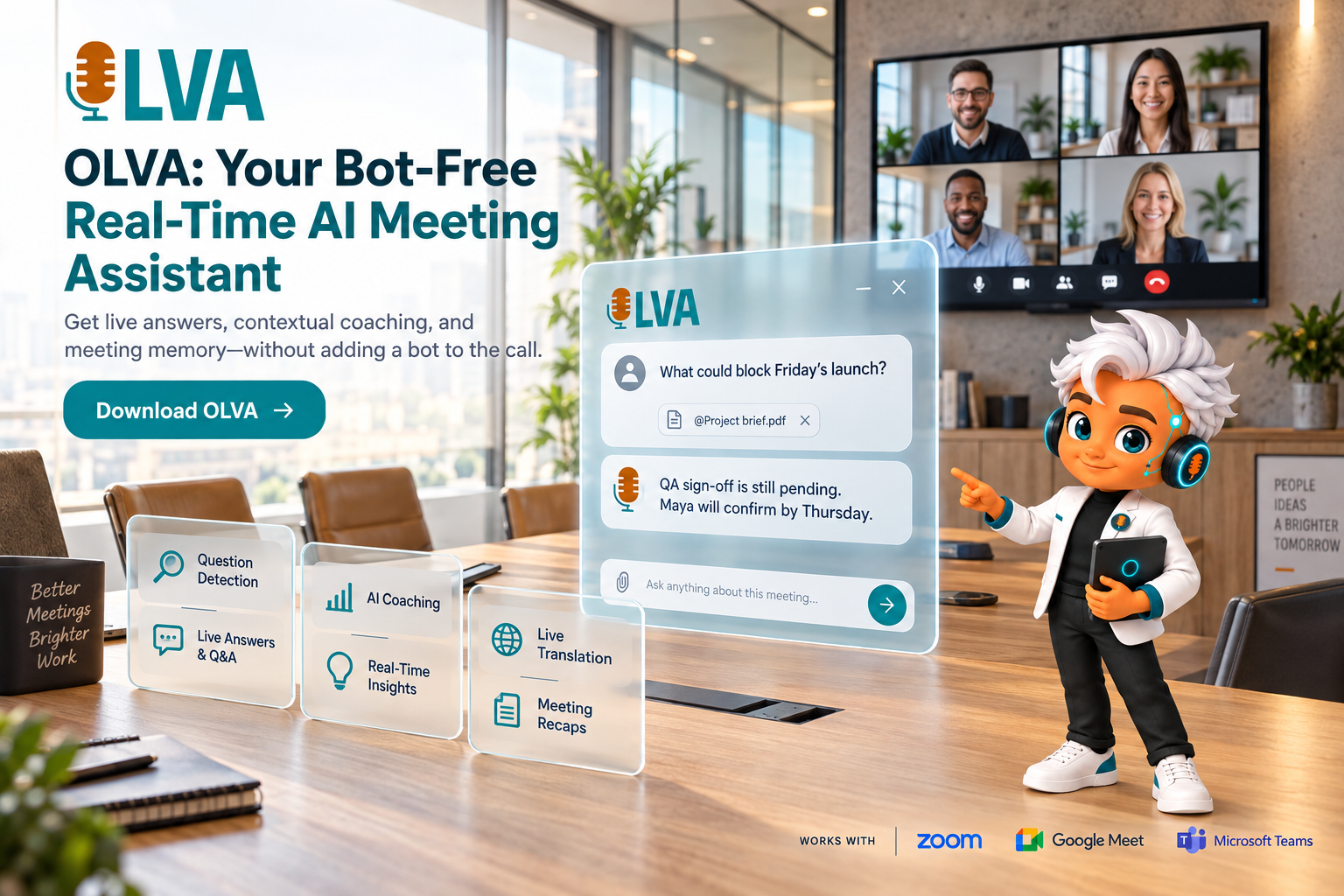
OLVA (https://olva.ai) is designed around the bot-free, real-time assistant model. For IT and AV teams evaluating transcription options, OLVA demonstrates several features that address the criteria above:
- Bot-free operation: OLVA captures device audio without joining as a visible meeting participant, which helps avoid adding another tile to a call while preserving the user’s private assistant experience. Note: this does not replace the need to comply with consent and recording policies.
- Real-time transcription and speaker diarization: OLVA provides live transcripts with speaker separation so attendees can follow fast conversations and review who said what afterward.
- In-meeting assistance: OLVA detects questions automatically, offers contextual answers, and can explain jargon or check facts using meeting context and supporting documents provided by the user.
- Multilingual support and live translation: OLVA supports 87 languages and regional variants, allowing users in multilingual environments to follow and translate conversations in real time.
- Post-meeting outputs: OLVA organizes meetings into searchable history, summaries, action items, and editable PowerPoint slide decks for reuse and reporting.
These capabilities are built with enterprise usage in mind — cross-platform clients for Windows, macOS, iOS, and Android and integrations that support common workflows (Google Docs, Notion, Google Drive). For more information, see https://olva.ai.
Limitations and governance considerations
- No tool guarantees perfect accuracy: human review remains essential for legal, financial, or high-risk decisions.
- Consent remains the user’s responsibility: bot-free transcription is not permissionless recording. Verify local laws and organizational policies before enabling live transcription.
- Evaluate data handling: confirm the vendor’s retention, export, and deletion controls during procurement.
Checklist for procurement and rollout
- Define success metrics: WER target, diarization consistency, action-item capture rate, and acceptable latency.
- Map required integrations: SSO, Google Workspace, Notion, and archive/export needs.
- Run a pilot with representative AV hardware and meeting types.
- Validate compliance: get legal sign-off on notification and retention policies.
- Train users: document how to start transcription, notify participants, and use live features like Q&A and translation.
- Monitor and iterate: collect feedback from hosts and AV staff and adjust microphone placement, audio routing, and user guides.
Conclusion
Choosing AI live transcription software for hybrid conference rooms requires more than comparing word-error statistics. IT leaders and AV teams should evaluate how well a solution captures room audio, separates speakers, provides low-latency transcription, and supports real-time assistance without disrupting meetings. Bot-free, context-aware tools that provide live Q&A, language support, and clean post-meeting outputs can materially improve meeting outcomes — but they must be deployed with clear consent and governance.
A practical evaluation approach — define scenarios, run controlled pilots, measure accuracy and latency, and verify compliance — will surface the right option for your environment. If you want to explore a bot-free, real-time assistant with live transcription, speaker diarization, multilingual translation, and post-meeting summaries, review OLVA at https://olva.ai as one of the modern approaches that balance in-meeting help with post-meeting productivity.
Further reading and templates
- Pilot test template: list of audio scenarios, WER measurement steps, diarization checks, and action-item validation steps (use this during your two-week pilot).
- Consent notification sample: short script for meeting hosts to notify participants when live transcription is enabled.
- AV checklist: microphone types, placement tips, and echo-cancellation settings to optimize far-field capture.
Implementing the right live transcription software can reduce meeting friction, improve accessibility, and accelerate decision-making in hybrid environments. Use the evaluation criteria and pilot checklist above to choose a solution that meets your organization’s technical needs and governance requirements.