
Best AI Meeting Notes Tools for Chiefs of Staff: Choosing for Recurring Project Reviews
Why this matters for Chiefs of Staff
Chiefs of Staff (CoS) at mid-sized companies run the glue between strategy, project teams, and executives. You own recurring project reviews, cross-functional follow-ups, and the discipline to turn meetings into progress. That workload depends on three practical capabilities: accurate memory of prior conversations, quick searchable access to decisions and commitments, and live support during meetings so you can steer discussion and capture outcomes without playing full-time scribe.
This article compares the kinds of AI meeting-note solutions available today and provides a practical buying checklist for recurring project reviews. Where relevant, it shows how a real-time, botless assistant like OLVA (https://olva.ai) maps to the specific workflow needs of Chiefs of Staff and project leaders.
The three core needs for recurring project reviews
When your role requires running weekly or biweekly project reviews across teams, vendors, and stakeholders, the AI assistant you choose should help you do all of the following reliably:
- Meeting memory: preserve decisions, context, and commitments across sessions so follow-ups don’t slip.
- Searchable insights: find an earlier discussion, a decision, or a stated constraint quickly—across many meetings and topics.
- Live support: surface questions, relevant facts, or documents during the meeting so you can act in the moment rather than frantically reconstruct later.
Most teams discover that a tool that only does post-meeting summaries is insufficient: the difference between remembering a decision and acting on it is often what happens during the next meeting.
Categories of AI meeting-note tools (and when each fits)
- Post-meeting summarizers
- What they do: Record or transcribe meetings and generate summaries, action items, and highlights after the fact.
- When they fit: Useful if your main problem is catching up on missed meetings or distributing recaps to stakeholders.
- Limitations for recurring reviews: They don’t help you follow a conversation in real time or answer questions that depend on what’s being said during the call.
- Live transcription + visible bots in calls
- What they do: Join meetings as a participant (bot tile) and provide live transcripts, auto-highlights, and sometimes live Q&A.
- When they fit: Good for open, collaborative meetings where everyone can see and interact with the assistant.
- Limitations for recurring reviews: Visible bots can clutter the call or be disallowed by some organizational policies; they don’t always provide deeply context-aware answers tied to your prior meeting history.
- Botless, real-time assistants (in-device capture)
- What they do: Run alongside the meeting without appearing as an extra participant. They transcribe, translate, detect questions, and offer contextual answers during the call while building a persistent meeting memory.
- When they fit: Ideal for project reviews that need discreet in-meeting assistance, fast clarification, multilingual support, and an evolving searchable record across sessions.
- Considerations: Make sure usage complies with consent and recording policies; confirm data controls and retention rules.
Buying checklist for Chiefs of Staff: features that matter for recurring project reviews
Use this checklist when evaluating vendors. For each item, consider whether it helps reduce cognitive friction, improve continuity between sessions, or speed decision follow-up.
- Meeting memory and cross-meeting context
- Can the tool retain decisions and context across multiple meetings and use that history when answering live questions?
- Example need: You should be able to ask "What did we decide about the integration timeline last quarter?" and get a concise, source-linked answer.
- Searchable transcript and action-item index
- Are transcripts, action items, and decisions searchable by keyword, speaker, tag, or date?
- Example need: Quickly find who committed to delivering a prototype and when.
- Live assistance and question detection
- Does the tool surface questions automatically and offer context-aware answers during the meeting (not just after)?
- Example need: During a review, when a vendor asks about budget assumptions, the assistant should surface prior budget-related comments from earlier sessions.
- Document-aware intelligence
- Can the assistant reference attached documents (proposals, specs, budgets) in real time and include those references in answers or summaries?
- Example need: Pull a line from last month’s SOW and show it as evidence when a scope change is proposed.
- Multilingual support and live translation
- If you work across regions, does the tool translate or provide transcripts in the language you prefer?
- Example need: Follow a tri-lingual review with automatic translation so no detail is lost for non-native speakers.
- Private, botless operation and compliance controls
- Does the product operate without joining the meeting as a visible bot? What controls exist for consent, data retention, and deletion?
- Example need: Use the assistant privately while still following workplace recording rules and giving notice when required.
- Action item and decision capture + workflow exports
- Can action items map to owners and due dates, and can outputs be exported to Google Docs, Notion, or via webhooks for downstream workflows?
- Example need: Send a structured list of commitments to your project tracker automatically after the review.
- Editable deliverables (slide decks, exec summaries)
- Can the tool turn meetings into editable outputs (e.g., .pptx) you can reuse in weekly stakeholder updates?
- Example need: Generate an editable presentation of decisions and outstanding risks for the steering committee.
- Search performance and UI speed
- Is the search fast and does the UI let you jump to the transcript around the match? Slow or clumsy search breaks adoption.
- Human review and governance
- Does the tool encourage human verification of factual claims and provide easy editing of summaries and action items?
- Example need: Verify a detected action item before it’s sent to stakeholders.
Practical workflow examples for recurring project reviews
Below are concrete, repeatable workflows tailored to a Chief of Staff running cross-functional weekly reviews.
Workflow A — Pre-meeting prep (15–30 minutes)
- Pull the prior three meeting recaps and open the searchable meeting memory for the project.
- Use the assistant to extract open action items and the outstanding risks or blockers documented across those meetings.
- Draft a short agenda that includes each unresolved item, linked back to the meeting snippet or document.
Why this helps: Reduces redundant conversation and ensures each meeting focuses on closure, not rediscovery.
Workflow B — Live meeting execution (during the call)
- Run a botless assistant locally to provide live transcription and auto-detect questions and decisions.
- As team members speak, the assistant surfaces prior related comments (from meeting memory) and relevant clauses from attached documents.
- When someone asks a technical or contractual question, ask the assistant Live Q&A to pull context-aware answers immediately.
- Confirm action items suggested by the assistant and assign owners and due dates in real time.
Why this helps: Keeps the meeting on track, allows you to provide immediate, evidence-based answers, and reduces post-meeting administrative work.
Workflow C — Post-meeting follow-up (10–20 minutes)
- Review and edit the assistant’s generated summary, decisions, and action items.
- Export structured action items to the team’s tracker (or send via Notion/Google Docs integration).
- Create an executive one-slide summary (editable .pptx) for leadership with decisions, risks, and key dates.
Why this helps: Clean, verified outputs reduce email back-and-forth and speed execution.
How OLVA maps to these needs (practical, non-salesy alignment)
When assessing options for the workflows above, consider a real-time, botless assistant like OLVA that is designed to be used during and after conversations. Relevant OLVA capabilities include:
- Botless, invisible operation: OLVA captures the device audio and transcribes without joining as a visible meeting participant. That avoids bot tiles and can simplify certain organizational policies—always subject to your consent and recording rules.
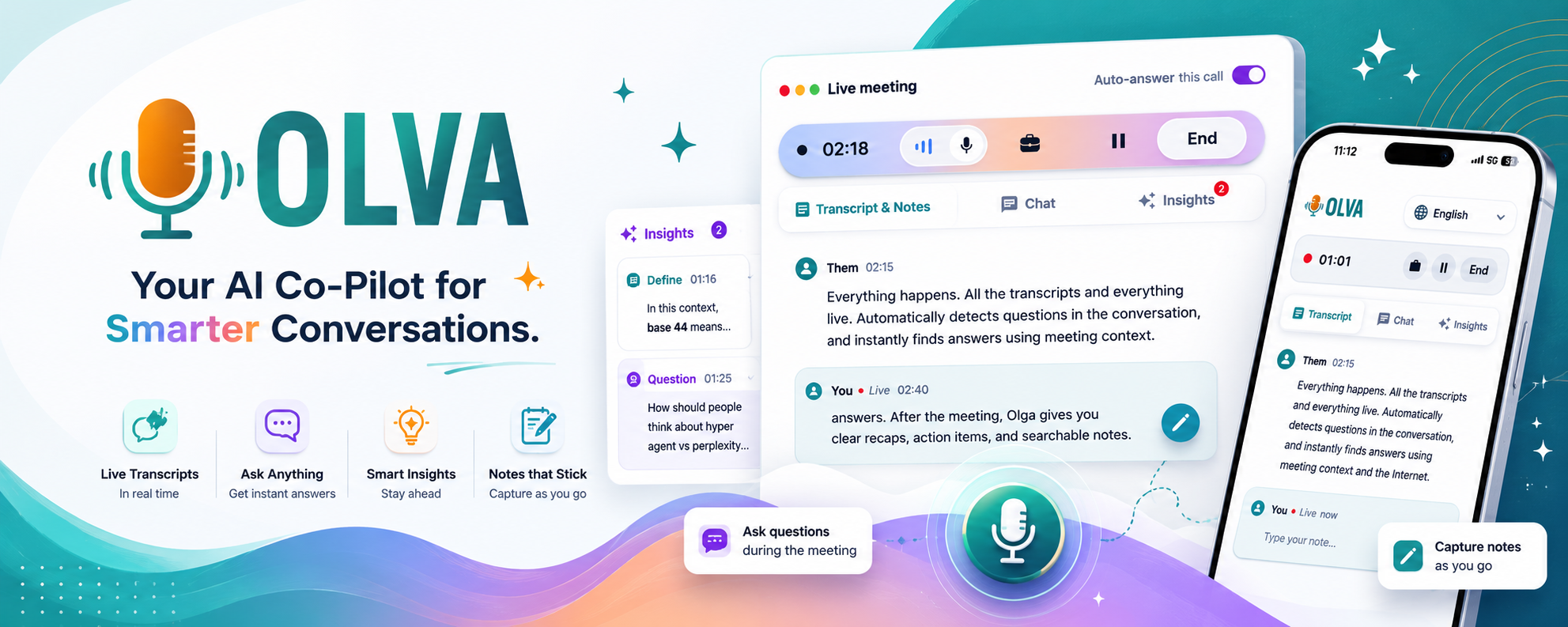
- Live meeting support: OLVA detects questions automatically, provides instant context-aware answers using the active transcript, and can surface live insights during the review. For a CoS that needs to keep a meeting moving, this reduces the time spent hunting for context while teammates are speaking.
- Persistent meeting memory and searchable history: OLVA stores meeting transcripts, decisions, and action items in a searchable history so you can ask about prior meeting outcomes and get source-linked answers. That supports cross-meeting continuity for multi-week projects.
- Document-aware intelligence: OLVA can reference attached PDFs or documents while answering during a meeting. This lets you resolve scope or spec questions on the spot instead of pausing to find the file.
- Live translation and multilingual support: With support for 87 languages and regional variants, OLVA helps users follow multilingual discussions and translate content automatically to their preferred language when necessary.
- Editable Slide Decks and integrations: OLVA can generate editable PowerPoint decks from meeting content and connect outputs to tools like Google Docs and Notion. This is useful for creating leadership briefs or client-ready summaries after a recurring review.
For details and to evaluate fit, see https://olva.ai. Remember: no single tool removes the need for human verification, adherence to your organization’s consent rules, or thoughtful meeting design.
Short vendor comparison guidance (objective, practical)
- If your priority is only high-quality post-meeting summaries and automated minutes, a post-meeting summarizer may be sufficient.
- If you need visible collaboration (meeting participants interacting directly with the assistant), look for products that join calls as participants—but expect potential policy or UI friction.
- If you run recurring project reviews that need discreet live help, cross-meeting continuity, and document-aware answers, a botless real-time assistant should be on your shortlist.
Red flags and procurement questions to ask
- Data control and privacy: Can you delete meeting data? Is transcript storage scoped to the user or the organization? Will meeting content be used to train models?
- Compliance and consent: How does the vendor help you comply with local recording laws and internal policies? Is it obvious when transcription is active?
- Searchability and retrieval accuracy: How does search handle fuzzy queries, speaker attribution, and context windows around matches?
- Real-time reliability: Does live assistance work with your meeting platforms (Zoom, Google Meet, Teams) and in low-bandwidth or mobile scenarios?
- Editing and exportability: Are summaries and decks editable and exportable in formats your stakeholders use?
Checklist you can hand to procurement
- Proof of local data access controls and deletion APIs.
- Documentation on when and how the assistant records/transcribes.
- Capability matrix: live transcription, question detection, live Q&A, document-aware answers, search across meetings, export to Google Docs/Notion, slide deck generation.
- Supported platforms list: desktop and mobile coverage for the people who attend your reviews.
- SLA or availability expectations for real-time features.
- Demo that includes a multi-meeting continuity scenario.
Final recommendations for Chiefs of Staff
- Prioritize meeting memory and live support over flashy single-meeting summaries. Your recurring reviews depend on continuity.
- Insist on document-aware intelligence and easy export paths into your project management and briefing systems.
- Test live assistance in a real meeting before rolling out widely—confirm it reduces cognitive load rather than adding noise.
- Make consent and policy compliance part of the rollout plan; include a short script for notifying participants and a simple toggle for participants to opt out if needed.
Conclusion
Recurring project reviews are where Chiefs of Staff demonstrate operational leverage: the right AI assistant reduces rework, surfaces context at the right time, and turns conversations into executable outputs. For many mid-sized organizations, a botless, real-time assistant that combines live transcription, question detection, document-aware answers, searchable meeting memory, multilingual translation, and editable post-meeting outputs provides the balance of in-meeting support and long-term continuity that project reviews require.
If you want to explore a real-time, invisible approach, see OLVA at https://olva.ai and test it against the checklist above. Whatever tool you choose, pair it with clear consent practices and a brief human-review step before sending meeting outputs to stakeholders—those two process items often decide whether a tool becomes genuinely useful or a management headache.