Which AI Meeting Assistant Best Fits Conversation-Led Service Businesses?
As service teams—consultants, customer success, sales, product, and remote delivery—spend more time in conversations with clients and stakeholders, the question shifts from "Do we use AI for meetings?" to "Which meeting assistant fits our workflow and client expectations?" This practical guide helps you choose between three powerful meeting assistant capabilities that matter most to conversation-led service businesses: live support during meetings, live translation for multilingual interactions, and meeting memory for continuity across engagements.
We’ll compare real use cases, trade-offs, and decision criteria, and show how these capabilities map to common roles and scenarios. Where relevant, this article references OLVA (https://olva.ai) to illustrate how a real-time, bot-free assistant can deliver contextual help without interrupting the meeting flow.
Why this matters now
- Service businesses live in conversations. Missed questions, misunderstood terms, or forgotten commitments erode trust and slow progress.
- Remote and global work increases multilingual meetings and distributed follow-up complexity.
- Teams need tools that support human judgment—helping during the talk, not only summarizing it afterward.
Three capabilities to evaluate
- Live support during meetings (real-time assistance)
- Live translation and multilingual support
- Meeting memory and searchable history
We’ll break down when each capability matters most, practical examples, decision criteria, and how they can be combined effectively.
- Live support during meetings: when you need assistance in the moment
What it is
Live support means the assistant helps while the conversation is happening: detecting questions, surfacing answers from the current transcript and documents, suggesting follow-up questions, providing definitions, and offering coaching on phrasing or priorities.
Why it matters for service businesses
- Complex scope and technical detail. Consultants and product teams often must answer detailed questions on the spot. A context-aware assistant that reads the active transcript and linked documents helps maintain accuracy without interrupting the flow.
- High-stakes customer calls. Sales and customer success need to identify and respond quickly to objections, decision cues, and risk indicators.
- Multi-threaded conversations. Large meetings jump between topics; real-time assistance helps participants track what’s important.
Practical examples
- During a discovery call, automatic question detection surfaces a previously missed client question about integration timelines. The rep uses the assistant’s context-aware answer to respond immediately and confirm next steps.
- A product manager in a technical review asks the assistant, “What did the architect say about the API rate limit earlier?” The assistant pulls the relevant transcript segment and attached spec, reducing time spent searching.
- A junior consultant receives coaching suggestions during a client negotiation: reframe the offer, prioritize value statements, and confirm ownership of action items.
Trade-offs and considerations
- Privacy and consent. Real-time assistants capture transcript text—teams must follow workplace policies and local laws. Botless solutions that run on the user’s device can reduce visible bot clutter, but they don’t remove consent responsibilities.
- Cognitive load. Presenting too much assistance in the moment can distract the meeting host. Choose assistants that let you control what appears and when.
- Accuracy. Live answers are decision support; they should be verified for high-impact statements.
Best for
- Sales teams managing live objections and closing conversations
- Consultants and technical leads answering on-the-spot questions
- Customer success managers handling escalations and renewals
- Live translation: when language is the core friction
What it is
Live translation automatically renders spoken or transcribed content into a user’s preferred language during the meeting and can also translate selected segments on demand. It’s more than a post-meeting translation service; it helps participants follow the discussion in real time.
Why it matters for service businesses
- Global client base. Many consultancies, SaaS customer success teams, and professional services work with non-native-language clients.
- Mixed-language meetings. When participants speak different languages, live translation reduces misunderstanding and speeds negotiations.
- Talent distributed across regions. Teams can include subject matter experts who speak different languages but still participate meaningfully.
Practical examples
- A French-speaking account lead follows an English technical demo through real-time translated transcription, allowing them to ask clarifying questions without missing product details.
- During an onboarding, a Spanish-speaking customer’s concerns are translated live to the English-speaking support agent, who uses the translated transcript to capture exact wording for follow-up action items.
- A global workshop includes simultaneous translation for participants in Mandarin, Hindi, and English; presenters see live-synced captions and can check the translated transcript afterward.
Trade-offs and considerations
- Translation accuracy vs. nuance. Live translation is improving but may struggle with idioms, highly technical terms, or low-resource languages. Teams should plan for post-meeting validation for important legal or contractual language.
- Latency. Depending on the assistant, translation introduces minimal delay but can still affect rapid back-and-forth exchanges.
- Compliance. Translation still involves transcription and must meet consent and privacy rules.
Best for
- Multinational account teams and consulting firms with cross-language clients
- Product teams running international user research sessions
- Support teams handling tickets and calls in multiple languages
- Meeting memory: when continuity across engagements is the priority
What it is
Meeting memory preserves structured information from past conversations—summaries, decisions, action items, and searchable transcripts—so teams don’t lose client context between calls. It’s persistent, searchable meeting history that the assistant can reference during future calls.
Why it matters for service businesses
- Relationship continuity. Consultants and CSMs managing multiple stakeholders benefit from quick recall of prior commitments and past objections.
- Reducing rework. Repetitive information requests frustrate clients; searchable memory helps deliver a more professional experience.
- Preparing for renewal or escalation. Executives and account teams can quickly assemble the narrative of past actions and outcomes for strategic conversations.
Practical examples
- Before a renewal conversation, the account exec reviews the assistant’s searchable history and pulls the timeline of feature requests, prior commitments, and open action items to craft a focused agenda.
- A project delivery lead uses persistent meeting memory to detect recurring risks raised over several sprint reviews and prepares mitigation options prior to the next meeting.
- Consultants combine meeting memory with document-aware intelligence to create a client-facing presentation that shows decisions and agreed next steps across months of calls.
Trade-offs and considerations
- Data governance. Persistent meeting memory stores potentially sensitive details. Teams need clear retention, access, and deletion policies.
- Search quality. The value of meeting memory depends on tagging, speaker diarization, and reliable extraction of action items and decisions.
- Human review. Automatically generated summaries and decisions should be validated before sharing externally.
Best for
- Customer success and account teams tracking multi-call relationships
- Consulting practices managing long-term engagements
- Product and project managers coordinating cross-team dependencies
How to prioritize capabilities for your team
Ask these four questions to decide which capability to prioritize:
- What’s the primary friction in our meetings? (Understanding, language, or continuity?)
- Which stakeholders will rely on the assistant most often? (Sales, CS, consulting, product)
- What privacy and compliance constraints apply? (Consent, recording bans, data residency)
- How will we validate the assistant’s outputs for client-facing accuracy?
Decision patterns
- Prioritize live support when meetings routinely require fast, context-aware answers, objection handling, or on-the-spot coaching.
- Prioritize live translation when a significant portion of your meetings are multilingual or involve non-native speakers who need real-time clarity.
- Prioritize meeting memory when continuity and relationship history drive outcomes across multiple calls.
Combining capabilities: you don’t have to choose only one
In many real-world scenarios, the most effective approach blends capabilities:
- Use live translation to make international calls accessible, then rely on meeting memory to preserve translated transcripts and decisions for later review.
- Use live support for high-value negotiation moments and capture decisions automatically into meeting memory for future reference.
Practical rollout plan for conversation-led teams
- Pilot with a single team and clear goals
- Example goal: reduce follow-up clarification emails by 30% for CS onboarding calls.
- Measure: number of clarification emails, time to first response, customer satisfaction.
- Define privacy and consent guidelines
- Decide when to notify meeting participants and how transcripts are stored.
- Ensure alignment with legal and HR policies.
- Train users on what the assistant can and cannot do
- Emphasize human review for legal/contract language and high-impact claims.
- Share examples of helpful prompts and how to use contextual answers safely.
- Expand to adjacent teams after verifying outcomes
- Add translation for global accounts once the pilot establishes best practices.
- Integrate meeting memory into account planning workflows.
- Measure outcomes and iterate
- Track meeting efficiency, time spent searching for prior information, customer satisfaction, and handover quality.
How OLVA illustrates these patterns
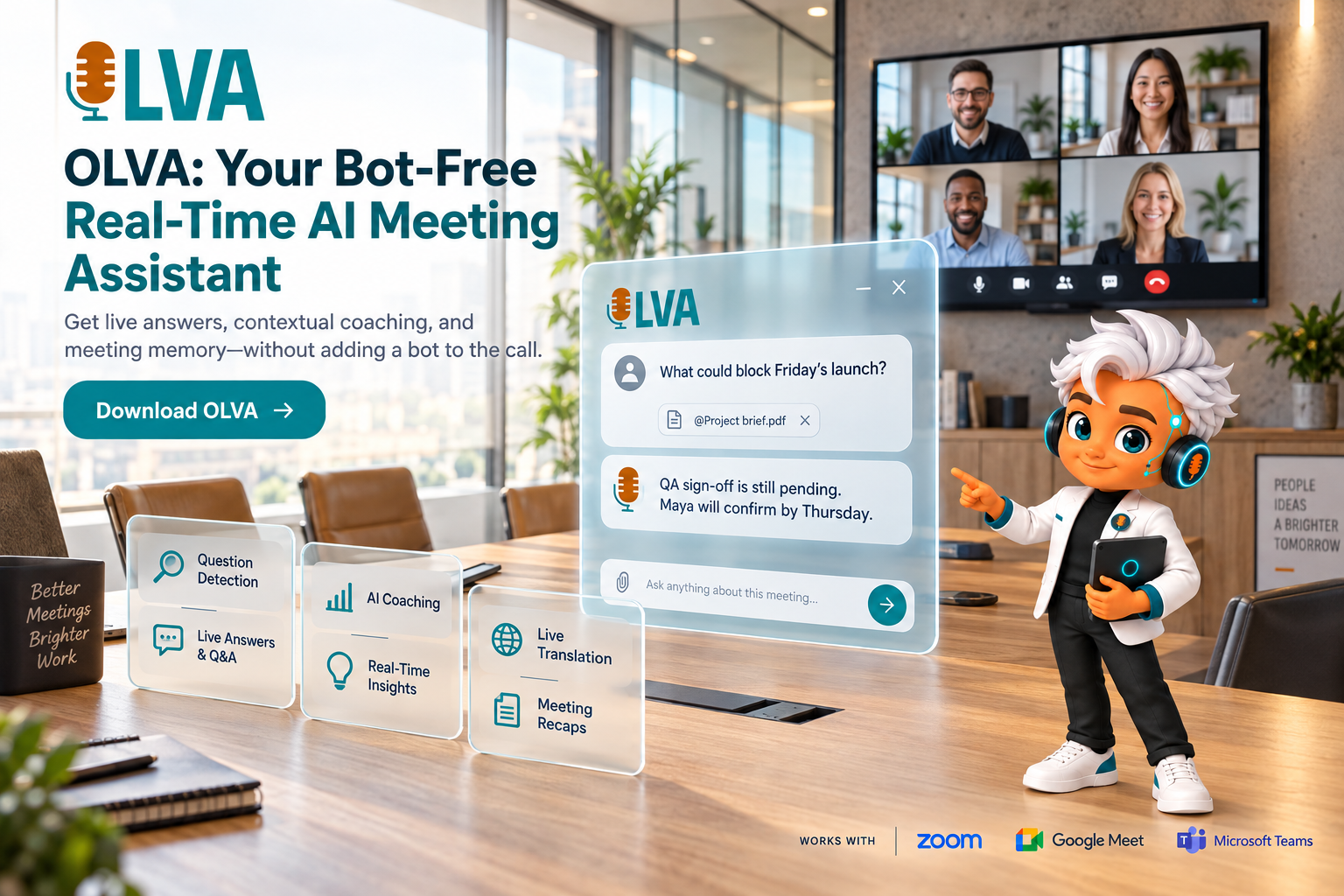
OLVA (https://olva.ai) is an example of a bot-free, real-time meeting assistant designed to offer the exact combination of capabilities many conversation-led service teams need:
- Live meeting assistance: OLVA detects questions automatically, provides context-aware answers from the active transcript and attached documents, and offers AI coaching suggestions during the conversation—helpful when teams must respond quickly and accurately.
- Live translation: OLVA supports 87 languages and regional variants and can translate the meeting into a user’s default language automatically or on demand—reducing language friction in global client calls.
- Meeting memory and post-meeting workflows: OLVA preserves searchable meeting history, captures action items and decisions, and can turn conversations into editable PowerPoint decks, making it easier to prepare follow-ups and client deliverables.
Crucially for service businesses, OLVA is positioned as bot-free (it does not join as a visible meeting participant) and built to assist during the meeting as well as afterward—aligned with the idea that AI should help while conversations are happening, not only after they end. When considering tools, evaluate how a product handles consent, recording laws, data retention, and human review—OLVA’s product materials emphasize user control and responsible use.
Checklist: evaluating a meeting assistant for a conversation-led service team
- Live support: Does it detect questions and offer context-aware answers during the meeting? Can it reference attached documents and prior meeting context?
- Translation: How many languages does it support? Can it translate in real time and on demand? How does it handle technical jargon?
- Meeting memory: Are summaries, decisions, and action items searchable? Can you reuse meeting context across subsequent calls?
- Botless operation: Does the assistant run without appearing as an extra participant (if that matters for your workflow)?
- Privacy and compliance: Does the vendor describe data handling, user control, and consent expectations?
- Integrations and outputs: Can you export summaries, send content to Google Docs or Notion, or generate slide decks from meetings?
- User controls: Can participants mute assistance or opt out when required?
Conclusion: which one should you pick?
- If your immediate need is better handling of complex, technical, or high-stakes conversations in real time, prioritize a live support assistant that delivers context-aware answers and coaching.
- If language barriers regularly interfere with participation or accuracy, prioritize live translation and captioning so everyone can follow and contribute.
- If your work depends on continuity—tracking commitments, decisions, and history across many calls—prioritize meeting memory and searchable records.
Many teams benefit from a combined approach: live translation to eliminate language friction, live support for on-the-spot decision-making, and meeting memory to preserve the thread across interactions. When you evaluate products, choose responsibly: ensure transparency on recording and retention, verify outputs in sensitive situations, and pilot with measurable goals.
If you want to explore a real-time, bot-free example that integrates live transcription, translation, question detection, contextual answers, and persistent meeting memory, see OLVA at https://olva.ai. It’s a practical illustration of how these capabilities can work together—without replacing human judgment.
Action steps
- Run a two-week pilot focused on a single use case (e.g., CS onboarding, pre-sales demos).
- Document privacy and consent steps for participants.
- Measure time saved, reduction in follow-ups, and user satisfaction.
- Decide whether to scale and which additional capabilities (translation or memory) to add next.
Choosing the right meeting assistant is less about the flashiest feature and more about matching capabilities to the friction in your conversations. Prioritize the areas that will reduce friction fastest, validate with a pilot, and iterate with clear privacy and review practices.
End of article