
Elevate Live Audio (Clubhouse, X Spaces): Keep Conversations Flowing with Real-Time Question Detection and Instant Answers
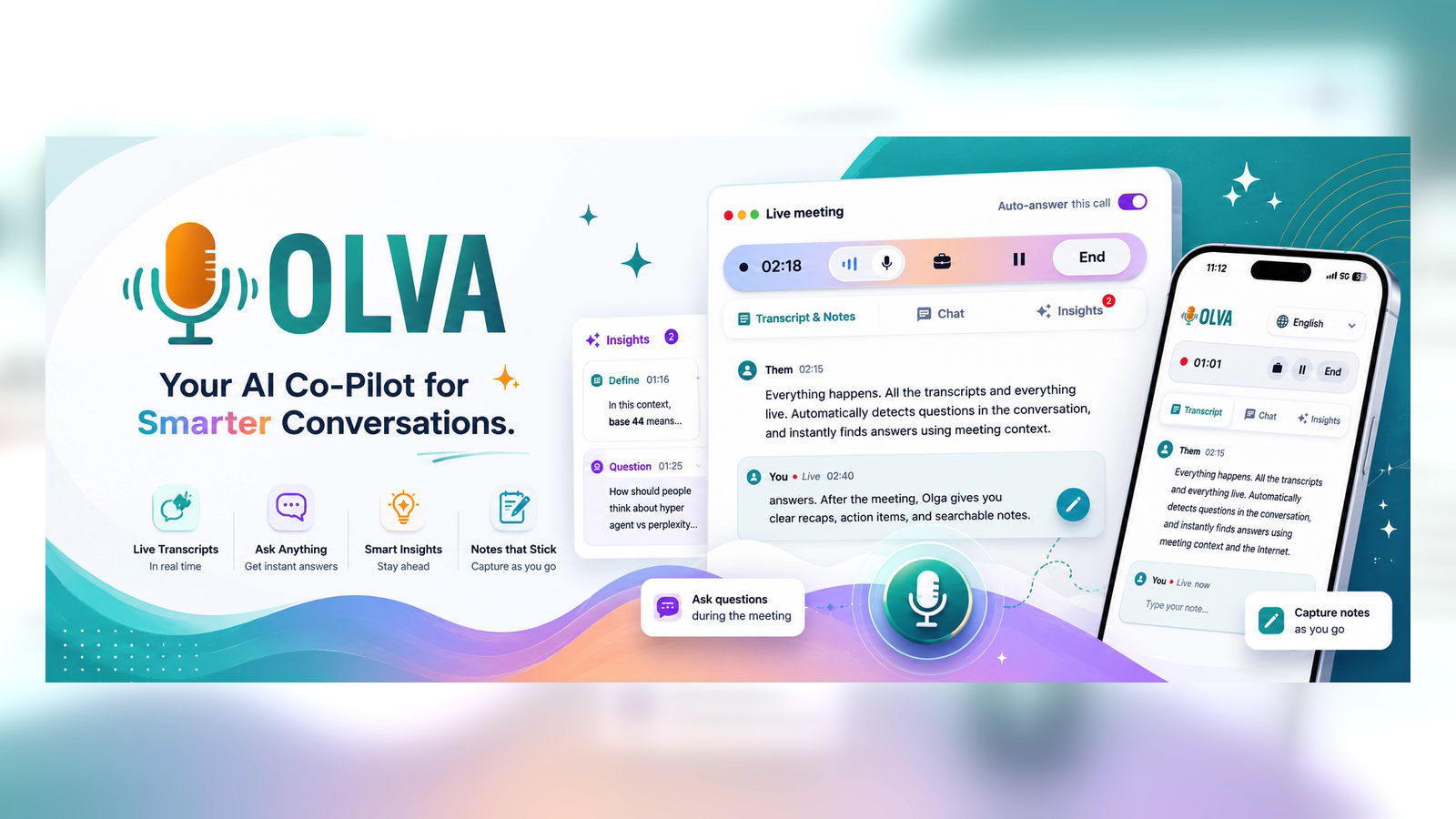
Live audio shows—on Clubhouse, X Spaces, and similar platforms—rely on momentum. When conversations stall, audience engagement drops, and a good panel can lose its spark fast. For hosts, moderators, creators, and event organizers, the ability to keep dialogue moving and answer audience questions in real time is the difference between an average session and a standout experience.
This article explains how modern live audio producers can use real-time question detection and instant answers to sustain conversation flow, increase engagement, and run more confident, higher-quality shows. It also compares common tools and explains where a live, invisible assistant like Olva adds unique value during the conversation—not only after it ends.
Why live audio needs real-time intelligence
- Live shows are ephemeral. A question asked now needs an answer now.
- Moderators juggle topic transitions, audience management, and guest signals while listening closely for meaningful contributions.
- Slow or inaccurate responses weaken trust; long pauses encourage listeners to leave.
Real-time intelligence tackles these problems by detecting questions and intent as they happen and providing hosts the context or suggested responses instantly—without interrupting the flow.
What today’s tools do well (and their limits)
There are many helpful tools for live audio producers:
- Automated transcription tools like Otter.ai and Rev provide accurate captions and searchable transcripts after or during a session.
- Streaming/studio apps (e.g., StreamYard, Riverside) give production control for multi-guest shows.
- Moderation and audience management features built into platforms help queue speakers and remove disruptions.
These tools excel at recording, captioning, and production. But most focus on post-show output or require visible bots and manual intervention. They rarely offer proactive, conversational help to the host while the audio is live—such as surfacing which audience questions are highest priority, suggesting phrasing for difficult questions, or quietly verifying a factual claim mid-discussion.
Where real-time question detection and instant answers matter
Imagine three common live audio situations:
- The reluctant guest: A product manager equivocates when asked about pricing. The audience senses uncertainty. Detecting the pricing question automatically and privately suggesting concise, confident wording or clarifying follow-ups stops the moment from derailing.
- The technical claim: A guest makes a specific claim—"Our uptime is 99.99%"—and a listener asks for clarification. Real-time fact checking or pulling the relevant paragraph from an uploaded SLA helps the host respond accurately immediately.
- The burning audience question: A listener asks a nuanced question about onboarding best practices. The host gets an instant, context-aware answer based on the conversation so far and relevant documents, enabling a quick, helpful reply that keeps engagement high.
How it works in practice: features that matter to live hosts
- Automatic Question Detection: The assistant continuously scans live audio for question patterns, clarifying requests, objections, and topic-shift cues. When a question is detected, it’s surfaced to the host discreetly.
- Instant Answers: Answers are generated using the current conversation context, uploaded resources (show notes, whitepapers, product sheets), and optional knowledge sources. That means hosts don’t have to pause or search while listeners wait.
- Invisible Assistance: To avoid disrupting the guest experience or spooking privacy-conscious communities, the assistant operates invisibly—no bot participants, no public notifications—so support is private and unobtrusive.
- Live Transcription: Real-time captions support accessibility and let hosts scan recent dialogue quickly. Transcripts are searchable during and after the show for follow-up.
- Live Q&A and AI Coaching: Hosts can query the assistant privately with questions like: “How should I rephrase that?” “What follow-up question would research recommend?” or “Summarize the last two minutes.” The assistant acts as a private coach and strategic advisor during the session.
- Fact Checking & Opportunity Detection: The assistant flags potential factual inconsistencies and highlights audience buying signals or high-interest topics—useful for sponsors, monetization, or future episodes.
- Document-Aware Intelligence: Upload a sponsor deck, product spec, or speaker bio before the show. The assistant uses those documents to craft precise answers instead of relying only on general knowledge.
- Post-Show Memory: While the focus is on live help, storing searchable highlights and action items after the session helps with follow-ups, content repurposing, and sponsor reporting.
Practical examples and workflows for hosts and moderators
Example 1 — Community AMA (Ask Me Anything)
- Before the show: Upload the host’s FAQ and a short product sheet.
- During the show: The assistant detects incoming questions and ranks them by relevance and uniqueness. It privately suggests an answer for each question using the uploaded FAQ. The host can copy a short answer into chat or rephrase aloud.
- After the show: Export top-asked questions and answers as a community FAQ.
Result: Faster, more consistent answers, a calmer host, and a valuable post-show resource.
Example 2 — Panel with a debated statistic
- During the panel, a guest cites a controversial statistic.
- The assistant flags the claim and pulls the cited source or a counterpoint from uploaded research or public knowledge.
- The host privately receives a suggested way to push for clarification: "Can you share the study that supports that number? Where was this measured?"
Result: The conversation stays evidence-driven and listeners get clearer context without a defensive interruption.
Example 3 — Monetized livestream with sponsors
- Prior to the show, upload the sponsor deck and campaign goals.
- The assistant listens for audience interest signals—questions about pricing, trials, or integrations—and notifies the host when an upsell opportunity appears.
- The host weaves a sponsor-relevant callout seamlessly when a natural moment arises.
Result: Higher conversion potential with authentic, well-timed sponsor mentions.
Design considerations for live platforms and privacy
Audiences and communities value trust. Any real-time assistant should respect privacy and minimize visible interference:
- Invisible by default: No additional bot participants. The assistant should not appear in the participant list or produce public join/leave notifications.
- Private data control: Hosts control what documents are uploaded and can remove transcripts or memory items anytime.
- On/off toggles: Host-side controls let moderators enable or disable live assistance depending on event needs.
These considerations both protect the community and make assistance more usable for hosts who want support without changing the listener experience.
Where Olva fits in
Tools like Otter.ai and Rev excel at transcription and post-event search. Streaming platforms provide production features and audience controls. Those capabilities are valuable—and Olva recognizes them as complementary.
What distinguishes Olva is the focus on performing better during the conversation. Olva combines invisible operation, automatic question detection, instant answers, live Q&A, and document-aware intelligence to help hosts act in the moment. Key advantages:
- Real-time question detection that surfaces the right listener queries without interrupting the show.
- Instant, context-aware answers that draw on the live discussion and any uploaded documents.
- A private coaching interface so hosts can refine phrasing or get suggested follow-ups mid-conversation.
- Live insights that identify buying signals, topic interest, and potential risks as the audio unfolds.
Put simply: most tools help teams remember meetings and conversations later. Olva helps hosts succeed while the conversation is happening. Learn more at https://olva.ai.
Best practices for adopting real-time assistance in live audio
- Prepare concise source documents. Upload short sponsor briefs, FAQ PDFs, and speaker bios. The assistant uses these to craft accurate answers faster.
- Set clear boundaries. Decide which types of assistance you want (fact checking, suggested phrasing, opportunity alerts) and set privacy preferences.
- Train your moderation workflow. Assign one moderator to monitor private assistant suggestions and another to manage Q&A flow so the host can focus on delivery.
- Use succinct cues. If the assistant suggests a long answer, rephrase it into a 10–20 second response for live delivery.
- Treat the assistant as a co-pilot, not an autopilot. Human judgment is essential for tone, audience sensitivity, and editorial control.
Measuring impact: what to track
- Engagement retention: Are listeners staying longer during sessions with live assistance?
- Response speed: Average time from question asked to answered.
- Accuracy and consistency: Number of post-show corrections or fact disputes.
- Conversion or follow-up rates: Sponsor signups, newsletter joins, or event registrations following assisted moments.
Conclusion
Keeping conversations flowing in live audio requires more than good moderation tools. It needs unobtrusive, context-aware intelligence that hears questions as they happen, surfaces the right information, and helps hosts respond confidently—without interrupting the listener experience.
Real-time question detection and instant answers transform reactive hosting into proactive facilitation. Whether you’re running a community AMA, a sponsored panel, or an intimate creator session, live intelligence preserves momentum, improves accuracy, and creates moments that keep audiences tuned in.
For hosts and moderators who want to elevate their shows without adding visible bots or friction, solutions that combine invisible assistance, live transcription, document-aware answers, and AI coaching are the next step. Explore how these capabilities can fit into your workflow at https://olva.ai and design shows where conversations never have to wait for an answer.