
June 11, 2026
Olva vs. Microsoft Copilot in OneNote: Real-Time Meeting Intelligence vs. AI Note Management
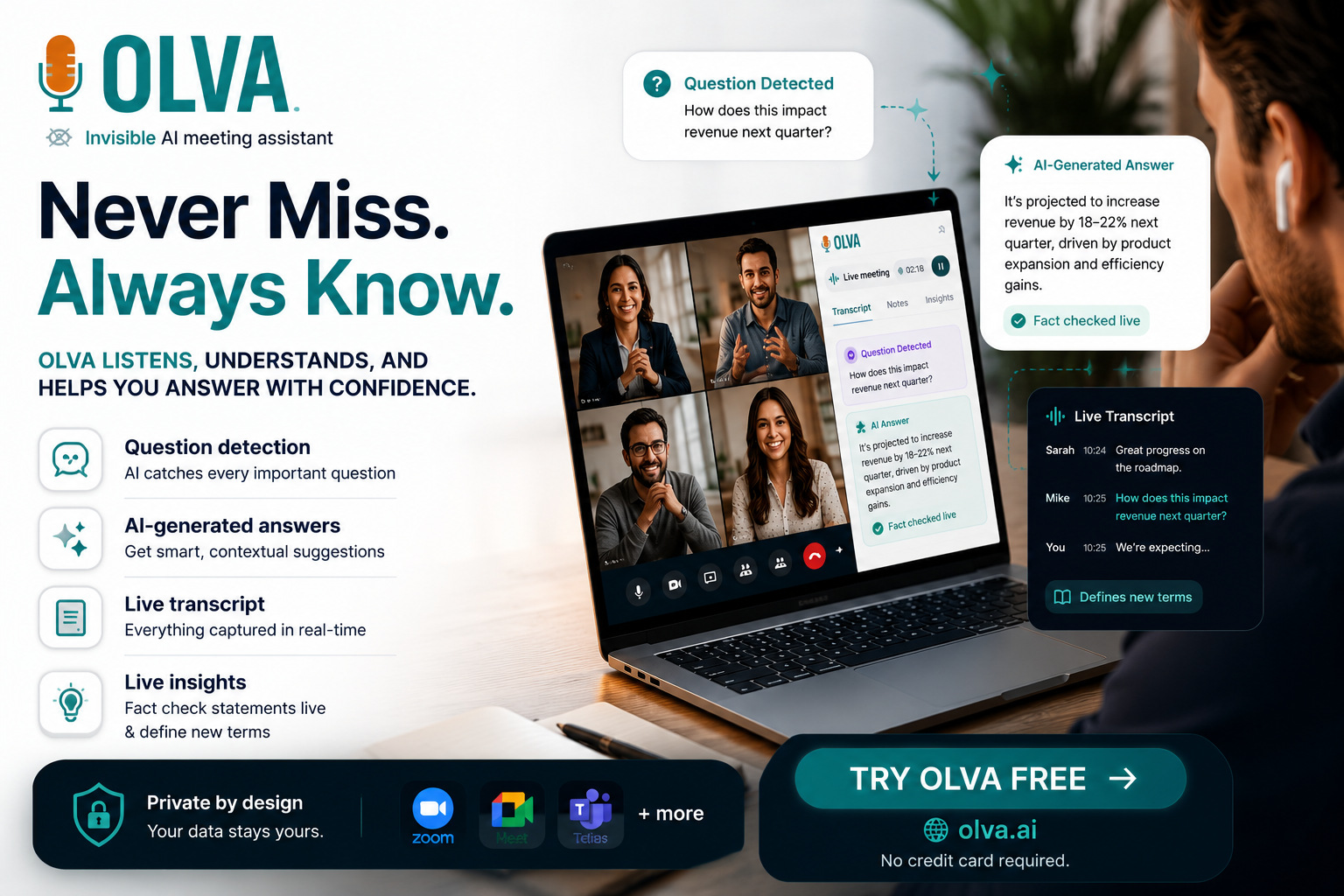
Microsoft Copilot in OneNote helps users organize notes and manage information. Olva takes a different approach by helping users during meetings with automatic question detection, instant answers, AI coaching, fact checking, opportunity detection, document-aware intelligence, and real-time meeting insights.
Microsoft Copilot in OneNote is a powerful AI assistant for organizing notes, summarizing information, generating content, and helping users manage knowledge inside the Microsoft ecosystem.
For teams already using Microsoft 365, it's a useful productivity tool.
But Olva was built around a different mission.
While Copilot in OneNote helps users work with information after it's captured, Olva helps users perform better while conversations are happening.
That's the key difference.
Copilot helps you organize knowledge.
Olva helps you use knowledge in real time.
Different Approaches to Productivity
Both products use AI to improve professional productivity.
However, they focus on different workflows.
Microsoft Copilot in OneNote focuses on:
- Note management
- Content generation
- Summarization
- Knowledge organization
- Productivity inside Microsoft 365
Olva focuses on:
- Automatic question detection
- Instant answers during meetings
- Live Q&A
- AI coaching
- Live insights generation
- Fact checking
- Opportunity detection
- Document-aware intelligence
- Invisible AI assistance
One helps users work with notes.
The other helps users perform in conversations.
The Biggest Difference: Help While the Meeting Is Happening
Most productivity tools create value before or after meetings.
Olva creates value during meetings.
As conversations unfold, Olva continuously understands context and provides support in real time.
This means users receive help while:
- Questions are being asked
- Decisions are being made
- Opportunities emerge
- Risks surface
Instead of reviewing notes later, users get assistance immediately.
Automatic Question Detection
One of Olva's most powerful capabilities is automatic question detection.
Meetings are full of important questions:
- Customer objections
- Product concerns
- Pricing discussions
- Technical challenges
- Executive requests
Most note-taking tools simply capture these moments.
Olva actively detects them.
The moment a question appears, Olva identifies it and begins generating support.
This helps users stay focused and respond confidently.
Instant Answers During Meetings
When questions are detected, Olva can generate answers using:
- Live meeting context
- Uploaded documents
- Previous meeting history
- Optional internet search
Instead of saying:
"I'll check and get back to you."
Users can often answer immediately.
This can make a major difference in:
- Sales calls
- Customer meetings
- Product reviews
- Leadership discussions
- Technical conversations
Live Insights Generation
This is where Olva truly separates itself from note-management tools.
Olva doesn't simply collect information.
It actively analyzes conversations.
Fact Checking
Verify important claims and assumptions while discussions are happening.
Define Terms & Jargons
Instantly explain technical concepts, acronyms, and unfamiliar terminology.
Opportunity Detection
Identify:
- Customer buying signals
- Expansion opportunities
- Upsell opportunities
- Emerging risks
- Important follow-up topics
Suggested Follow-Ups
Recommend the next questions worth asking.
Instead of helping users organize information later, Olva helps users understand what matters in real time.
AI Coaching During Meetings
Microsoft Copilot in OneNote helps users work with notes.
Olva helps users improve performance.
During conversations, Olva can provide:
- Suggested responses
- Strategic guidance
- Clarifications
- Follow-up recommendations
- Objection handling support
- Opportunity recommendations
It's like having a private AI coach helping throughout every conversation.
Invisible AI Assistance
Another major differentiator is privacy.
Olva works completely invisibly.
No bots join meetings.
No participant notifications.
No interruptions.
Olva remains visible only to you.
Olva also includes Invisible Screen Share Mode, allowing users to continue receiving AI assistance while presenting their screen.
Your AI support stays completely private.
Document-Aware Intelligence
Many important meetings depend on information stored outside the conversation.
Users can upload:
- PDFs
- Product documentation
- Research reports
- Contracts
- Technical specifications
Olva combines those documents with live meeting context to generate more accurate answers and recommendations.
This transforms Olva into a real-time knowledge assistant.
Post-Meeting Memory
Although Olva focuses heavily on live assistance, it still provides:
- Meeting recaps
- Action items
- Decisions
- Open questions
- Searchable meeting history
Users get both:
- Real-time intelligence during meetings
- Structured memory afterward
Feature Comparison
| Feature | Olva | Microsoft Copilot in OneNote |
|---|---|---|
| AI Note Summaries | ✅ | ✅ |
| Content Generation | Limited | ✅ |
| Note Organization | Limited | ✅ |
| Microsoft 365 Integration | Limited | ✅ |
| Automatic Question Detection | ✅ | ❌ |
| Instant Answers During Meetings | ✅ | ❌ |
| Live Q&A | ✅ | ❌ |
| AI Coaching | ✅ | ❌ |
| Live Insights Generation | ✅ | ❌ |
| Fact Checking | ✅ | ❌ |
| Define Terms & Jargons | ✅ | ❌ |
| Opportunity Detection | ✅ | ❌ |
| Suggested Follow-Ups | ✅ | ❌ |
| Document-Aware Answers | ✅ | ❌ |
| Invisible AI Assistant | ✅ | ❌ |
| Invisible Screen Share Mode | ✅ | ❌ |
| Built for Live Meeting Performance | ✅ | ❌ |
Who Should Choose Microsoft Copilot in OneNote?
Choose Copilot in OneNote if your primary goal is:
- Managing notes
- Organizing information
- Generating content
- Working inside Microsoft 365
- Improving personal productivity
It's an excellent AI-powered note management tool.
Who Should Choose Olva?
Choose Olva if you want:
- Help during meetings
- Automatic question detection
- Instant answers
- AI coaching
- Live insights
- Fact checking
- Opportunity detection
- Document-aware intelligence
- Invisible AI assistance
Olva is built for professionals who want to improve performance during conversations—not simply manage information afterward.
Final Thoughts
Microsoft Copilot in OneNote is a strong productivity assistant.
Olva solves a different problem.
Instead of helping users organize notes after meetings, Olva helps them think, respond, and make better decisions while conversations are happening.
Because the highest-value moments in business happen live.
A difficult question. A customer objection. A buying signal. A critical decision.
Those moments cannot wait until later.
That's where Olva delivers its biggest advantage.
If you're looking for automatic question detection, instant answers, AI coaching, live insights, fact checking, opportunity detection, and invisible AI assistance, Olva is built for exactly that.