
Use Olva Mobile During Onsite Troubleshooting to Detect Questions & Fetch Docs Instantly
Introduction
Onsite troubleshooting is where theory meets reality: tight timelines, unfamiliar environments, stressed customers, and devices that behave differently than their datasheets. For field engineers, support specialists, and solutions architects, the ability to grab the right technical detail at the right second can be the difference between a fast fix and a costly escalation.
This article explains how field and support teams can use Olva Mobile during onsite troubleshooting to automatically detect technical questions, fetch the exact documentation you need, and get real-time coaching — all without disrupting the conversation or adding extra overhead.
Why live assistance matters for onsite work
Traditional tools that record or transcribe conversations are valuable for post-incident reviews. But onsite troubleshooting is a live problem: you need answers and confidence in the moment.
Common gaps teams report:
- Searching for the correct spec sheet while the customer waits.
- Missing a customer question or misunderstanding an ask during a noisy environment.
- Not having access to a specific firmware note, torque spec, or wiring diagram.
- Losing context between multiple visits or handoffs.
Live assistance closes these gaps by helping technicians perform better in the moment — not just remember what happened later.
How Olva Mobile helps during onsite troubleshooting
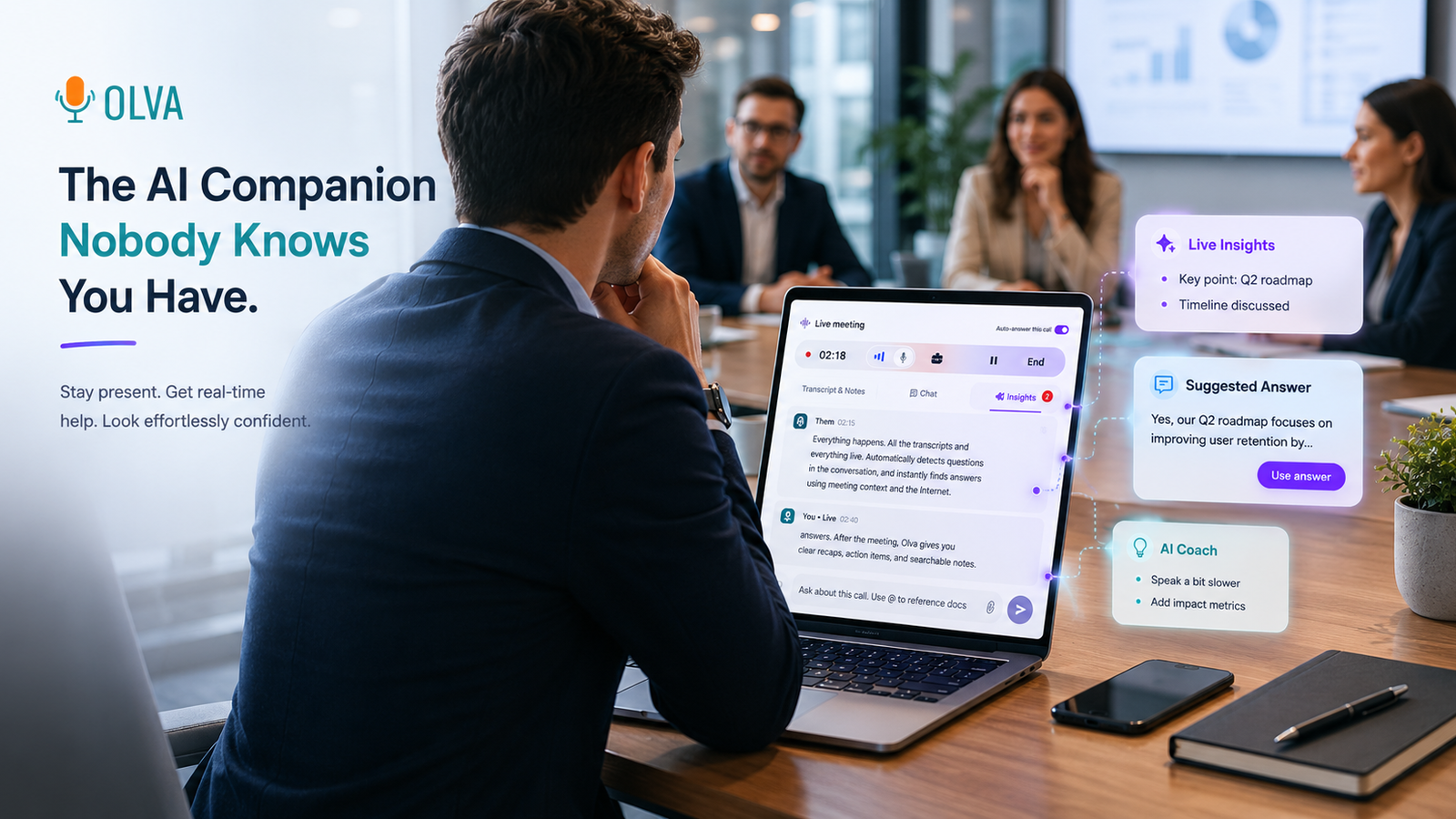
Olva is designed as an invisible AI meeting assistant that works in real time. For mobile field teams, that means you can get help the second a question appears — without adding a visible bot to a call, creating awkward notifications, or surrendering control of a conversation.
Key features relevant to onsite troubleshooting
- Invisible AI Assistant: Olva works in the background on the technician's device. No bot participants, no interruptions; just private support where you need it.
- Live Transcription: Olva captures both technician and customer audio in real time. No note taking required; focus stays on the problem.
- Automatic Question Detection: Olva identifies when a customer asks a technical question (e.g., "What firmware are you running?" or "Is this covered by warranty?") and flags it immediately.
- Instant Answers: When a question is detected, Olva uses meeting context plus uploaded documents to generate an immediate, relevant answer.
- Live Q&A: The technician can ask Olva during the troubleshooting flow — "What’s the torque spec for this connector?" — and receive an answer without leaving the conversation.
- Document-Aware Intelligence: Upload manuals, schematics, calibration logs, or warranty policies. Olva uses those documents to answer precisely.
- Live Insights & Opportunity Detection: Olva flags buying signals, maintenance needs, or upgrade opportunities it hears in conversations (e.g., "We’re struggling with throughput at peak times").
- AI Coaching: Olva can suggest phrasing to defuse tension, confirm next steps, or propose follow-up questions that uncover root causes.
- Post-Meeting Memory: After the visit, you get structured recaps, action items, and searchable logs that help with handoffs and future visits.
Practical examples
Example 1 — Network switch replacement under time pressure
Scenario: A customer reports intermittent packet loss on a critical switch. The technician is onsite with a limited parts kit.
What Olva does in the moment:
- Detects the customer's question: "Is that switch covered under our service-level contract?"
- Fetches the contract clause and warranty terms from an uploaded PDF and presents a brief summary: "Coverage: replacement parts within 90 days, on-site labor included in premium plan."
- The technician privately asks Olva: "If the customer accepts a temporary replacement, what follow-up should we schedule?"
- Olva suggests a follow-up schedule and a set of confirmation questions to document acceptance.
Benefit: The technician answers confidently, avoids unnecessary escalations, and documents the customer's consent immediately.
Example 2 — Industrial equipment calibration with technical specs
Scenario: The on-site engineer needs the exact torque spec and calibration sequence for a legacy valve and the manufacturer manual is in a PDF stored in the company vault.
What Olva does in the moment:
- Live transcribes the exchange and detects the technical question.
- Uses document-aware intelligence to find the torque table and step-by-step calibration in the uploaded manual.
- Presents the engineer with the exact torque value and the next three steps — plus a short suggested script to explain the procedure to the site manager.
Benefit: The engineer avoids guessing, applies correct torque, reduces rework, and shortens customer downtime.
Example 3 — Customer conversation reveals upsell opportunity
Scenario: During a routine service visit, the customer mentions frequent latency during batch processing.
What Olva does in the moment:
- Detects the phrase "latency during batch processing" and flags it as an opportunity for performance upgrades.
- Suggests follow-up diagnostic questions and a brief product recommendation from the company playbook (pulled from uploaded product briefs).
- Offers a suggested line to transition from troubleshooting to value discussion, preserving the relationship.
Benefit: The field team turns an operational issue into a meaningful opportunity while maintaining trust.
How Olva compares to other tools (fair and objective)
Many tools focus on transcription, recording, or post-call coaching. Solutions such as Otter.ai and Fireflies provide excellent transcriptions and searchable meeting notes. Sales intelligence platforms like Gong and Chorus excel at analyzing recorded conversations for coaching and pipeline insights.
Where these tools are strong:
- Accurate transcription and searchable archives.
- Post-meeting analysis and coaching recommendations.
- Integration with CRM and sales pipelines.
Limitations for onsite troubleshooting:
- Most are focused on after-the-fact analysis rather than live intervention.
- Visible bot participants or manual recording workflows can be awkward in customer-facing situations.
- They often lack document-aware, instant retrieval of specific technical specs during live troubleshooting.
How Olva differs:
- Live, invisible assistance: Olva helps you during the conversation without introducing visible bots or disruptive notifications.
- Automatic question detection and instant answers: Olva actively identifies technical questions and provides contextual answers from uploaded documents and meeting memory.
- Document-aware intelligence on mobile: Olva fetches specific lines, tables, and steps from manuals and PDFs while you’re on-site.
- Focus on performance in the moment: Olva is built to help you perform better during the interaction, not just remember it afterward.
These differences don’t make other tools irrelevant — they’re complementary. For teams that need both robust post-call analytics and live onsite assistance, using Olva for real-time help and a transcript-based tool for broader analytics can be a strong combination.
Best practices for field teams using Olva Mobile
- Preload key documents: Upload manuals, warranty PDFs, calibration sheets, and service playbooks for commonly visited sites so Olva can access them instantly.
- Train the team on quiet triggers: Use short, clear phrases when asking Olva to avoid confusion in noisy environments (e.g., "Olva: torque spec for valve 3").
- Use Invisible Screen Share Mode: When you need to show a diagram to your internal team or remote expert, share your screen without exposing the assistant to the customer.
- Configure opportunity detection rules: Tailor Olva’s live insights to surface the kinds of signals that matter (maintenance backlog, upgrade interest, compliance risk).
- Keep it private and local: Make sure technicians understand Olva is a private assistant on their device and that transcripts and documents are visible only to authorized users.
Privacy and compliance
Field work often involves sensitive customer environments. Olva is private by design: no external bot joins the meeting, and transcript visibility is controlled by the user and organization. Transcripts and documents can be deleted anytime, and Olva does not function as a permanent recording platform.
For regulated industries, ensure your company’s data handling policies and retention rules are reflected in how you store documents and meeting memory. Olva’s settings can be adjusted to match most enterprise compliance requirements.
Implementation checklist for teams
- Identify the 10–20 documents that are referenced most frequently in the field and upload them to Olva for instant access.
- Create a short internal playbook with example prompts technicians can use for common scenarios.
- Configure user permissions so only relevant staff can view sensitive transcripts and documents.
- Pilot Olva Mobile on a few high-traffic accounts, measure time-to-resolution and escalation rates, then roll out broadly.
Measuring impact
Track these KPIs to understand the value Olva brings to onsite teams:
- Mean time to resolution (MTTR).
- Rate of first-time fix.
- Number of escalations per month.
- Customer satisfaction (CSAT) scores after onsite visits.
- Revenue from identified upsell opportunities.
Teams that deploy live assistance consistently often see improvements in MTTR and first-time fix rates, plus fewer avoidable escalations.
Where to learn more
For a practical overview of Olva’s live capabilities and mobile workflows, visit the product site at https://olva.ai. The site includes demos and setup guides tailored for field and support teams.
Conclusion
Onsite troubleshooting is high-stakes. Field engineers and support teams need answers at the speed of the conversation — not after the fact. Olva Mobile brings invisible, document-aware, and context-sensitive AI directly into the troubleshooting flow: detecting technical questions, fetching exact docs, providing instant answers, and coaching technicians in real time.
Deploying Olva doesn’t replace the expertise of your field team. It magnifies it, helping them perform better under pressure, reduce downtime, and turn service calls into opportunities. When the goal is to fix problems faster and more confidently, live assistance matters more than ever.