
How International Teams Use Olva to Reduce Miscommunication in Global Meetings
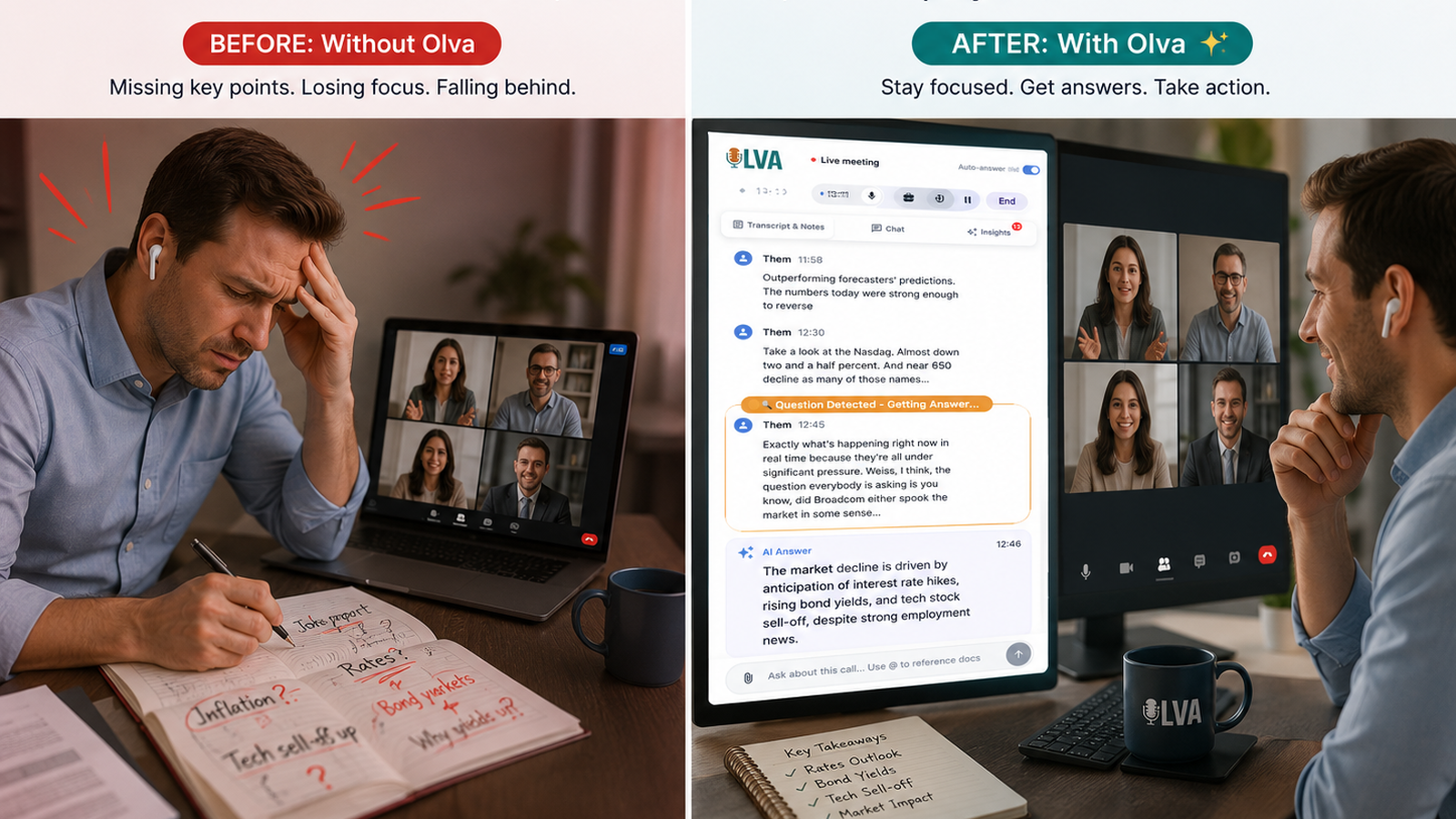
Global teams already juggle time zones, cultural differences, and language variety — add domain-specific jargon and fast-moving conversations, and miscommunication becomes inevitable. The best way to prevent costly misunderstandings isn't just better note-taking: it's smarter, real-time support that helps participants understand, respond, and act while the conversation is still happening.
Olva (https://olva.ai) positions itself as that live meeting assistant. Unlike tools that primarily transcribe and summarize after the fact, Olva focuses on in-the-moment intelligence: clarifying jargon, detecting critical questions, and coaching users during meetings so international teams can reduce confusion and move decisions forward with confidence.
Why miscommunication happens in international meetings
Common sources of misunderstanding for global teams include:
- Jargon and acronyms: Local or industry terms mean different things in different regions (e.g., "SLA", "TTM", "Go-to-Market").
- Ambiguous phrasing: Indirect language or culturally conditioned phrasing can obscure intent.
- Assumed context: Speakers may omit background that others don’t share.
- Rapid topic shifts: Fast-paced discussions leave less time to clarify.
- Accent and clarity issues: Even highly proficient English speakers can be misheard under poor audio conditions.
Traditional meeting tools help with transcripts and summaries after the call, which is still useful — but they don’t prevent the damage that happens in real time: missed commitments, wrong assumptions, and lost opportunities.
What international teams need from a meeting assistant
To reduce miscommunication in global meetings, teams need real-time capabilities that:
- Clarify meaning instantly (what did they mean by "TTM"?)
- Detect and surface important moments (customer objections, technical questions)
- Offer suggested responses and follow-ups tailored to the conversation and documents at hand
- Maintain privacy and avoid distracting others in the meeting
Olva is built around these needs. Below are practical ways international teams use Olva in live meetings.
Real-world scenarios: Olva in action
1) Sales call across regions — avoid losing a deal over jargon
Scenario: A European seller demos a platform to a Japanese buyer. Mid-demo, the buyer asks about "deployment window and SLA for APAC." The seller hesitates — in their company, "SLA" refers to uptime guarantees; the buyer might mean local support SLAs.
How Olva helps in real time:
- Automatic Question Detection flags the query as a customer question and highlights it privately to the seller.
- Document-Aware Intelligence pulls the contract clause about regional SLAs (previously uploaded) and shows the relevant text.
- Instant Answers summarize the key point the seller can say in the moment: "Our APAC SLA provides 99.9% uptime; local support SLAs are outlined in clause 4.2 — I can confirm details after this meeting or send the exact contract excerpt now."
- AI Coaching offers phrasing tuned for a cross-cultural audience (concise, clear, and non-confrontational).
Outcome: The seller responds confidently, the buyer gets clarity, and the conversation stays on track.
2) Product sync with mixed technical backgrounds — translate jargon to clarity
Scenario: A product manager in Brazil presents a new technical feature to a cross-functional team, including sales reps, engineers, and customer success managers located across three continents.
How Olva helps in real time:
- Live Transcription captures the discussion so no one needs to take notes.
- Jargon Definitions: When an engineer uses "CQRS" or "eventual consistency," Olva surfaces short, plain-language definitions privately to non-technical attendees.
- Live Q&A: A sales rep privately asks Olva, "How does this affect data latency for customers in EMEA?" and receives a concise answer based on the product spec documents uploaded ahead of the meeting.
Outcome: Everyone stays aligned and can ask better follow-up questions. The team avoids the common post-meeting cycle of clarification threads.
3) Executive updates with cross-border stakeholders — avoid misinterpreting claims
Scenario: During a quarterly executive call, someone makes a revenue growth claim tied to a specific market. Different stakeholders interpret the claim in different ways.
How Olva helps in real time:
- Fact Checking surfaces whether the claim is supported by uploaded financial reports or previous meeting notes.
- Opportunity Detection flags buying signals or expansion opportunities mentioned by regional leads and recommends follow-up actions.
Outcome: The team corrects any misstatements immediately and identifies concrete next steps for market expansion.
Comparing Olva with other meeting tools — a fair look
Many meeting platforms and third-party tools excel at post-meeting tasks:
- Zoom and Microsoft Teams provide live captions and recordings, which help accessibility and review.
- Transcription services (like Otter.ai) produce searchable transcripts and summaries after meetings.
- Conversation analytics platforms (e.g., Gong, Chorus) focus on sales coaching and post-call insights.
These tools are valuable, but their strengths are often retrospective: they help teams remember and analyze what happened. The missing piece for international teams is active, contextual support during the conversation.
Where Olva differs:
- Real-time assistance: Olva detects questions, clarifies jargon, and suggests answers while the conversation is happening — not only afterward.
- Invisible AI Assistant: Olva works without joining as a visible bot, preserving meeting dynamics and privacy.
- Document-aware answers: Olva uses uploaded contracts, product docs, and prior meeting memory to generate contextually accurate responses instantly.
- Live Insights and Opportunity Detection: Olva continuously analyzes the conversation to surface buying signals, objections, and risks in the moment.
That said, many platforms offer strengths Olva complements: robust recording, enterprise security, and integrations. A practical approach is to use Olva alongside these tools to combine reliable recordings with live intelligence.
Best practices for international teams using Olva
- Upload shared documents before the meeting: contracts, product specs, regional policies, and glossaries. Olva uses these to give precise, document-backed answers.
- Build a short team glossary: include regional acronyms and local terms. Olva can reference these automatically for consistent definitions.
- Use Olva privately: individuals should configure when to surface suggestions and whether to display definitions or send private nudges.
- Encourage concise language and pause to confirm: Olva helps, but good meeting habits amplify results.
- Review post-meeting memory for follow-ups: even though Olva focuses on live help, the post-meeting recaps and searchable history make it easier to act on decisions.
Privacy and meeting etiquette
Privacy matters especially for cross-border meetings with regulatory requirements. Olva is private by design:
- Invisible AI Assistant: it doesn’t join meetings as a visible participant, so there are no bot notifications that might distract attendees.
- Data control: transcripts are visible only to the user and can be deleted anytime.
- Not a recording platform: Olva emphasizes in-meeting support rather than positioning itself as a central recording repository.
These features help teams get the benefits of live assistance without adding visibility or creating discomfort among participants.
Practical tips: sample scripts and prompts
Here are short examples of how team members can use Olva during live meetings:
- Clarify jargon privately: "Olva, what does 'SLA' mean in our EU contracts?"
- Ask for a concise answer: "Olva, give me a 15-second response to explain our APAC rollout timeline."
- Get a suggested follow-up question: "Olva, what should I ask next to uncover their budget constraints?"
- Verify a claim immediately: "Olva, does our Q2 revenue figure include recurring and one-off items?"
These prompts keep conversations productive and reduce the risk of follow-up confusion.
Measuring impact: how teams know it’s working
International teams can measure the benefit of Olva by tracking:
- Fewer clarification follow-ups after meetings (reduction in post-meeting threads).
- Faster decision cycles (shorter time from discussion to signed agreement).
- Higher meeting satisfaction scores in cross-regional surveys.
- Reduced friction in onboarding cross-functional or cross-regional collaborators.
Teams that combine Olva’s live assistance with intentional meeting practices typically see faster alignment and fewer costly misunderstandings.
Conclusion: reduce miscommunication by acting in the moment
Miscommunication in global meetings is rarely a single cause — it’s the product of language, culture, context gaps, and rapid conversation. Solving it requires more than better notes: it requires live intelligence that clarifies, coaches, and verifies in real time.
Olva focuses on exactly that: invisible, document-aware, and private meeting assistance that helps users perform better while meetings are happening. By surfacing jargon definitions, detecting customer questions, and offering instant, context-aware answers and coaching, Olva helps international teams avoid misunderstandings, move decisions forward, and build trust across borders.
If your team spends valuable time untangling conversations after the meeting, consider a different approach: visit https://olva.ai to learn how live meeting intelligence can reduce confusion and keep global meetings productive from the very first minute.