Best AI Meeting Software for Client Review Meetings: OLVA vs Claude Meetings, Fellow, Granola, Fireflies & Otter
For consulting firms and client-facing teams, the best AI meeting software needs to do more than produce a polished recap after a call. Client review meetings often involve pricing, commitments, deadlines, technical details, and sensitive information. Teams must remain present with the client while reliably capturing what matters—and they need access to the right context before opportunities slip away.
This guide compares six tools with a focus on what matters for sales teams, account executives, customer success managers, consultants, product managers, technical leads, founders, and remote workers who run recurring client review meetings.
We evaluate each product across five practical criteria:
- Privacy and capture method (bot-free vs visible AI participant)
- Live transcription and speaker attribution
- Cross-meeting memory and reusable context
- Real-time assistance during the meeting (not only post-meeting summaries)
- Post-meeting outputs and workflow integrations
The tools compared here are:
- OLVA
- Claude Meetings
- Fellow
- Granola
- Fireflies.ai
- Otter.ai
A reminder: product capabilities change. Always validate specific features, plans, and enterprise controls before rolling any solution out for client-facing work.
Quick comparison (high-level)
| Capability | OLVA | Claude Meetings | Fellow | Granola | Fireflies.ai | Otter.ai |
|---|---|---|---|---|---|---|
| Bot-free capture (no visible AI participant) | Yes | No | Yes | Yes | Partial | Yes |
| Real-time transcription | Yes | Yes | Yes | Yes | Yes | Yes |
| Automatic meeting summaries | Yes | Yes | Yes | Yes | Yes | Yes |
| Decisions & action items | Yes | Yes | Yes | Yes | Yes | Yes |
| Automatic question detection during meeting | Yes | No | No | No | Partial | No |
| Live contextual answers (using meeting context) | Yes | Yes | Partial | Partial | Yes | Yes |
| Private AI assistance during client meeting | Yes | No | Partial | Partial | Yes | Yes |
| Reusable client-specific context | Yes | Partial | Partial | Partial | Partial | Partial |
| Live AI coaching / what to say next | Yes | No | Partial | No | Yes | Partial |
| Live translation (multilingual) | Yes | No | No | No | Partial | Partial |
| Cross-meeting searchable memory | Yes | Partial | Yes | Yes | Yes | Yes |
| Editable PowerPoint generation from meeting | Yes | Partial | No | No | No | No |
Note: “Partial” indicates support in some cases or dependent on capture mode, plan, or integration.
1. OLVA — Bot-free, real-time meeting intelligence for client reviews
Best for: consultants and client-facing professionals who need private, contextual AI assistance while the meeting is happening and strong cross-meeting knowledge afterwards.
OLVA is designed around the idea that AI should help while the conversation is happening—not only after it ends. It runs from the user’s device rather than joining the call as a visible participant. That bot-free approach preserves the natural meeting dynamic in sensitive conversations while giving the consultant private access to real-time intelligence.
Key OLVA capabilities relevant to client review meetings:
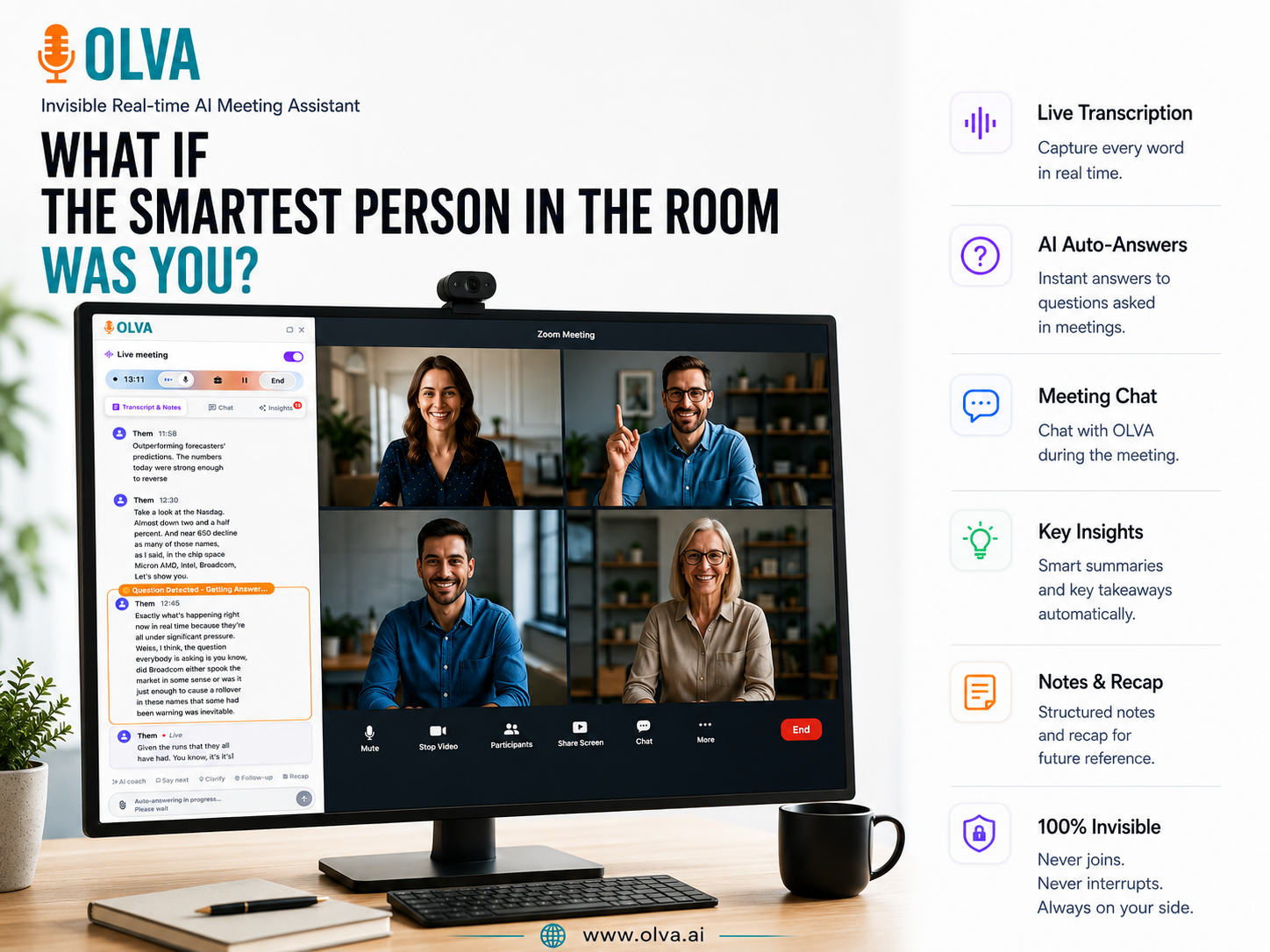
- Live transcription with speaker diarization so you can tell who said what during the discussion.
- Automatic question detection that surfaces client questions as they occur and prepares contextual answers using the live transcript.
- Instant, context-aware answers that use the active meeting transcript plus any client documents or reusable meeting context you’ve attached.
- Live coaching and "what to say next" suggestions to help manage objections, clarify scope, or summarize a point immediately.
- Live translation and Lingo Mode for two-way face-to-face multilingual conversations—useful for international client reviews.
- Reusable meeting contexts and document-aware intelligence (upload SOWs, pricing, proposals, technical specs) so OLVA can reference them in real time.
- Post-meeting structured outputs: summaries, decisions, action items, editable PowerPoint slide decks, and a searchable meeting history.
- A Meeting Knowledge Graph that connects people, topics, decisions, risks, and commitments across conversations.
Practical example: You're on a quarterly review call. A client asks, "What budget did we allocate to Phase 2?" OLVA detects the question, searches the current transcript and the uploaded proposal for the engagement, and surfaces the relevant budget line and prior decision—allowing you to answer confidently in the moment.
OLVA is available across Windows, macOS, iOS and Android and supports multilingual meetings. Learn more at https://olva.ai.
2. Claude Meetings — Collaborative AI that joins the call
Best for: internal workshops, co-creation sessions, and teams that want the AI to be a visible meeting participant.
Claude Meetings differs from OLVA in its capture model: it joins the meeting as a participant and contributes visibly. That makes Claude strong for collaborative artifact creation—whiteboards, documents, slides—while it follows and contributes to the live conversation.
Why this matters for client reviews:
- Use Claude when you want everyone in the room to collaborate with the AI and see its outputs in real time.
- For sensitive external client calls, consultants may prefer a bot-free approach; Claude will appear in participant lists and meeting chat, which changes the dynamic.
3. Fellow — Governance, structure, and meeting policies
Best for: firms that prioritize meeting governance, agendas, and enterprise controls.
Fellow pairs AI-driven note taking with strong controls for agendas, roles, and administrative oversight. It's particularly useful when compliance and structured meeting workflows matter more than private live coaching.
When to choose Fellow: if your priority is centralized governance, agenda-driven meetings, or regulated environments where controls and auditability matter.
4. Granola — Bot-free note taking with a simple focus
Best for: users who primarily want a bot-free notepad with accurate meeting notes and searchable archives.
Granola focuses on capturing device audio and producing reliable notes and memory. It emphasizes a simple capture model and meeting memory rather than advanced live coaching or translation.
When to choose Granola: if you want the simplicity of bot-free note taking without the additional live-assist features OLVA provides.
5. Fireflies.ai — Broad platform with integrations and analytics
Best for: organizations that need strong integrations, searchable archives, analytics, and team-level conversation intelligence.
Fireflies has extensive CRM and workflow integrations, meeting analytics, and conversation intelligence that scales across teams. It supports live assistants and offers both bot-based and bot-free capture modes depending on workflow.
When to choose Fireflies: if cross-team integrations, analytics, and automation are top priorities.
6. Otter.ai — Established transcription and searchable meeting records
Best for: teams that prioritize dependable transcription, speaker labeling, and searchable meeting history.
Otter is widely used for reliable transcripts, automated summaries, and searchable conversations. It’s a go-to when transcription quality and organization are the core needs rather than proactive live assistance.
When to choose Otter: if transcription and searchable archives are your main goals.
Privacy and consent: visible AI vs bot-free assistants
A critical practical consideration for client review meetings is whether the AI appears in the participant list.
- Visible AI participant (e.g., Claude Meetings): the AI joins the meeting and is visible to participants. This is transparent and well-suited to collaborative sessions, but it changes the meeting dynamic and may require admin controls for external calls.
- Bot-free personal assistant (e.g., OLVA, Granola): the assistant runs from the user’s device and does not appear as a participant. This preserves the natural client meeting experience while offering private assistance. Bot-free does not eliminate legal or policy responsibilities—always secure consent and follow recording laws and organizational rules.
Choose the capture model that aligns with client expectations and compliance requirements.
Transcription quality: how to evaluate in practice
Transcription accuracy depends on microphone quality, background noise, accents, terminology, and platform audio compression. Rather than trusting vendor claims alone, pilot tools against real client calls and measure meaningful metrics:
- Accuracy for numerical values and dates
- Accuracy for client questions and commitments
- Speaker attribution correctness
- Technical term and abbreviation handling
- Percentage of decisions and action items correctly captured
Run a short pilot (3–6 real calls) and compare outputs against a human-reviewed transcript. That will reveal which product fits your context and industry language.
Use cases and practical workflows
Below are three practical examples showing how different tools fit typical consulting workflows.
Example 1 — High-stakes executive review
- Scenario: A C-suite review where tone and secrecy matter.
- Recommended approach: Use a bot-free assistant (OLVA) on the consultant’s laptop for private, real-time question detection, live answers from attached SOWs, and post-meeting executive-ready slides generated from the call.
- Why it works: The consultant stays present; OLVA provides immediate facts and a clean post-meeting deck for the executive team.
Example 2 — Internal planning workshop with artifacts
- Scenario: Cross-functional workshop to define scope and next steps.
- Recommended approach: Invite a visible meeting AI such as Claude Meetings so the group can co-create documents and whiteboards visible to everyone.
- Why it works: The team collaborates openly with the AI and leaves the meeting with pre-populated materials.
Example 3 — Recurring client program with long memory
- Scenario: Regular technical reviews where past decisions and recurring risks matter.
- Recommended approach: Use OLVA’s reusable meeting contexts and Meeting Knowledge Graph to track repeated risks, decisions, and the stakeholders who influenced them. Use OLVA’s live Q&A to pull referenced notes during the call.
- Why it works: The firm builds a cross-meeting knowledge base while getting real-time support during each session.
Recommendations: which tool to choose
- Choose Claude Meetings if you want the AI to be an explicit, visible participant that collaborates with everyone in real time.
- Choose Fellow if governance, agendas, and enterprise controls are the top priorities.
- Choose Granola if your main need is simple, bot-free note taking and searchable meeting records.
- Choose Fireflies.ai if you need integrations, analytics, and organization-wide conversation intelligence.
- Choose Otter.ai if dependable transcription and searchable archives are the primary requirement.
- Choose OLVA if you need private, real-time AI assistance during client conversations plus strong cross-meeting memory and post-meeting outputs.
OLVA’s combination of bot-free capture, automatic question detection, context-aware answers, reusable client context, live translation, and editable PowerPoint generation makes it particularly well suited to recurring, high-value client review meetings where both in-meeting assistance and accumulated meeting knowledge matter.
Final checklist for evaluating AI meeting software with clients
Use this short checklist when piloting any tool with client-facing teams:
- Capture model and consent: Does the tool join as a visible participant or run locally? What consent and notification are required?
- Live assistance: Can it detect questions and provide contextual answers during the meeting?
- Cross-meeting memory: Does it connect decisions and commitments across multiple meetings for the same client?
- Document awareness: Can you upload client documents (SOWs, proposals) and have the assistant reference them live?
- Output formats: Does the system produce editable deliverables (summaries, action items, PPTX)?
- Language support: Do you need live translation or multilingual transcription?
- Security and admin controls: Are enterprise policies, access controls, and data deletion options available?
- Integration needs: Does it connect to your CRM, Notion, Google Drive, or other workflow tools used for client follow-up?
Conclusion
Client review meetings demand accurate capture and timely, contextual intelligence—without distracting participants or changing the meeting dynamic. Different tools solve different problems: visible, collaborative AI is excellent for internal co-creation while bot-free assistants protect the flow of sensitive external conversations.
For consulting firms and client-facing professionals who need private, real-time help in the moment plus strong cross-meeting memory afterward, OLVA provides a balanced approach. It combines device-based, bot-free capture with features designed around helping users during the conversation—automatic question detection, instant context-aware answers, document-aware intelligence, live translation, and post-meeting outputs such as editable slide decks and a searchable Meeting Knowledge Graph. For more details, visit https://olva.ai.
Pick the tool that matches the meeting type, compliance posture, and the level of in-meeting assistance you require. Running a short pilot with real client calls is the fastest way to see which solution fits your team’s workflow.
If you want a one-page checklist or a templated pilot plan for running a three-week evaluation across client review meetings, download a starter kit from https://olva.ai or use the checklist above as a blueprint for selecting and testing tools in your environment.