Live transcript
10:24
The long-term trend looks positive overall.
10:25
Recent volatility could change the risk picture.
10:25
How has the portfolio performed over the last five years?
How has the portfolio performed over the last five years?
It has delivered steady long-term growth, with recent volatility worth planning for.
Use the portfolio stability as your strongest proof point.

Quick overview
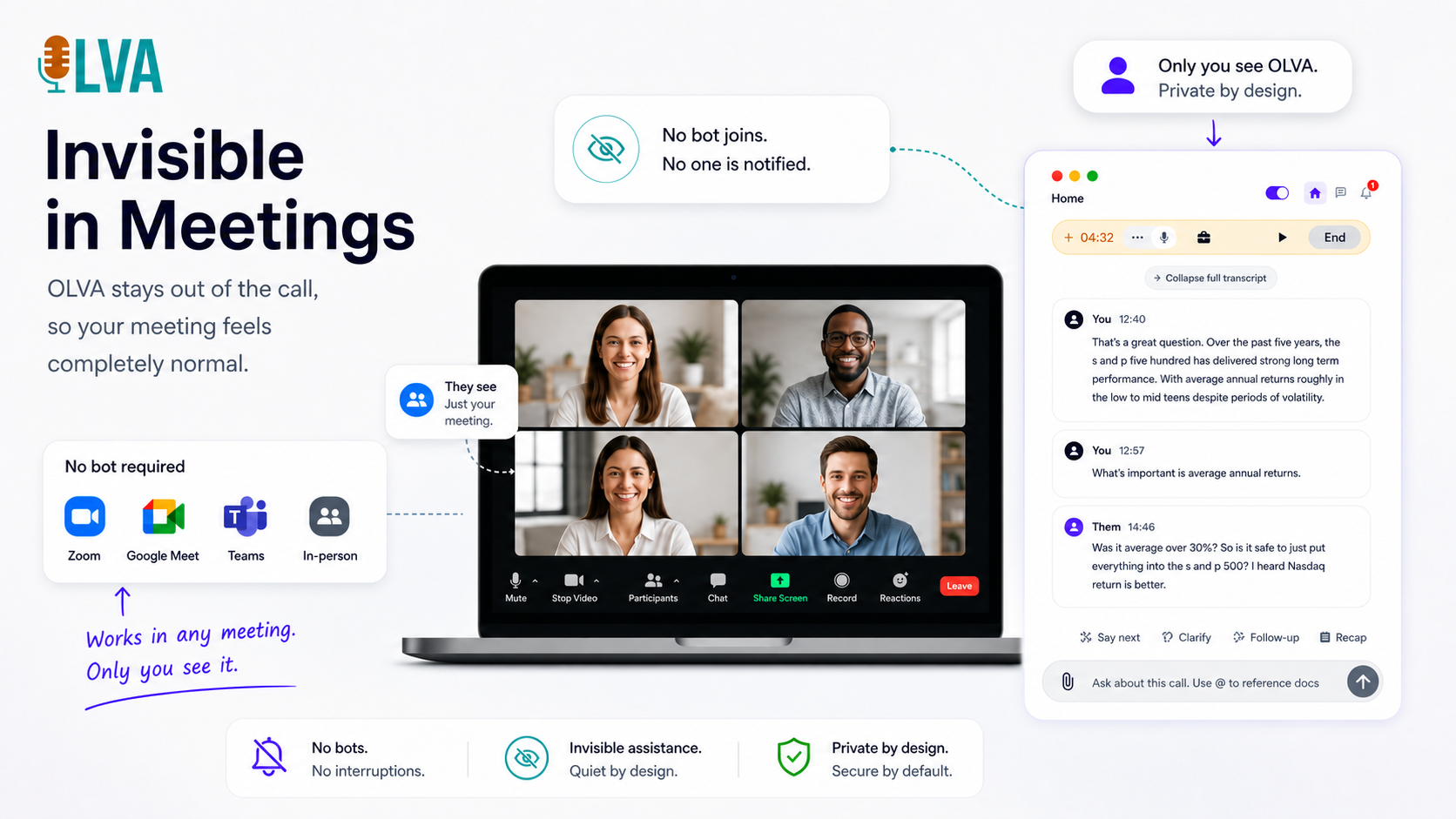
OLVA delivers live meeting intelligence for Zoom, Meet, Teams, and in-person conversations without joining as a bot. Get question detection, live answers, coaching, multilingual transcription, and searchable meeting memory.
Core features
On desktop, the mascot menu changes with the page. It shows how-tos for where you are, plus FAQ and contact. On a meeting it also suggests what to do next.
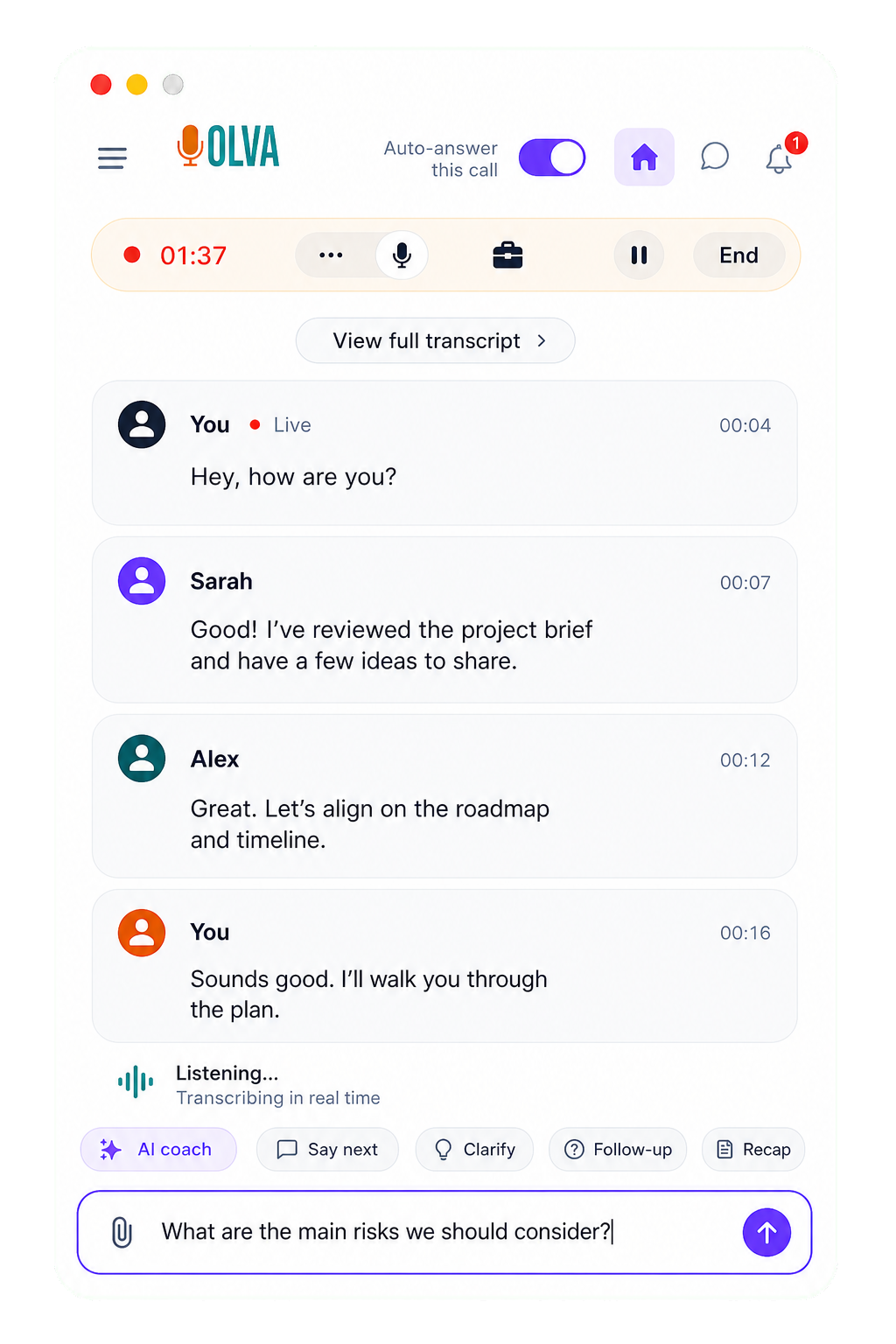
Live transcript
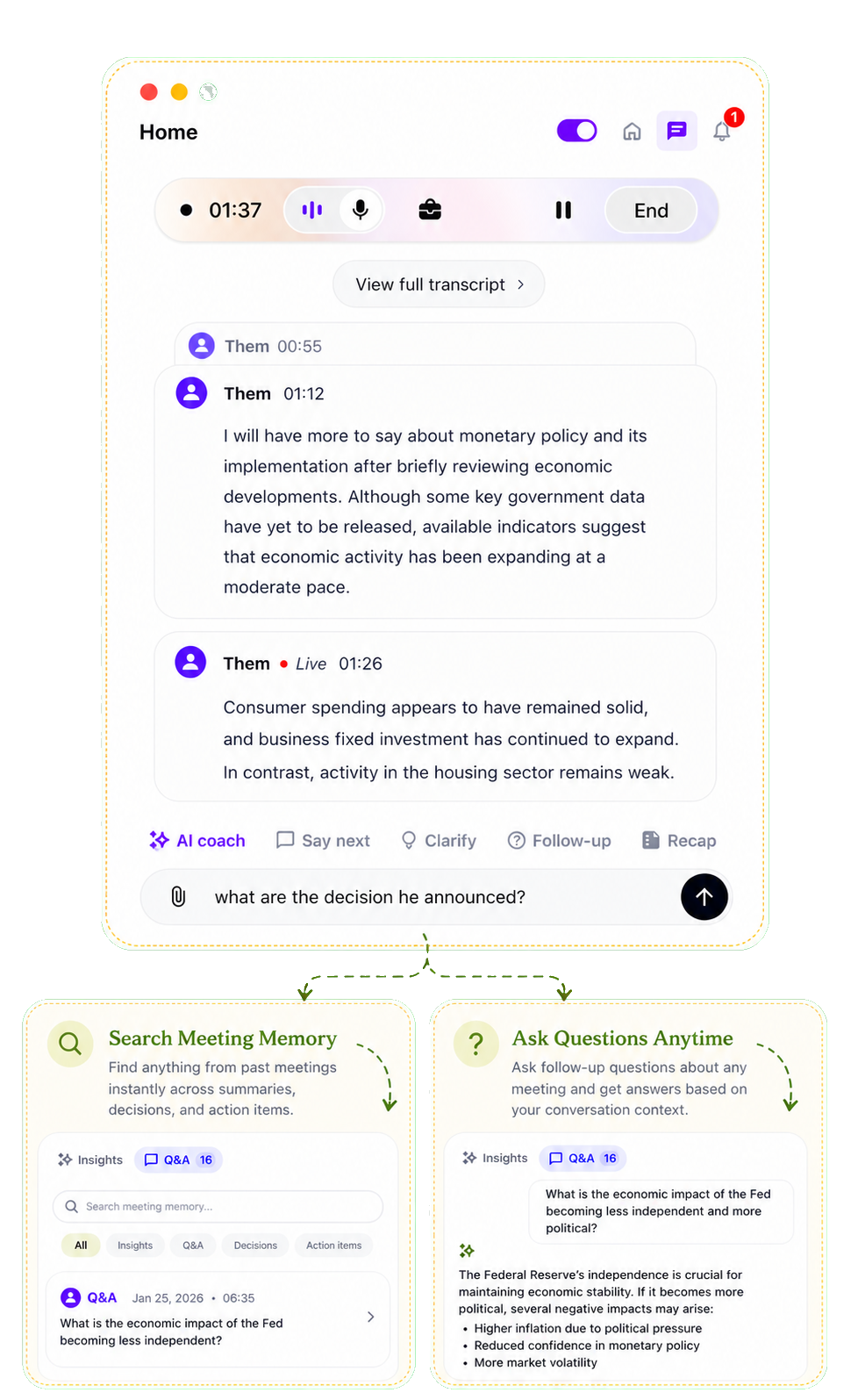
Follow the meeting as it happens. The transcript keeps pace with each speaker and detects the language as the conversation moves between languages.
Question detection
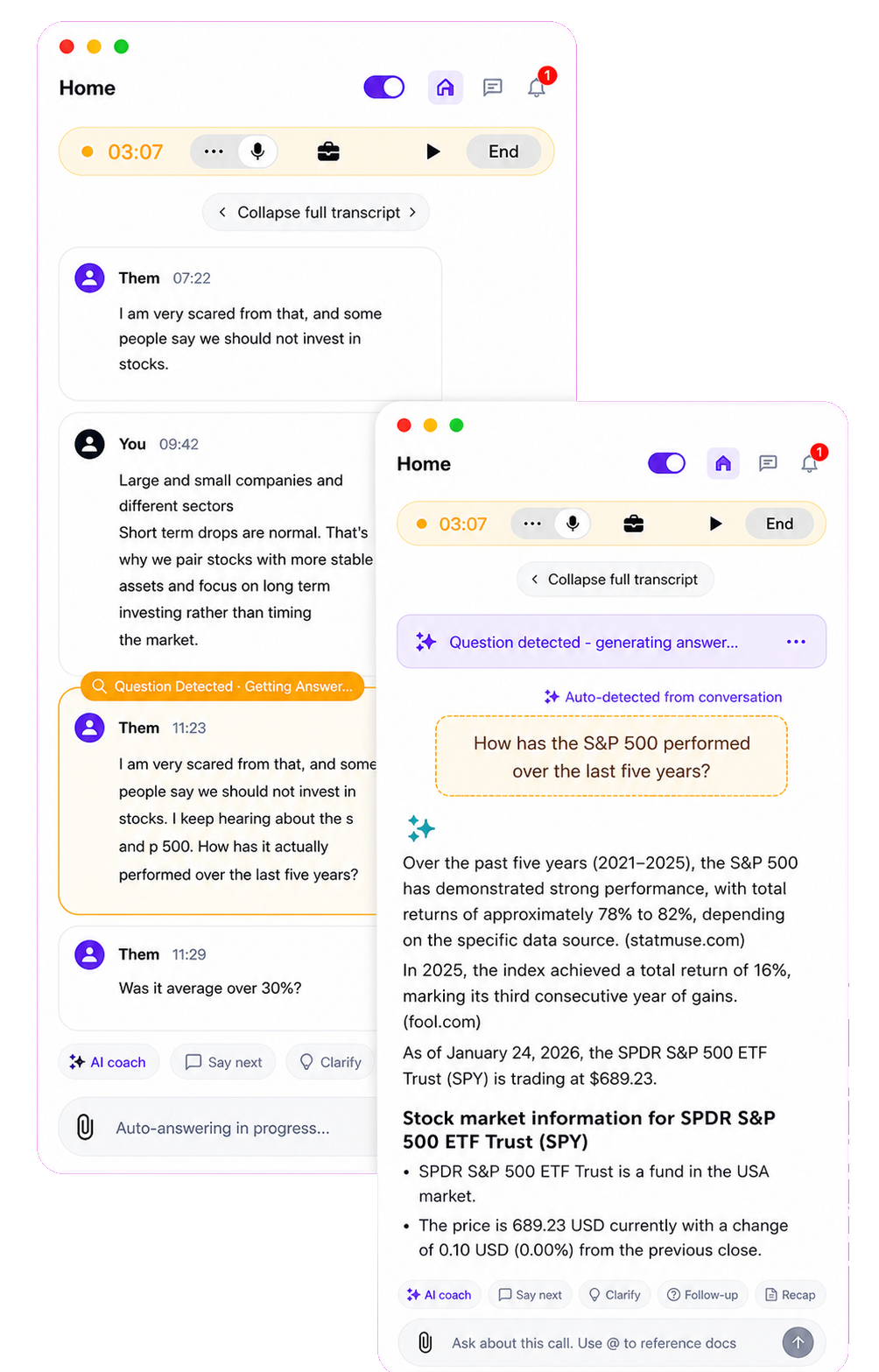
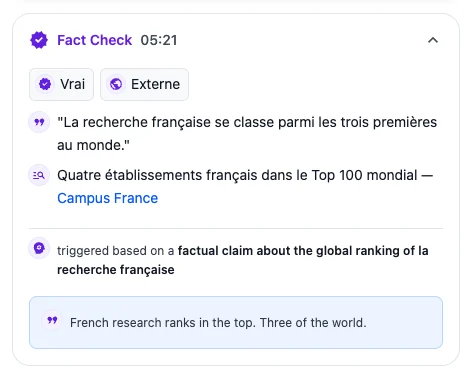
OLVA recognizes questions in the conversation automatically and brings them forward without forcing you to stop, search, or type in the middle of the call.
In-meeting answers
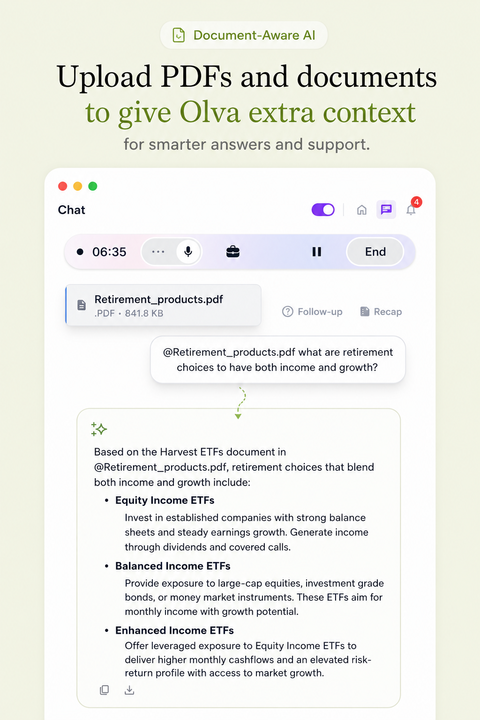
Ask about the meeting while you are still in it. OLVA uses the active transcript and your connected context to help you answer with confidence.
Live intelligence
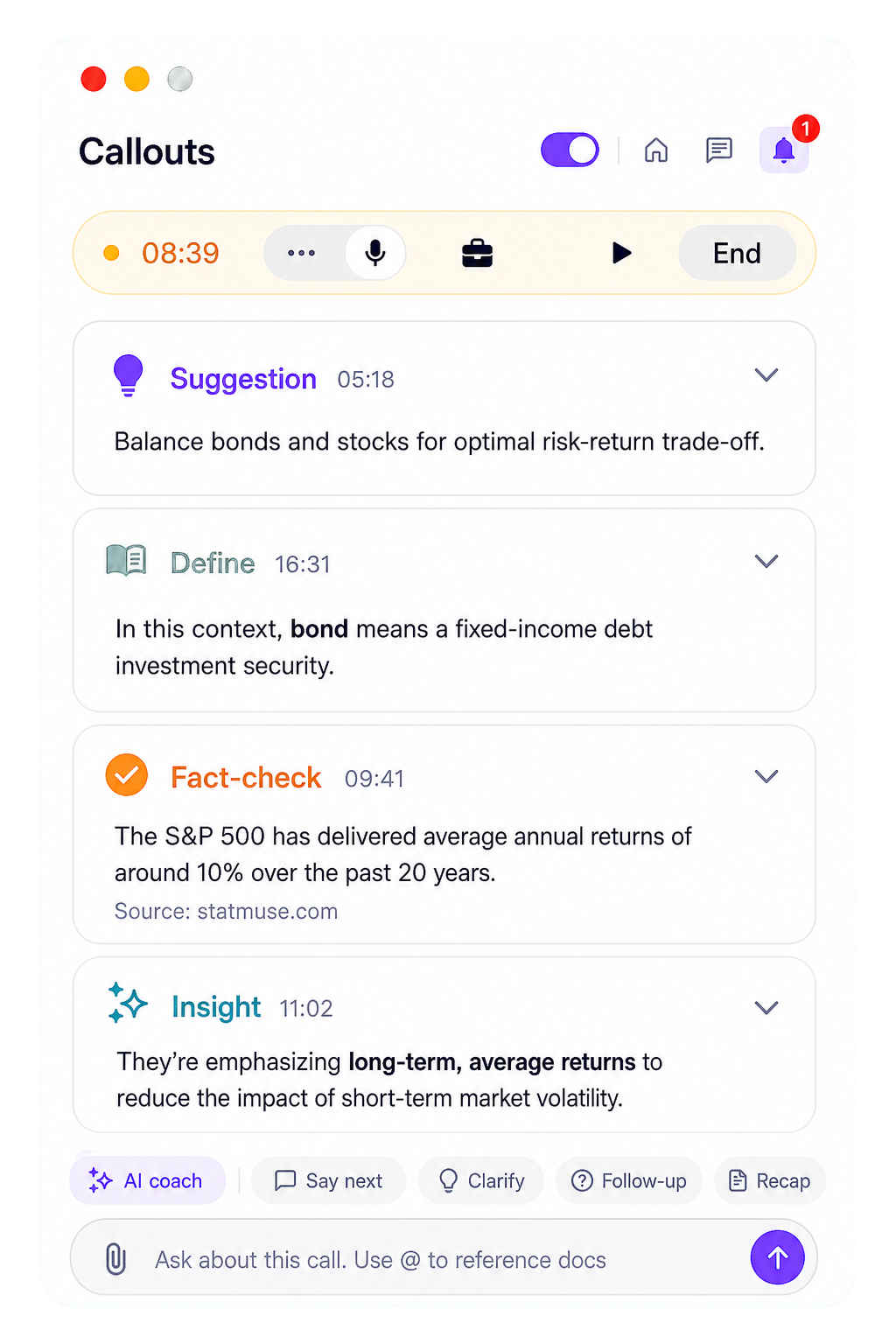
Turn live insight on when you want signals, risks, and follow-ups during the meeting. Question detection stays on either way. Live insight starts on for Basic and off on other plans.
New feature
Open the context manager to add notes and files. Notes and imported files share your plan’s word limit. Assign the context to a folder, or pick it beside Start OLVA. On iPhone the context stays on the phone and syncs later.
Choose context
Product Management Calls
SaveCurrent product priorities: improve onboarding, increase weekly active usage, and reduce customer churn.
Anywhere you meet
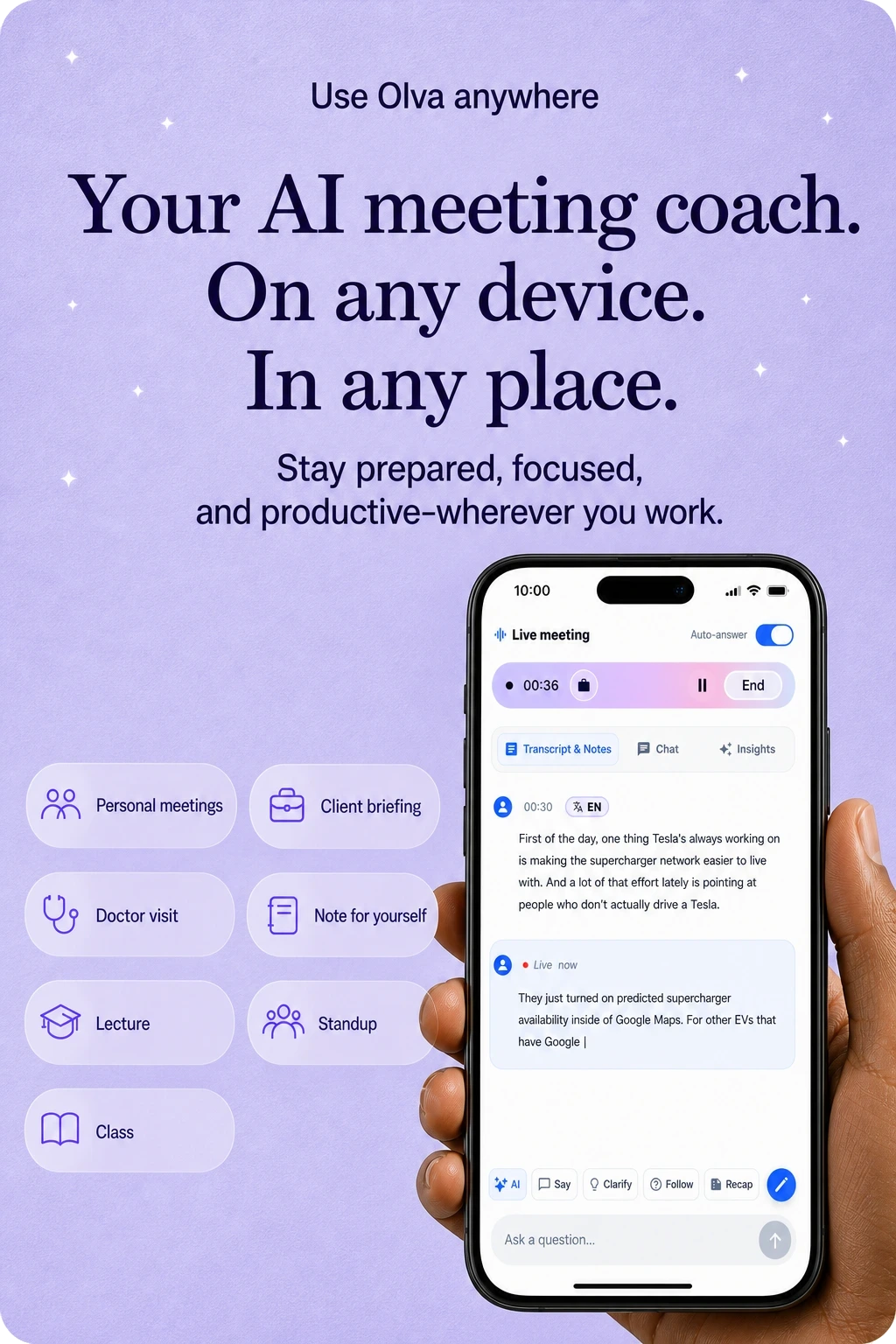
Use OLVA in the room, not only on a video call. Live transcription, answers, and follow-up stay with you for client visits, classes, and conversations away from the desk.

Mobile app
On iOS and Android, OLVA uses the microphone for in-person conversations. It does not capture another app’s system audio. Capture can pause when the app moves into the background or another app takes audio focus; return to OLVA to check and resume capture.
60 spoken languages
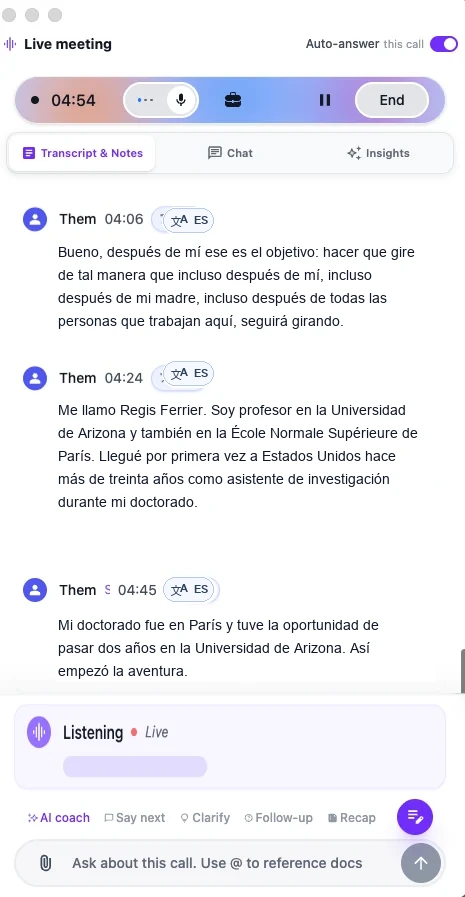
The default Soniox speech provider supports 60 spoken languages with automatic detection. You can select multiple languages being spoken. Options differ when another speech provider is configured; translation output is a separate setting.
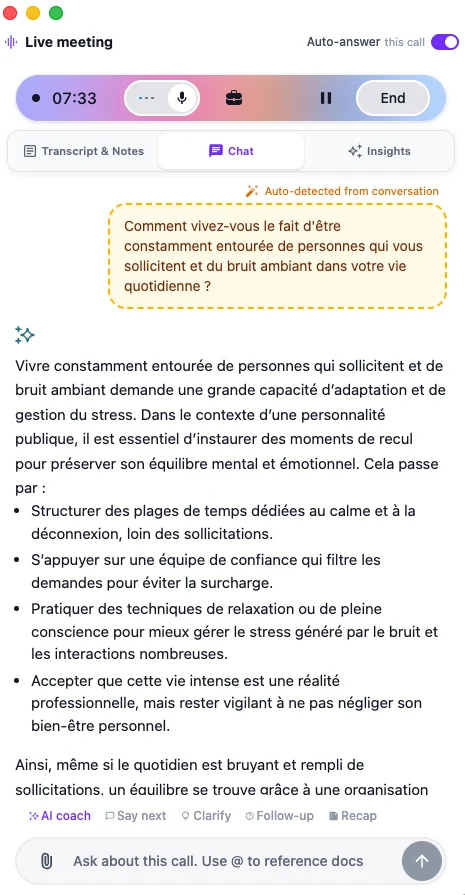
Transcripts, answers, and summaries follow the meeting language.
Optional live translation
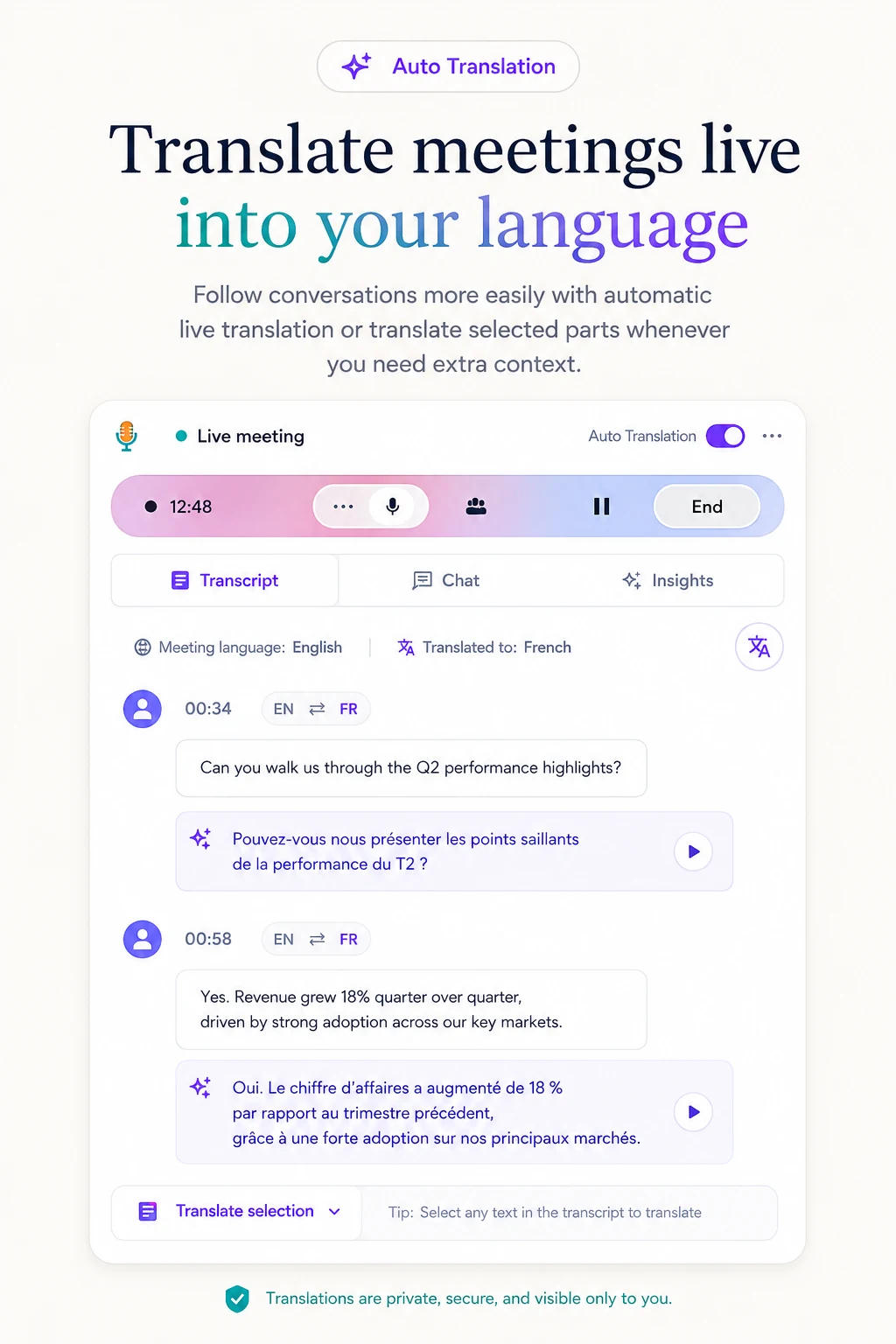
Enable live translation and choose your output language. View original text, translation, or both; spoken-language recognition is configured separately.
Editable PowerPoint
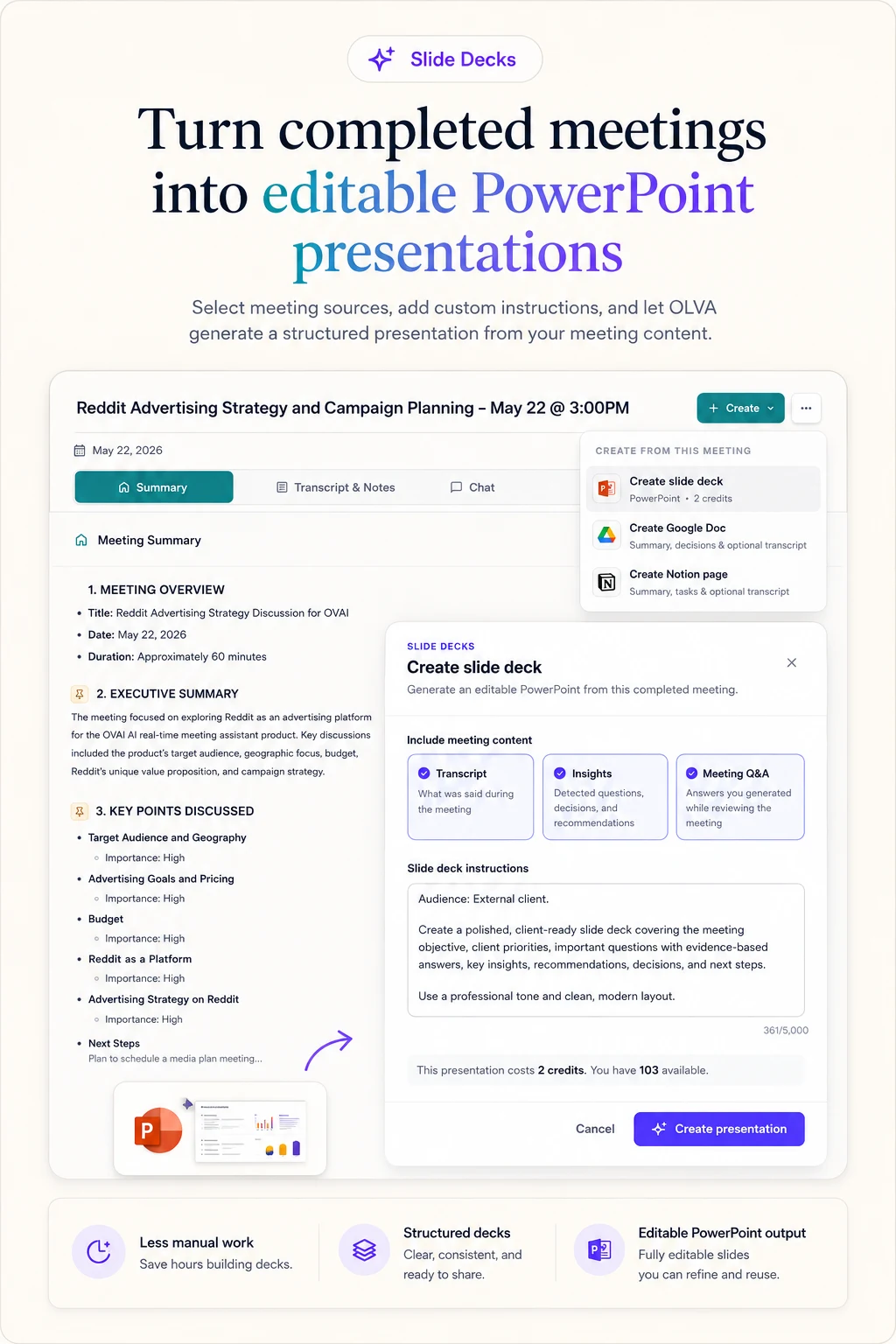
Turn completed meetings into editable PowerPoint presentations using the transcript, insights, and meeting Q&A. Generation uses feature credits; review the quoted cost in the app before generating. Download the deck to edit in PowerPoint or import into Google Slides.
More features
Capture options
OLVA captures from your device without joining the meeting roster.
Desktop · Pro / Ultra
Hide OLVA from supported screen-sharing capture. Verify your setup; this is separate from bot-free capture.
Product demo
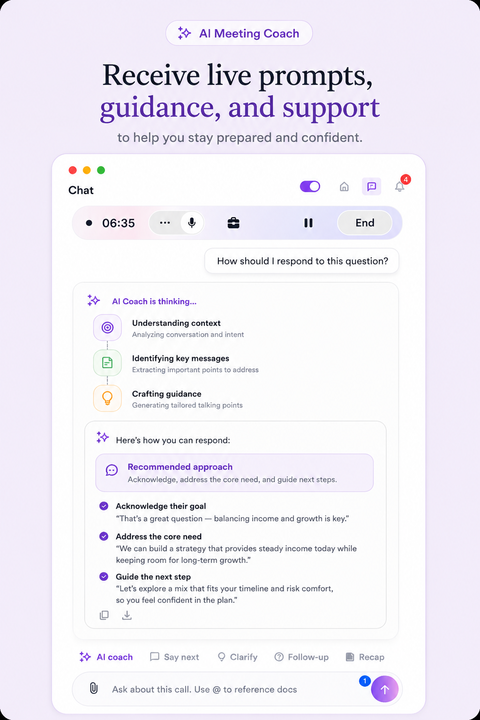
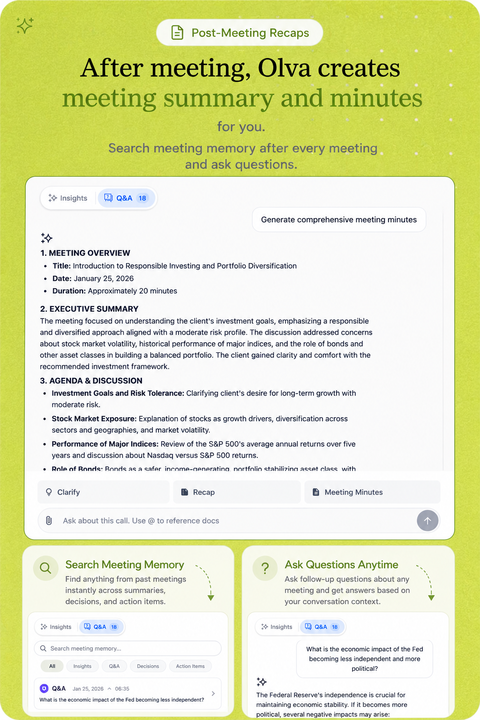
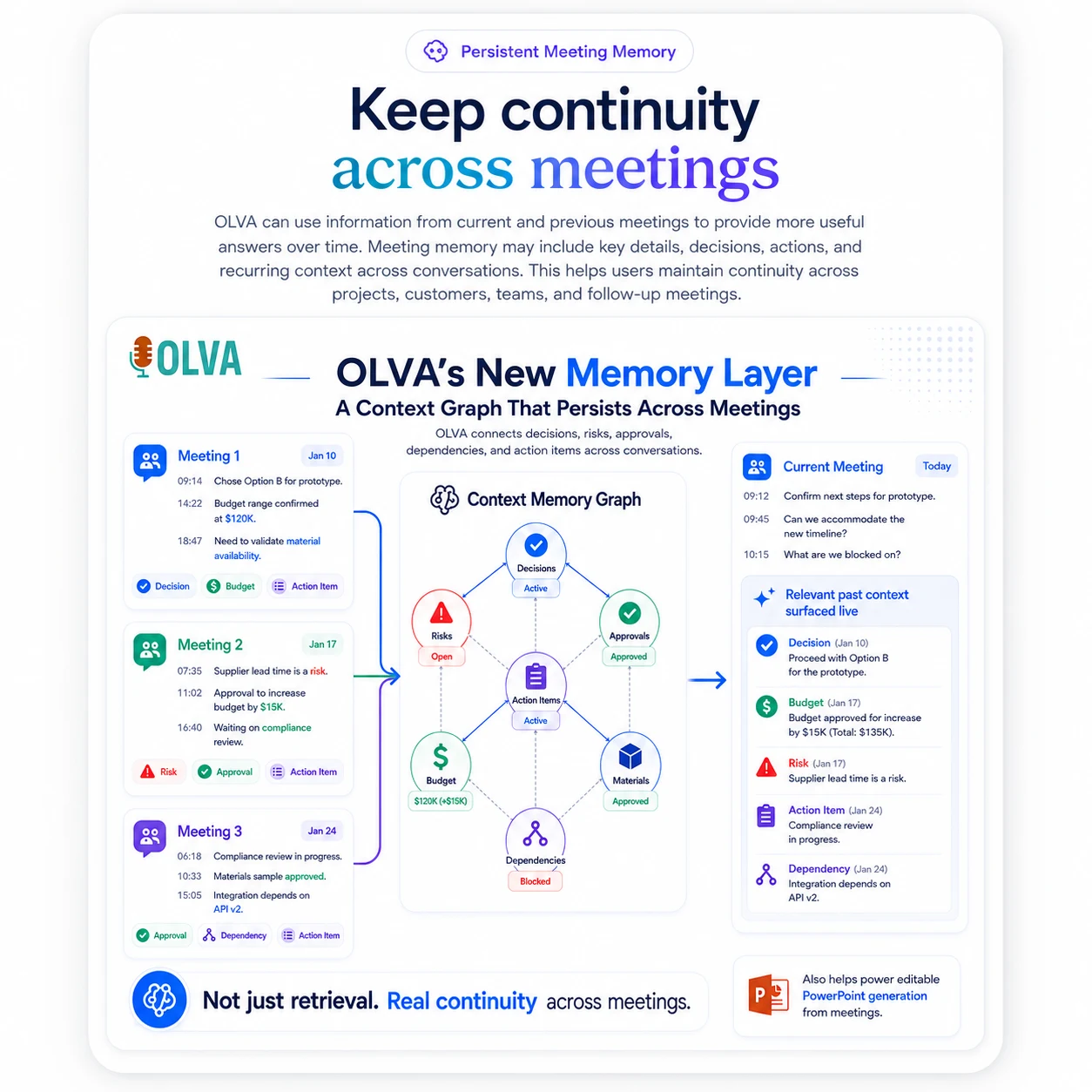
Watch how OLVA stays private, detects questions, and brings answers into the conversation without joining the call.
Platform compatibility
OLVA captures your computer audio directly, so it works beside the meeting tools you already use without joining your call.
Zoom
Google Meet
Microsoft Teams
Slack huddles

Webex
In-person
Zoom
Google Meet
Microsoft Teams
Slack huddles
Webex
In-person
Mobile apps
Use your phone’s microphone for in-person conversations, then revisit meeting memory and ask follow-up questions. Keep OLVA open to monitor capture; mobile does not capture another app’s system audio.
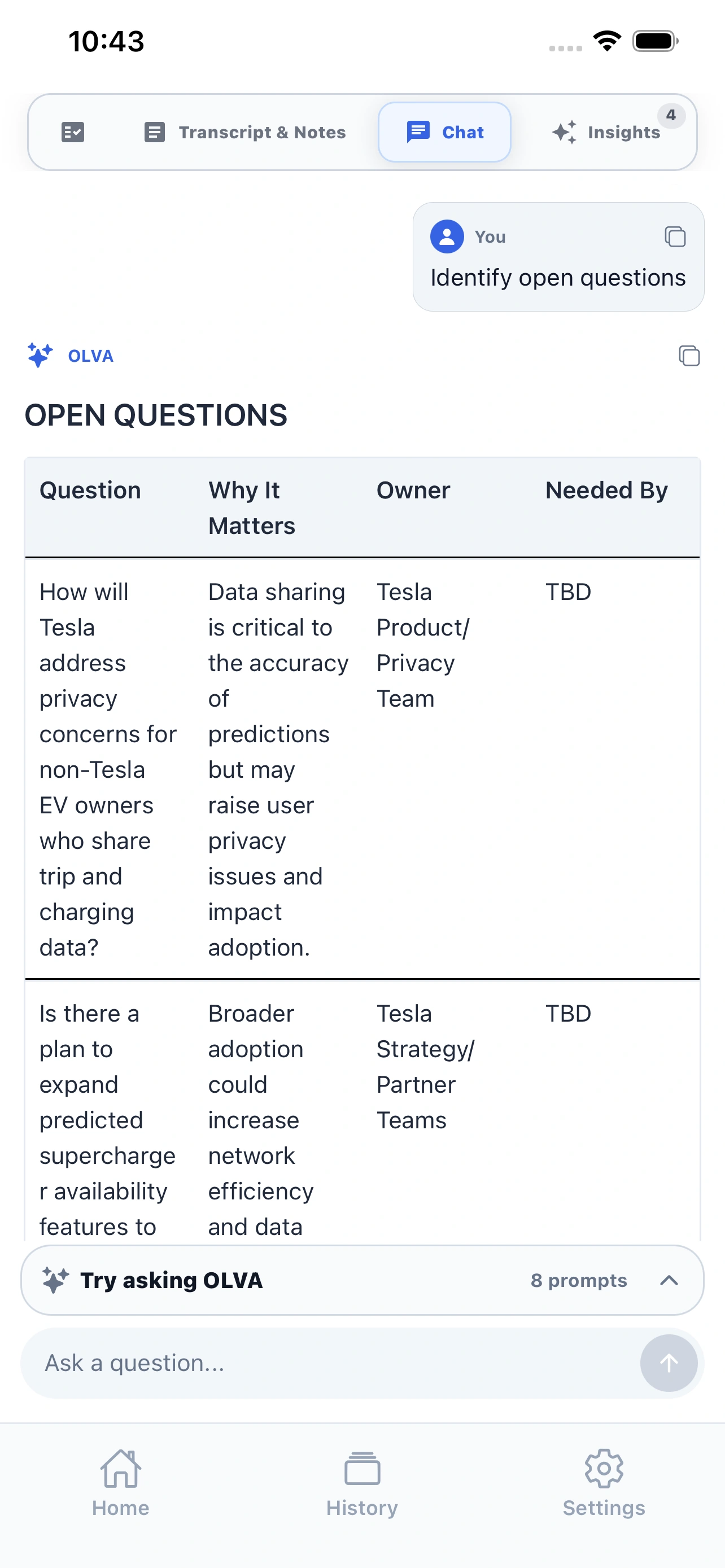
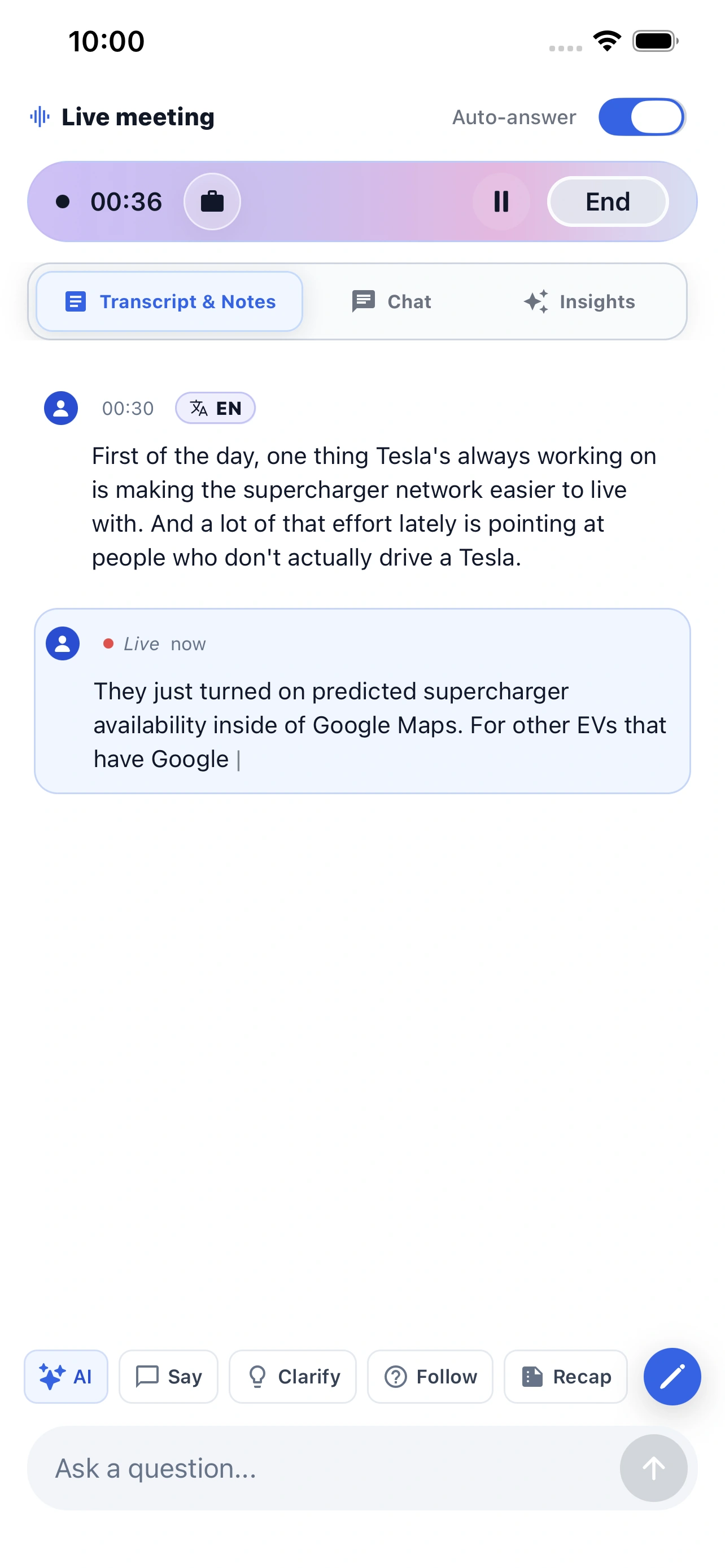
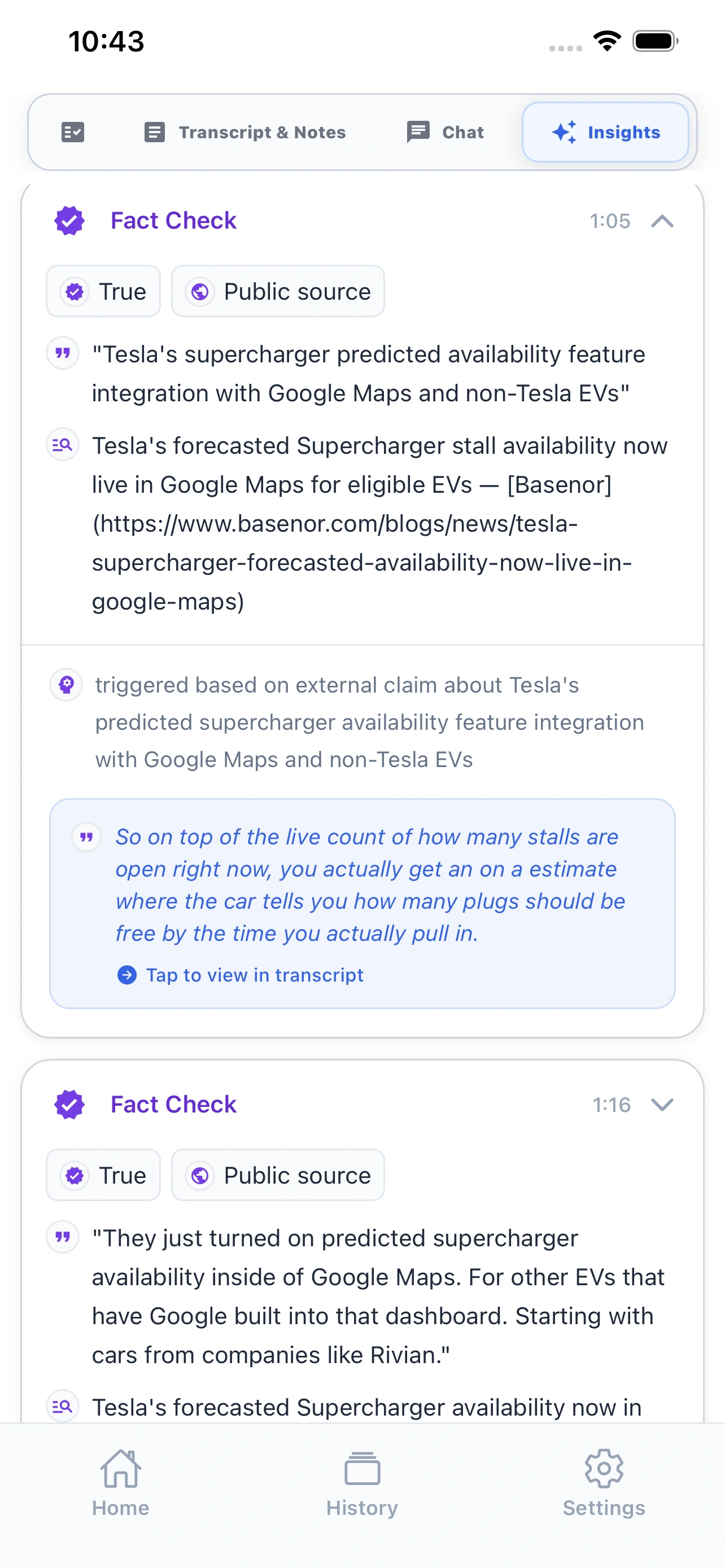
Live meeting companion
Record in-person conversations, follow the transcript, and ask OLVA when you need help in the moment.
Meeting memory in your pocket
Review recaps, history, and follow-up Q&A after the meeting without waiting to get back to your desktop.
AI meeting assistant comparison
We built OLVA for the hardest part of the meeting: the live moment when you need context, confidence, and a better answer before the conversation moves on.
Granola
Popular for personal, bot-free meeting notes and a lightweight writing workflow.
Fireflies.ai
Known for team transcripts, searchable meetings, and conversation intelligence.
Fathom
A common pick for easy call recording, summaries, clips, and CRM follow-up.
Otter.ai
Well known for transcription, collaborative notes, and searchable meeting records.
| Feature | OLVA | Granola | Fireflies.ai | Fathom | Otter.ai |
|---|---|---|---|---|---|
| Live insight | Live insight while the meeting is still happening. | Some live assistance | Primarily capture and review | Primarily capture and review | Live transcription and chat |
| AI coach | AI coach for thinking, responding, and steering live conversations. | Limited live guidance | Post-call coaching tools | Post-call workflows | Meeting chat and agents |
| Document-aware chat | Document-aware chat across decks, briefs, contracts, notes, and meeting memory. | Meeting context focused | Meeting context and integrations | Meeting context focused | Meeting context and file workflows |
| Auto-detected questions | Auto-detected questions that surface the moment help may be useful. | Not a primary documented workflow | Not a primary documented workflow | Not a primary documented workflow | Not a primary documented workflow |
| Botless by default | No visible meeting bot because OLVA captures from the user’s device. | Botless device capture | Bot and capture options vary | Bot-based and desktop capture options | Bot and capture options vary |
| Multilingual meetings | 60 spoken languages with automatic detection and multiple language choices on the default Soniox provider. Other providers differ. | Published language support varies | Published multilingual support | Published language support varies | Published multilingual support |
| Live translation | Live transcript translation during active meetings, with automatic or manual language selection. | Not available | Not available | Not available | Not available |
| In-person meetings | Desktop and mobile capture for conversations outside video calls. | Desktop capture | Mobile and upload workflows vary | Desktop-focused | Mobile transcription |
| Mobile support | iOS and Android companion apps for live capture, recaps, history, and follow-up Q&A. | Mobile note access | Mobile capture and review | Desktop-focused | Mobile transcription and notes |
| Post-meeting memory | Searchable meeting memory with summaries, insights, exports, and follow-up Q&A. | Notes and meeting history | Transcripts, summaries, and search | Recordings, summaries, and search | Transcripts, summaries, and search |
| Professional slide decks | Professional slide deck generation creates editable PowerPoint presentations from meeting context that you can also import into Google Slides. | Not available | Not available | Not available | Not available |
| Primary emphasis | Help during the live moment, followed by post-meeting memory. | Collaborative note writing | Meeting capture and intelligence | Recording and follow-up | Transcription and meeting agents |
Comparison facts reviewed July 20, 2026. Products change; claims are scoped to reviewed public information. Sources and corrections.
Pricing
Pick the plan by meeting volume. All paid plans keep the live context workflow: transcription, AI Boost, answers that can use a meeting context, and post-meeting memory.
Positioned for live value, not another notes dashboard.
Compare features
Free
Essential meeting features
$2.99
/ month
A little more room on a budget
$14.99
/mo
Billed every month at this list price.
Most popular
$24.99
/mo
Billed every month at this list price.
Compare plans and features
Most popular
$24.99
/mo
Billed every month at this list price.
Live transcription with useful cues | Included | Included | Included | Included |
Reusable meeting context | 5k words | 10k words | 20k words | 50k words |
Speaker diarization | Included | Included | Included | Included |
File attachment for meeting context | Included | Included | Included | Included |
Real-time insights (Fact check, Suggestion, Opportunity) | Included | Included | Included | Included |
In-meeting live chat | Included | Included | Included | Included |
Auto question detection | Included | Included | Included | Included |
Live AI coach | Included | Included | Included | Included |
Automatic meeting note/summary generation | Included | Included | Included | Included |
Comprehensive post-meeting minutes (action items, decisions, next steps, risks,...) | Included | Included | Included | Included |
Post-meeting Q&A across meetings | Included | Included | Included | Included |
Add personal meeting notes | Included | Included | Included | Included |
Automatic sticky note generation | Included | Included | Included | Included |
Slide deck/PowerPoint from conversation | Included | Included | Included | Included |
Live transcript translation | Included | Included | Included | Included |
Meeting folder management | Included | Included | Included | Included |
Multilingual support | Included | Included | Included | Included |
Bot-Free meeting mode | Included | Included | Included | Included |
Meeting history | Included | Included | ||
Calendar-aware meeting workflow | Not included | Not included | Included | Included |
Notion integration | Not included | Not included | Not included | Included |
Slack integration | Not included | Not included | Not included | Included |
Outbound webhooks for developers | Not included | Not included | Not included | Included |
Incognito Mode | Not included | Not included | Not included | Included |
Google Drive integration | Not included | Not included | Not included | Included |
Query hubs
Exact-match pages for the queries engines currently answer with Granola, Tactiq, Fireflies, and Otter.
Latest guides
Practical guides for getting more value from every conversation.
OLVA guide
Диаризация говорящих — автоматическое разделение голосов — уменьшает путаницу, ускоряет фоллоу‑ап и повышает ответственность в звонках продаж, продуктовых интервью и разговорах с клиентами. Практические примеры, советы по внедрению и как ассистенты в реальном времени вроде OLVA делают диаризацию полезной во время и после звонков.
Read guideOLVA guide
تفکیک گویندگان — تشخیص خودکار اینکه چه کسی چه گفته — ابهام را کاهش داده و در جلسات فروش، محصول و موفقیت مشتری سرعت عمل را افزایش میدهد. روندهای عملی، نکات اندازهگیری و اینکه چگونه تفکیک زمانواقعی همراه با کمک زمینهای نتایج جلسه را بهتر میکند، بیاموزید.
Read guideOLVA guide
La diarizzazione dei relatori etichetta chi ha detto cosa in tempo reale, riducendo confusione e migliorando i follow-up nelle riunioni di vendita, prodotto e customer success. Scopri workflow pratici, consigli e come OLVA abbina diarizzazione a trascrizione live, traduzione e risposte contestuali.
Read guideLatest coverage
Independent articles, interviews, and reviews from around the web.
Ynteractive
Our free OLVA lesson is now live in partnership with Ynteractive. Walk through a real consultant client call with OLVA and see private live answers, fact checks, and Live Translation in action. Then generate meeting minutes, a follow-up email, and an editable PowerPoint deck—step by step. Watch the lesson here: https://learn.ynteractive.com/content/olva-ai-meeting-assistant-client-calls
Read coverageai tools set review
LVA is now featured on AI Tools Set as a bot-free AI meeting assistant designed to help professionals stay focused and productive during every conversation. OLVA delivers real-time transcription, AI-powered answers and insights, question detection, coaching, meeting summaries, action items, translation, and PowerPoint generation—without adding a visible bot to your calls.
Read coverageAI Tools Set
OLVA has been ranked #4 in AI Tools Set’s roundup of the best AI meeting assistants, placing ahead of Avoma, tl;dv, Read AI, Circleback, and Sembly AI. The recognition highlights OLVA’s bot-free real-time meeting support, including live transcription, AI insights, question detection, coaching, summaries, action items, translation, PowerPoint generation, and reusable Meeting Contexts.
Read coverageDownload
FAQ
Yes. OLVA works as a private desktop and mobile companion instead of joining your Zoom, Google Meet, Microsoft Teams, Slack huddle, Webex, or in-person meeting as a visible participant.
Yes. OLVA follows the live transcript, detects questions automatically, and can generate contextual answers, coaching prompts, and follow-up suggestions while the conversation is still happening.
Most AI notetakers focus on notes after the call. OLVA is built for the meeting itself: live transcription, question detection, AI Boost, document-aware answers, coaching, and post-meeting memory.
No. OLVA captures from your own device and does not appear as a meeting participant. It is a lighter way to bring AI into the room while you keep the normal consent and notice practices your meetings already require.
Independent listings
These are public profile, store, and article pages where OLVA is listed. They are not awards, star ratings, or reviews we control. See current plans on pricing and sourced product claims on Product facts.
Official listings
Read reviews, compare plans, or explore OLVA on our official listings.